User Manual E-by-SIPLACE 用户手册.pdf - 第219页
User manual E by SIPLACE 5 Working with the machine From software version SC 712.1 Edition 05/2019 5.7 Messages and online help 219 5.7.1 "Viewing information about the current alert 5 To view information about t he…
5 Working with the machine User manual E by SIPLACE
5.7 Messages and online help From software version SC 712.1 Edition 05/2019
218
5.7 Messages and online help
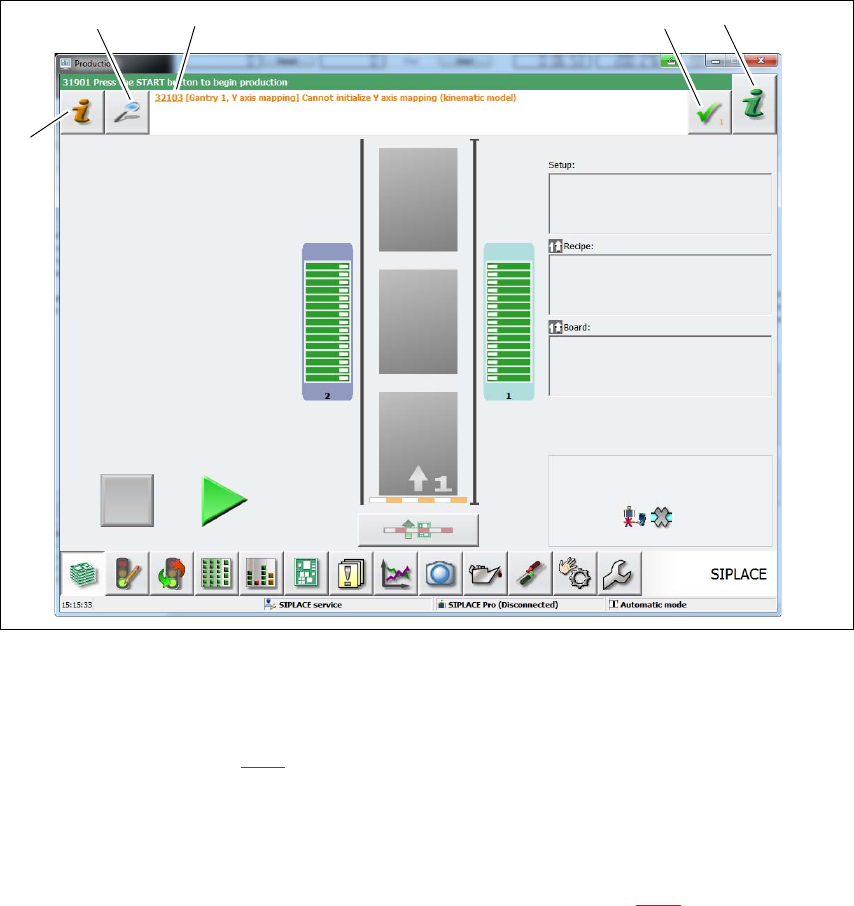
If alerts occur during placement machine operations, the alert message in the status field of the
user interface will be shown in red. The icon (1) for alert information will be active.
The button highlighted in red in the toolbar indicates that operator action is required.
5
Fig. 5.7 - 1 "Production" view with alert message (example)
Legend for fig. 5.7 - 1
(1) Starts the help system, showing the possible causes of the current errors and suitable
solutions (see section 5.7.1
, page 219).
(2) Opens a dialog box in which the error source, error message text and the error date with time
are shown. The help function for the current error can also be opened from here.
(3) Alert number and brief information about the alert.
(4) Deletes the error currently shown from the status field (see section 5.7.1
, page 219).
(5) Starts the context-sensitive Online Help function for the current view. All operating controls
for the current view are explained.
(1)
(2)
(3) (4)
(5)
User manual E by SIPLACE 5 Working with the machine
From software version SC 712.1 Edition 05/2019 5.7 Messages and online help
219
5.7.1 "Viewing information about the current alert
5
To view information about the current alert, click on the red icon to start the help system
for the station computer.
The main window of the help system will open with alert information. The information refers to the
alert currently shown and from which the help function was started.
Once an alert has been resolved and the solution has been automatically determined by the ma-
chine, this alert will be automatically removed from the status field.
If the solution is not recognized automatically, the alert can also be manually deleted from the sta-
tus field.
To do this, click on the icon; the alert message will no longer be shown in the status field.
5 Working with the machine User manual E by SIPLACE
5.7 Messages and online help From software version SC 712.1 Edition 05/2019
220
5.7.2 Viewing information about current and past messages
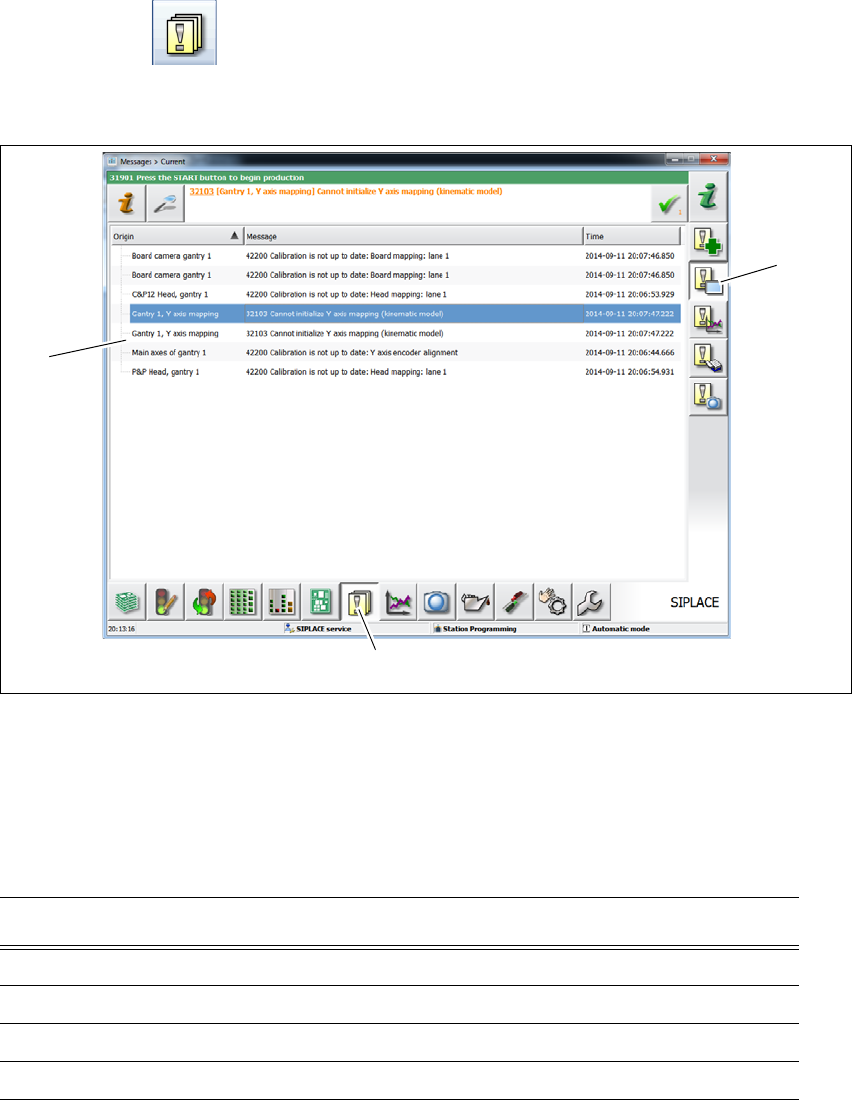
Click on the button in the toolbar (1).
Click on the "Display current messages" (2) button. All the messages which occurred will be
listed.
. 5
Fig. 5.7 - 2 Example:alert list (example)
Please refer to the online help of the station software to get more informations.
5.7.3 Color coding in the online help alert information
5
(1)
(2)
(3)
Text highlight Meaning
Red text Alert number and message
Black text Possible cause(s) of alert
Green text Instructions for solving the alert
Blue underlined text Open additional information