User Manual E-by-SIPLACE 用户手册.pdf - 第80页
2 Operational safety User manual E by SIPLACE 2.7 Safety features From software version SC 712.1 Edition 05/20 19 80 Function 2 If the prote ctive cover is swung upwards, the power supply to t he gantry axes will be imme…
User manual E by SIPLACE 2 Operational safety
From software version SC 712.1 Edition 05/2019 2.7 Safety features
79
2.7 Safety features
2.7.1 Protective covers
The protective hoods and covers serve as protective devices which prevent unauthorized access
to the inside of the machine.
2
2
2
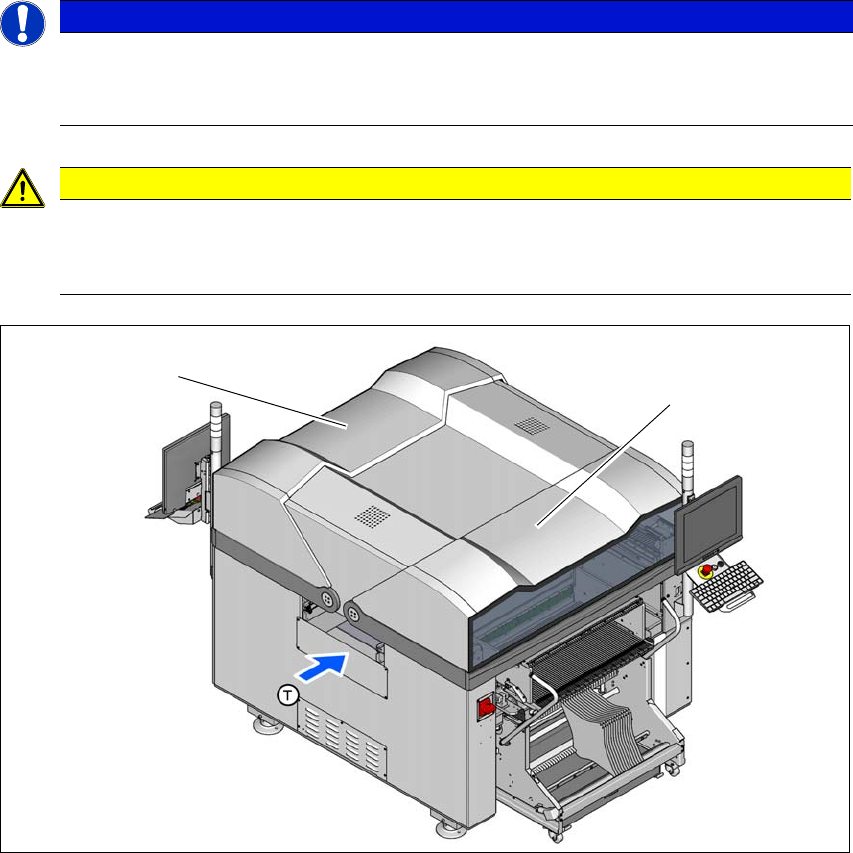
Fig. 2.7 - 1 Protective covers
(1) Protective cover location 1
(2) Protective cover location 2
The travel range of the gantry is protected with two covers which can be opened (items 1 and 2).
PLEASE NOTE
Checking/Cleaning/Replacing the Gas Pressure Shock Absorbers
Checking/Cleaning/Replacing the Gas Pressure Shock Absorbers on the Protective
Covers to be done every 12 months.
CAUTION
Risk of damage!
The protective covers and other covers could be damaged if too much force is exerted.
Do not stand on or climb up the protective covers and other covers.
(1)
(2)
2 Operational safety User manual E by SIPLACE
2.7 Safety features From software version SC 712.1 Edition 05/2019
80
Function 2
If the protective cover is swung upwards, the power supply to the gantry axes will be immediately
interrupted. The gantry axes stop moving. The message "Close cover" is displayed on the screen.
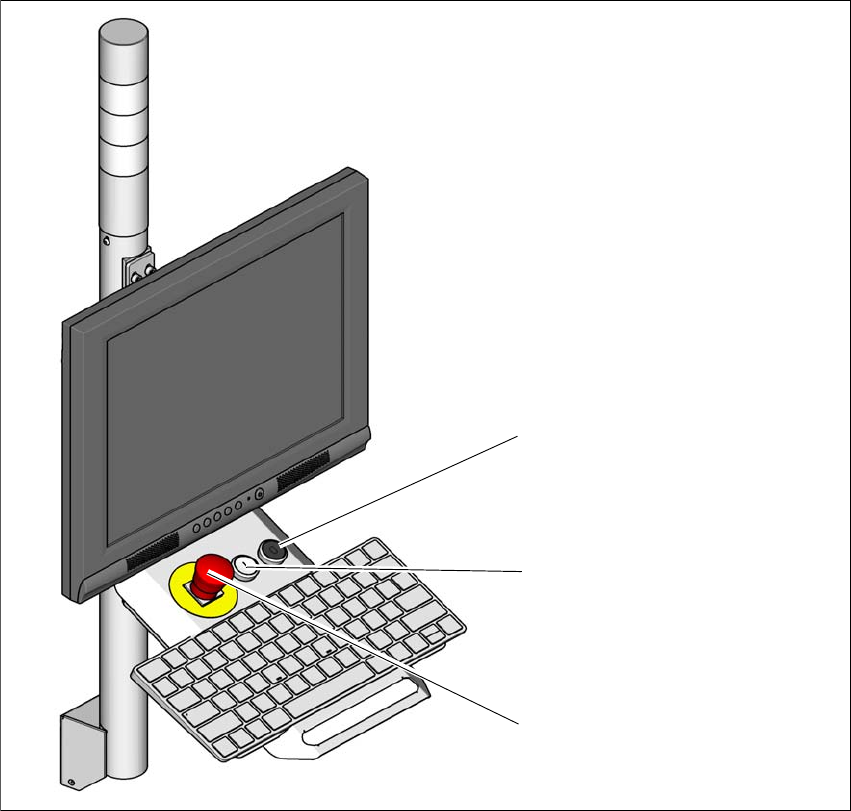
Close the protective covers and press the START button (item 2 in fig. 2.7 - 2), to continue
placement.
2
Fig. 2.7 - 2 Position of the start buttons (white) on the machine
(1) STOP button (black) on machine
(2) Start button (white) on the machine
(3) EMERGENCY STOP button
(2)
(1)
(3)
User manual E by SIPLACE 2 Operational safety
From software version SC 712.1 Edition 05/2019 2.7 Safety features
81
2.7.2 Switches and buttons on the machine
2.7.2.1 Position of switches and buttons on the machine
2
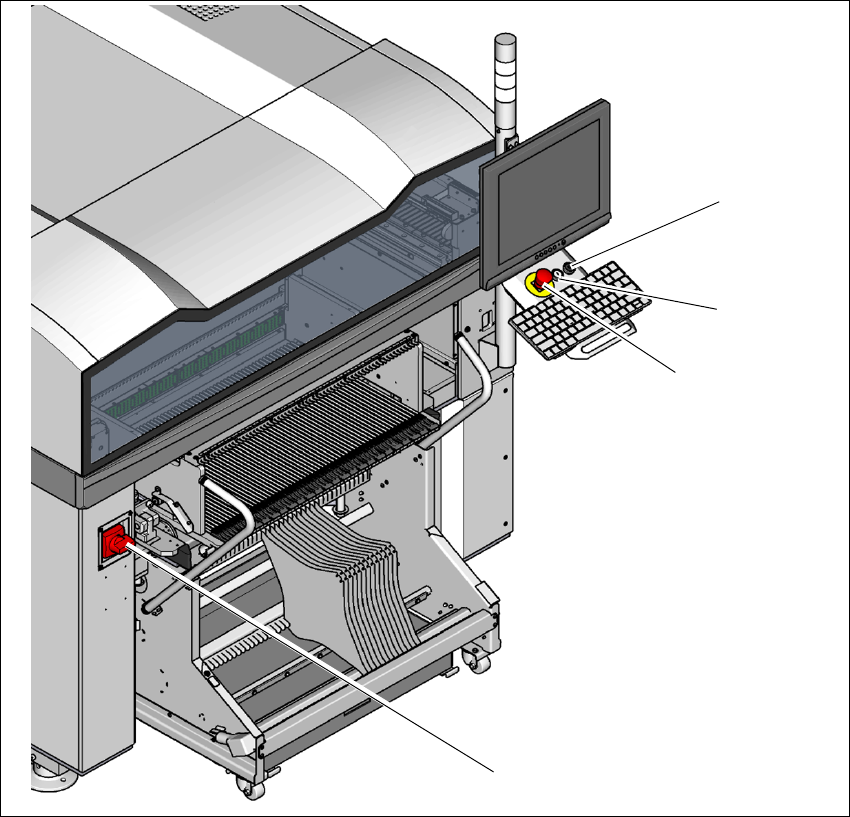
Fig. 2.7 - 3 Position of switches and buttons - location 1
(1) Main switch
(2) Stop button (black)
(3) Start button (white)
(4) EMERGENCY STOP button
No main switch on location 2
(2)
(1)
(3)
(4)