00198382-03_UM_SIPLACE-CA4-V2_EN.pdf - 第218页
5 Tasks at the placement machine Instruction manual SIPLACE CA4 V2 5.7 Indicator lamps with horn From software version 713.0 Edition 12/2019 218 5.7.1.3 Configuration of two-color indicator lamp and audio sign al (o ptio…
Instruction manual SIPLACE CA4 V2 5 Tasks at the placement machine
From software version 713.0 Edition 12/2019 5.7 Indicator lamps with horn
217
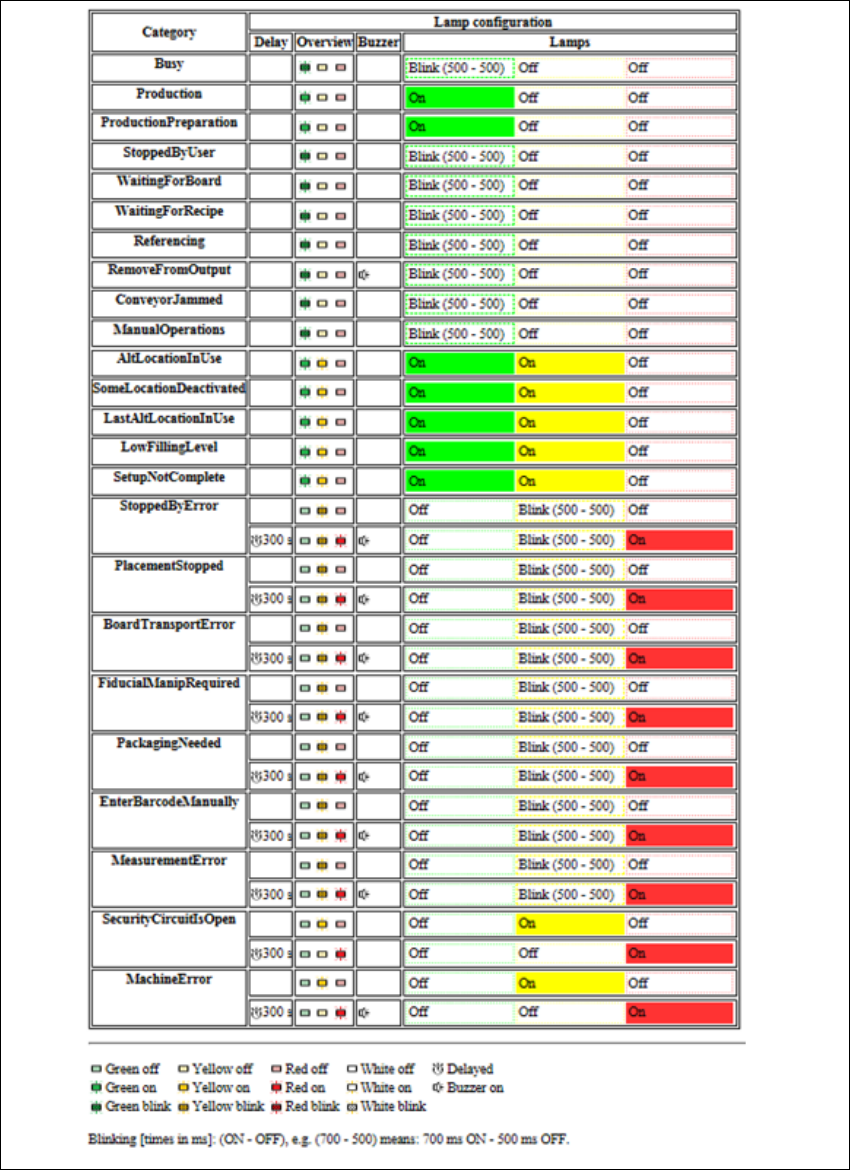
5.7.1.2 Configuration of three-color indicator lamp with delay and audio signal
Fig. 5.7 - 2 Configuration of three-color indicator lamp and audio signal
5 Tasks at the placement machine Instruction manual SIPLACE CA4 V2
5.7 Indicator lamps with horn From software version 713.0 Edition 12/2019
218
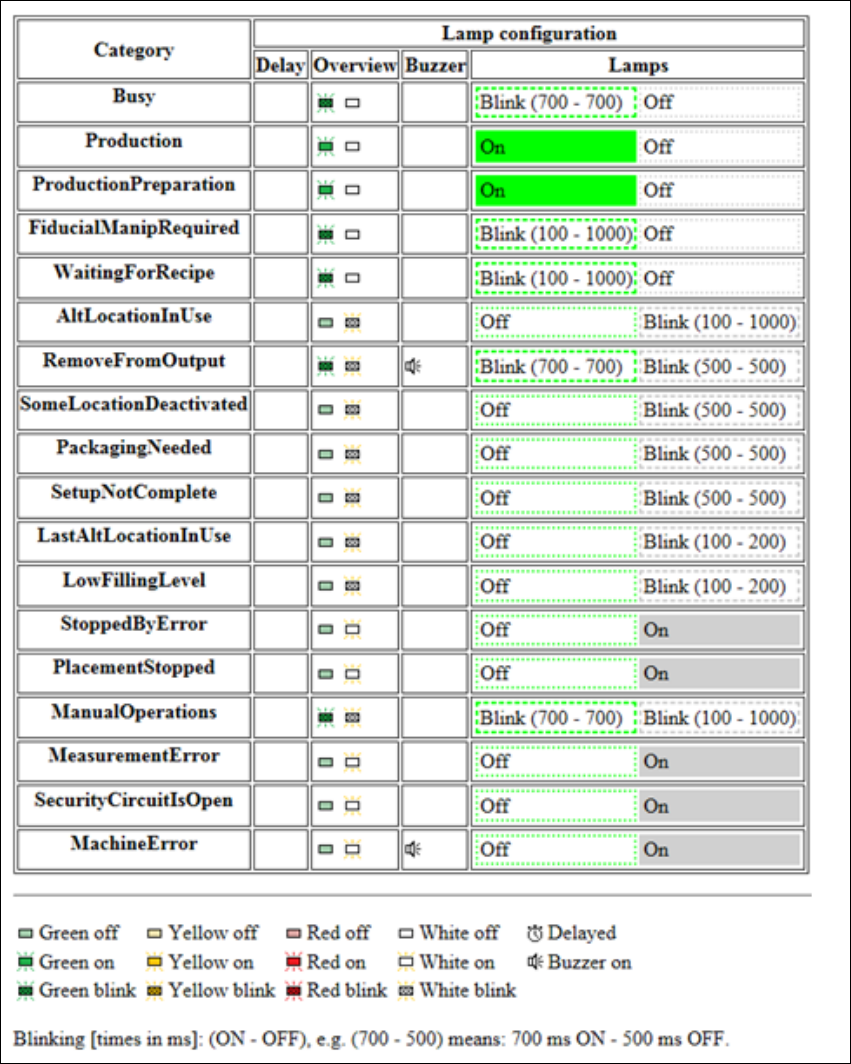
5.7.1.3 Configuration of two-color indicator lamp and audio signal (optional)
Fig. 5.7 - 3 Configuration of two-color indicator lamp and audio signal
5
Instruction manual SIPLACE CA4 V2 5 Tasks at the placement machine
From software version 713.0 Edition 12/2019 5.7 Indicator lamps with horn
219
5.7.2 Customized configuration of indicator lamp
Click on "Settings" in the toolbar of the station software .
Click on "User" .
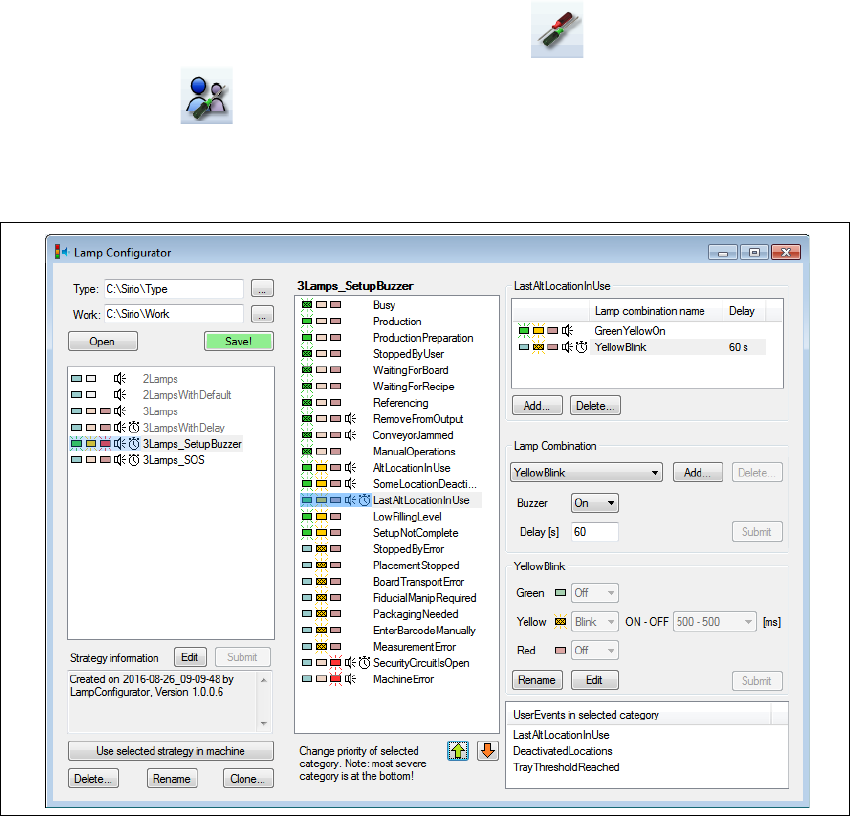
Go to Customized configuration of indicator lamp and click on Configure...
–The Lamp configuration tool will start.
Fig. 5.7 - 4 Lamp configuration tool
This tool is used to adjust the indicator lamp settings to your application case. Both the lamps and
the buzzer signals can be individually configured.
Restart the machine after changing the settings, so that the new configuration is enabled.
If the settings are not only to be used on the current placement machine, you will need to distribute
the configuration via the programming system
Go to Customized configuration of indicator lamp and click on Distribute...
The indicator lamp settings valid on this placement machine will be sent to the programming sys-
tem and from there transferred to all placement machines in this line. These settings will then be
valid for all placement machines with the same indicator lamp configuration.