00198382-03_UM_SIPLACE-CA4-V2_EN.pdf - 第265页
Instruction manual SIPLACE CA4 V2 6 Component handling From software version 713.0 Edition 12/2019 6.2 Component trolley 265 6.2 Component trolley Item no. 001 19722-xx SIPLACE X-Series compo nent trolley Four SIPLACE X-…
6 Component handling Instruction manual SIPLACE CA4 V2
6.1 SIPLACE tape feeder modules for SIPLACE CA4 V2 From software version 713.0 Edition 12/2019
264
6
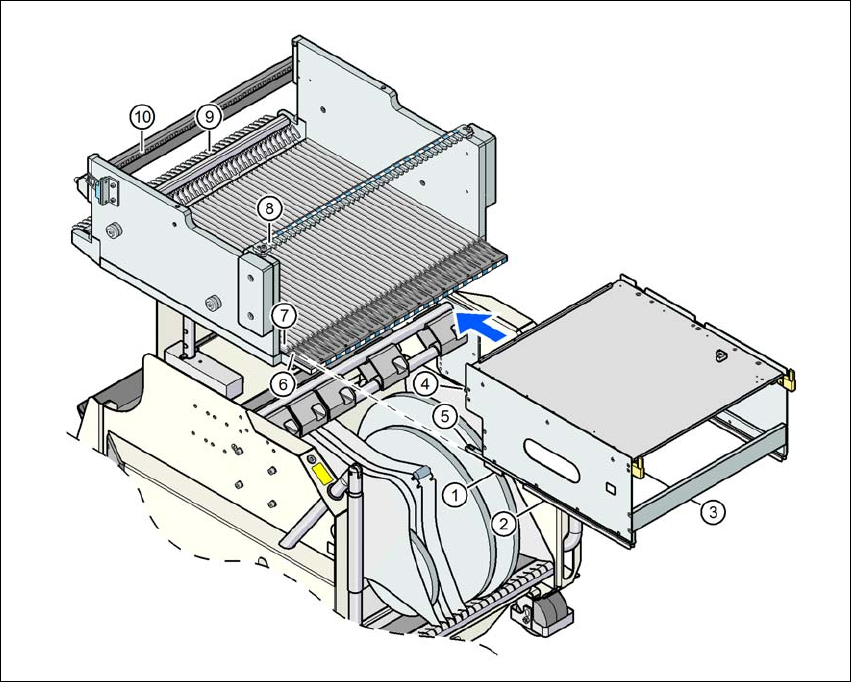
Fig. 6.1 - 10 Inserting the tray holder into the component trolley
(1) Front slider guide (6) Insertion aid
(2) Back slider guide (7) Sliding rail (omega profile)
(3) "Back" centering pin (8) Recesses in the centering bar for holding the
"back" centering pin
(4) "Front" centering pin (9) Locking latches
(5) Locking roller (10) Centering holes on the changeover table for
holding the "front" centering pin
Instruction manual SIPLACE CA4 V2 6 Component handling
From software version 713.0 Edition 12/2019 6.2 Component trolley
265
6.2 Component trolley
Item no. 00119722-xx SIPLACE X-Series component trolley
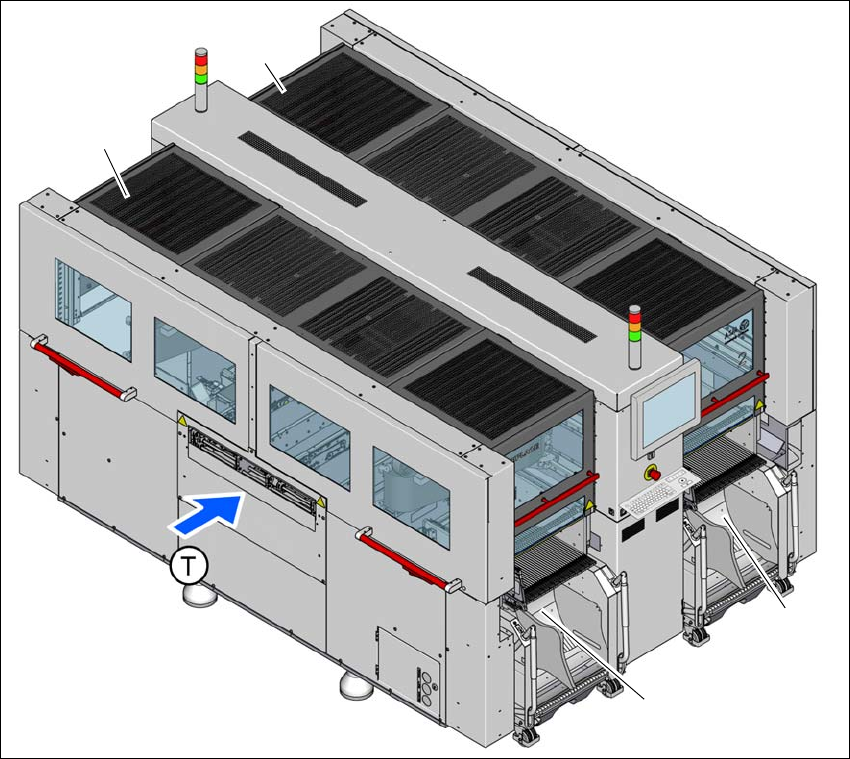
Four SIPLACE X-Series component trolleys can be docked onto SIPLACE CA4 V2 placement
machines.
6
Fig. 6.2 - 1 Component trolley locations
(1) Location 1
(2) Location 2
(3) Location 3
(4) Location 4
(T) Direction of PCB conveyor
The component trolleys are stand-alone modules that can be set up with feeders at an external
setup area. This means that the production process only has to be interrupted briefly in order to
change the component trolley.
(1)
(4)
(2)
(3)
6 Component handling Instruction manual SIPLACE CA4 V2
6.2 Component trolley From software version 713.0 Edition 12/2019
266
6
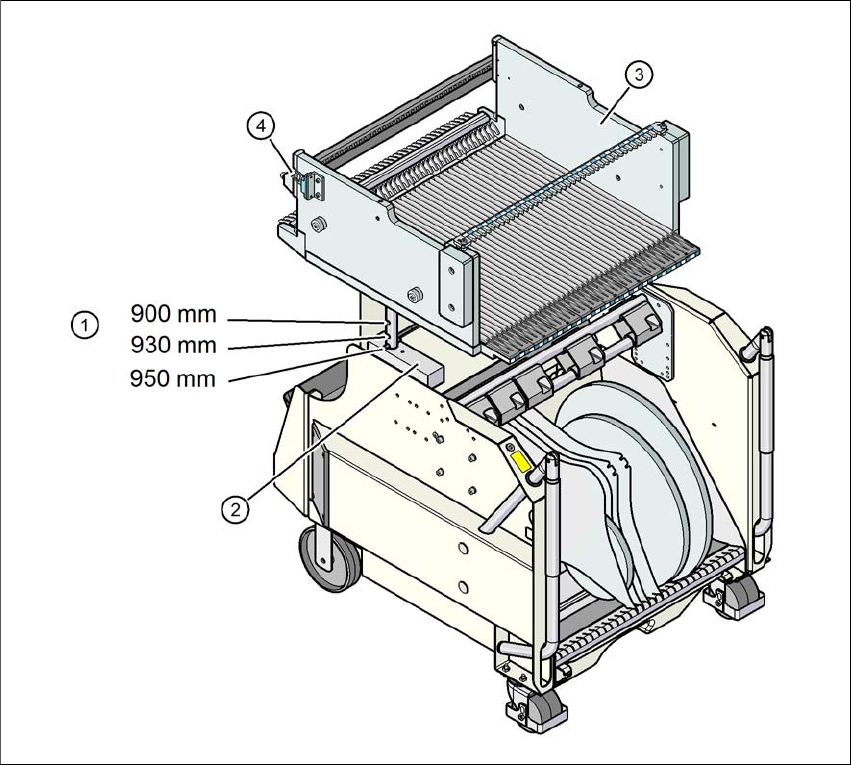
Fig. 6.2 - 2 Component trolley, SIPLACE X-Series, with a PCB conveyor height of 950 mm
6
(1) Holes in the guide columns for the PCB conveyor heights of 900, 930 and 950 mm.
(2) Support block
(3) Changeover table
(4) Contact for switching the safety switch in the COT insert