00198382-03_UM_SIPLACE-CA4-V2_EN.pdf - 第72页
2 Operational safety Instruction manual SIPLACE CA4 V2 2.6 Safety features From software version 713.0 Edition 12/2019 72 Function 2 If one of the protective covers i s s w u n g u p w a r d s o r i f o n e o f t he slid…
Instruction manual SIPLACE CA4 V2 2 Operational safety
From software version 713.0 Edition 12/2019 2.6 Safety features
71
2
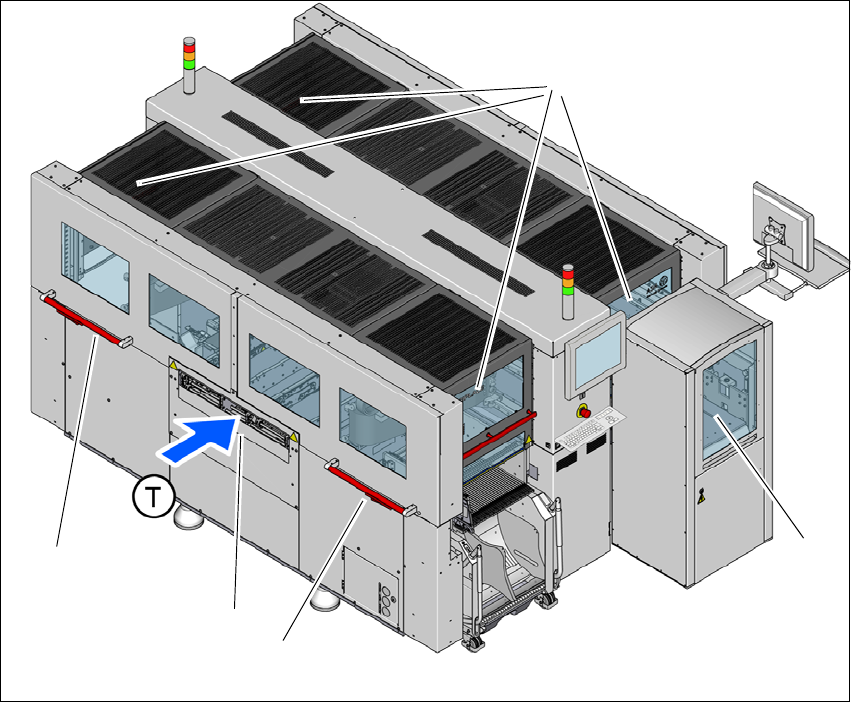
Fig. 2.6 - 1 Protective covers and other covers
(1) Protective covers on the locations
(2) SWS magazine lift with sliding door (optional)
(3) Side sliding door
(4) Hand guard on the input conveyor
(T) Direction of PCB conveyor
The traveling range of the gantries has four protective covers that can be swung upwards (item
1). Side sliding doors (item 3) make it easier to access the inside area. The SWS magazine lift is
covered by a sliding door (item 2). The hand guard (item 4) over the input or output conveyor pre-
vents unauthorized access to the PCB conveyor.
(1)
(2)
(3)
(4)
(3)
2 Operational safety Instruction manual SIPLACE CA4 V2
2.6 Safety features From software version 713.0 Edition 12/2019
72
Function 2
If one of the protective covers is swung upwards or if one of the sliding doors is opened upwards,
the power supply to the gantry axes and all SWS axes will be immediately interrupted. The gantry
axes and all SWS axes will come to a standstill. The message "Close cover" is displayed on the
screen.
Close the protective covers and the side sliding doors.
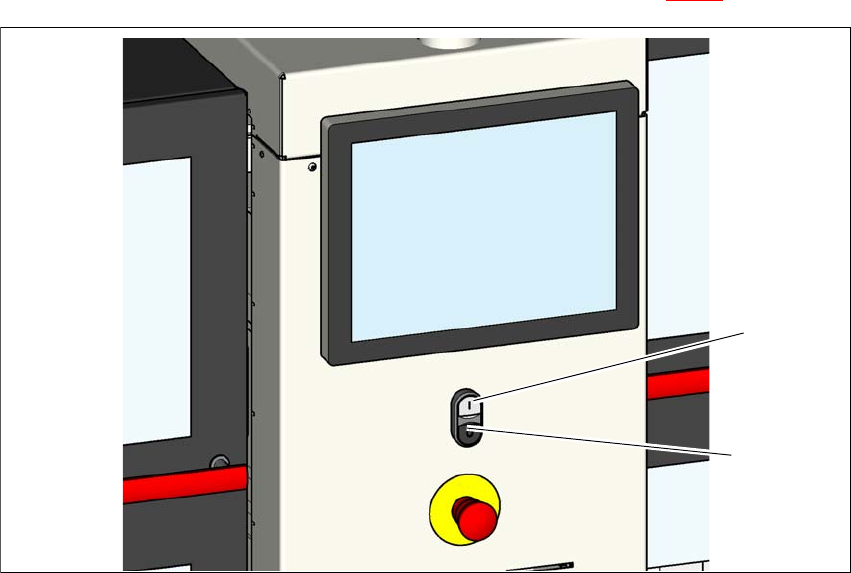
Press one of the start buttons on the placement machine (item 1 in fig. 2.6 - 2)
2
Fig. 2.6 - 2 Position of the start buttons (white) on the placement machine
(1) Start button (white) on the placement machine
(2) Stop button (black) on the placement machine
2.6.2 Hand guard on the board conveyor
The hand guard on the PCB conveyor prevents access to the placement machine when it is run-
ning. Make sure that the hand guard is always fitted.
(2)
(1)
Instruction manual SIPLACE CA4 V2 2 Operational safety
From software version 713.0 Edition 12/2019 2.6 Safety features
73
2
2
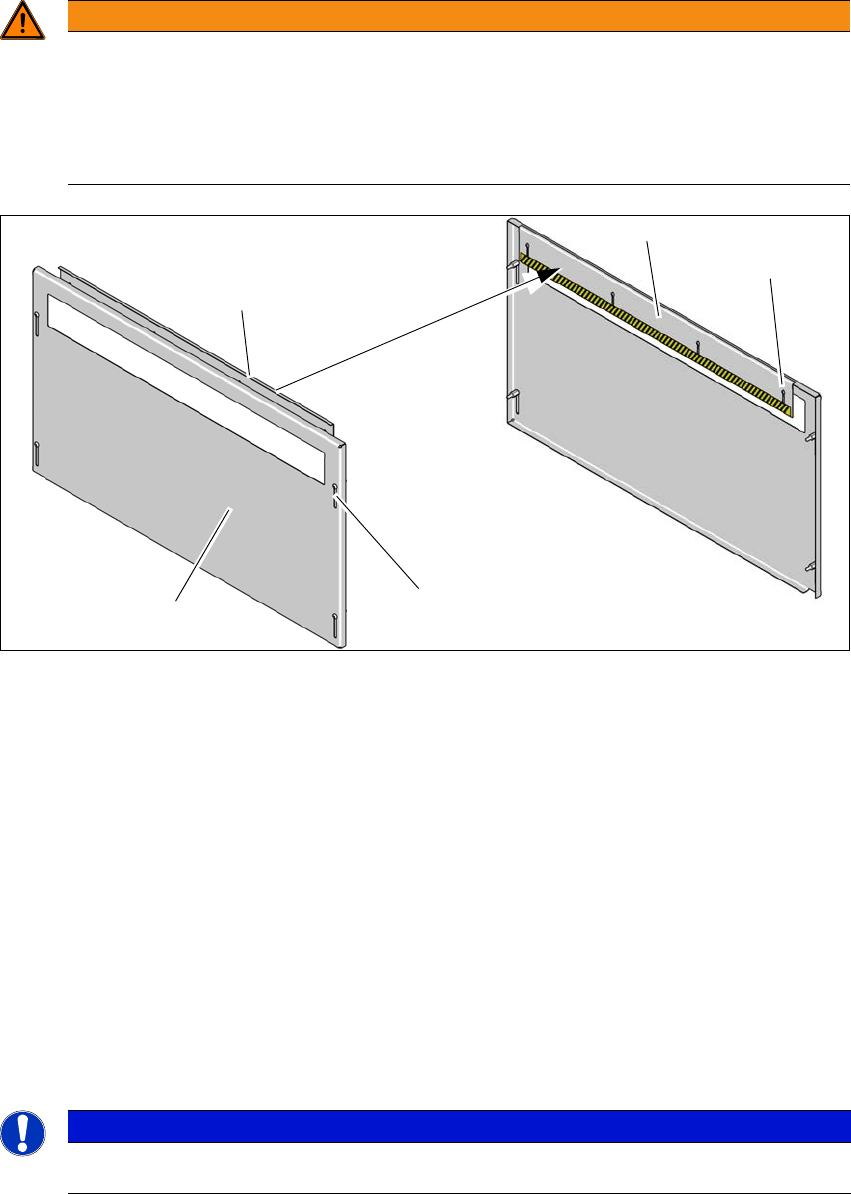
Fig. 2.6 - 3 Hand guard - inside and outside
(1) Hand guard - view from outside
(2) Hand guard - view from inside
(3) Slots on hand guard for height adjustment - outside
(4) Slots on hand guard for height adjustment - inside
Fit the hand guard (1) to the input conveyor and to the output conveyor.
Use the slots (3) to adjust the height on the outer plate for each product so that nobody can
reach into the board conveyor from below.
Use the slots (4) to adjust the height on the inner plate for each product so that nobody can
reach into the board conveyor from above.
Adjust the height so that the board with the components can be transported safely through
the conveyor system.
2
WARNING
DANGER OF CRUSHING!
If the hand guard is not fitted, reaching into the board conveyor could lead to injuries to
the arms and hands.
The operating company is responsible for ensuring that the hand guard is fitted.
Only operate the SIPLACE CA4 V2 if the hand guard is fitted.
PLEASE NOTE
2
Bear in mind the maximum height of the board with the highest component.
(1)
(2)
(2)
(3)
(4)