EUKYX-199-2100_G5S2_Instruction_Vol2_E.pdf - 第130页
EUKYX 2-17 199-2100 3.1 Common SET Front Right : The plac ement co ordinate refe rence is bas ed on t he front right side and sp ecified as fo llow s. X + Y + Placement Coordinate Reference (No) PCB F2B13 Rear Right : Th…
EUKYX
2-16199-2100
3.1 Common SET
(B01_04)
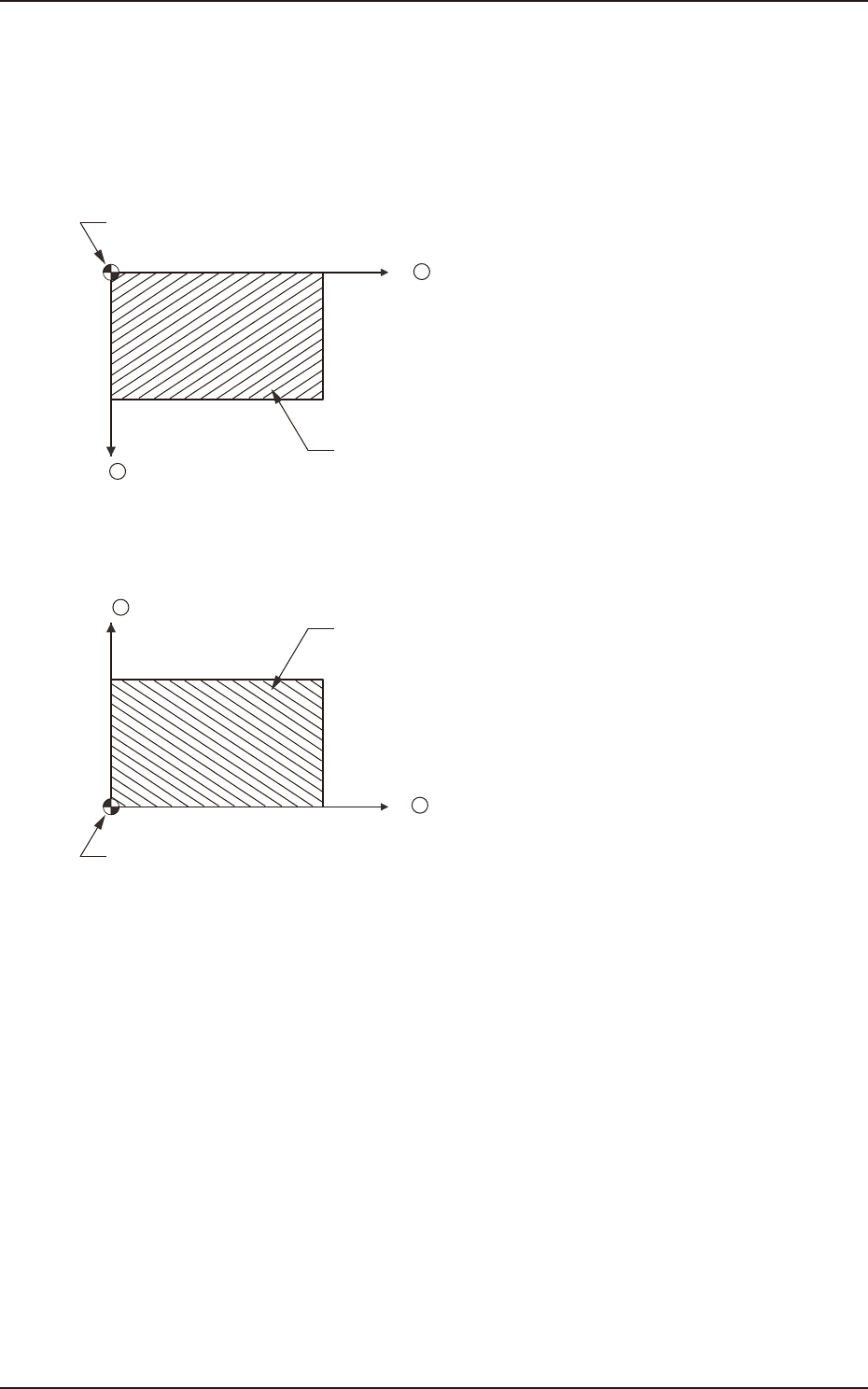
PCB Positioning Reference
Set the PCB positioning reference in this text box. The reference must be specified according to the
input and output machines.
Rear Left : The placement coordinate reference is based on the rear left side and specified as
follows.
X +
Y +
Placement Coordinate Reference (No)
PCB
F2B11
Front Left : The placement coordinate reference is based on the front left side and specified as
follows.
X +
Y +
Placement Coordinate Reference (No)
PCB
F2B12
EUKYX
2-17199-2100
3.1 Common SET
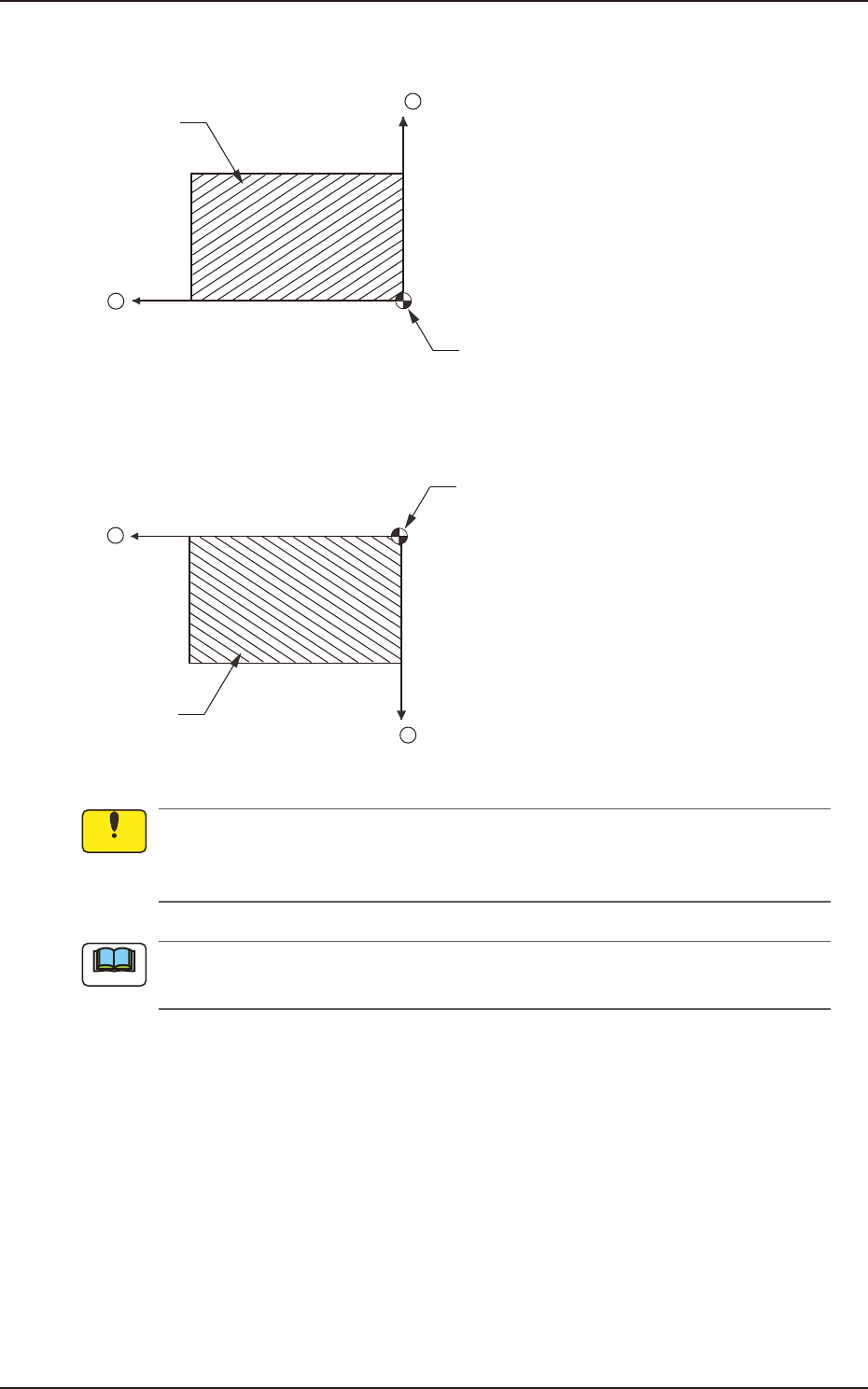
Front Right : The placement coordinate reference is based on the front right side and specified as
follows.
X +
Y +
Placement Coordinate Reference (No)
PCB
F2B13
Rear Right : The placement coordinate reference is based on the rear right side and specified as
follows.
X +
Y +
Placement Coordinate Reference (No)
PCB
F2B14
Be sure to set the same reference as the input and output machines.
If a reference different from the input and output machines is specified, PCBs cannot be
produced correctly.
When a different reference is specified in the pattern program and the program is to be used
for this machine, be sure to change the reference of this machine to the different one.
Notice
Note
EUKYX
2-18199-2100
3.1 Common SET
(B01_05)
Comp library placement offset
"Enable" or "Disable" for the use of the Component Library Placement Offset Function, is set in this
data box. When "Enable" is set, the system is operated based on the values set in the component
library.
(B01_06)
PCB Warpage [mm]
Specify the maximum value of the PCB upward warpage.
Whenever the data is changed, be sure to optimize the data.
• Data Input Range: 0.000 to 3.000
(B01_07)
Lot Name
The lot name of the pattern program is set in this text box.
Max. 39 characters are used for the setting.
The available characters are half-width alphabetical and numerical characters and symbols.
Even when this comment is not set, it does not influence on the machine performance.
(B01_08)
Comment 1 and Comment 2
Comments on the pattern program can be specified in these text boxes.
Up to 32 characters (alphanumerics and marks) can be used.
The performance of the machine is not affected by these comments. In other words, it has
nothing to do with or without these comments.
Note
Note
Notice