EUKYX-199-2100_G5S2_Instruction_Vol2_E.pdf - 第208页
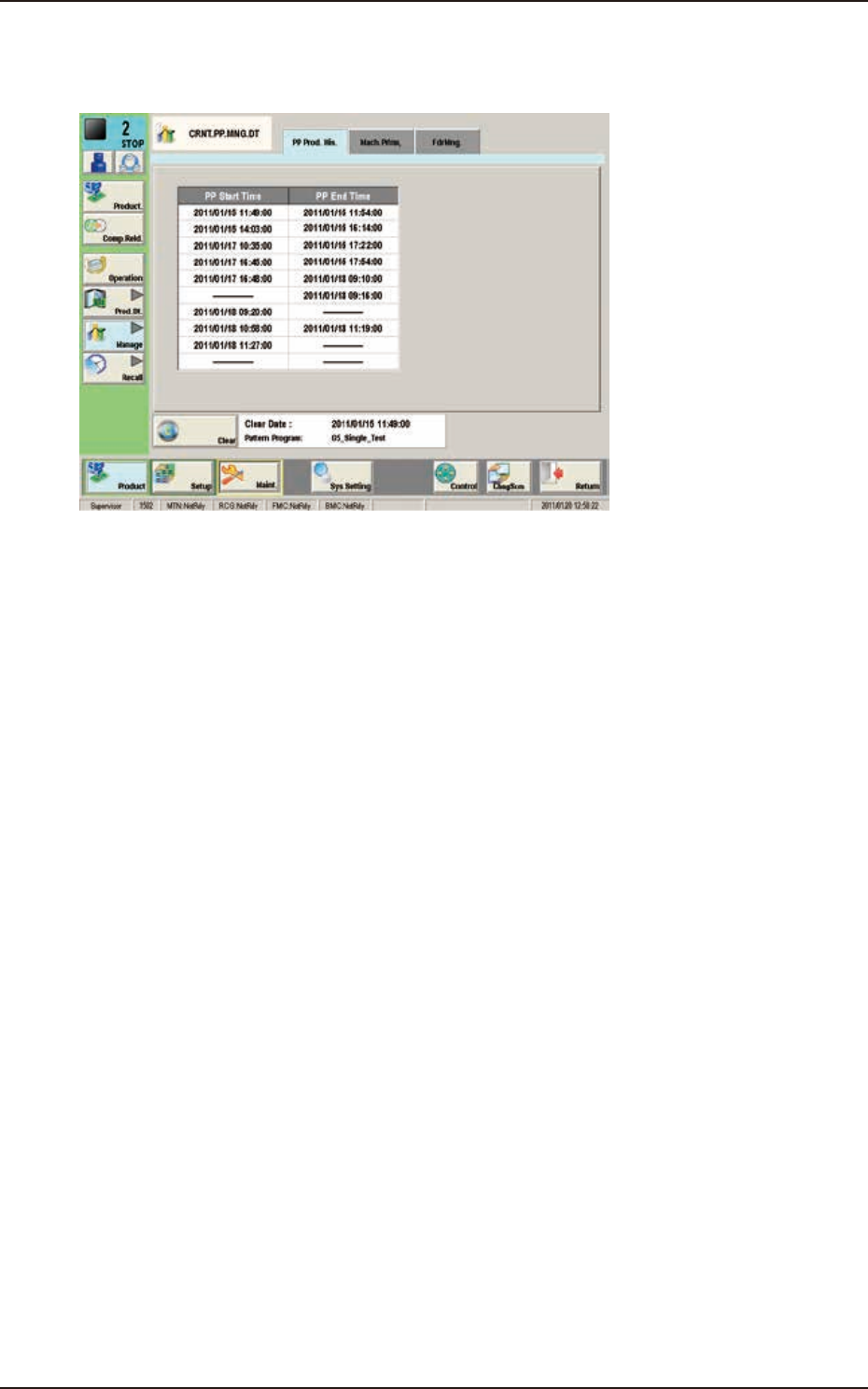
EUKYX 4-16 199-2100 3.1 "PP Prod. His." Window 3. 1 "PP P r od. His. " Windo w The PCB production star t date and ti me, and end dat e and time a re recorded. F2D14
EUKYX
4-15199-2100
3. "CRNT.PP.MNG.DT" Window
3. "CRNT.PP.MNG.DT" Window
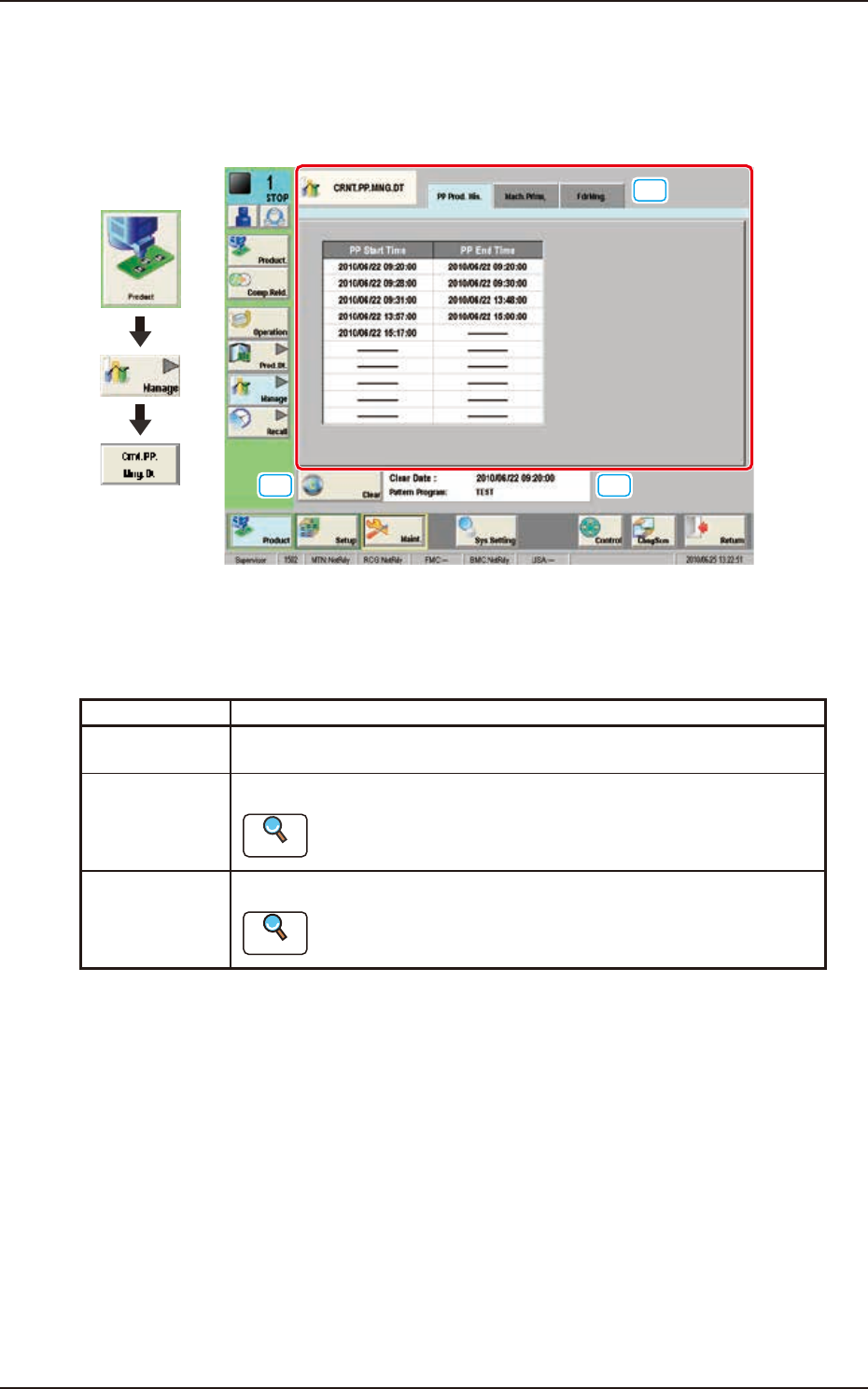
This window enables the operator to confirm the production management data for the current
pattern program.
[2]
[1]
[3]
Graphic
Development
F2D13
[1] Tabs and Tab Sheets
There are three tab sheets for the "CRNT.PP.MNG.DT" window. When any tab is pressed, the
corresponding tab sheet appears.
Buttons Description
PP Prod. His. In this tab sheet, the automatic operation starting date and time and ending
date and time are recorded.
Mach.Prfrm. In this tab sheet, the device management result data is displayed.
Reference
Refer to “2.1 “Mach.Prfrm,” Tab Sheet” for each item.
FdrMng. In this tab sheet, the pick-up data for each feeder is displayed.
Reference
Refer to “2.2 “FdrMng.” Tab Sheet” for each item.
[2] [Clear] Button
When this button is pressed, all the data parameters are deleted in each tab sheet for the "CRNT.
PP.MNG.DT" window.
[3] Information on Totalization File Information
The update date and time for the totalization file and pattern program are displayed in this area.
EUKYX
4-16199-2100
3.1 "PP Prod. His." Window
3.1 "PP Prod. His." Window
The PCB production start date and time, and end date and time are recorded.
F2D14
EUKYX
4-17199-2100
3.2 "Mach.Prfrm," Tab Sheet
3.2 "Mach.Prfrm," Tab Sheet
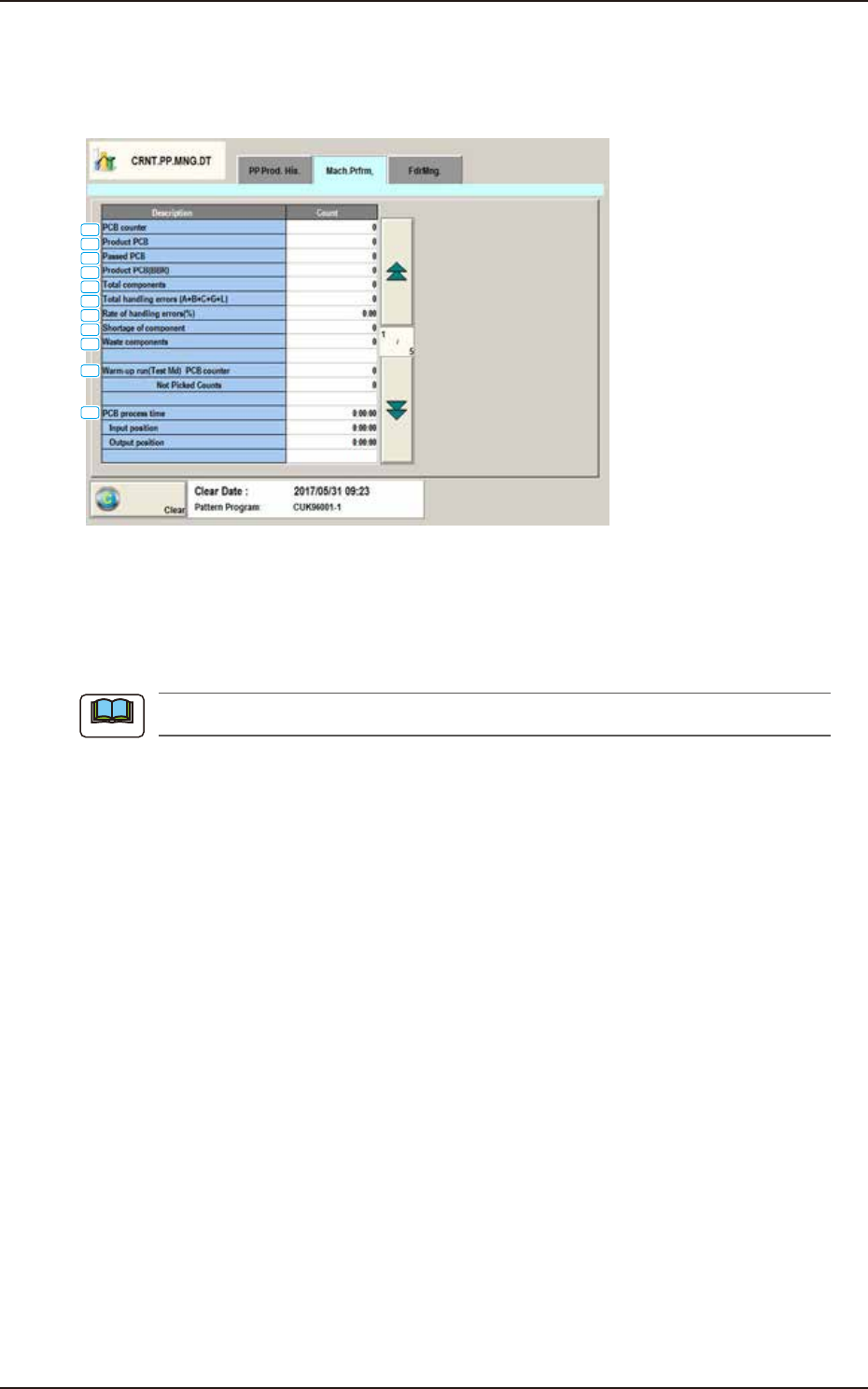
When the "Mach.Prfrm," tab is pressed in the "Manage" window, the following tab sheet appears
inside the window.
[1]
[2]
[3]
[4]
[5]
[6]
[7]
[8]
[9]
[10]
[11]
F2D15A
[1] PCB counter
Shown is the number of produced PCBs.
Counting is implemented when the X/Y beam is zeroed after component placement operation (when
a PCB is finished).
When a particular pattern program is set several times for production, the sum total is computed.
[2] Product PCB
The number of produced unit PCBs on multi-unit PCB is summed up. Counting is implemented
when the X/Y beam is zeroed after component placement operation (when a unit is finished).
When the bad board reject (BBR) function is used, defective unit PCBs are excluded.
[3] Passed PCB
The number of passed PCBs is counted when the machine is set in the "PASS" mode.
Counting is implemented when the PCB transfer starts (when the PCB on the PCB positioning
section is transferred to the output conveyor).
[4] Product PCB (BBR)
Shown is the number of defective PCBs summed up when the bad board reject function (option) is
used.
[5] Total components
Shown is the number of picked components (the number of pickup operations).
[6] Total handling errors (A+B+C+G+L)
Shown is the total number of component handling errors.
[7] Rate of handling errors(%)
Shown is the percentage of handling errors per total number of picked components.
[8] Shortage of component
Shown is the total time of the detected “Component Shortage”.
Note