EUKYX-199-2100_G5S2_Instruction_Vol2_E.pdf - 第66页
EUKYX 1-16 199-2100 3.1 Cmp.Rem.List 3. 1 Cmp.Rem.List The l ist of the remai nin g components in the production l ine , can be check ed in thi s window . When the [ Li ne] but ton is pressed in the "Comp Rel oad&qu…
EUKYX
1-15199-2100
3. "Comp.Reload" Window
(6) Lib.Info.
Displays the "Tape type" and "Tape pitch" specified in component library data. The abbreviation of
tape type is in the upper cell. The tape pitch is in the lower cell.
• Abbreviation of tape type
Tape type Abbr. Tape type Abbr.
Paper PPR Emboss EMB
Adhesive ADH MS MS
Bulk BK Pack PK
Bulk2 BK2 Vibratory Stick VST
Label Feeder LBL Stack Stick SST
(7) Feeder
Displays the feeder set to the machine.
(8) Result
Checks if the feeder specified for production meets feeder set to the machine.
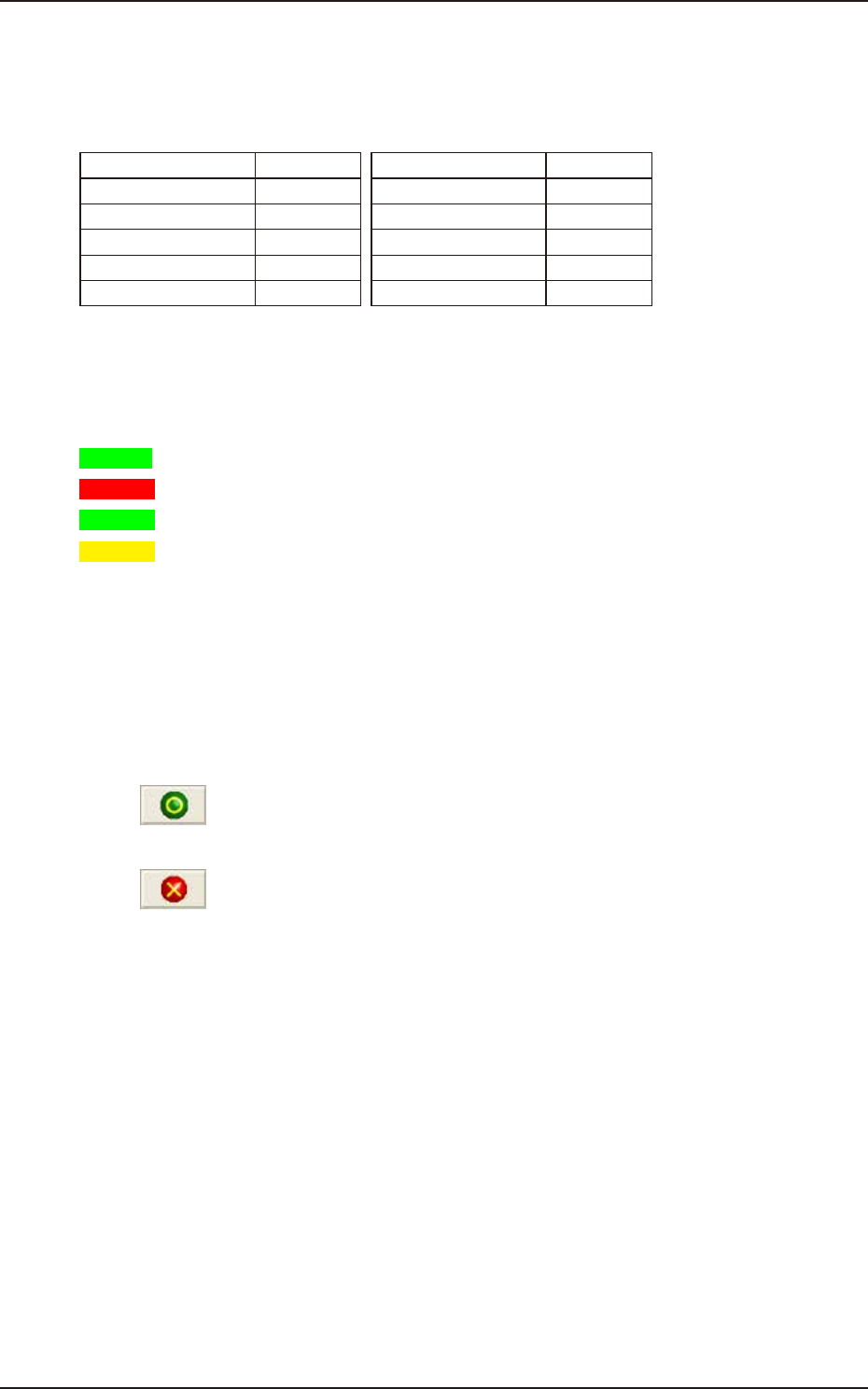
OK : Feeder specified for production meets feeder set to the machine.
NG : Feeder specified for production does not meet feeder set to machine.
: Lane is not specified for production.
: Lane is specified for production but feeder is not set.
(9) Status of all feeders
Displays the feeder setting status on all slots of the active side block of machine. The color
definition of the cell is the same as (8). The "SL" is displayed under the slot No. for SL feeder.
(10) Lane No. button
Pressing the button changes the display information.
(11) “2nd candidate“ [Display/Undisplayed] button
Used when SL feeders for C and D versions are used simultaneously.
(12) [
(Apply)] button
Pressing this button saves the changed settings.
[
(Close)] button
Pressing this button closes the “FDR.LOC.CHECK“ window and returns to the previous window.
EUKYX
1-16199-2100
3.1 Cmp.Rem.List
3.1 Cmp.Rem.List
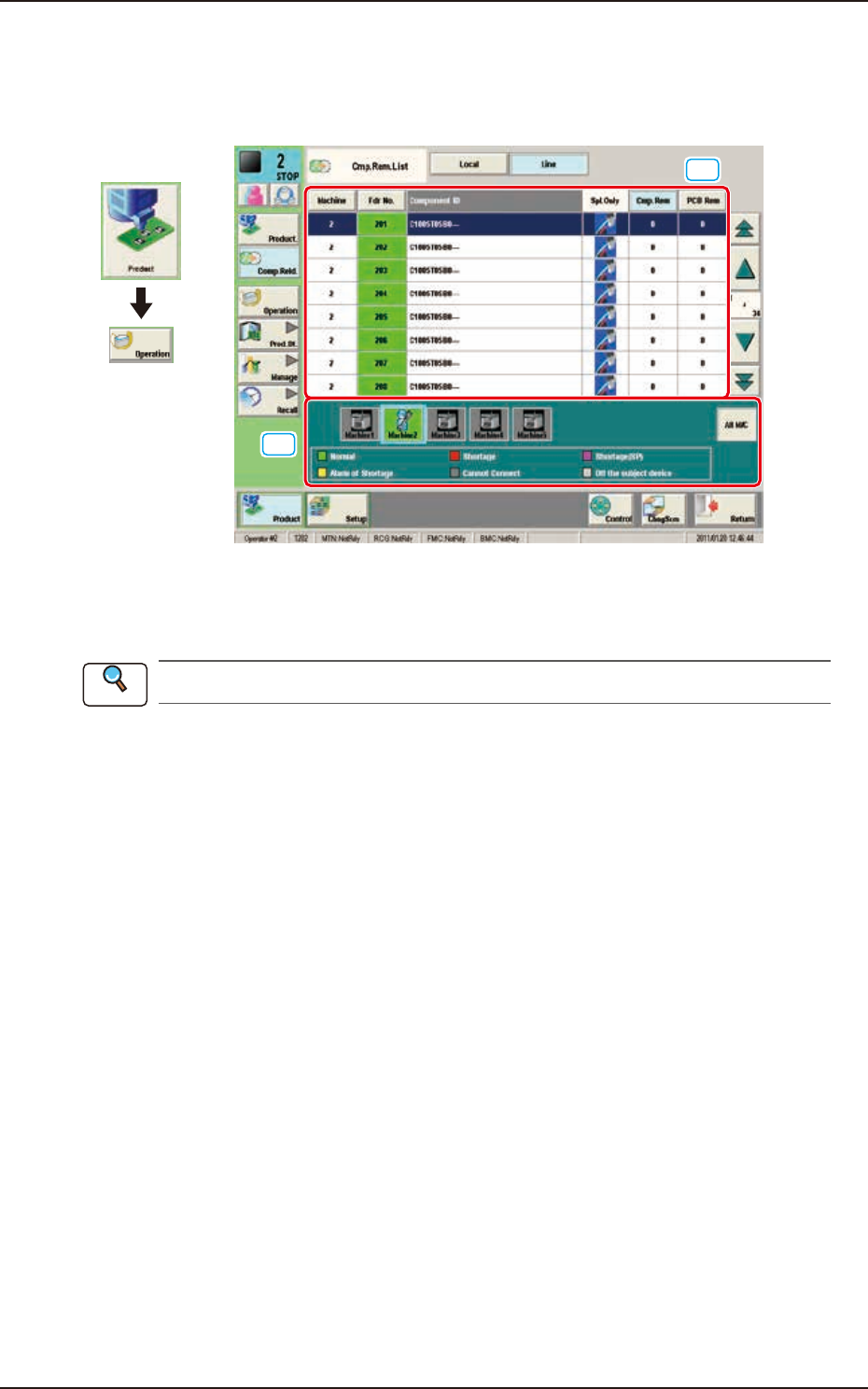
The list of the remaining components in the production line, can be checked in this window. When
the [Line] button is pressed in the "Comp Reload" window, the following window appears.
[1]
[2]
Graphic
Development
F2A14
[1] Feeder List
The feeder status in the selected machine is displayed in this area.
Refer to “3. “Comp.Reload” Window” in Chapter 1 for the feeder list details.
[2] Machine List
The list and status of the machines set in the line configuration are displayed in colors.
When the machine in which the feeder is to be checked, is selected, the feeder list of the selected
machine is displayed in the feeder list area.
Reference
EUKYX
1-17199-2100
4. "OPERATION" Window
4. "OPERATION" Window
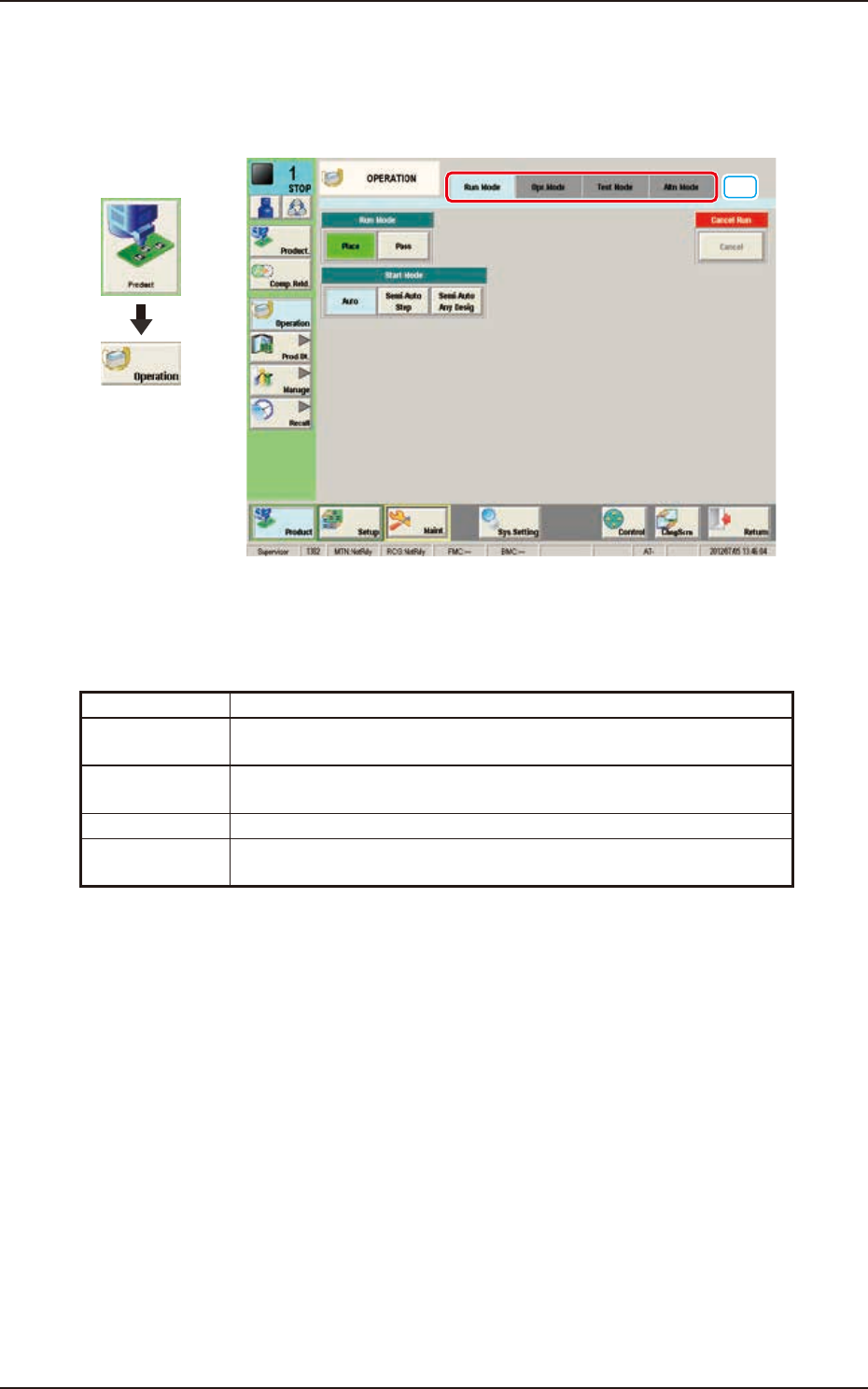
The constraints based on the designation of any of the various operation modes in the automatic
operation and operation method in the test operation, are set in this window.
[1]
Graphic
Development
F2A15
[1] Tabs and Tab Sheets
The "OPERATION" window is provided with the following four tabs. When each tab is pressed, the
corresponding tab sheet appears inside the window.
Tabs Description
Run Mode The corresponding tab sheet enables the operator to change the
operation mode or stop the production.
Opr. Mode The corresponding window enables the operator to select an operation
mode such as Over Tact-Time Reduction.
Test Mode The corresponding window enables the operator to set test modes.
Altn Mode The corresponding tab sheet enables the operator to set the "Feeder
Alternate"function.