EUKYX-199-2100_G5S2_Instruction_Vol2_E.pdf - 第176页
199-2100 Chapt er 3 Component Library This chapter describes the operation procedure in each of the component library windows. Refer to the separate Instruction Manual “V ol. 6. Component Library” for the component libra…
EUKYX
2-62199-2100
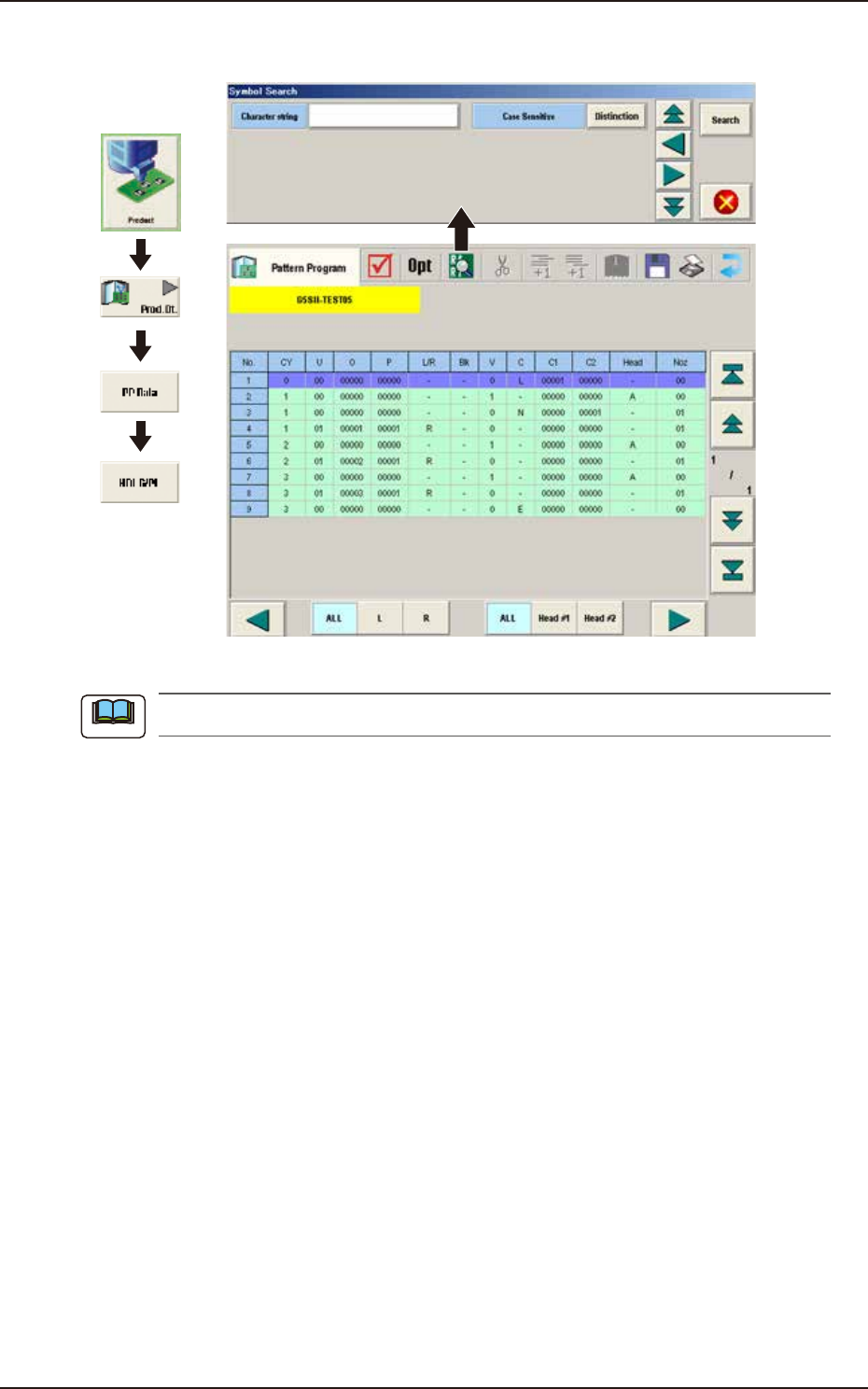
3.8 HDLG/PL
3.8 HDLG/PL
Graphic
Development
F2B58A
The "HDLG/PL" data is created automatically by means of the optimization processing.
Note

199-2100
Chapter 3
Component Library
This chapter describes the operation procedure in each of the
component library windows. Refer to the separate Instruction
Manual “Vol. 6. Component Library” for the component library
data description and creation procedure.
1. Selection of Component IDs
2. “Temp Chng Comp Lib” Window
3. “Alt Comp ID List”
Window
EUKYX
EUKYX
3-1199-2100
1. Selection of Component IDs
1. Selection of Component IDs
When the component library data is to be edited, select the component ID to be edited and edit it
in the "Component Library" window.
Refer to “Volume 6 : Component Library” for the description of component library data and
data creation procedure.
1.1 List of Component IDs
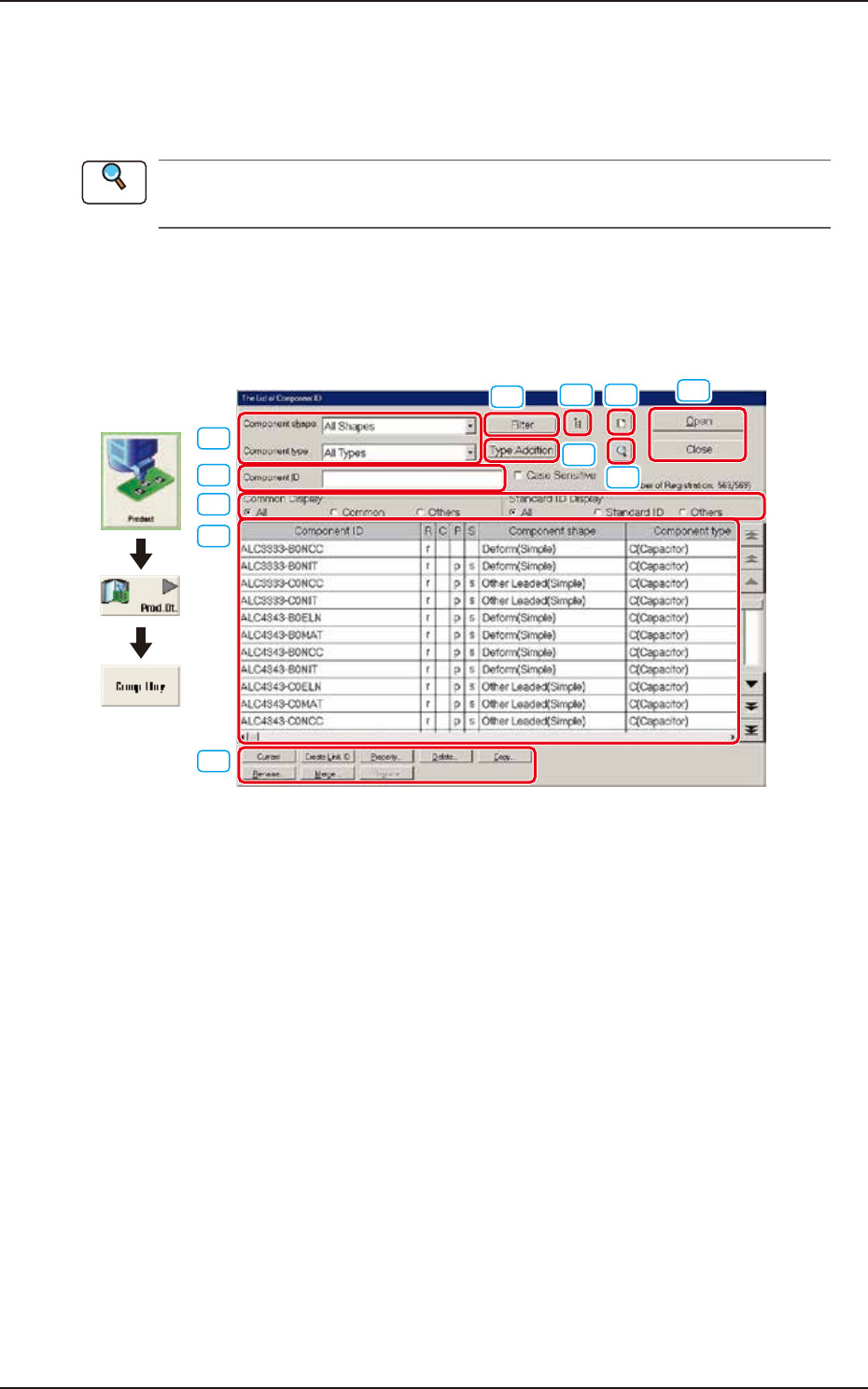
In this window, the component library data list is displayed. When the component library data is to
be edited, select the component ID to be edited and edit it in the "Component Library" window.
[10]
[3]
[4]
[1]
[5]
[6] [7]
[8]
[9]
[2]
[11]
Graphic
Development
F2C1
[1] Component ID
Displayed is the component ID selected in "[3] List of Component ID".
[2] Component Shape and Type
Select the desired component shape and type. The component IDs based on the selected shape and
type are displayed in "[3] List of Component ID”.
Reference