EUKYX-199-2100_G5S2_Instruction_Vol2_E.pdf - 第182页
EUKYX 3-6 199-2100 1.2 Basic Operations in "Selection of component ID" Window 1 .2 .3 Copying the Com ponent ID ( 1 ) Sele ct t he comp onent I D to be co pied. (Th e sele ct ed comp onent I D turns bl ue, ind …
EUKYX
3-5199-2100
1.2 Basic Operations in "Selection of component ID" Window
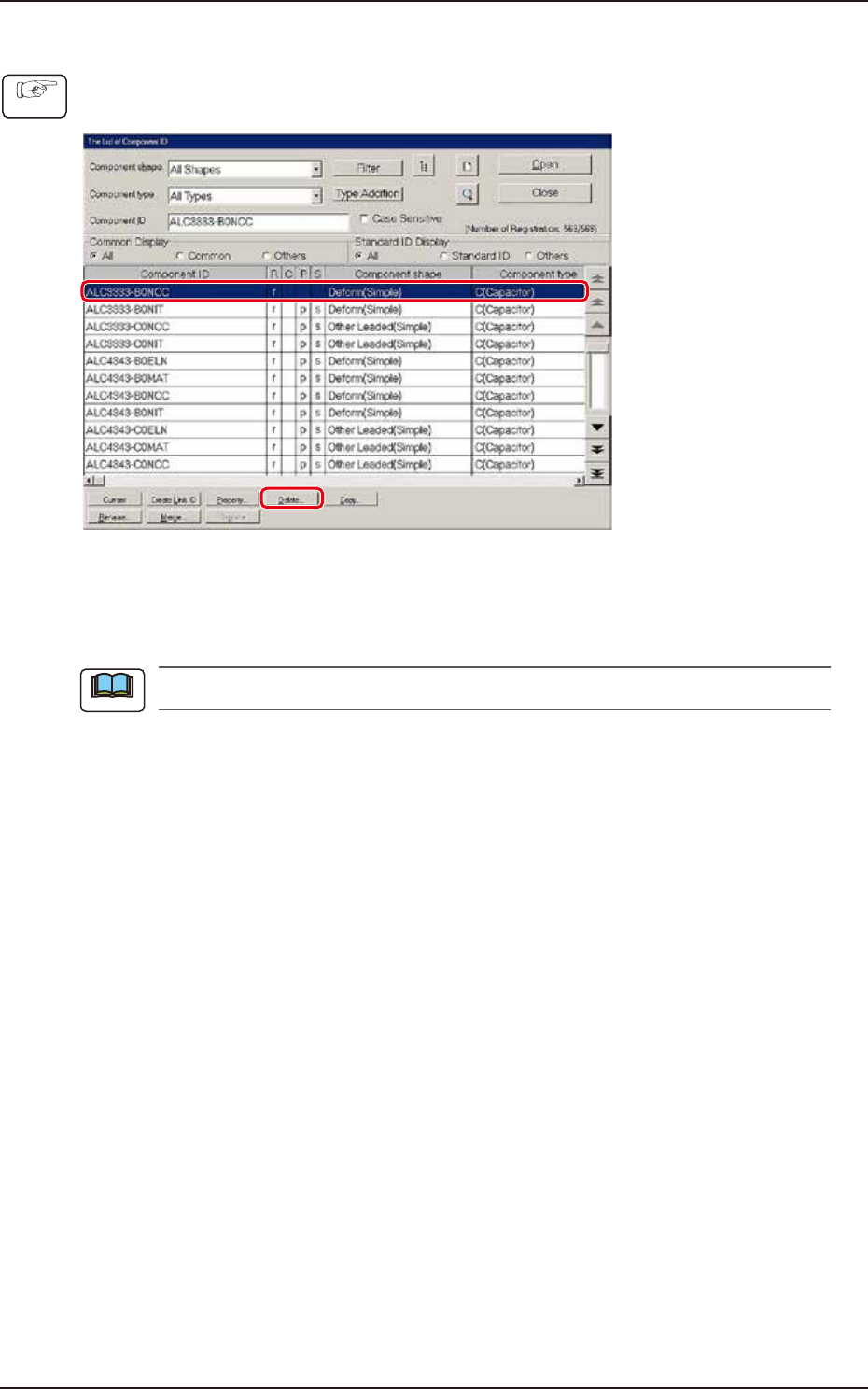
1.2.2 Deleting the Component ID
(1) Select the component ID to be deleted.
(The selected component ID turns blue, indicating that it is selected.)
F2C3
(2) Press the [Delete...] button.
(The "Confirmation" dialog box opens. When the [YES] button is pressed, the component
ID is deleted.)
Pressing the [NO] button cancels the deletion of the component ID.
Procedure
Note
EUKYX
3-6199-2100
1.2 Basic Operations in "Selection of component ID" Window
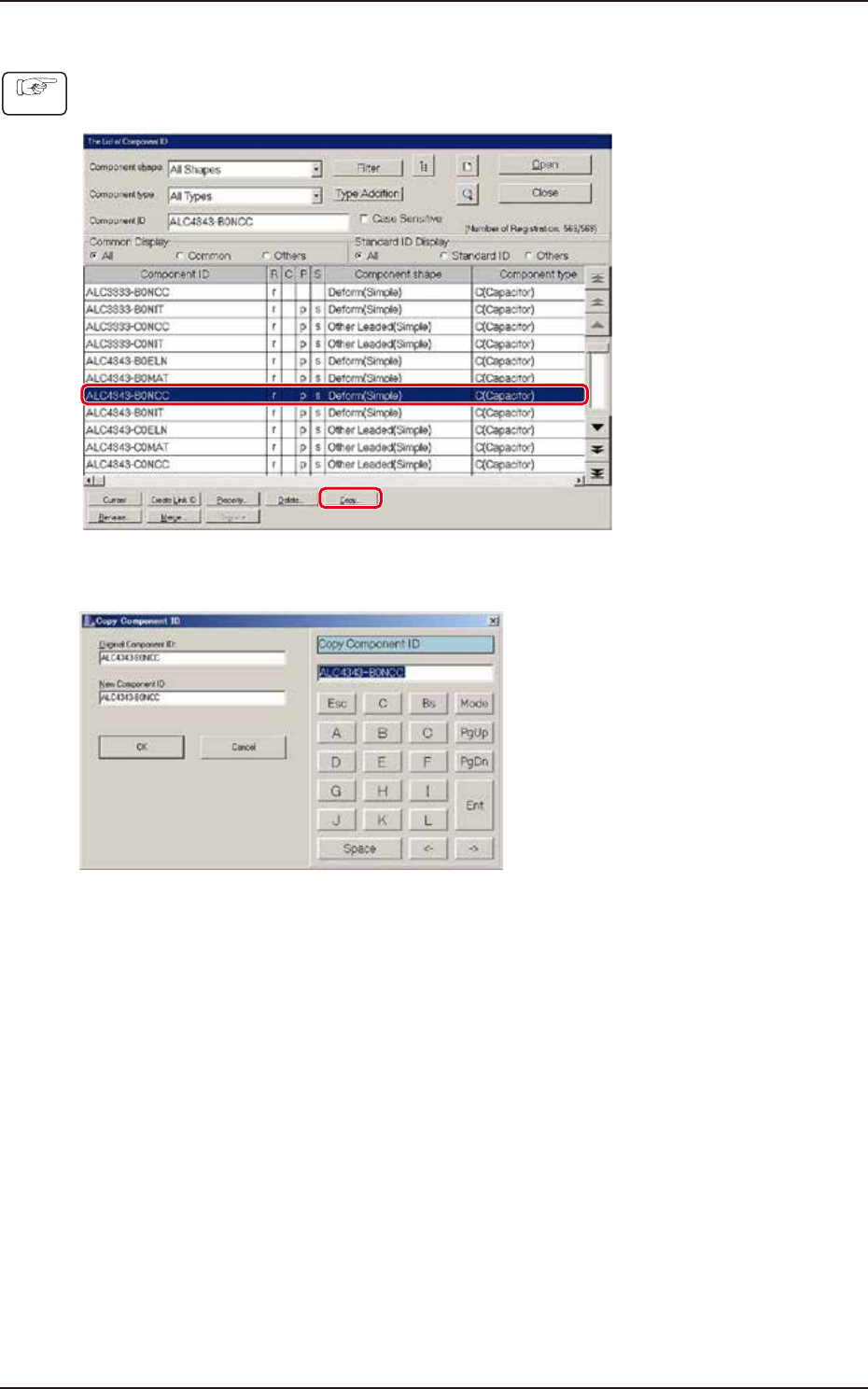
1.2.3 Copying the Component ID
(1) Select the component ID to be copied.
(The selected component ID turns blue, indicating that it is selected.)
F2C4
(2) Press the [Copy...] button. (The "Copy Component ID" dialog box opens.)
F2C5
(3) Enter a new component ID name in the "New Component ID" text box and press the [OK]
button. (A Component ID is created.)
Procedure
EUKYX
3-7199-2100
1.2 Basic Operations in "Selection of component ID" Window
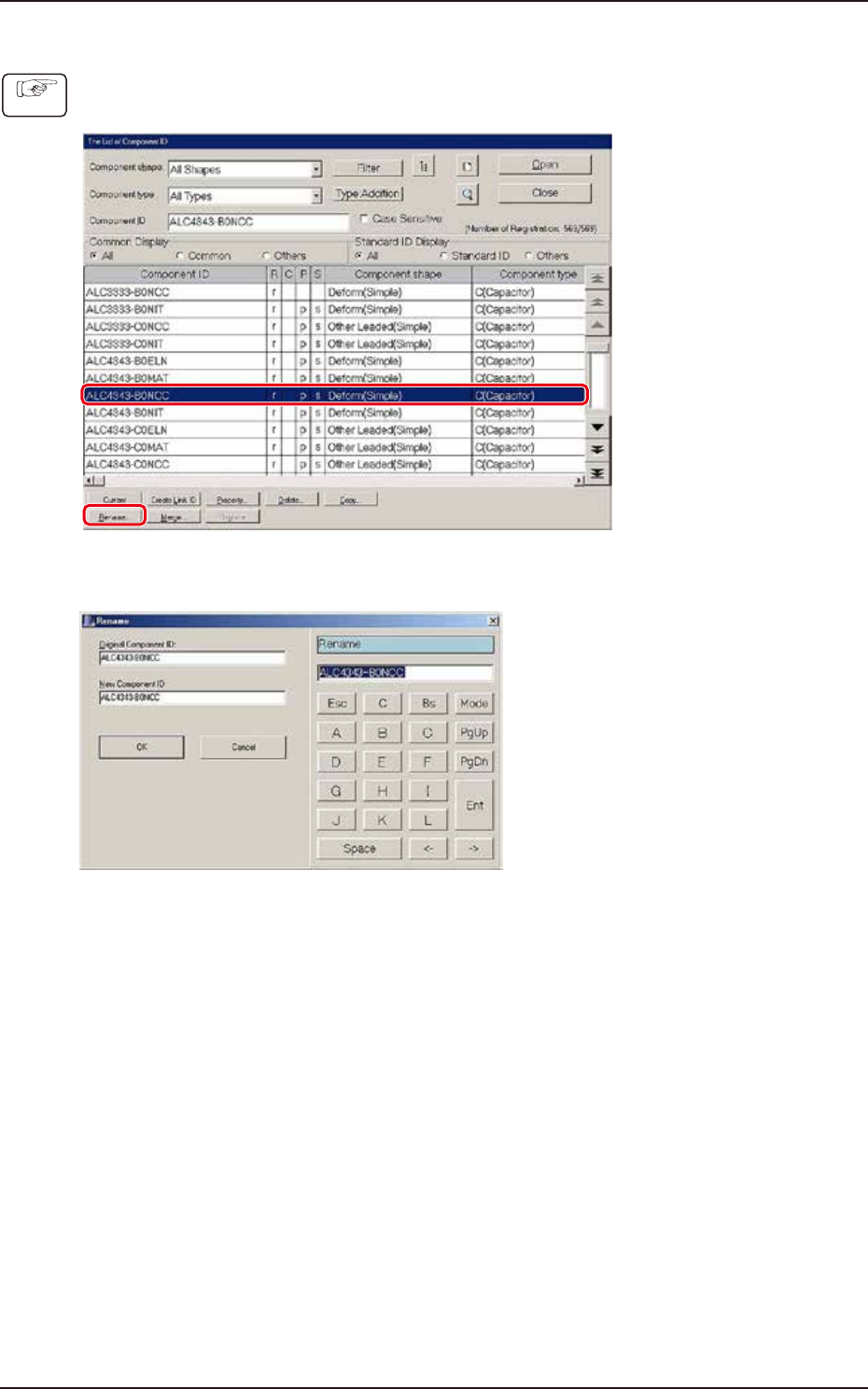
1.2.4 Renaming the Component ID
(1) Select the component ID to be renamed.
(The selected component ID turns blue, indicating that it is selected.)
F2C6
(2) Press the [Rename...] button. (The "Rename" dialog box opens.)
F2C7
(3) Enter a new component ID name in the "New Component ID" text box and press the [OK]
button. (The name of the original component ID is changed to the new one.)
Procedure