EUKYX-199-2100_G5S2_Instruction_Vol2_E.pdf - 第252页
EUKYX 6-15 199-2100 4.2 "Stkr .Area Edit" Window (8) Using the P CB positioning sele ct bu tt on, selec t the sto ck area f or which th e paramet ers are edi ted . Side L Side R Stkr.Area PCB positioning select…
EUKYX
6-14199-2100
4.2 "Stkr.Area Edit" Window
4.2.1 Stocker Area Edit Procedure
This section is described based on the front reference and PCB flow direction from left to right.
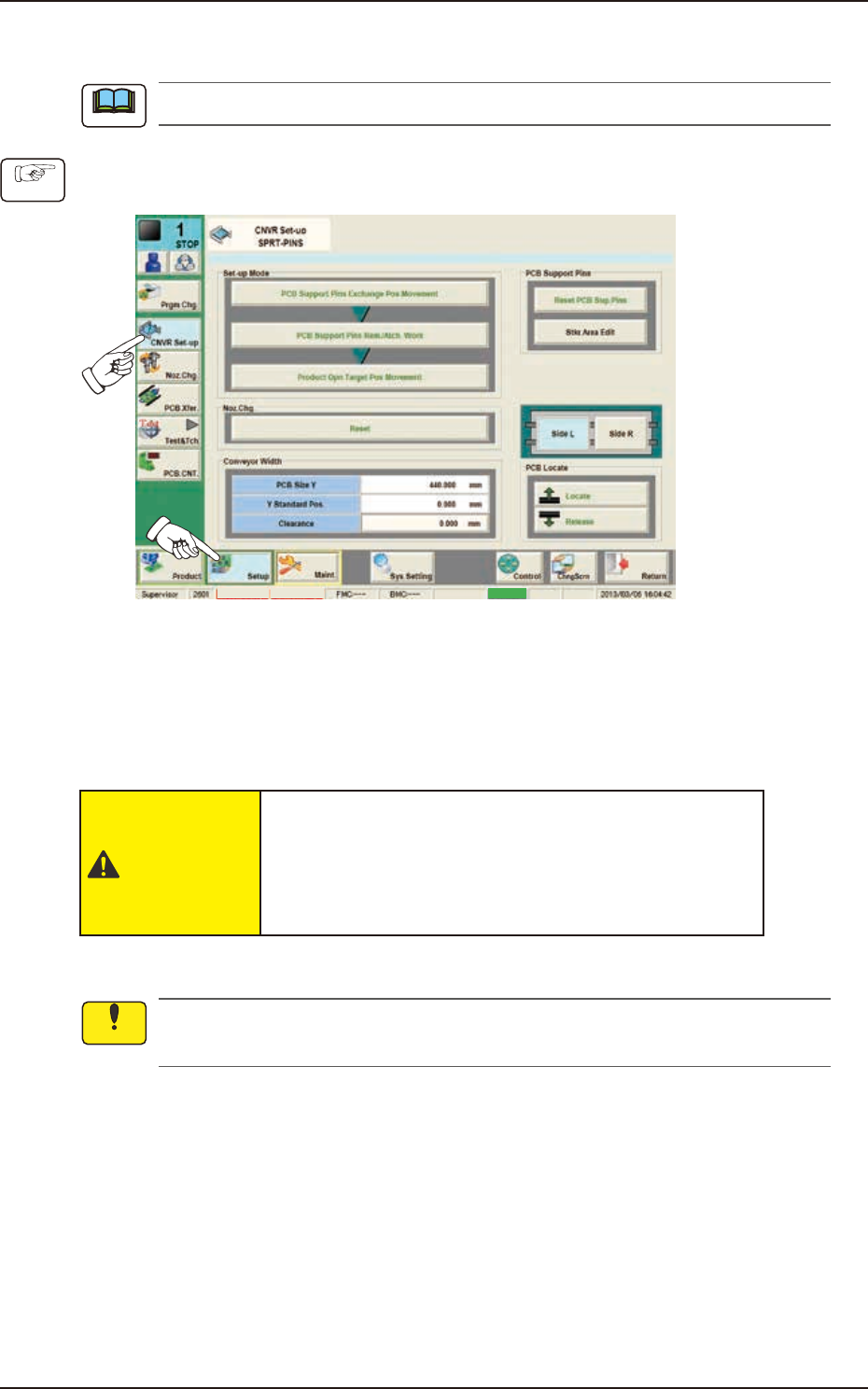
(1) Press the [Setup] button and [CNVR Set-up] button to display the “CNVR Set-up SPRT-PINS“
window.
MTN:NotRdy RCG:NotRdy Cover
F2F16
(2) Press the [PCB Support Pins Exchange Pos. Movement] button and within 10 seconds, press
the [START] button on the operation panel.
(The head will retract and the conveyor width becomes the maximum one.)
(3) Press the “cover” to unlock the cover.
(4) Open the covers.
CAUTION
The load power to the motors, etc., is turned
OFF but the setup operation must be performed
carefully when you put your hand inside the
machine. Avoid hand and nger injuries.
(5) Insert the PCB support pins directly into each hole in the stock area on the backup base.
Do not put your hand or any heavy object on the backup base while working on the backup
base. Otherwise, the backup base may be deformed due to an excessive load.
(6) Make sure that no PCB support pins are left on the backup base.
(Make sure that no components or debris drop into any of the backup base holes).
(7) Close the covers.
Note
Procedure
Notice
EUKYX
6-15199-2100
4.2 "Stkr.Area Edit" Window
(8) Using the PCB positioning select button, select the stock area for which the parameters are
edited.
Side L Side R
Stkr.Area
PCB positioning select button
F2F17
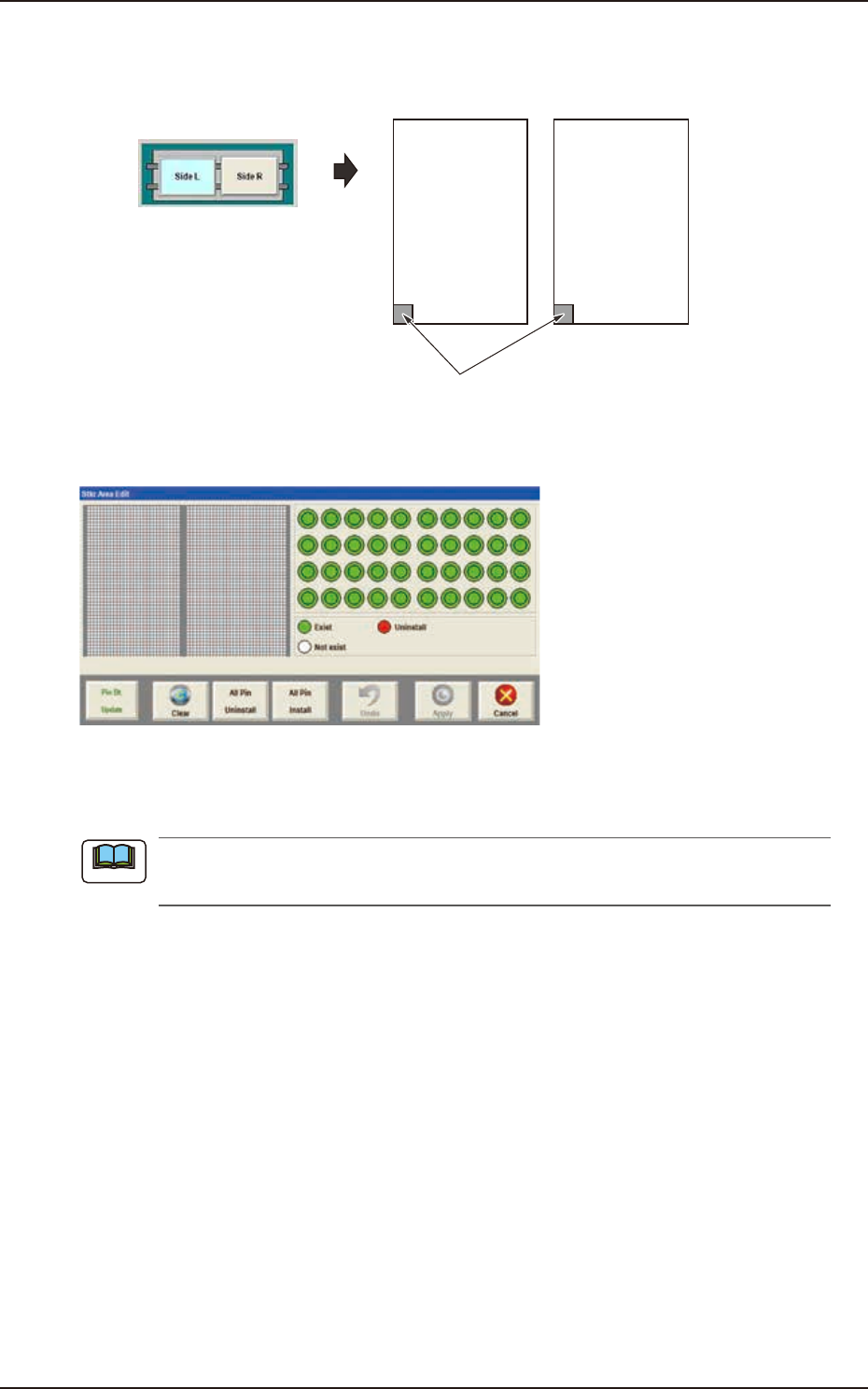
(9) Press the [Stkr Area Edit] button to display the following window.
F2F1
(10) Edit the parameters in the stock area image display section so that the setup condition is
the same as that for the support pins in the stock area.
When the setup operation is stopped due to an error, press the [Clear] button to clear the
arrangement data for the PCB support pins on the backup base.
Note
EUKYX
6-16199-2100
4.2 "Stkr.Area Edit" Window
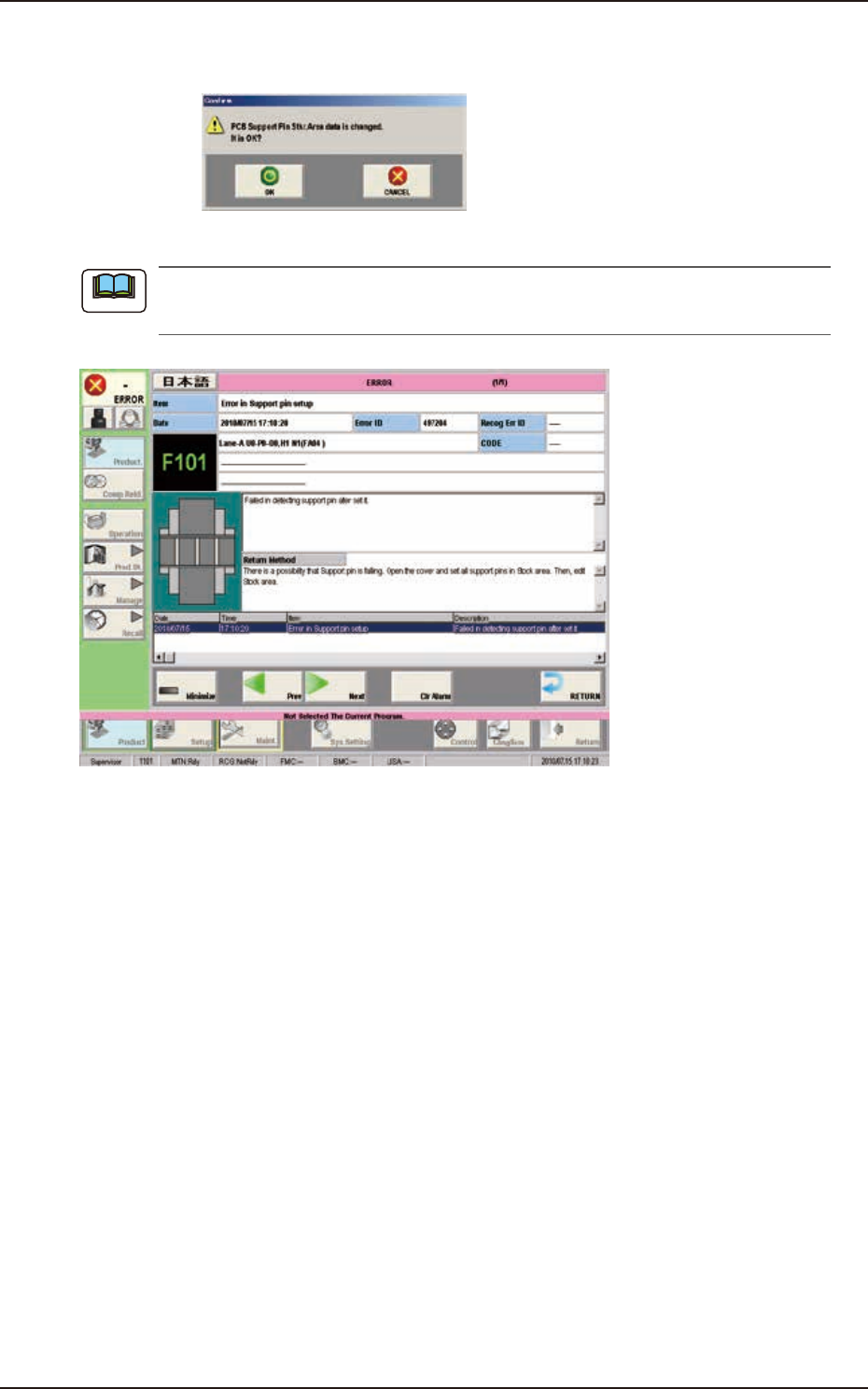
(11) Press the [Apply] button. (The "Confirm" window will be displayed).
(12) Press the [OK] button. (The editing operation will be ended).
F2F19
When any error occurs, the PCB support pins should be re-setup.
Perform the procedure from Step (3).
F2F20
Note