EUKYX-199-2100_G5S2_Instruction_Vol2_E.pdf - 第261页
EUKYX 6-24 199-2100 6.3 "MNL XFER" Window 6.3 "MNL XF ER" Windo w Thi s "MNL XF ER" window en ables the operator t o transfer a PCB man ua l ly . [2] [2] [4] [3] [1] Graphic Development F2F3…
EUKYX
6-23199-2100
6.2 "Line" Tab Sheet
6.2 "Line" Tab Sheet
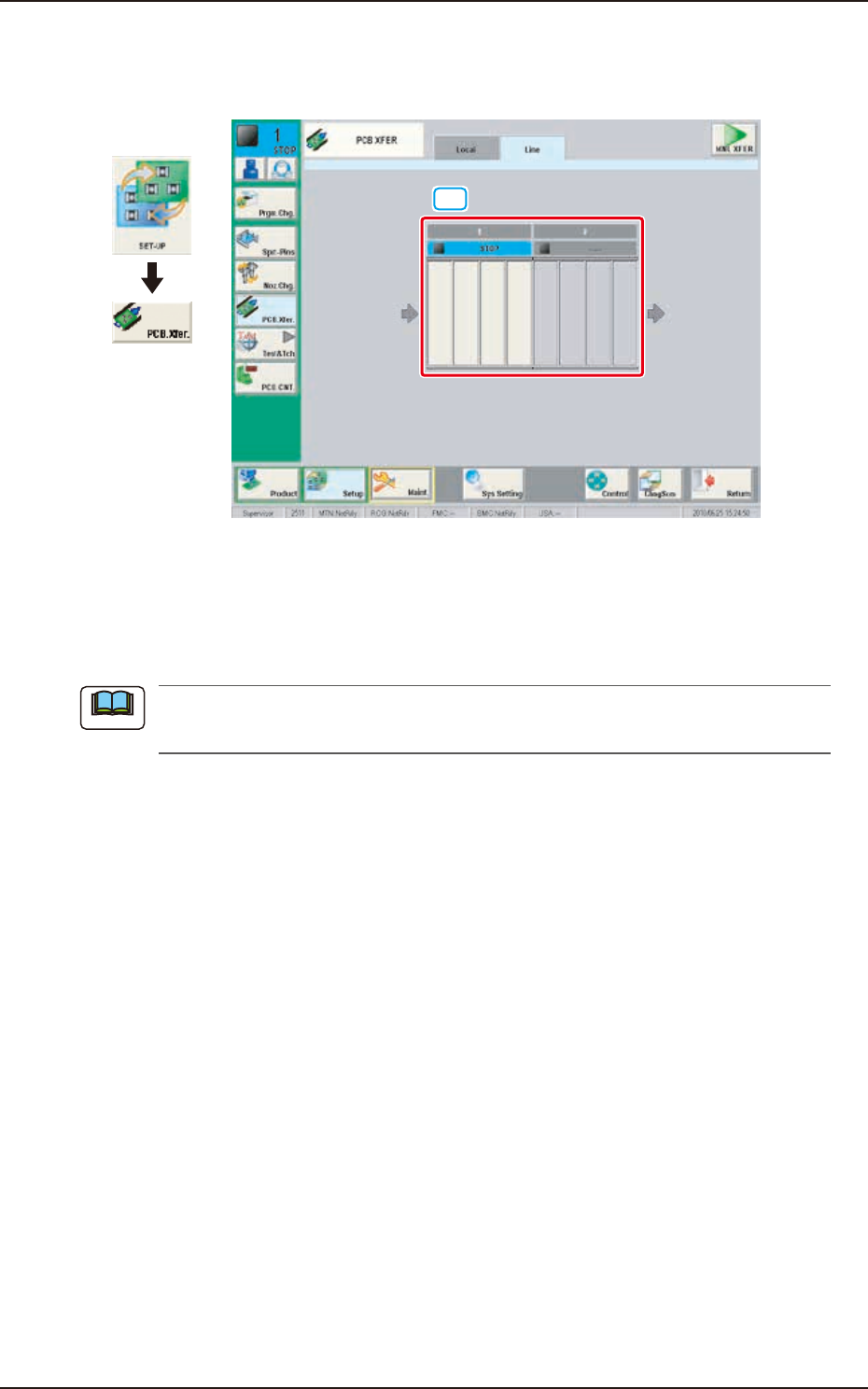
This tab sheet enables the operator to transfer a PCB between two or more machines.
[1]
Graphic
Development
F2F30
[1] Conveyor Image Display Section
Each block of the conveyor of which an image is displayed, functions as a button.
When the conveyor block button is pressed and within 10 seconds, the [START] button on the
operation panel is pressed, the PCB is transferred to the position.
(a) This button is displayed when two or more machines are installed in the line.
(b) Up to 16 conveyor blocks are displayed.
Note
EUKYX
6-24199-2100
6.3 "MNL XFER" Window
6.3 "MNL XFER" Window
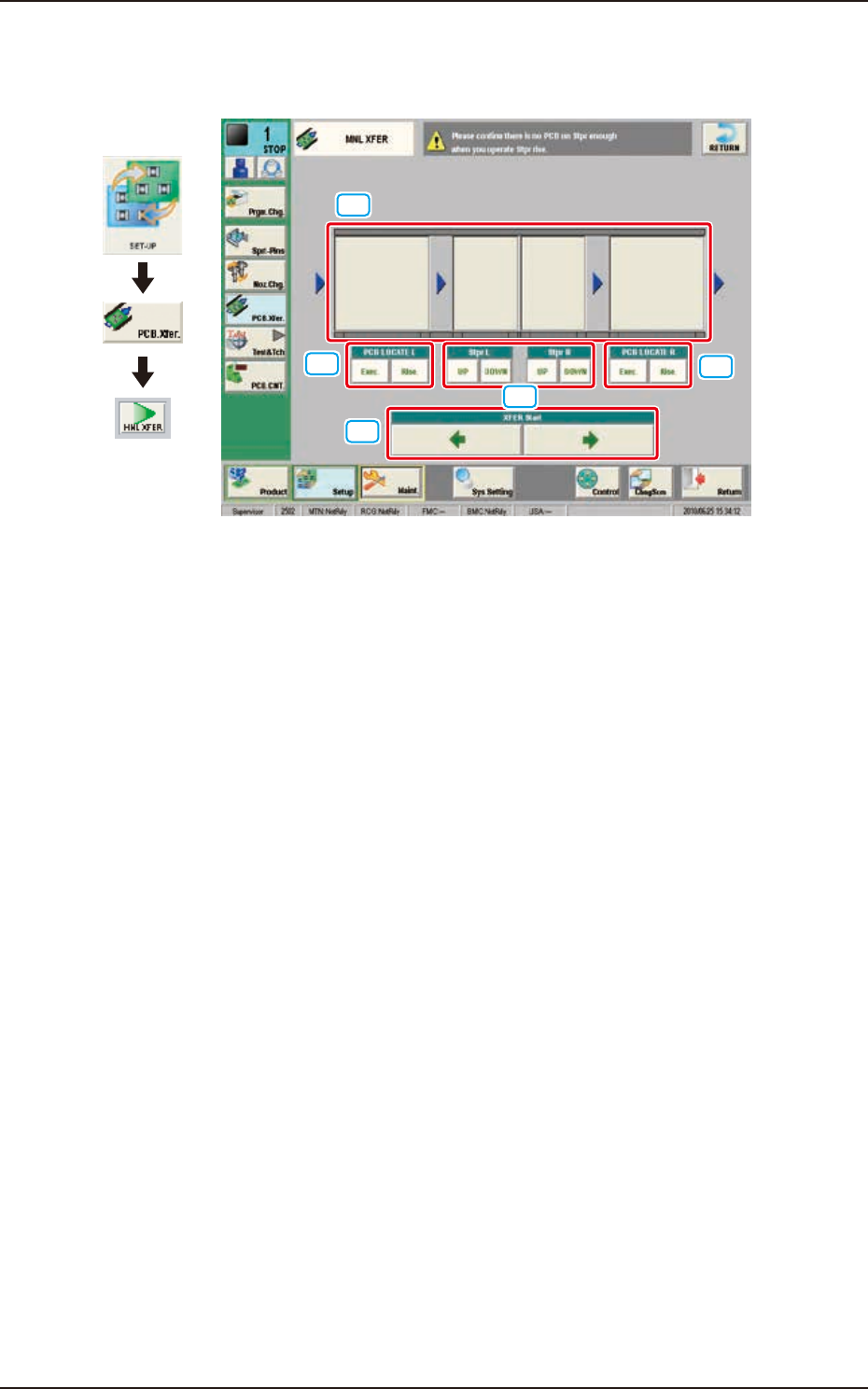
This "MNL XFER" window enables the operator to transfer a PCB manually.
[2]
[2]
[4]
[3]
[1]
Graphic
Development
F2F31
[1] Conveyor Image Display Section
Each block of the conveyor, of which an image is displayed, functions as a button. When the
conveyor block button is pressed and within 10 seconds, the [START] button on the operation panel
is pressed, the PCB is transferred to the position.
[2] PCB LOCATE L and PCB LOCATE R
Using these buttons, PCB positioning is performed.
When the [Exec.] button is pressed and within 10 seconds the [START] button is pressed on the
operation panel, the PCB is positioned while the [START] button is being held down. When the
[Rlse.] button is pressed and within 10 seconds the [START] button is pressed on the operation
panel, the PCB positioning is released while the [START] button is being held down.
[3] [Stpr L] and [Stpr R]
Using these selection buttons, the stopper positioning is performed.
When the [UP] button is pressed and within 10 seconds the [START] button is pressed on the
operation panel, the selected backup base (stopper) is moved up while the [START] button is being
held down. When the [DOWN] button is pressed and within 10 seconds the [START] button is
pressed on the operation panel, the selected backup base (stopper) is moved down while the
[START] button is being held down.
[4] XFER Start
When the arrow button showing the direction to where the conveyor is to be moved, is pressed,
and within 10 seconds the [START] button is pressed on the operation panel, the conveyor is moved
while the [START] button is being held down.
EUKYX
6-25199-2100
7. "Test&Tch" Submenu
7. "Test&Tch" Submenu
Graphic
Development
F2F32A
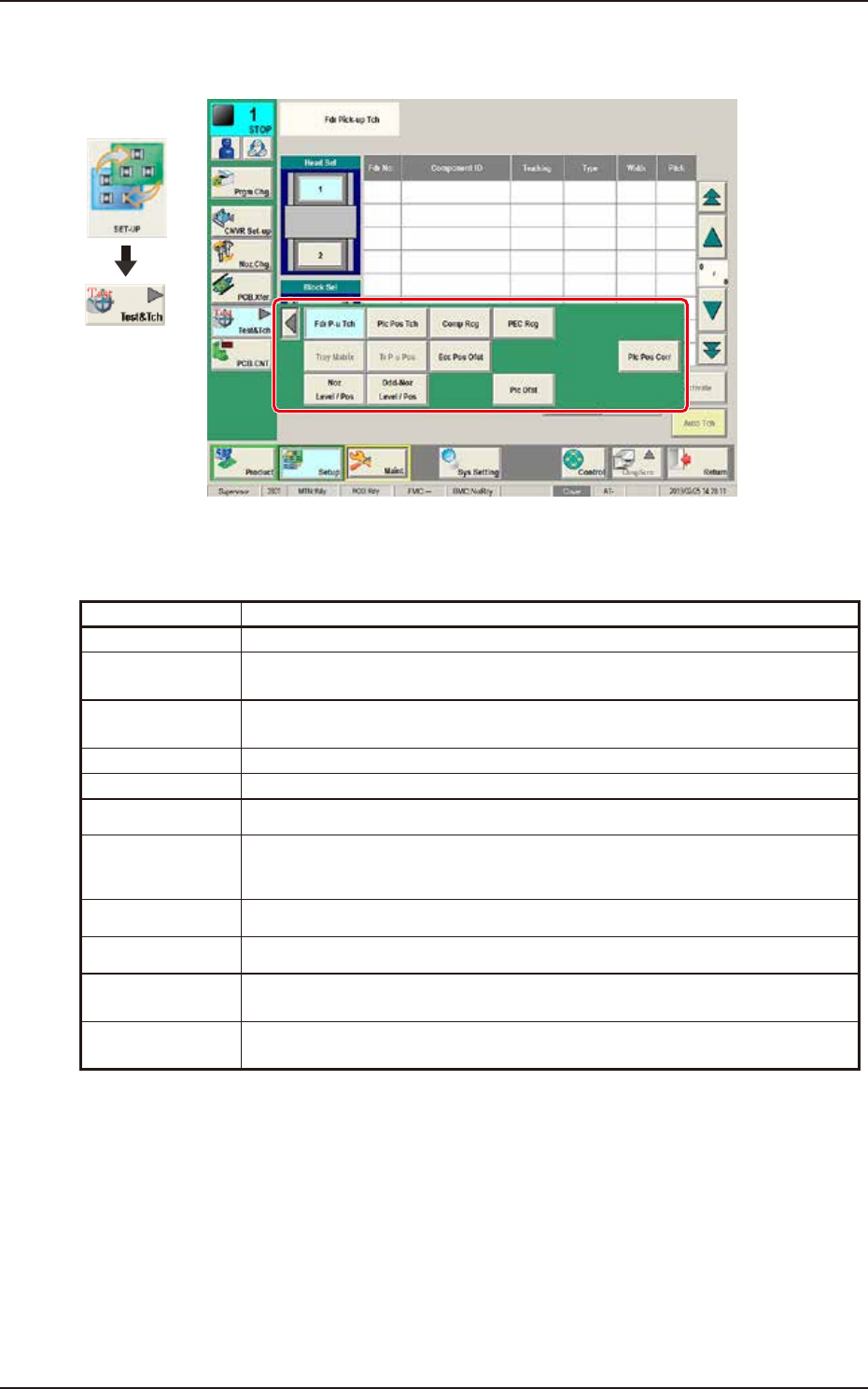
The "Test&Tch" menu is provided with the following 10 buttons. When each button is pressed, the
corresponding window appears.
Buttons Description
Fdr P-u Tch Teaches operation related to the pick-up position.
Plc pos Tch Checks and performs Place Pos Teach. The teach result is reflected to P and O
data.
Comp Rcg The corresponding window enables the operator to perform the component
recognition test for the component designated in the test ID.
PEC Rcg Performs the PEC recognition mark test.
Tray Matrix Used when the multi-layer tray feeder (option) is used.
Tr P-u Pos Used when the multi-layer tray feeder (option) is used.
Ecc Pos Ofst Performs the pick-up position teaching for the component which can not be
picked up at its center.
Plc Pos Corr Performs Place Pos Teach. The result is reflected to pickup/place data.
Noz Level / Pos Teaches the positions and levels of the nozzles X and Y.
Odd-Noz Level /
Pos
Teaches the positions and levels of the odd shaped nozzles X and Y.
Plc Ofst Teaches the Placement Offset and reflects the teaching result to the component
library.