EUKYX-199-2100_G5S2_Instruction_Vol2_E.pdf - 第300页
EUKYX 6-63 199-2100 (7) Press the [ Teach] butt on to p er form t he le ad te aching. F2F76 (8) When th e lea d tea ching is complet ed, chec k the da ta and pres s the [Fixed] but to n. F2F77 7.3 "COMP RCG" Te…
EUKYX
6-62199-2100
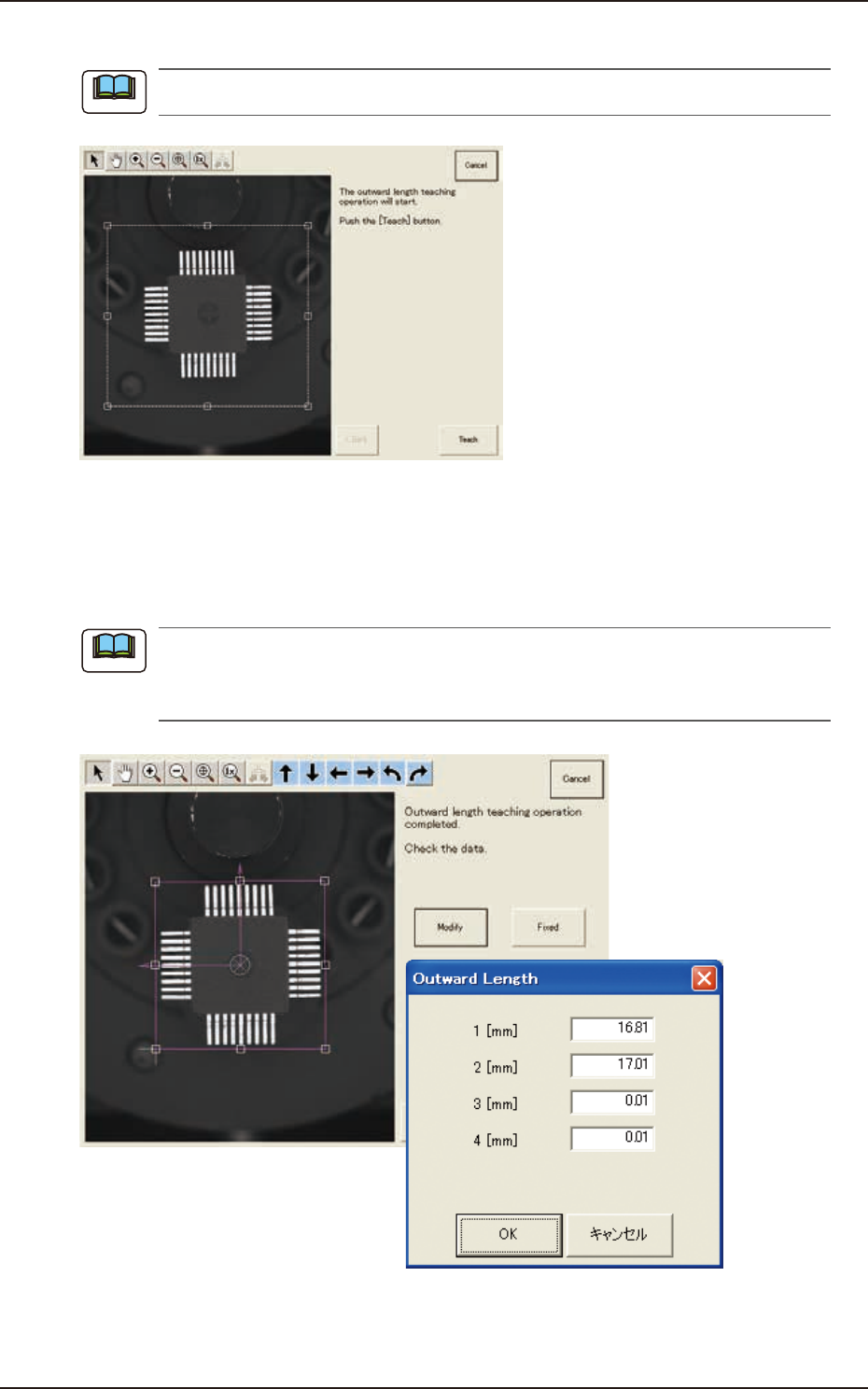
(5) Press the [Teach] button to perform the outward length teaching operation.
Make sure that the component is within a frame with dot lines and if not, adjust it again.
F2F73
(6) When the outward length teaching is completed, check the data and press the [Fixed]
button. (When the outward length and/or the component angle is different,correct the
graphic errors.)
(6-1) Press the [Modify] button. (The following window appears. Select the modification method.)
(a) The indicated data may contain some fractional parts in the values. At the end of the
teaching operation, these fractional parts are truncated.
(b) To turn the graphic, click the coordinate graphic and drag either one of the arrow ends.
F2F74
Note
Note
7.3 "COMP RCG" Test Window
EUKYX
6-63199-2100
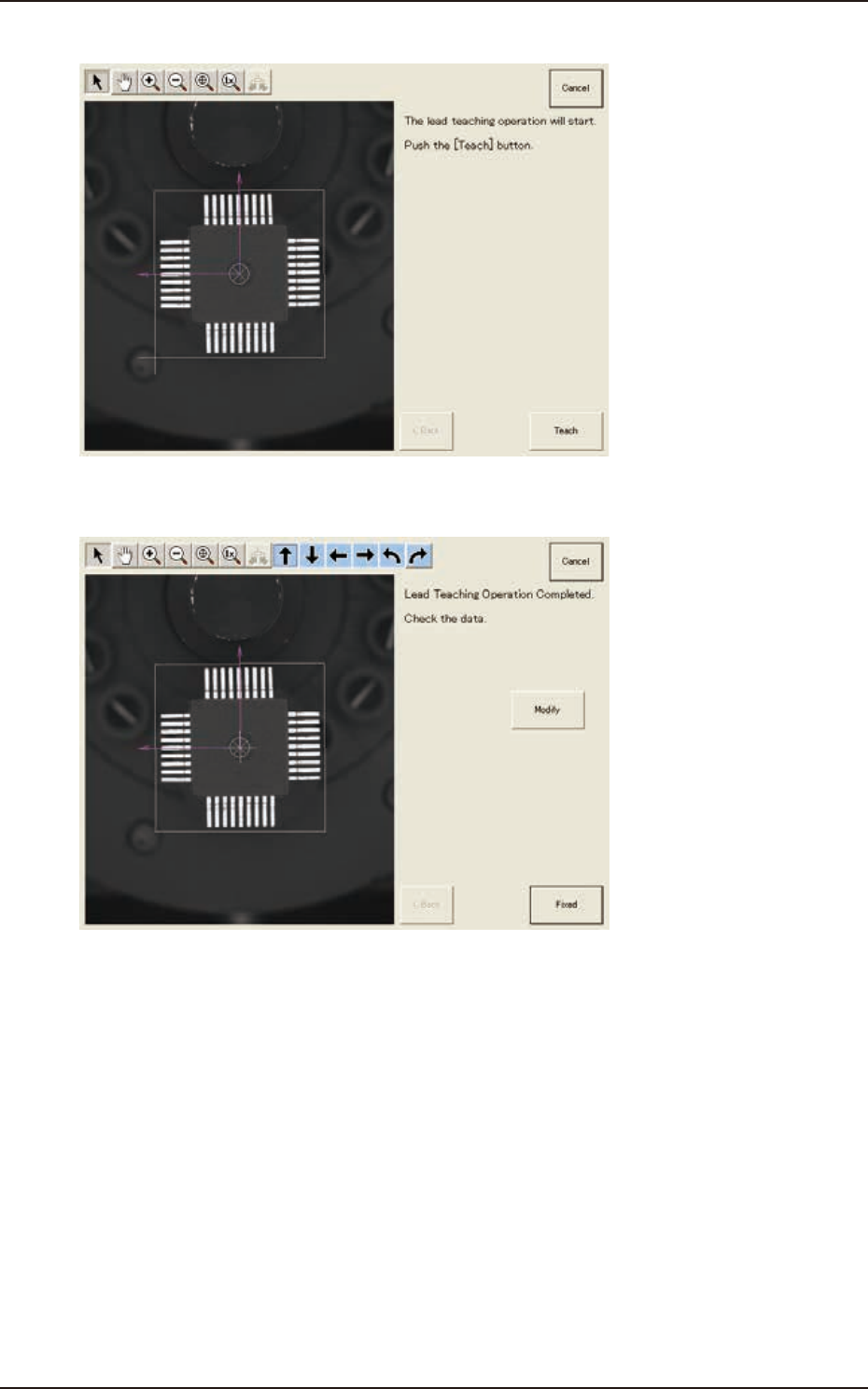
(7) Press the [Teach] button to perform the lead teaching.
F2F76
(8) When the lead teaching is completed, check the data and press the [Fixed] button.
F2F77
7.3 "COMP RCG" Test Window
EUKYX
6-64199-2100
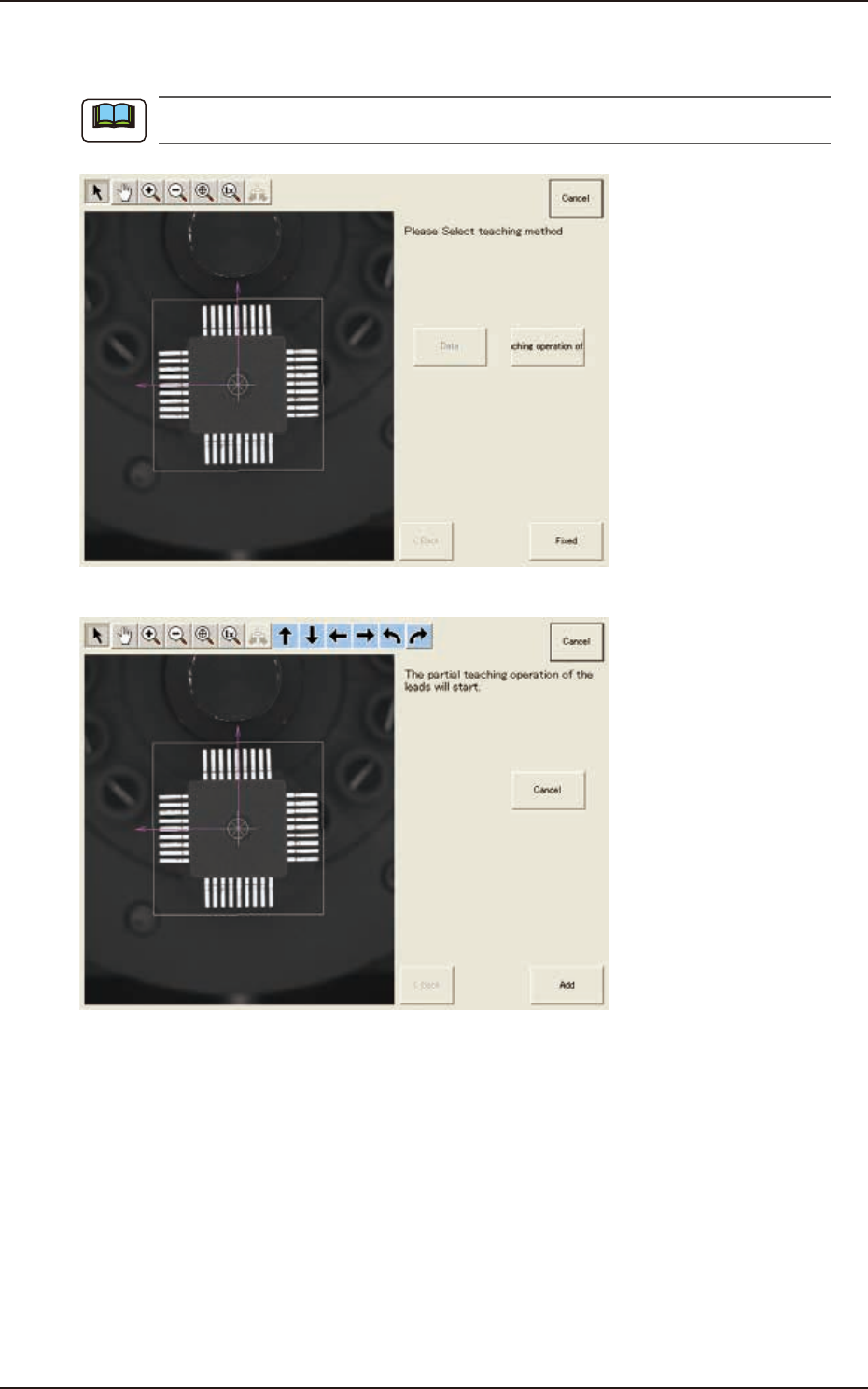
(9) Press the [Fixed] button if there is no problem.
Press the [
Partial teaching operation of the leads
] button if needed.
Before starting the partial teaching operation, delete the lead group to be taught again.
F2F78
F2F79
Note
7.3 "COMP RCG" Test Window