EUKYX-199-2100_G5S2_Instruction_Vol2_E.pdf - 第308页
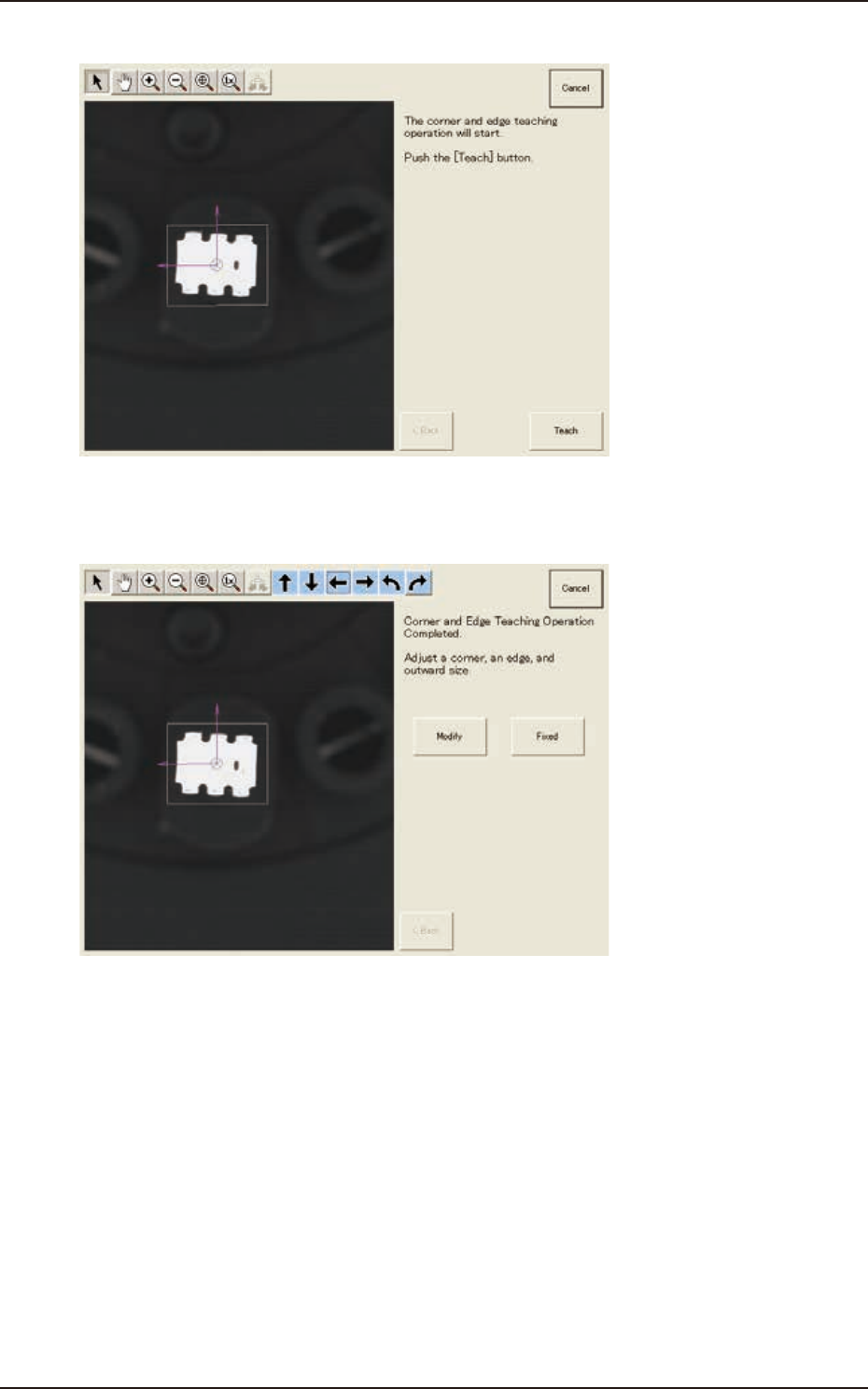
EUKYX 6-71 199-2100 (8) Press the [ Teach] butt on to st art t he cor ner and e dge te aching op eration. F2F93 (9 ) Whe n the co rner and e dge t eac hing operation is comp lete d, check t he dat a and press t he [Fixed…
EUKYX
6-70199-2100
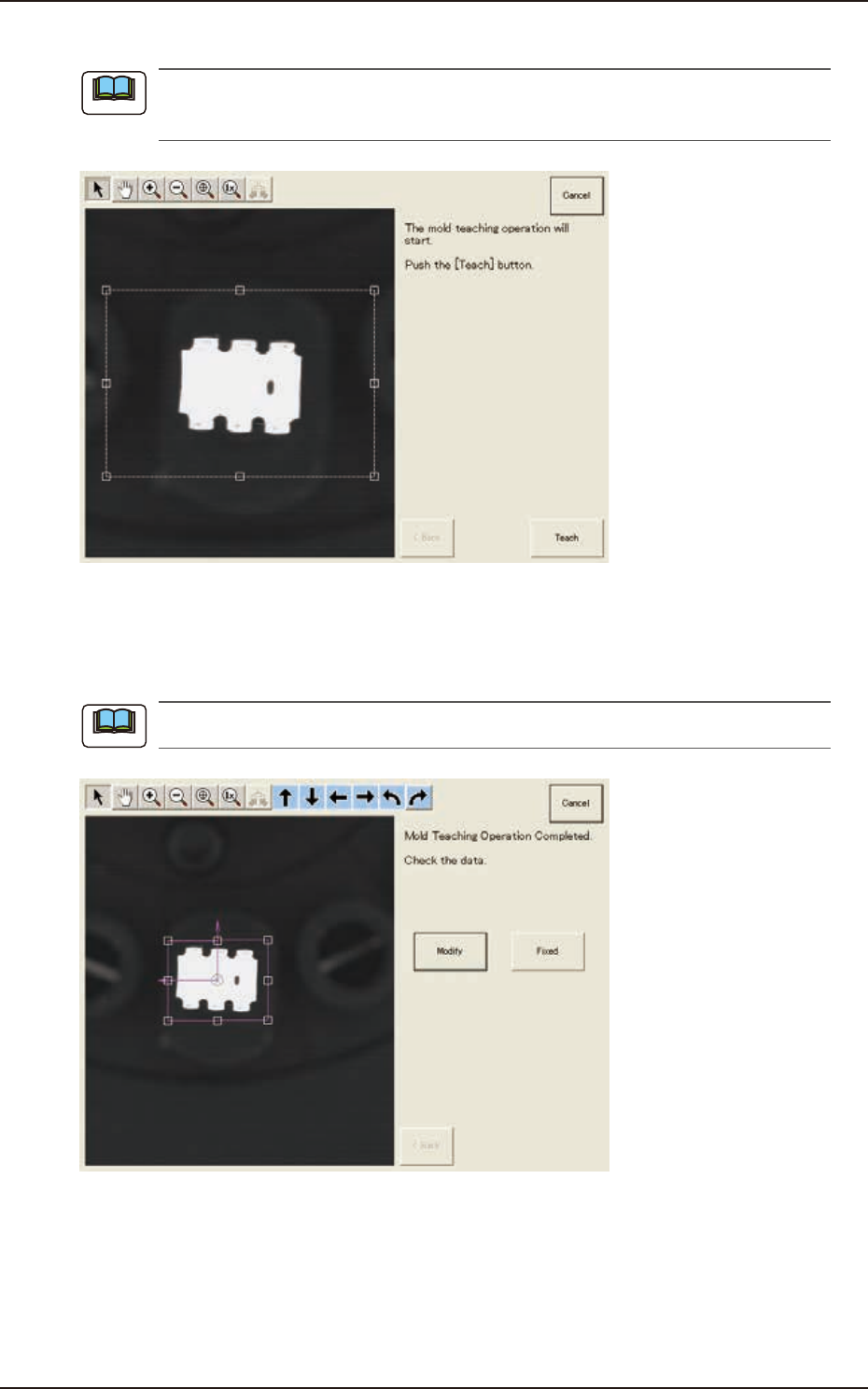
(6) Press the [Teach] button to start the mold teaching operation.
Make sure that the component image is within the frame with dot lines. If the component is out
of the frame, adjust it again.
F2F91
(7) When the mold teaching is completed, check the data and press the [Fixed] button.
(If the component size or angle is not correct, press the [Modify] button to correct the
graphic image.)
To turn the graphic, click the coordinate graphic and drag either one of the arrow ends.
F2F92
Note
Note
7.3 "COMP RCG" Test Window
EUKYX
6-71199-2100
(8) Press the [Teach] button to start the corner and edge teaching operation.
F2F93
(9) When the corner and edge teaching operation is completed, check the data and press the
[Fixed] button. See the next steps from (9-1) to (9-3) if requiring the modification.
F2F94
7.3 "COMP RCG" Test Window
EUKYX
6-72199-2100
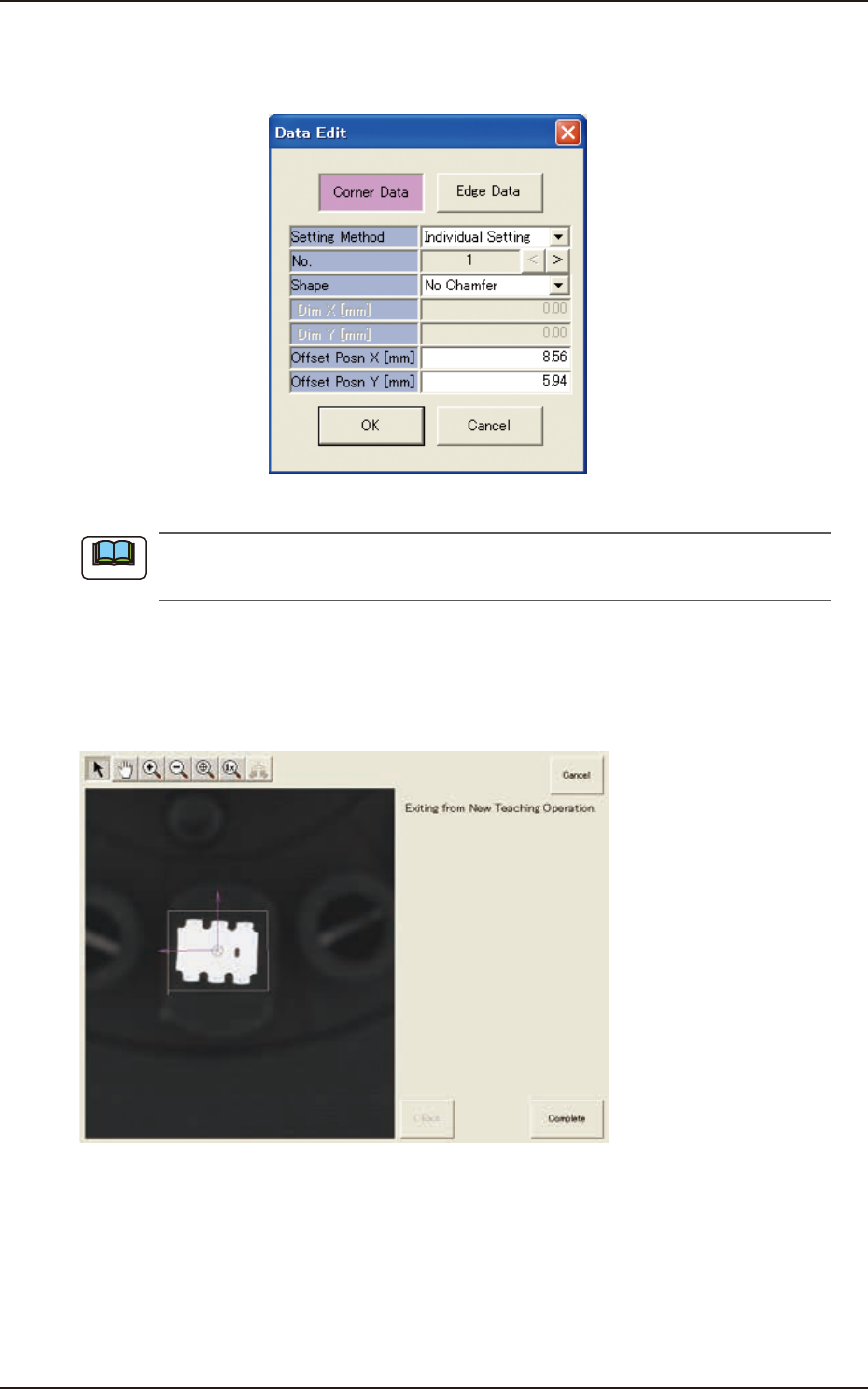
(9-1) Press the [Modify] button.
(The following "Data Edit" window appears. The data parameters can be corrected for
each corner data or edge data item.)
F2F95
The indicated data may contain some fractional parts in the values. At the end of the teaching
operation, these fractional parts are truncated.
(9-2) When the component size is not the same as the outward length, correct the outward
length on the outward length graphic image to match.
(9-3) After the modification is completed, press the [Fixed] button.
(10) When the teaching is completed, press the [Complete] button.
F2F96
Note
7.3 "COMP RCG" Test Window