EUKYX-199-2100_G5S2_Instruction_Vol2_E.pdf - 第309页
EUKYX 6-72 199-2100 (9- 1 ) Press the [Mo dif y] but ton. (Th e following "Da ta Edit" window appe ars. The dat a paramet ers can be c orrec ted f or each corner data or edge data item .) F2F95 The ind icated d…
EUKYX
6-71199-2100
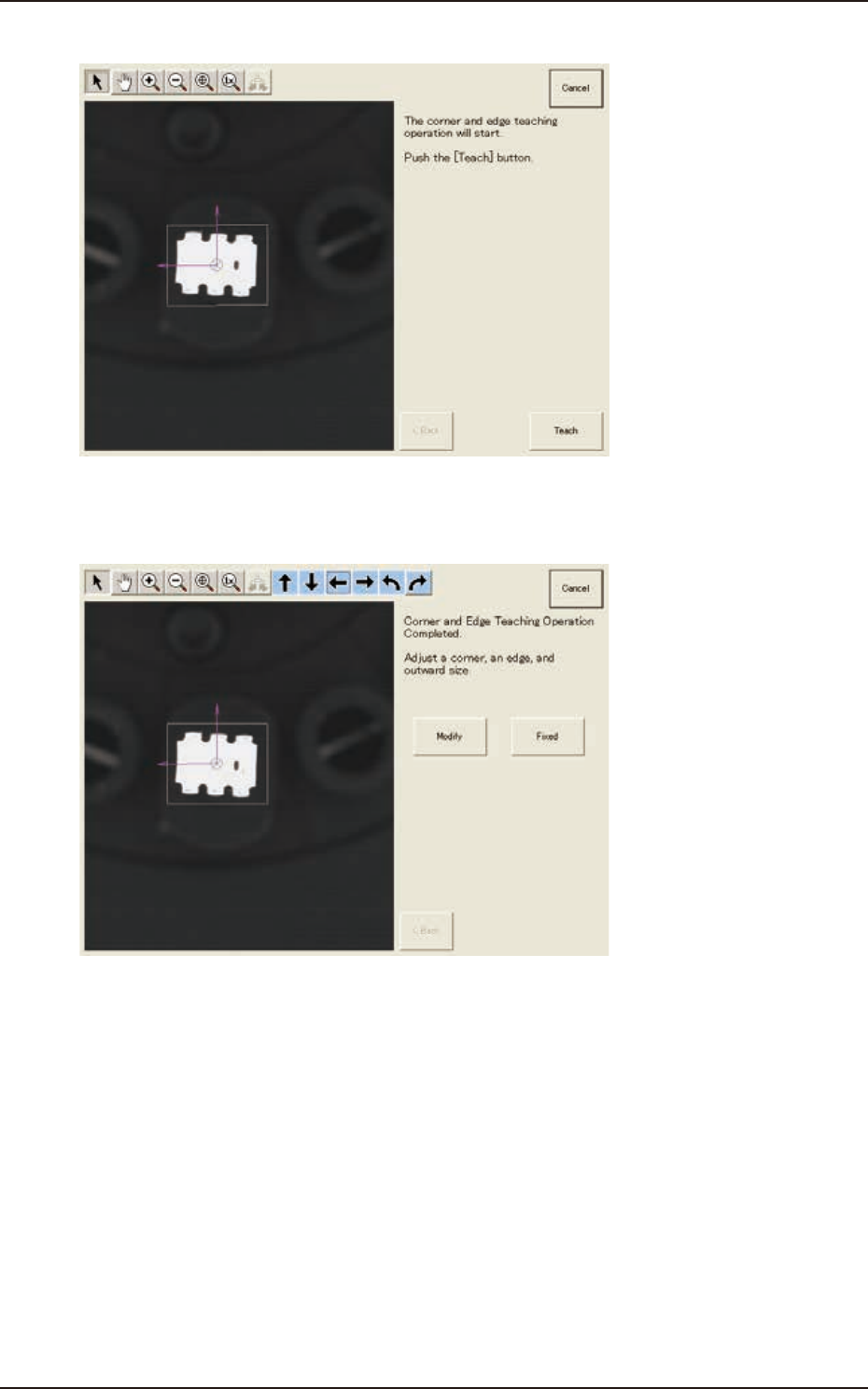
(8) Press the [Teach] button to start the corner and edge teaching operation.
F2F93
(9) When the corner and edge teaching operation is completed, check the data and press the
[Fixed] button. See the next steps from (9-1) to (9-3) if requiring the modification.
F2F94
7.3 "COMP RCG" Test Window
EUKYX
6-72199-2100
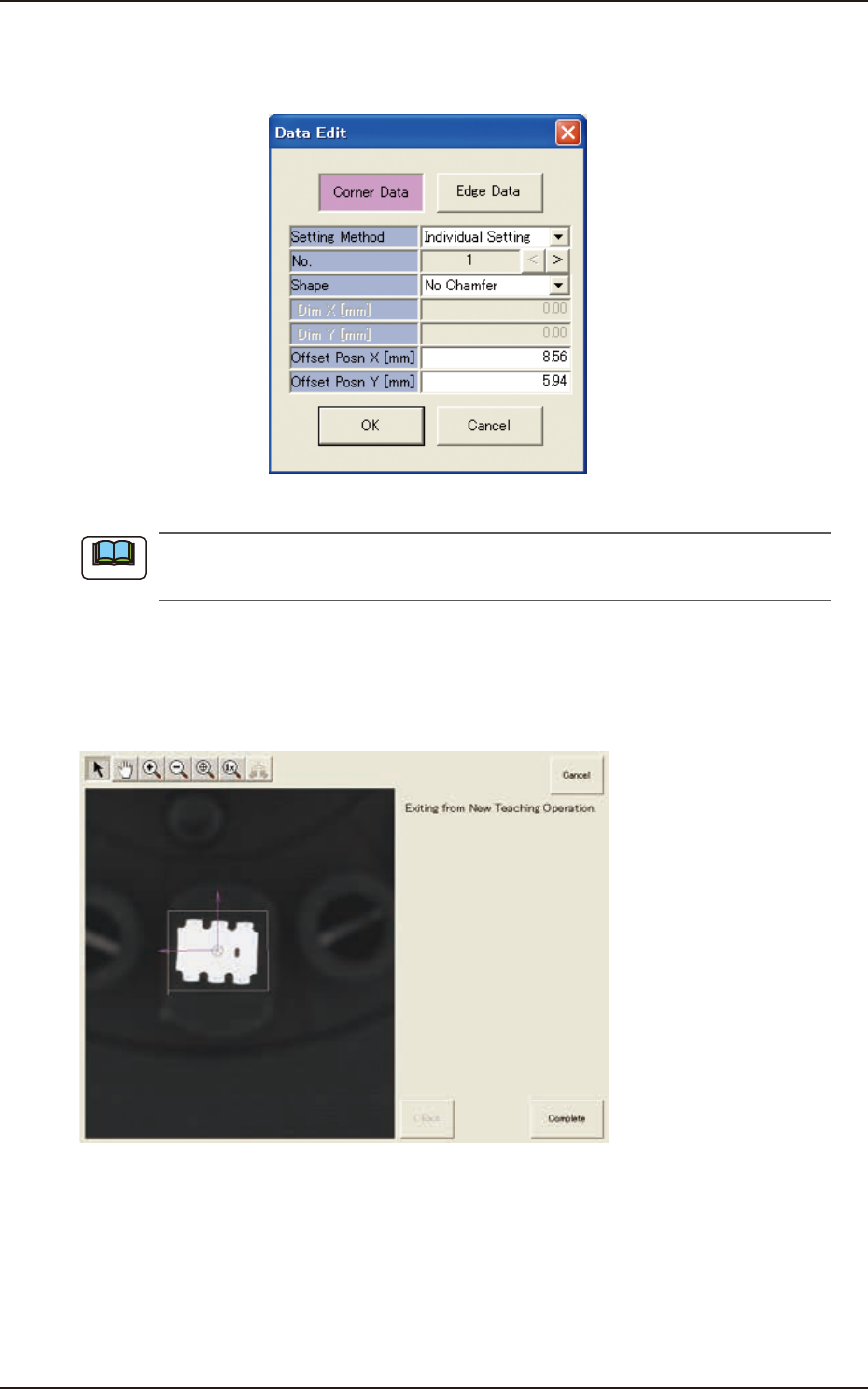
(9-1) Press the [Modify] button.
(The following "Data Edit" window appears. The data parameters can be corrected for
each corner data or edge data item.)
F2F95
The indicated data may contain some fractional parts in the values. At the end of the teaching
operation, these fractional parts are truncated.
(9-2) When the component size is not the same as the outward length, correct the outward
length on the outward length graphic image to match.
(9-3) After the modification is completed, press the [Fixed] button.
(10) When the teaching is completed, press the [Complete] button.
F2F96
Note
7.3 "COMP RCG" Test Window
EUKYX
6-73199-2100
7.3.7.3 BGA/CSP Components
The descriptions in this manual are based on a component whose electrode type is "Simple
(electrodes arranged in equal pitches)".
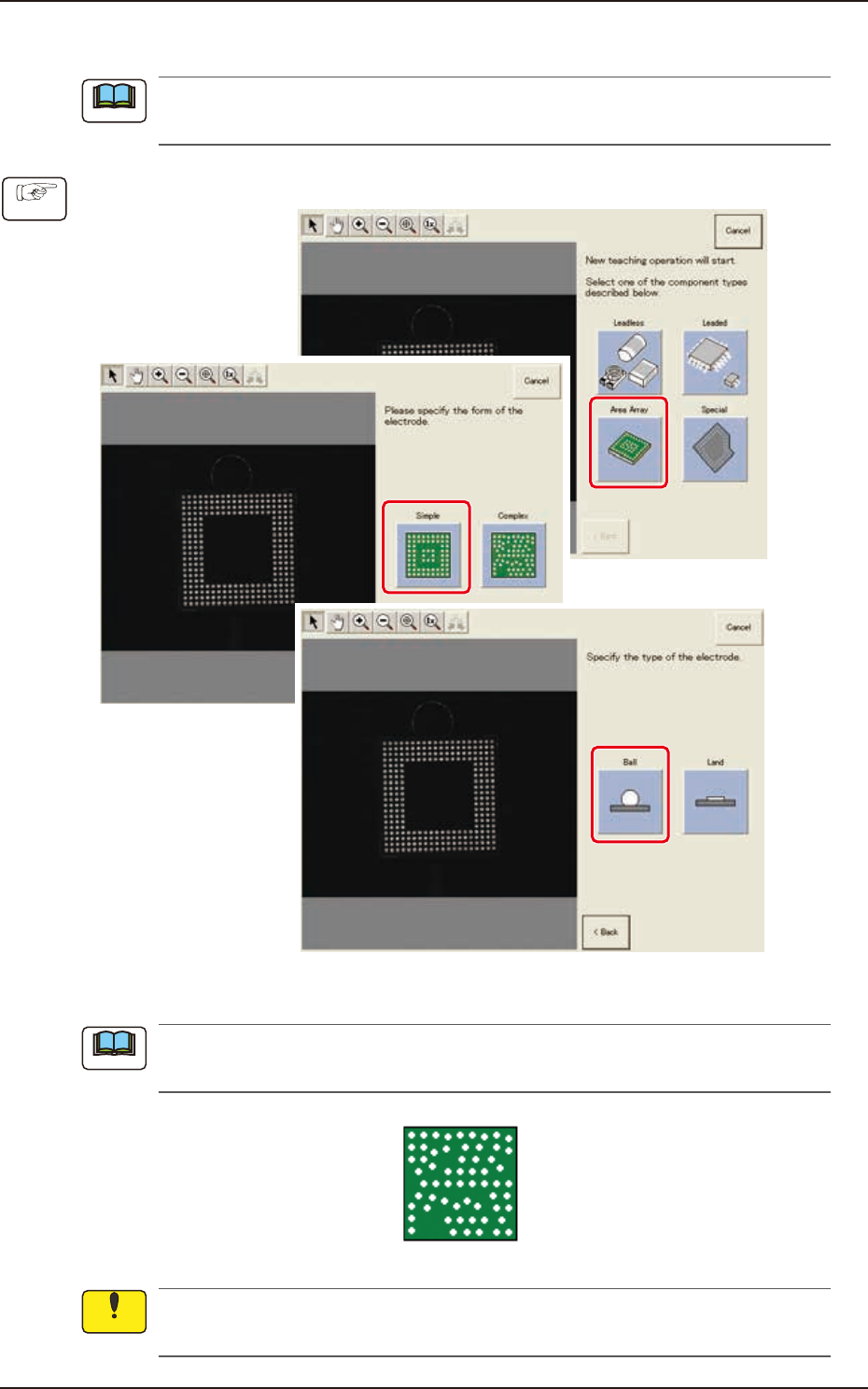
(1) Select [Area Array] - [Simple] - [type of electrodes] on “Create teach wizard” window.
F2F97
In the case of BGA/CSP component where the following electrodes are arranged with uneven
pitches, select [Complex].
F2F99
When “Simple” is selected as a form of electrodes, it is impossible to perform teaching on the
BGA/CSP components used as electrodes and arranged in unequal pitches.
Note
Procedure
Note
Notice
7.3 "COMP RCG" Test Window