EUKYX-199-2100_G5S2_Instruction_Vol2_E.pdf - 第311页
EUKYX 6-74 199-2100 (2 ) Confirm that t he comp onent is in the yell ow circle (frame) . When it is in the circle, press the [ Y es] but ton. Ot her wise, press t he [No] but ton. F2F101 (3 ) Af t er clicking t he upp er…
EUKYX
6-73199-2100
7.3.7.3 BGA/CSP Components
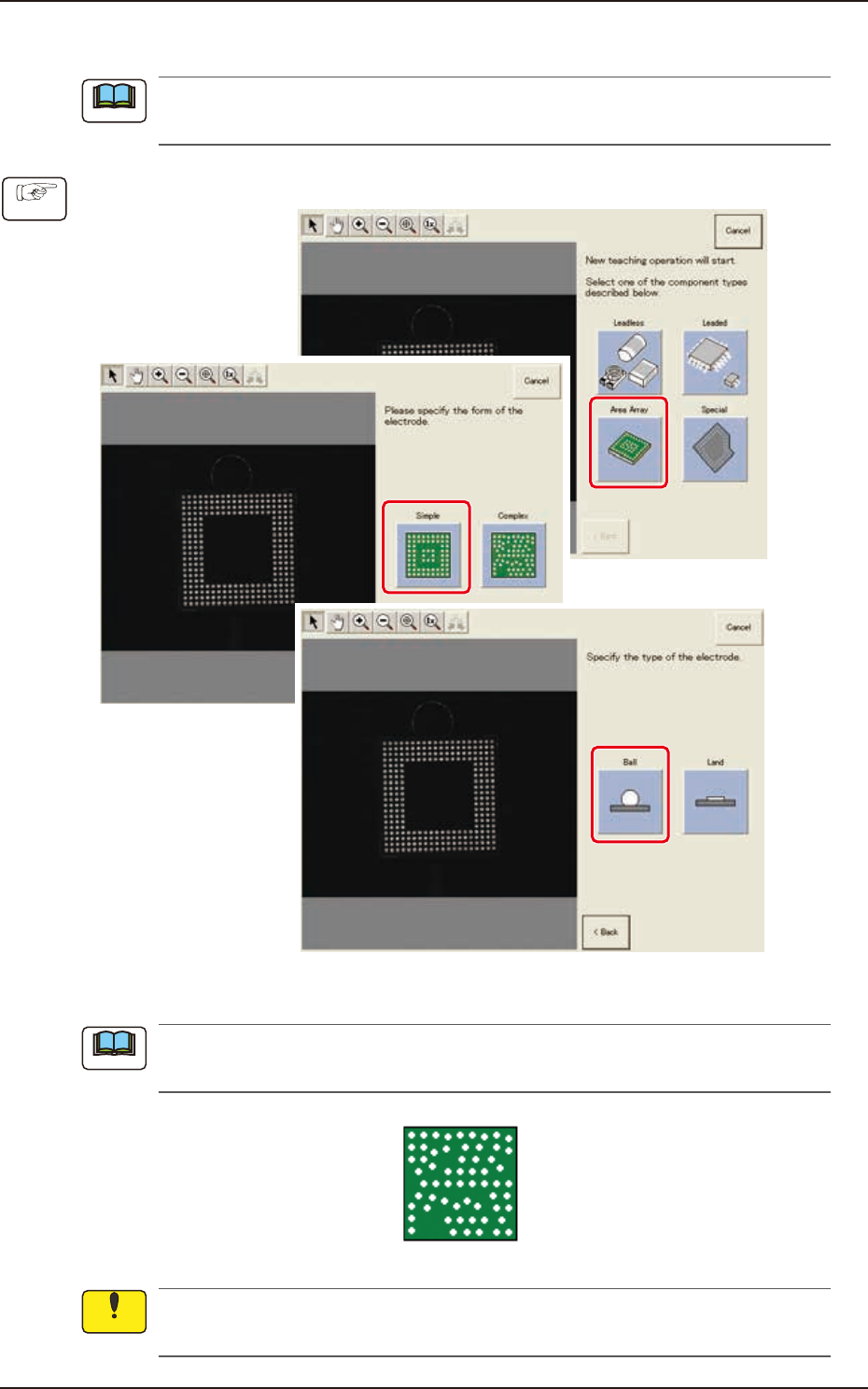
The descriptions in this manual are based on a component whose electrode type is "Simple
(electrodes arranged in equal pitches)".
(1) Select [Area Array] - [Simple] - [type of electrodes] on “Create teach wizard” window.
F2F97
In the case of BGA/CSP component where the following electrodes are arranged with uneven
pitches, select [Complex].
F2F99
When “Simple” is selected as a form of electrodes, it is impossible to perform teaching on the
BGA/CSP components used as electrodes and arranged in unequal pitches.
Note
Procedure
Note
Notice
7.3 "COMP RCG" Test Window
EUKYX
6-74199-2100
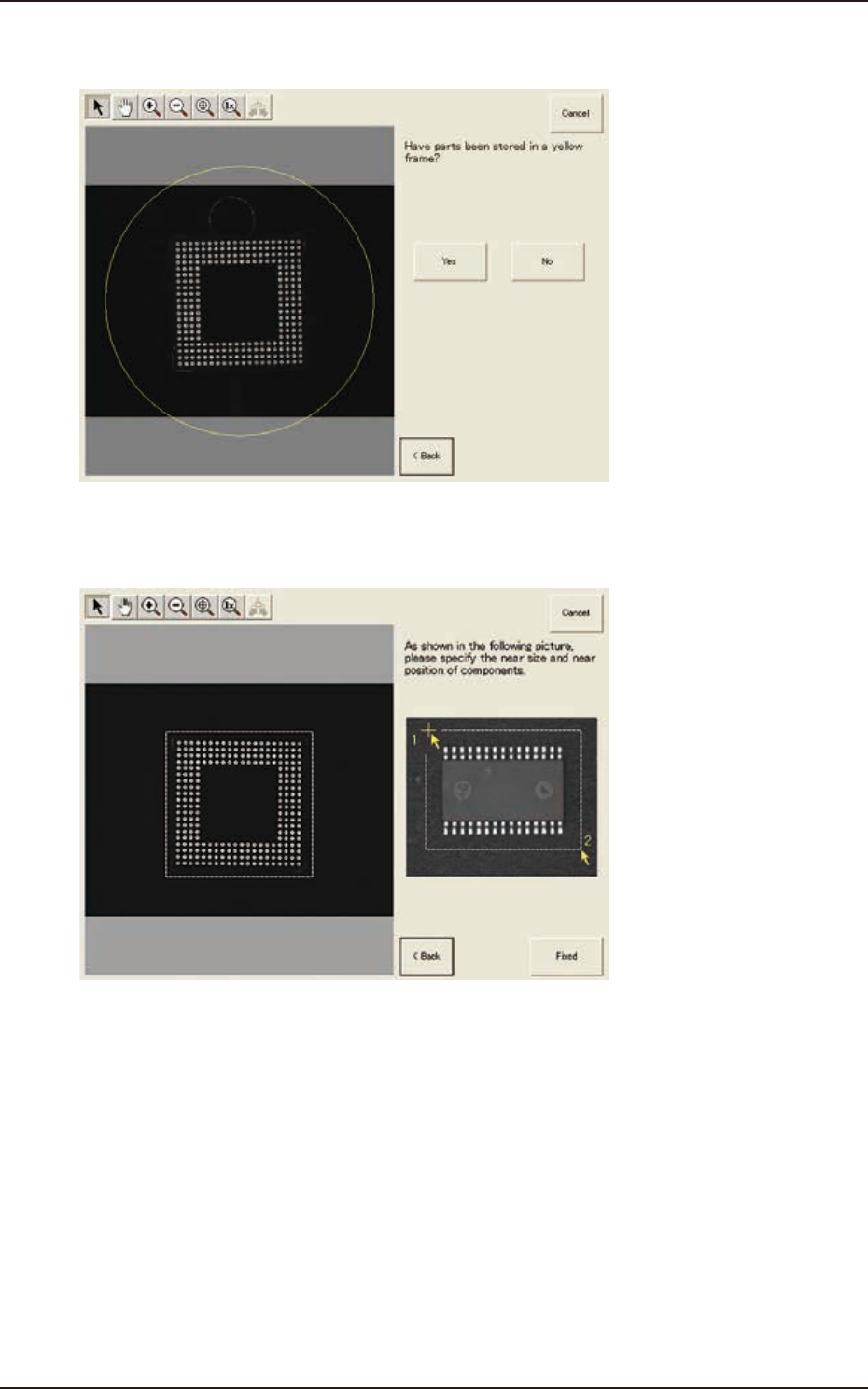
(2) Confirm that the component is in the yellow circle (frame).
When it is in the circle, press the [Yes] button. Otherwise, press the [No] button.
F2F101
(3) After clicking the upper left of the component image, click the lower right to place the
whole component image within a frame.
F2F102
(4) Make sure that the whole image is within the frame and press the [Fixed] button.
7.3 "COMP RCG" Test Window
EUKYX
6-75199-2100
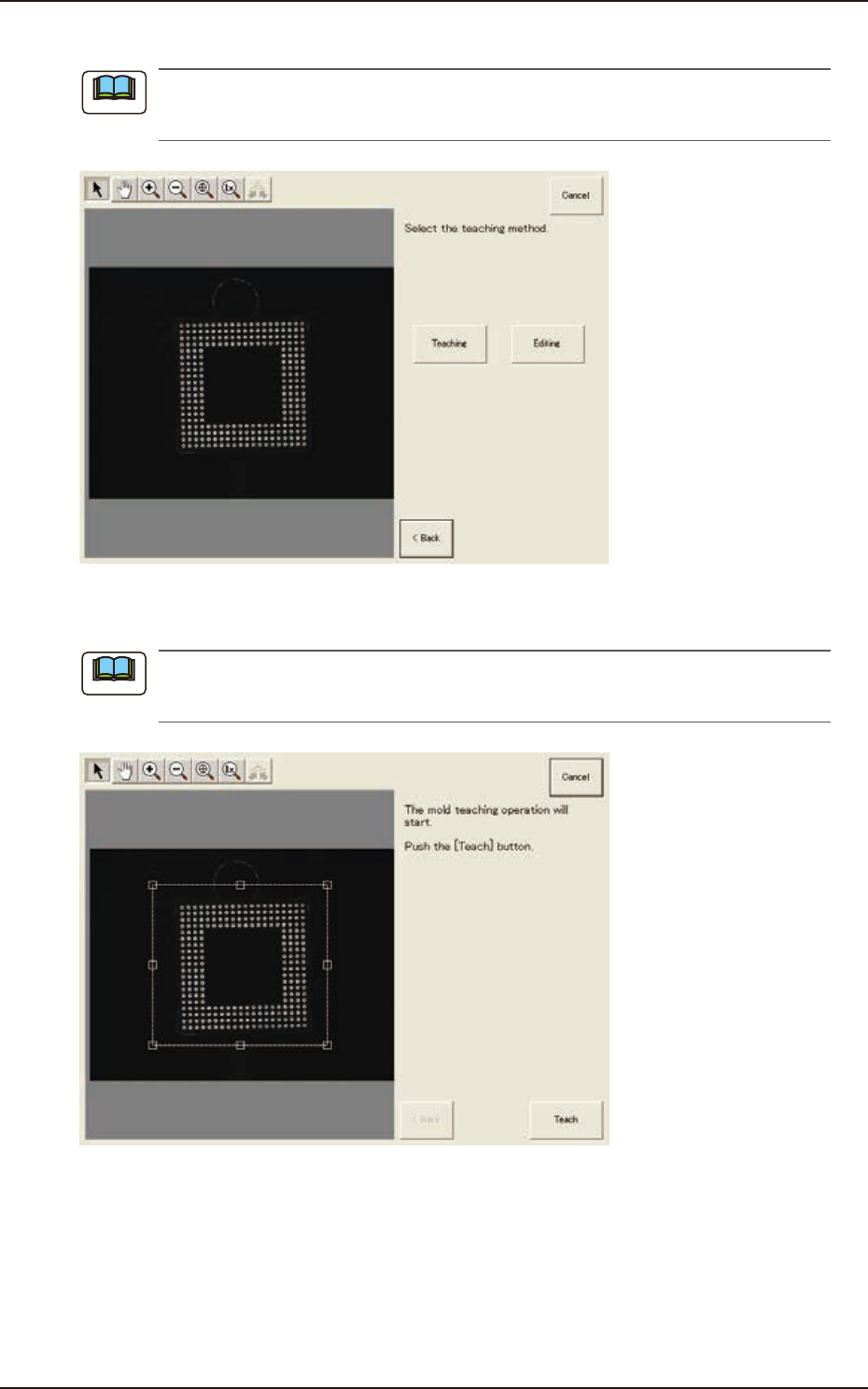
(5) Press the [Teaching] button to select the teaching method.
When the [Editing] button has been selected, the editing operation is performed based on the
sample data. Press the [Complete] button to return to the component library teaching window.
F2F103
(6) Press the [Teach] button to start the mold teaching operation.
Make sure that the component image is within the frame with dot lines. If the component is out
of the frame, adjust it again.
F2F104
Note
Note
7.3 "COMP RCG" Test Window