EUKYX-199-2100_G5S2_Instruction_Vol2_E.pdf - 第317页
EUKYX 6-80 199-2100 7.4 "PEC RCG" T est Window 7 .4 "P EC RCG " T est Windo w Thi s wi ndow enab les the operator to perform the PEC recognition m ark recogni tion test. [1] [2] [3] [4] [5] [6] [7] [9…
EUKYX
6-79199-2100
7.3.8 Exiting from Library Data Teaching Operation
Press the [ ] button on “Component Library Teaching” window or press the [Complete] button
on the "Create Teach" wizard. The "COMPONENT LIBRARY" (teaching operation) window appears
again.
1/2 page
2/2 page
Cover
F2F111
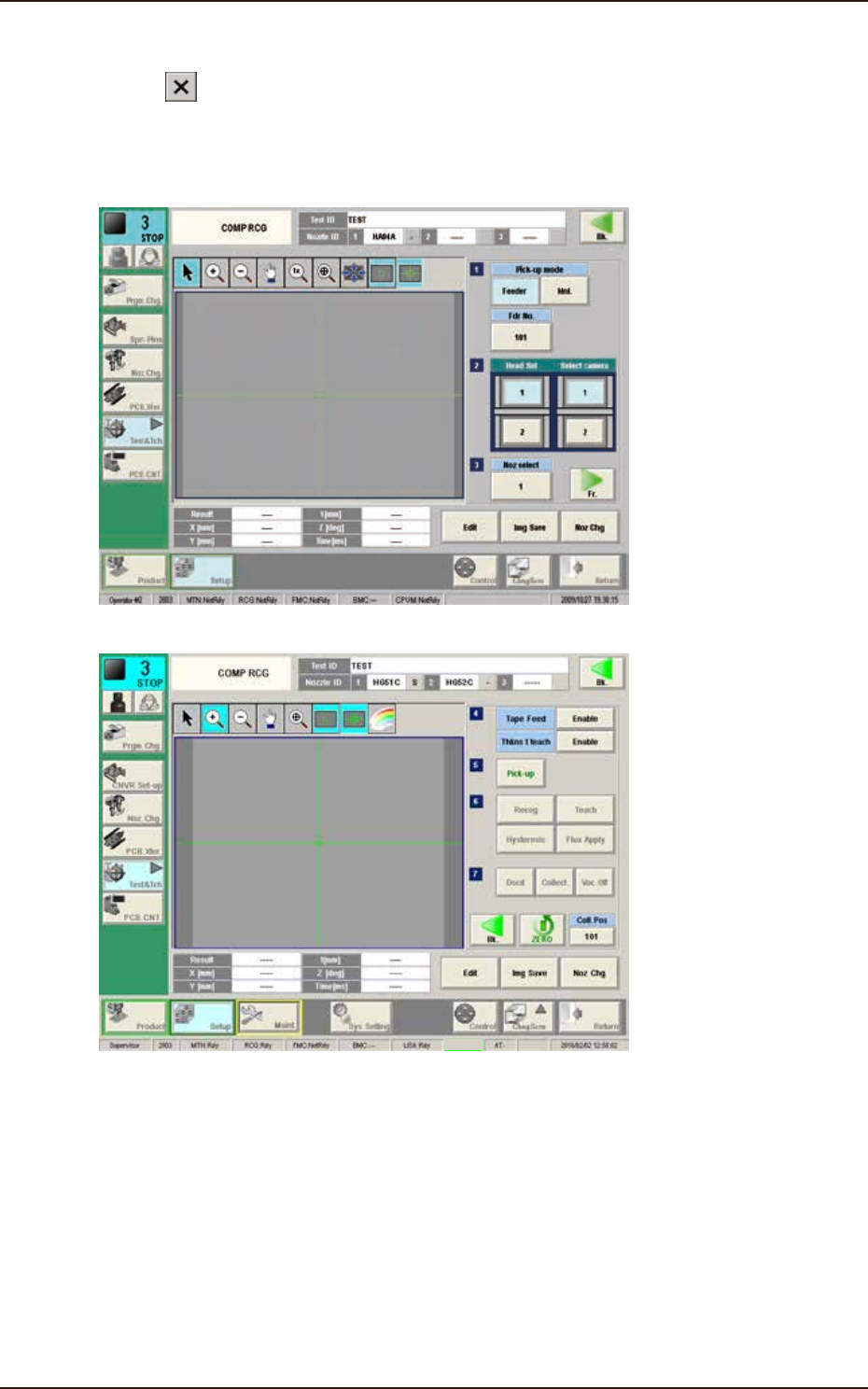
Pressing the [Recog] button can execute the recognition test for the created component library data.
Pressing the [Edit] button can re-edit the created component library data.
When the teaching is to be ended, after pressing the [Dscd] or [Collect.] button to discard or
collect the component, press the [Return] button.
The data saving confirming dialog is displayed.
When the created component library data is to be saved in the test library, press the [Yes] button
and when it is to be discard, press the [No] button.
7.3 "COMP RCG" Test Window
EUKYX
6-80199-2100
7.4 "PEC RCG" Test Window
7.4 "PEC RCG" Test Window
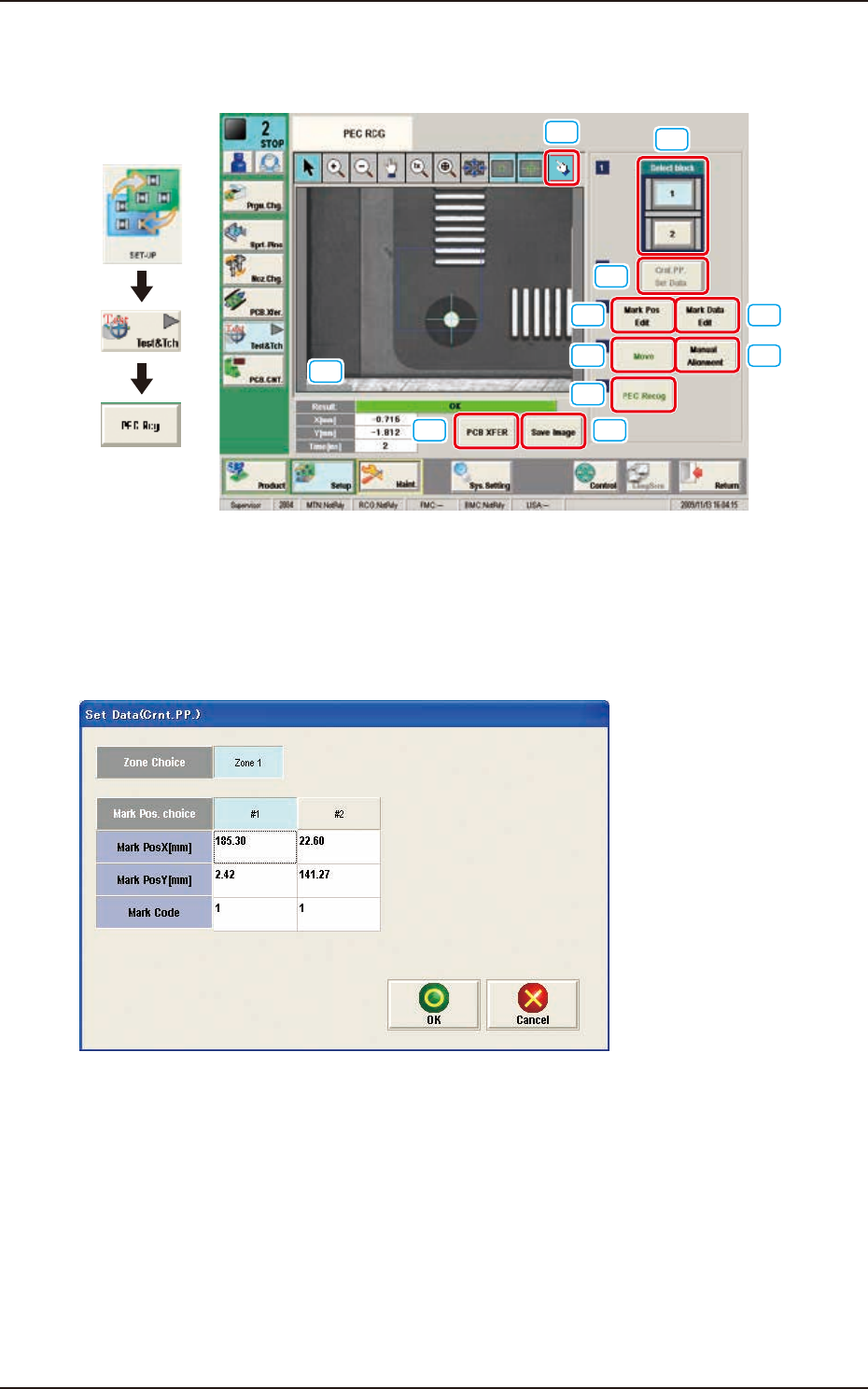
This window enables the operator to perform the PEC recognition mark recognition test.
[1]
[2]
[3] [4]
[5]
[6]
[7]
[9] [10]
[8]
[11]
Graphic
Development
F2F113
[1] [Select block] Button
The buttons showing each block are displayed using images. Using one of these buttons, the block
used for the PEC recognition test is selected.
[2] [Crnt. PP. Set Data] Button
When this button is pressed, the [Set Data (Crnt. PP.)] window appears.
F2F114
When [Zone n] is selected for the "Zone Choice" for the global recognition position and the [#n]
button is selected and then the [OK] button is pressed, the position data and PEC recognition mark
code are set.
The set data is displayed in the Mark Pos X, Y data boxes on the "[3] Mark Pos. Edit" window and
"[4] Mark Data Edit" window.
EUKYX
6-81199-2100
7.4 "PEC RCG" Test Window
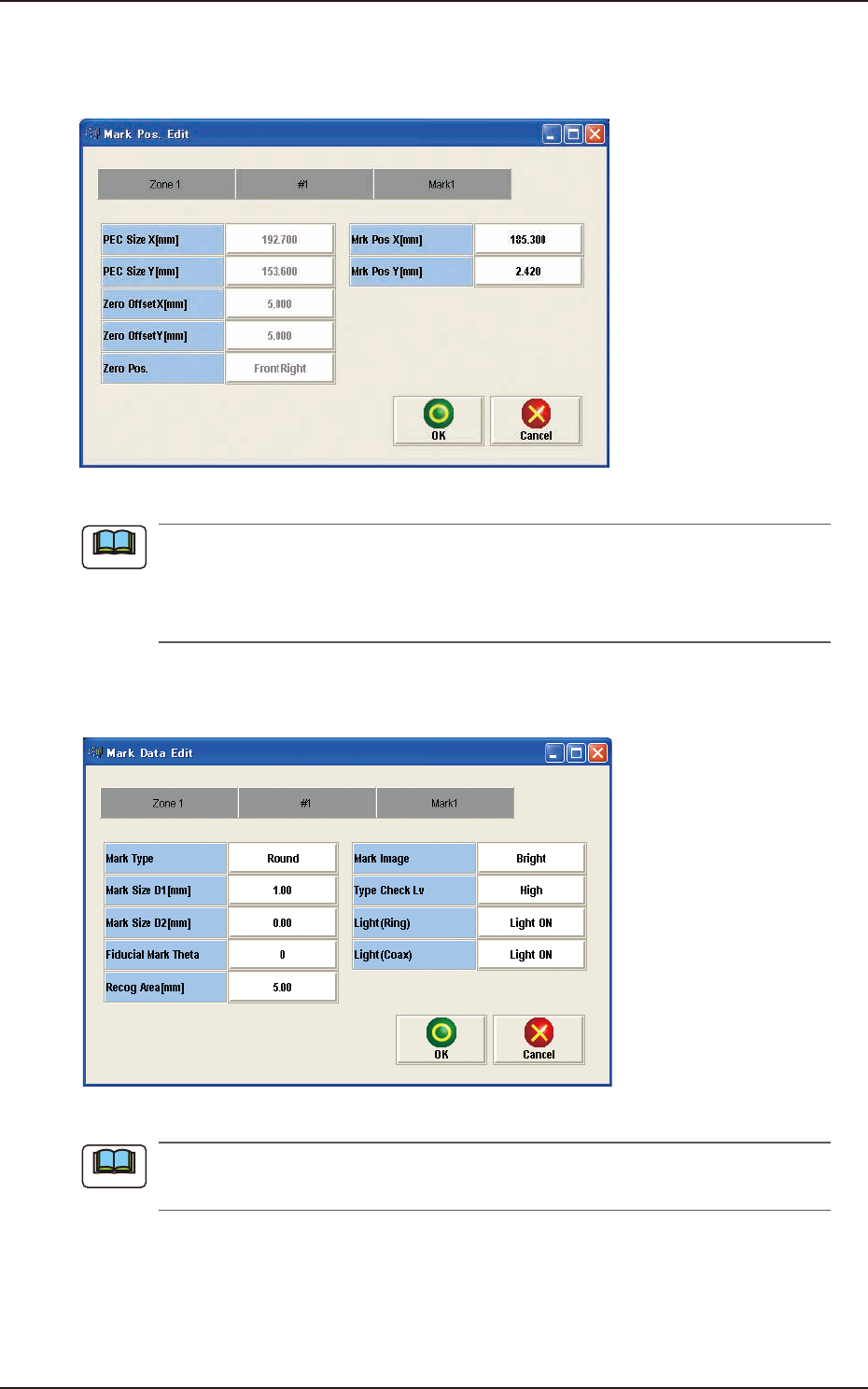
[3] [Mark Pos Edit] Button
Using this button, the PEC recognition mark position is setup. Each item is shown as a button and
when each button is pressed, the corresponding data set window appears.
F2F115
(a) When the pattern program has been setup, the parameters for the “PEC Size X[mm]”
and “PEC Size Y[mm]” are automatically set.
(b) When the settings have been performed in the "Cmt PP Data Setting" window, the “Mrk
Pos X[mm]” and “Mark Pos Y[mm]” also have already been setup.
[4] [Mark Data Edit] Button
Press each button to set the PEC recognition mark.
F2F116
When the settings have been performed in the "Cmt PP Data Setting" window, the PEC
recognition mark data has already been setup.
Note
Note