EUKYX-199-2100_G5S2_Instruction_Vol2_E.pdf - 第98页
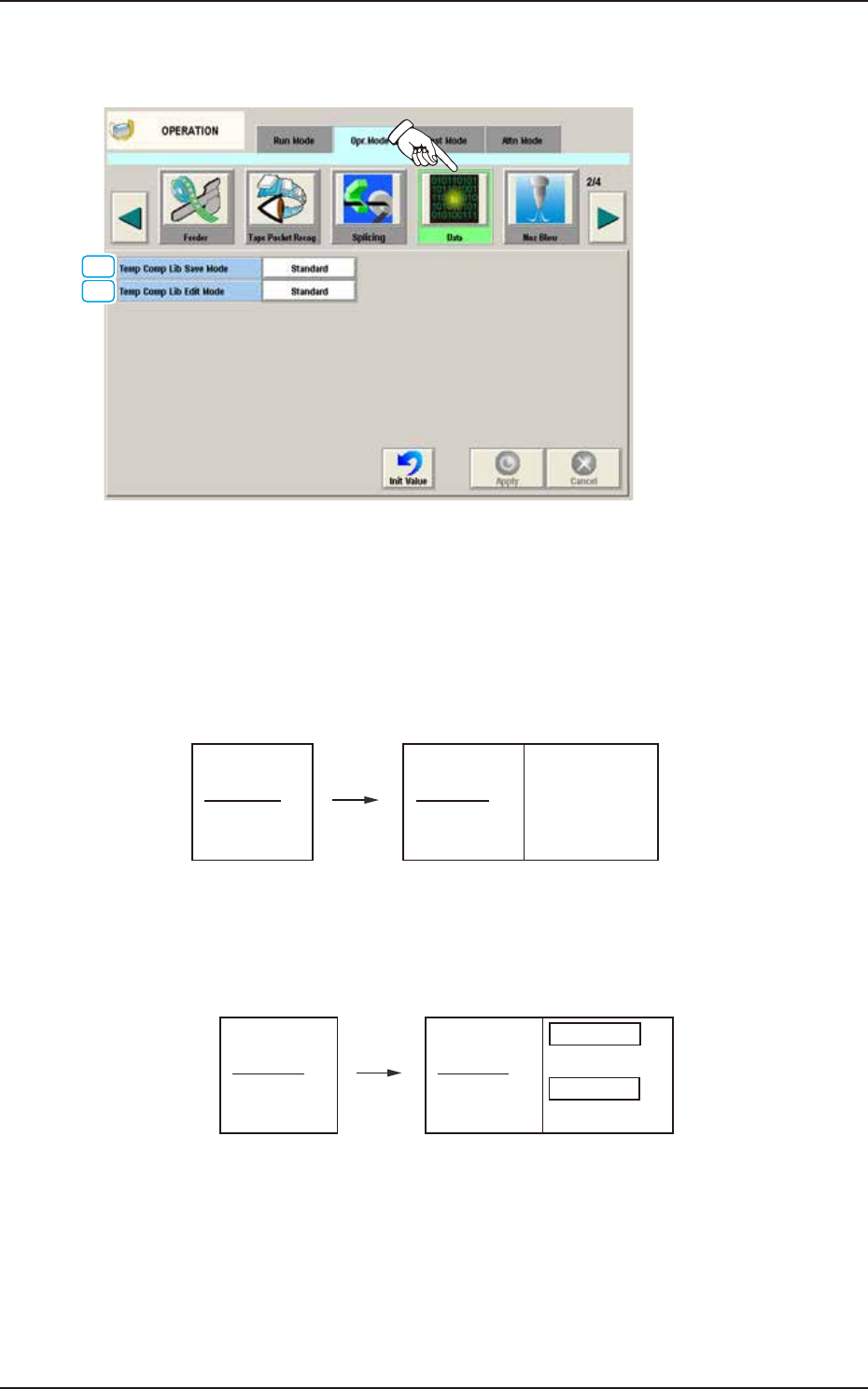
EUKYX 1-48 199-2100 4.2 .9 Data When the [ Data] but ton is pressed on the "Opr . M ode" t ab sheet, t he fol lowi ng window appears. [2] [1] F2A36A [ 1 ] T emp Comp Lib Sa ve Mode One of the fol lowin g option…

EUKYX
1-47199-2100
[4] "Fdr Tape Joint Detection" Group Box
Fdr tape jt detect. Snsr
"Enable" or "Disable" is selected for the joint seam detection sensor.
Set the joint Auto. Skip.
"Enable" or "Disable" is selected for the "Set the joint Auto. Skip".
Skip LG (Front)
The skip start position from the joint is set.
Skip LG (Rear)
The skip end position from the joint is set.
Fdr Tape Joint Detection ErrStop
When an error (E3) is caused in the tape feeder, the machine is stopped.
Refer to "SIGMA-G4/G5 Tape Feeder Instruction Manual" for the derails of the error codes for
the tape feeder.
Skip Func after comp missing det
"Enable" or "Disable" for the Skip after "No Component" detected is selected.
Tape Recog at handling error
“Enable” or “Disable” is selected for “Tape Recog at handling error”.
Reference
4.2 "Opr.Mode" Tab Sheet
EUKYX
1-48199-2100
4.2.9 Data
When the [Data] button is pressed on the "Opr. Mode" tab sheet, the following window appears.
[2]
[1]
F2A36A
[1] Temp Comp Lib Save Mode
One of the following options can be selected for saving the carrier data.
[Standard] Button
When selected, the data saving operation continues only when the component data is
perfectly consistent.
(Standard)
(Before Changeover)
101 AAA
102 BBB
103 CCC
104 DDD
(After Changeover)
All are initialized because
there is a difference in 102.
101 AAA
102 DDD
103 CCC
104 DDD
Initialized
Initialized
Initialized
Initialized
Simplified Packaging
Direction Change Function
F2A37
[Continuation 1] Button
The system keeps on saving only the component data that has the same ID.
(Continuation 1)
(Before Changeover)
101 AAA
102 BBB
103 CCC
104 DDD
(After Changeover)
The 102 data is initialized as
there is a difference.
The 104 data is cleared as
it is not used.
The other data are continued.
101 AAA
102 DDD
103 CCC
104
Continued
Initialized
Continued
Cleared
Simplified Packaging
Direction Change Function
F2A38
4.2 "Opr.Mode" Tab Sheet

EUKYX
1-49199-2100
Continuation 2
The system keeps on saving the data when the component data has the same ID and is not
used.
(Continuation 2)
(Before Changeover)
101 AAA
102 BBB
103 CCC
104 DDD
(After Changeover)
The 102 data is initialized as
there is a difference.
The 104 data is sustained as
it is not used.
The other data are continued.
101 AAA
102 DDD
103 CCC
104
Continued
Initialized
Continued
Continued
Edited Data
F2A39
[2] Temp Comp Lib Edit Mode
The changing method for the edited data is selected in this text box.
Standard
The edited data is maintained.
Comp Lib Priority
When selected, this button initializes the pieces of data having the changed IDs to be those
in the component library data.
4.2 "Opr.Mode" Tab Sheet