m220_383_02_process_manual工艺手册.pdf.pdf - 第63页
OPERATION INSTRUCTIONS P ROCESS M ANU AL 5.2 Login TSC-2 Changing login name ma y be required to couple process data to opera tor and process proceeding for logging data. 5.2.1 TSC-2 1) Press “ID” to Login as screen unti…

OPERATION INSTRUCTIONS
P
ROCESS MANUAL
5.Operation Instructions
This document describes the various procedures required for a process engineer. The
procedures describe all information according to the process engineers.
5.1 Load or Unload process wafers
Loading and unloading process wafers on the paddle is required before and after each process
run.
5.1.1
Load process wafers
• Place the wafers on the wafer carriers, depending on the situation with (vacuum)
tweezers or a wafer transfer system.
• Pick-up wafer carriers with a pick-up fork or automated loading tool.
• Place the wafer carriers around the center of flatzone as indicated on the
loadstation.
5.1.2 Unload wafers
CAUTION
Wafers and paddle are hot.
• Allow the wafers to cool down.
• Pick-up wafer carriers with a pick-up fork or automated loading tool. (Amtech
Systems S300)
• Remove the wafers from the wafer carriers, depending on the situation with
(vacuum) tweezers or a wafer transfer system.
5.1-1
OPERATION INSTRUCTIONS
P
ROCESS MANUAL
5.2 Login TSC-2
Changing login name may be required to couple process data to operator and process
proceeding for logging data.
5.2.1 TSC-2
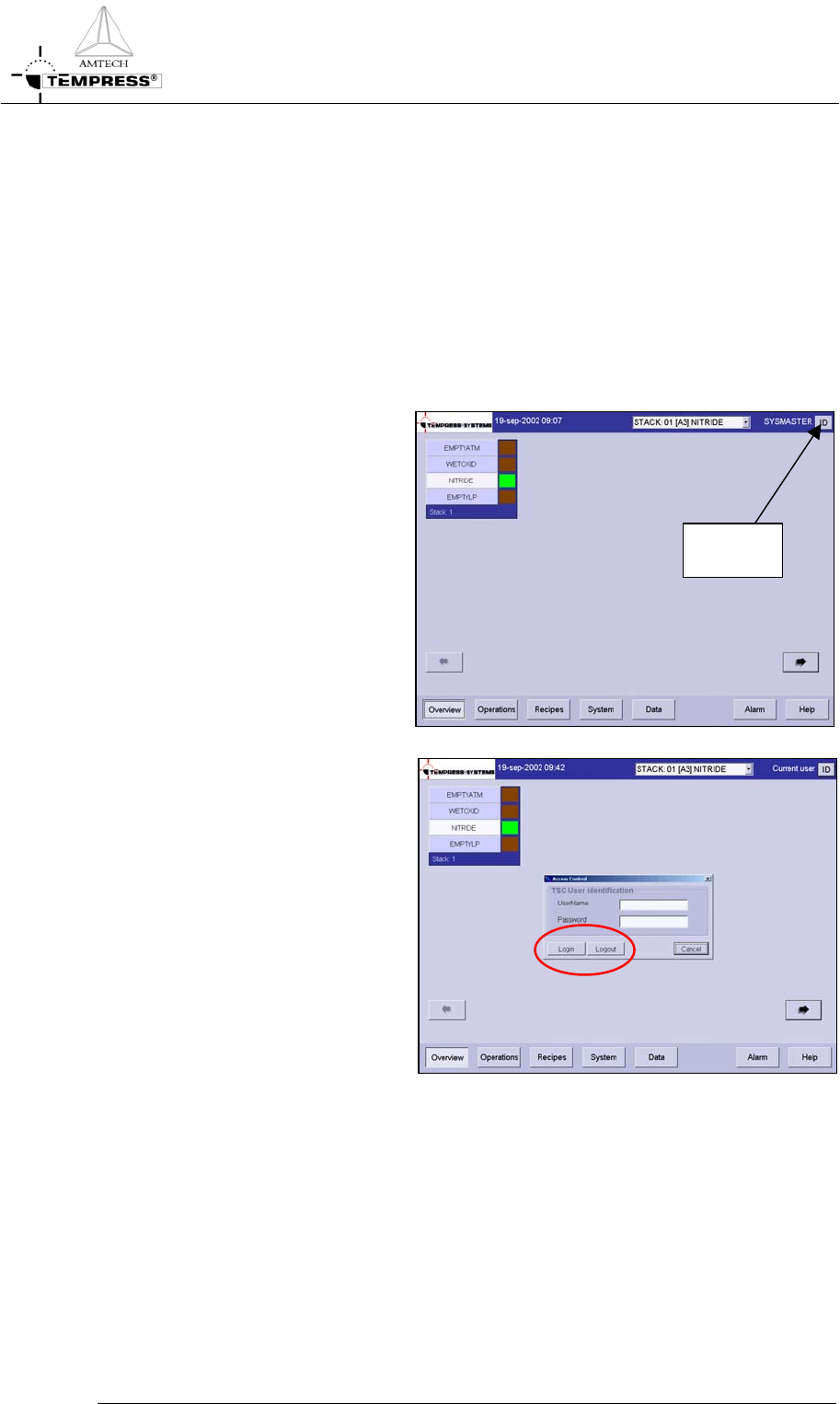
1) Press “ID” to Login as
screen until following screen
appears:
USER
LOGIN
2) Type the personal username
and password
3) Press “Login” to login or
“Logout” to logout
5.2-1
OPERATION INSTRUCTIONS
P
ROCESS MANUAL
5.3 Selecting a new process recipe
A new process recipe needs to be selected so the new instructions can be executed. A new
process recipe can only be selected if the current process recipe is in ‘Step 0‘.
5.3.1
Touchscreen
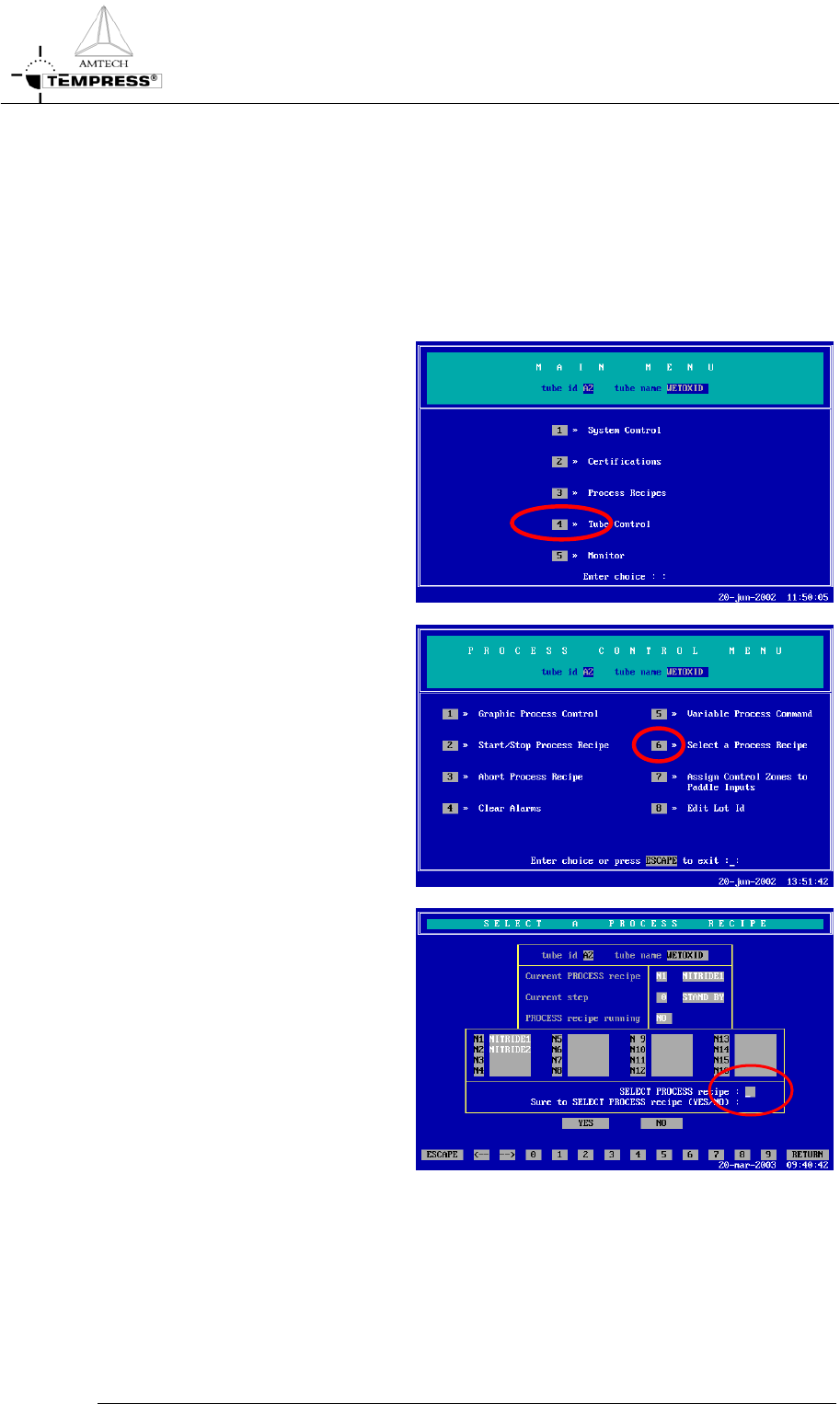
1) return to the Main Menu by
pressing ‘ESC’ until the
following screen appears:
2) press ‘4’ to access ‘Tube
control’
5.3-1
3) press ‘6’ to ‘Select a Process
Recipes’
4) select the desired process
recipe by entering its
number.