m220_383_02_process_manual工艺手册.pdf.pdf - 第64页
OPERATION INSTRUCTIONS P ROCESS M ANU AL 5.3 Selecting a new process recipe A new process recipe needs to be selec ted so the new instruc tions can be execu ted. A new process recipe can only be s elected if th e current…
OPERATION INSTRUCTIONS
P
ROCESS MANUAL
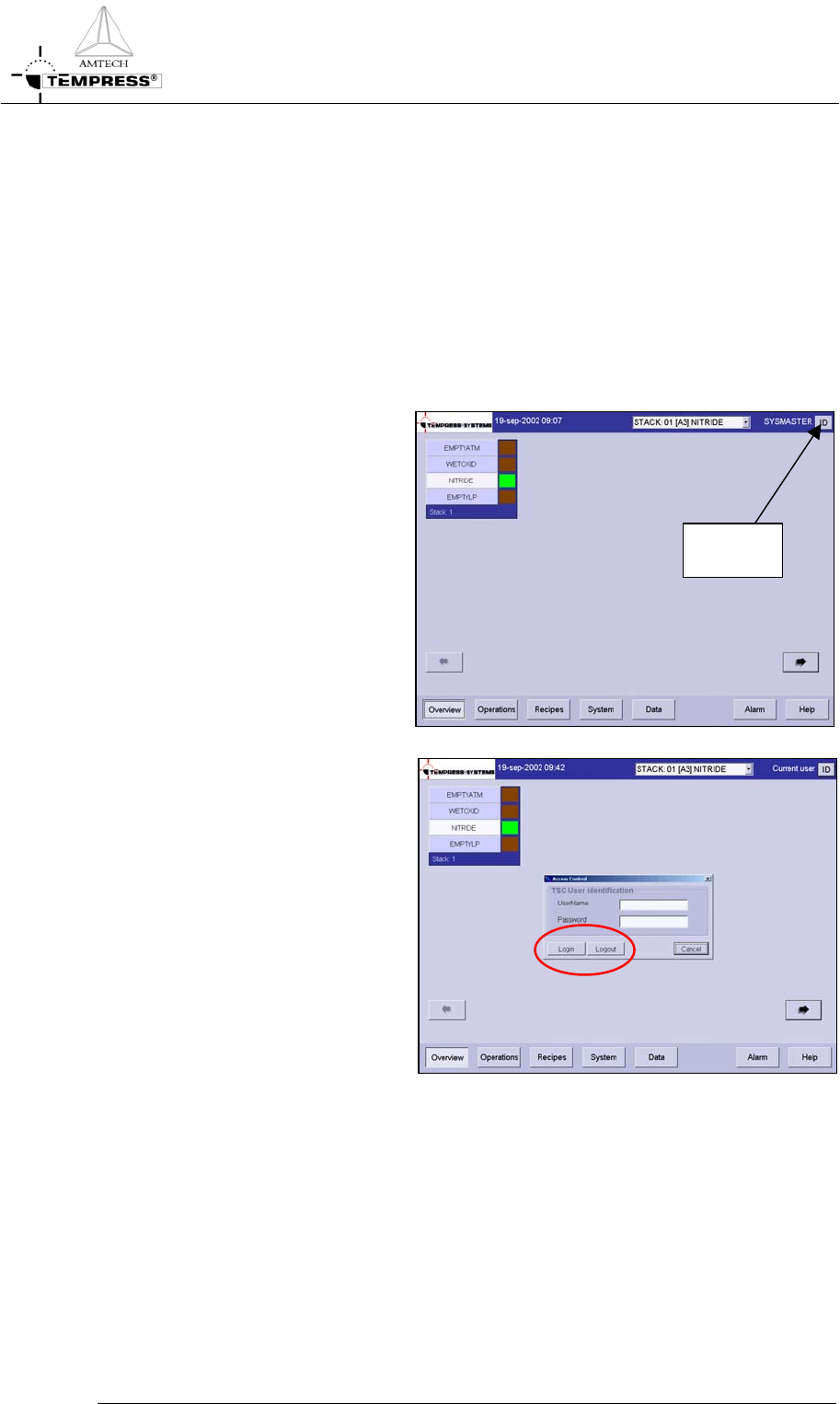
5.2 Login TSC-2
Changing login name may be required to couple process data to operator and process
proceeding for logging data.
5.2.1 TSC-2
1) Press “ID” to Login as
screen until following screen
appears:
USER
LOGIN
2) Type the personal username
and password
3) Press “Login” to login or
“Logout” to logout
5.2-1
OPERATION INSTRUCTIONS
P
ROCESS MANUAL
5.3 Selecting a new process recipe
A new process recipe needs to be selected so the new instructions can be executed. A new
process recipe can only be selected if the current process recipe is in ‘Step 0‘.
5.3.1
Touchscreen
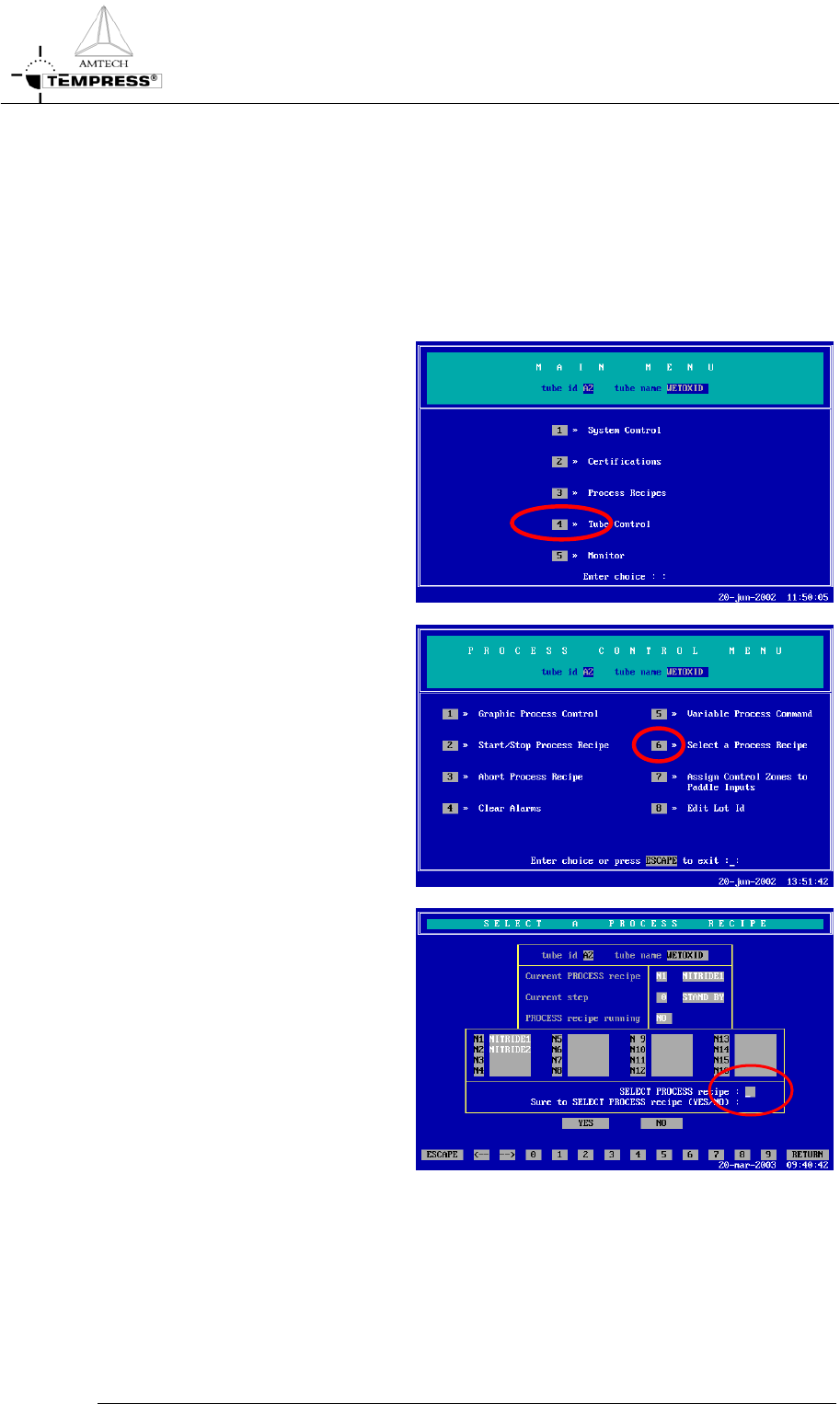
1) return to the Main Menu by
pressing ‘ESC’ until the
following screen appears:
2) press ‘4’ to access ‘Tube
control’
5.3-1
3) press ‘6’ to ‘Select a Process
Recipes’
4) select the desired process
recipe by entering its
number.
OPERATION INSTRUCTIONS
P
ROCESS MANUAL
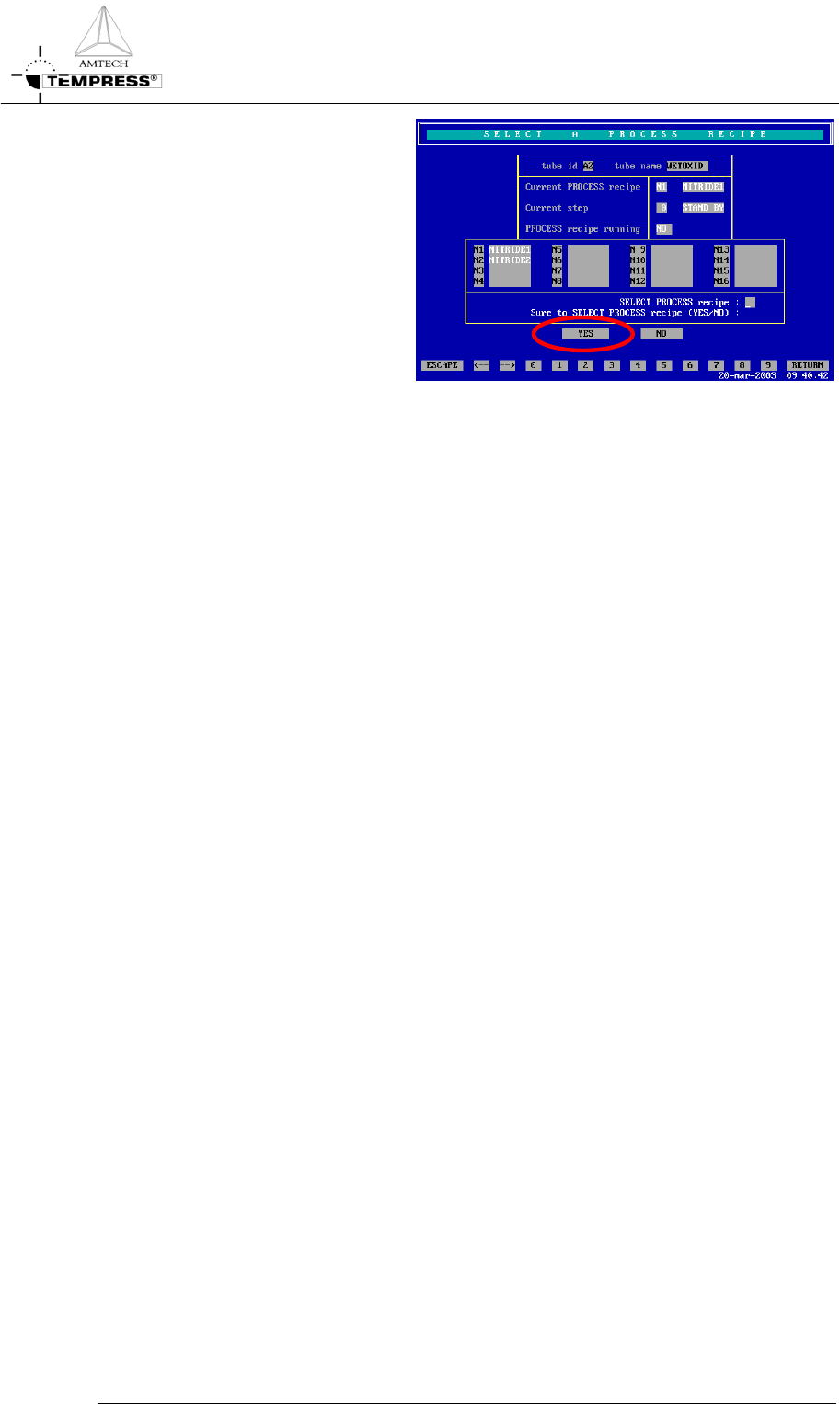
5) press ‘Yes’ to confirm the
question ‘Sure to SELECT
PROCESS recipe (Yes/No)?’
Note: selecting another process recipe is only possible if the current process recipe is in
Step 0.
5.3-2