m220_383_02_process_manual工艺手册.pdf.pdf - 第65页
OPERATION INSTRUCTIONS P ROCESS M ANU AL 5) press ‘Yes’ to confir m the question ‘Sure to SELECT PROCESS recipe (Yes/No)?’ Note: selecting another process recipe is only possible if the current proc ess recipe is in Step…
OPERATION INSTRUCTIONS
P
ROCESS MANUAL
5.3 Selecting a new process recipe
A new process recipe needs to be selected so the new instructions can be executed. A new
process recipe can only be selected if the current process recipe is in ‘Step 0‘.
5.3.1
Touchscreen
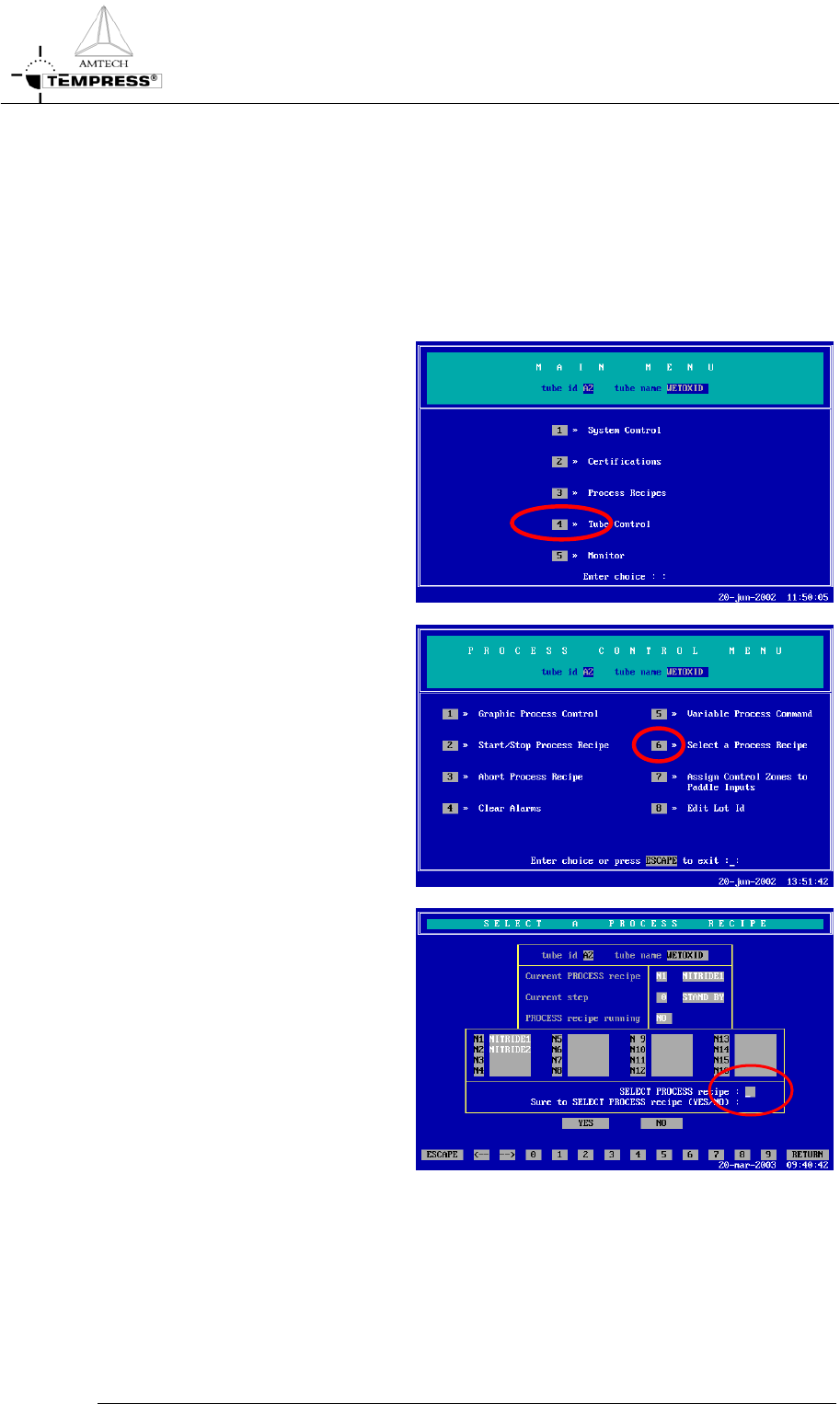
1) return to the Main Menu by
pressing ‘ESC’ until the
following screen appears:
2) press ‘4’ to access ‘Tube
control’
5.3-1
3) press ‘6’ to ‘Select a Process
Recipes’
4) select the desired process
recipe by entering its
number.

OPERATION INSTRUCTIONS
P
ROCESS MANUAL
5) press ‘Yes’ to confirm the
question ‘Sure to SELECT
PROCESS recipe (Yes/No)?’
Note: selecting another process recipe is only possible if the current process recipe is in
Step 0.
5.3-2
OPERATION INSTRUCTIONS
P
ROCESS MANUAL
5.3.2 TSC-2
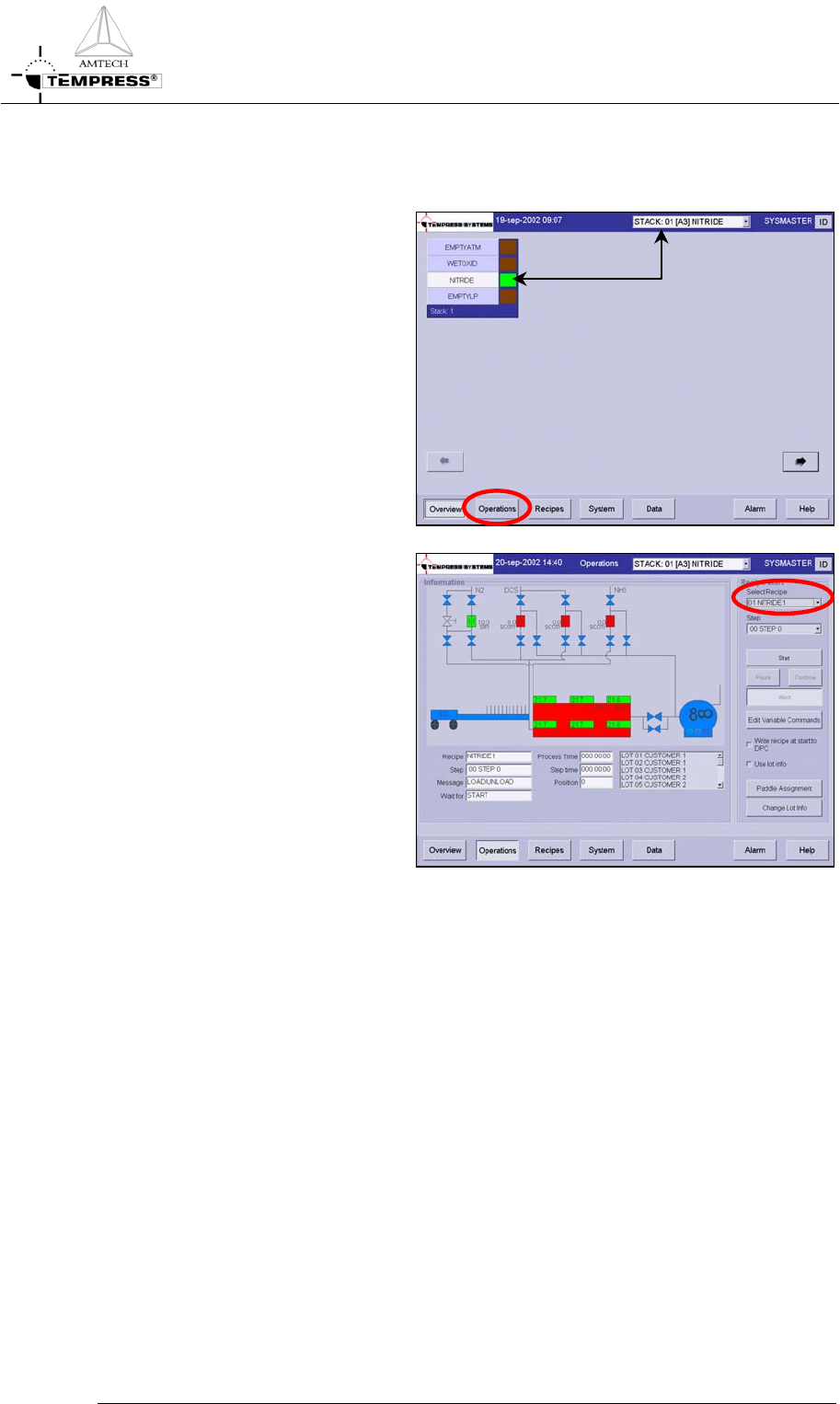
1) select the desired tube from the
pull-down menu or from the
‘Overview’ screen.
2) select ‘Operations’ to access the
operations screen.
3) Select the desired process recipe
from the pull-down menu
4) Press ‘Yes’ to confirm the
question ‘Are you sure to select
another process recipe?’
Note: selecting another process
recipe is only possible if the
current process recipe is in Step 0.
5.3-3