m220_383_02_process_manual工艺手册.pdf.pdf - 第66页
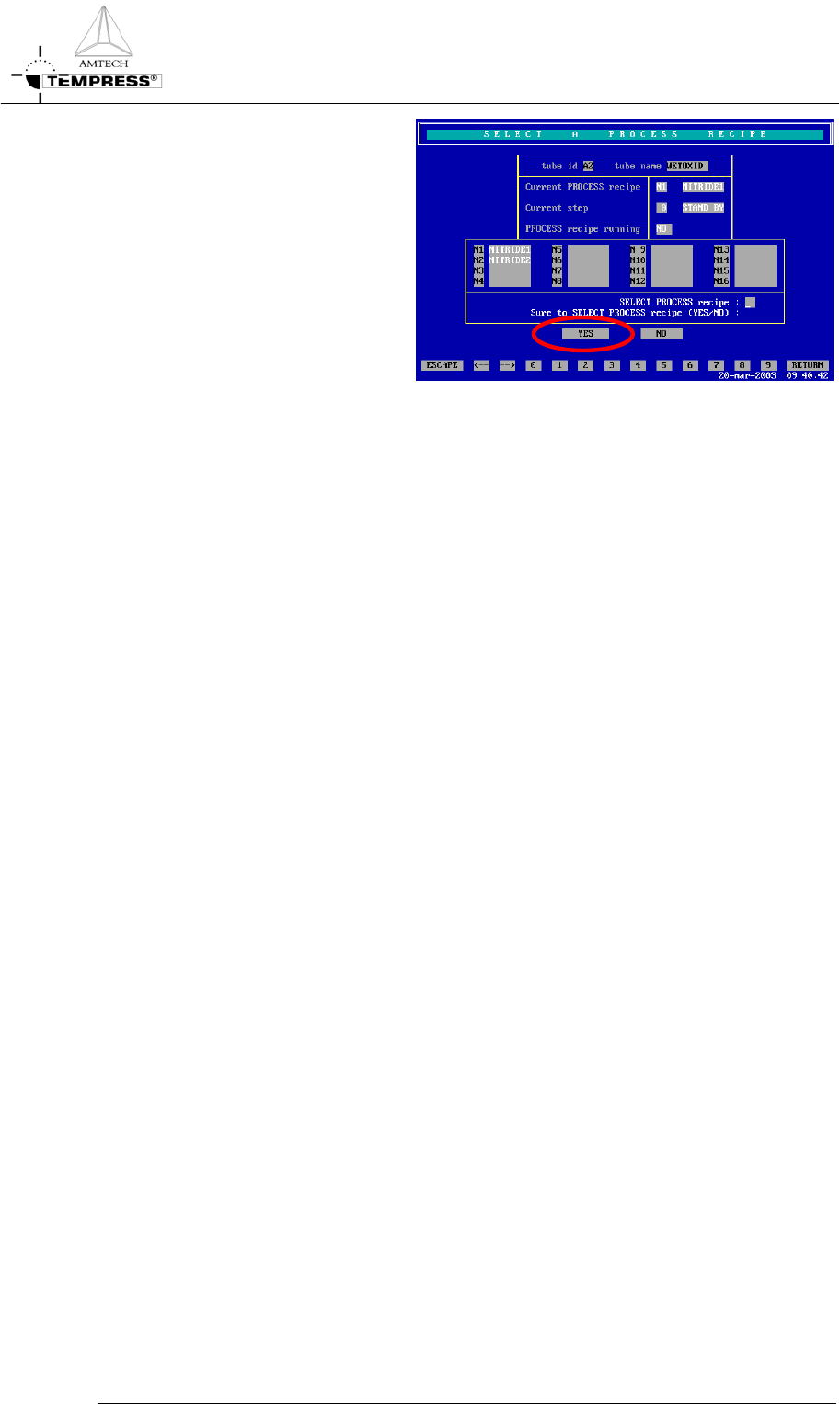
OPERATION INSTRUCTIONS P ROCESS M ANU AL 5.3.2 TSC-2 1) select the des ired tube from the pull-down menu or from t he ‘Overview’ screen. 2) select ‘Operations’ to access the operations screen. 3) Select the desired proce…
OPERATION INSTRUCTIONS
P
ROCESS MANUAL
5) press ‘Yes’ to confirm the
question ‘Sure to SELECT
PROCESS recipe (Yes/No)?’
Note: selecting another process recipe is only possible if the current process recipe is in
Step 0.
5.3-2
OPERATION INSTRUCTIONS
P
ROCESS MANUAL
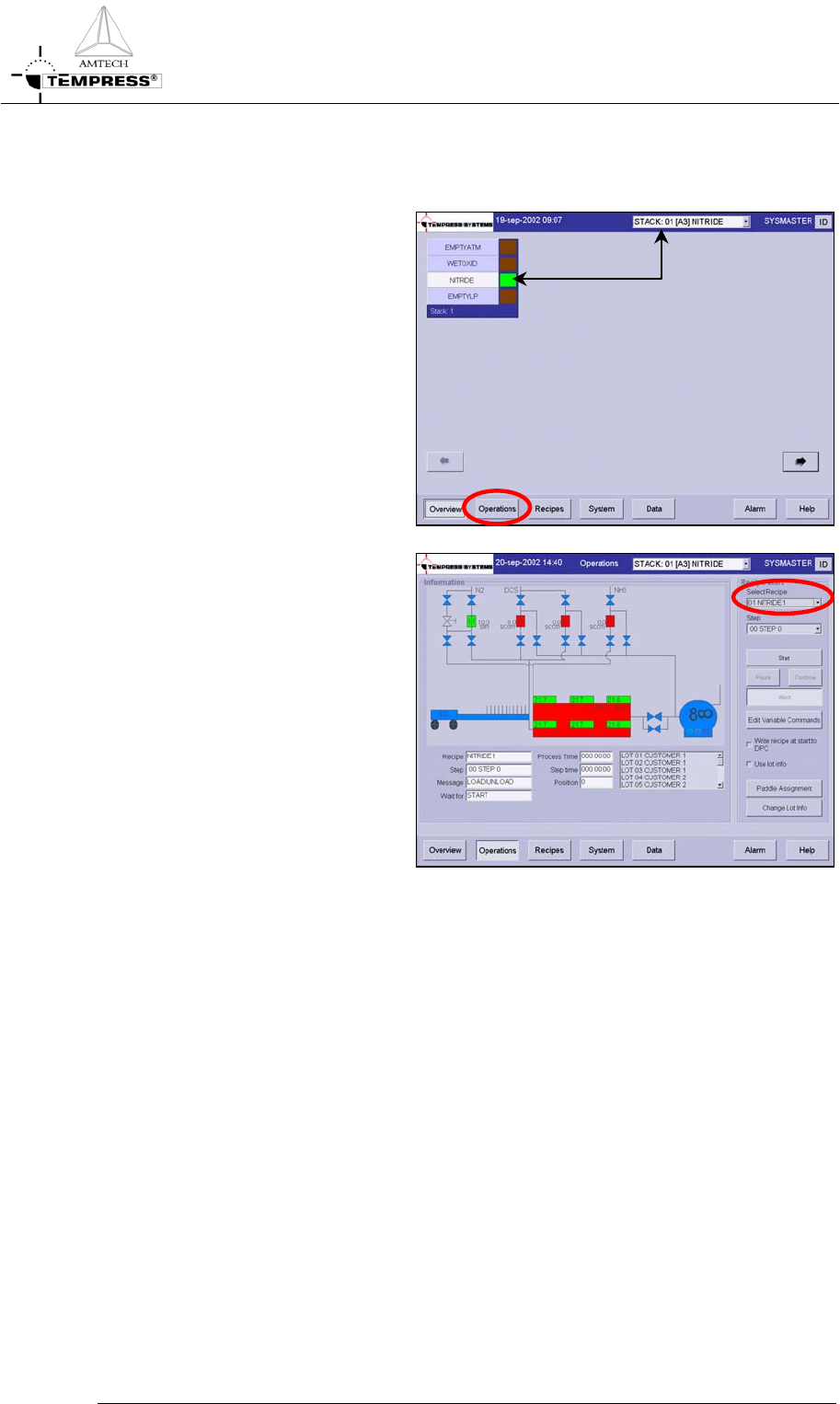
5.3.2 TSC-2
1) select the desired tube from the
pull-down menu or from the
‘Overview’ screen.
2) select ‘Operations’ to access the
operations screen.
3) Select the desired process recipe
from the pull-down menu
4) Press ‘Yes’ to confirm the
question ‘Are you sure to select
another process recipe?’
Note: selecting another process
recipe is only possible if the
current process recipe is in Step 0.
5.3-3
OPERATION INSTRUCTIONS
P
ROCESS MANUAL
5.4 Start/Continue a new process recipe
Two different situations require the ‘Start‘ command.
The first situation is starting a newly selected process recipe so it starts running from Step 0.
The second situation is starting a process recipe that has been stopped or is waiting for an
‘Operator‘ instruction.
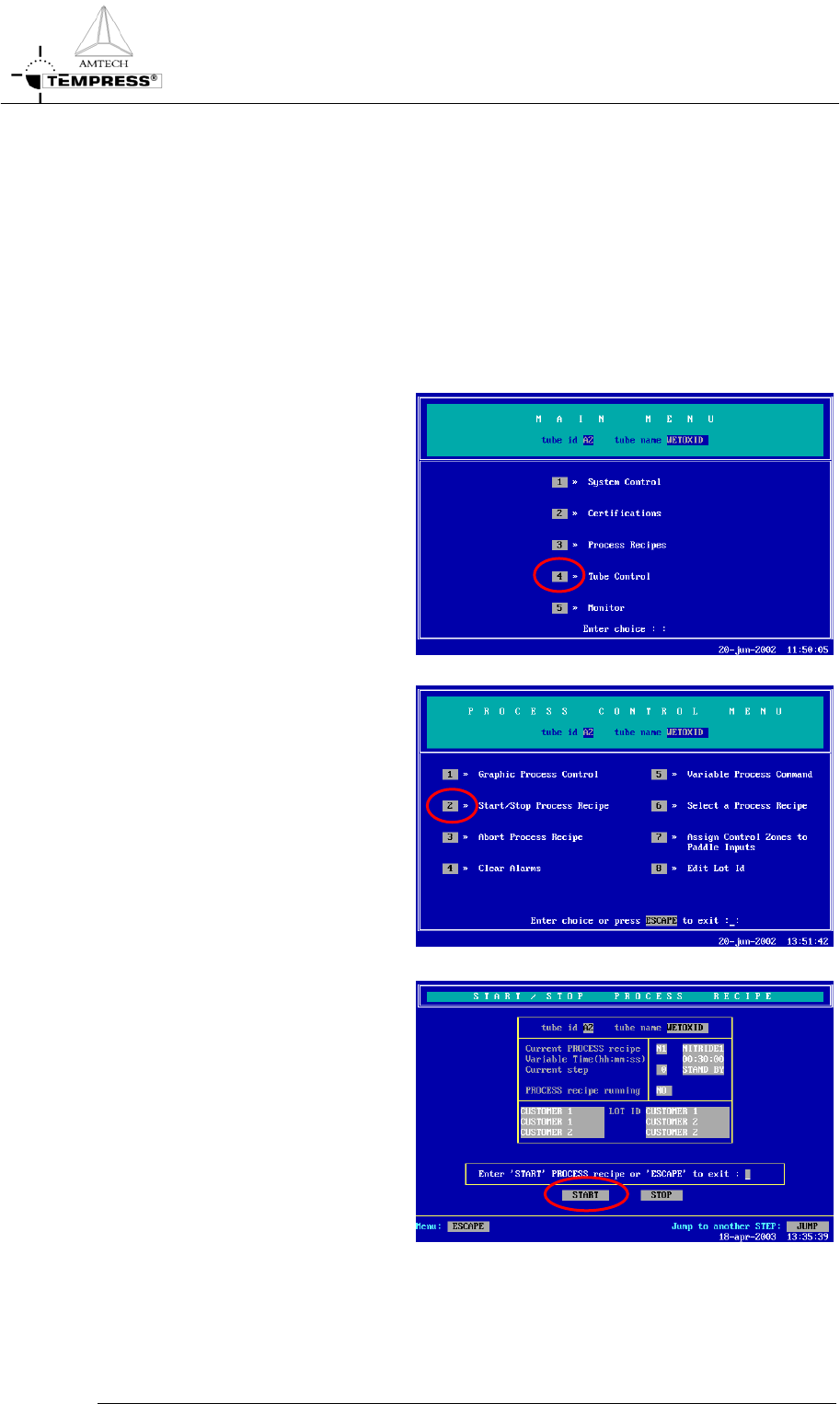
5.4.1
Touchscreen
1) return to the Main Menu by
pressing ‘ESC’ until the
following screen appears:
2) press ‘4’ to access ‘Tube Control’
3) press ‘2’ to access ‘Start/Stop
Process Recipe’.
4) press ‘Start’ to start/continue the
selected process recipe.
5.4-1