m220_383_02_process_manual工艺手册.pdf.pdf - 第68页
OPERATION INSTRUCTIONS P ROCESS M ANU AL 5.4.2 TSC-2 1) select the desired tube from the pull-down menu or from t he ‘Overview’ screen. 2) select ‘Operations’ to access the operations screen. 3) press ‘Start’ to start th…
OPERATION INSTRUCTIONS
P
ROCESS MANUAL
5.4 Start/Continue a new process recipe
Two different situations require the ‘Start‘ command.
The first situation is starting a newly selected process recipe so it starts running from Step 0.
The second situation is starting a process recipe that has been stopped or is waiting for an
‘Operator‘ instruction.
5.4.1
Touchscreen
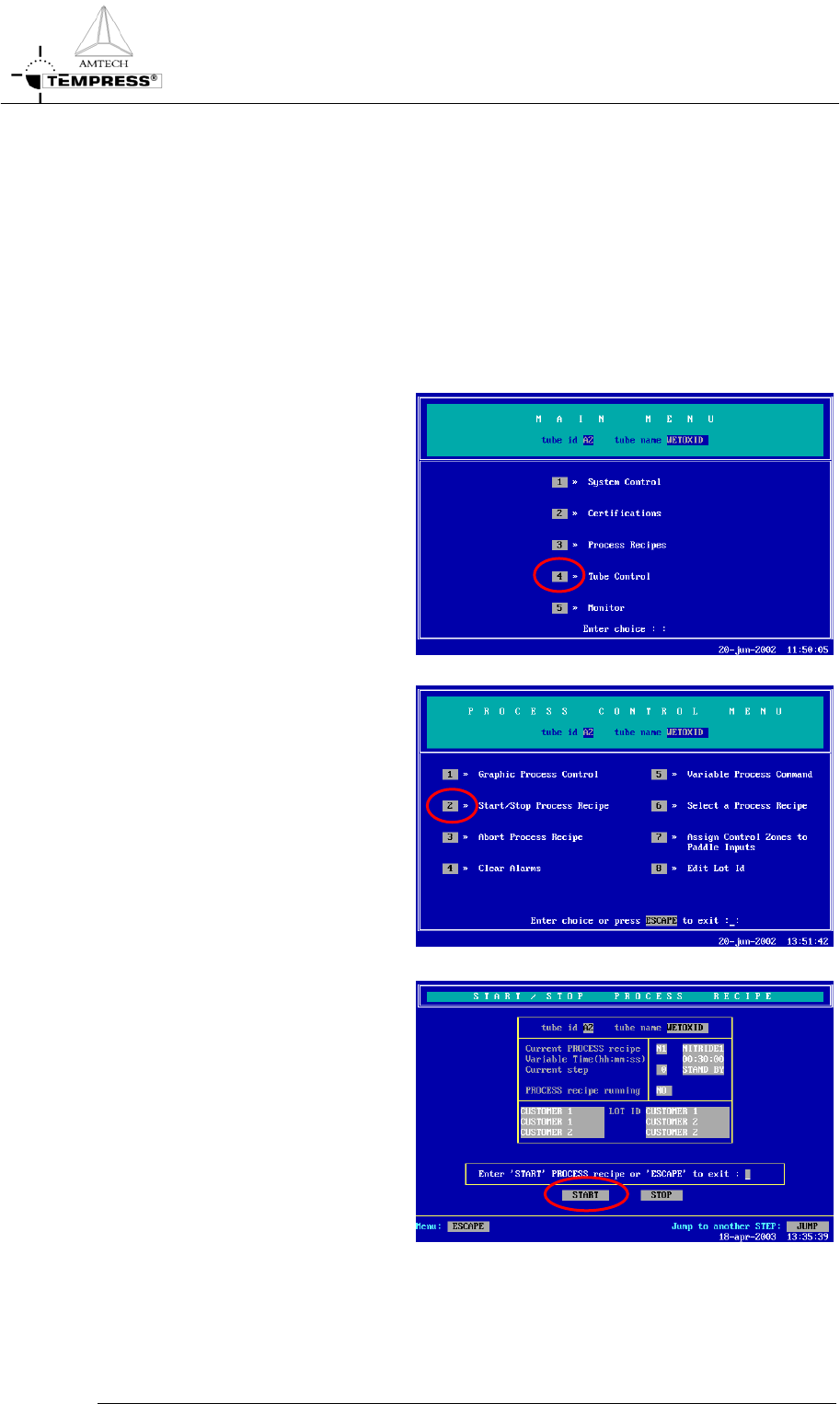
1) return to the Main Menu by
pressing ‘ESC’ until the
following screen appears:
2) press ‘4’ to access ‘Tube Control’
3) press ‘2’ to access ‘Start/Stop
Process Recipe’.
4) press ‘Start’ to start/continue the
selected process recipe.
5.4-1
OPERATION INSTRUCTIONS
P
ROCESS MANUAL
5.4.2
TSC-2
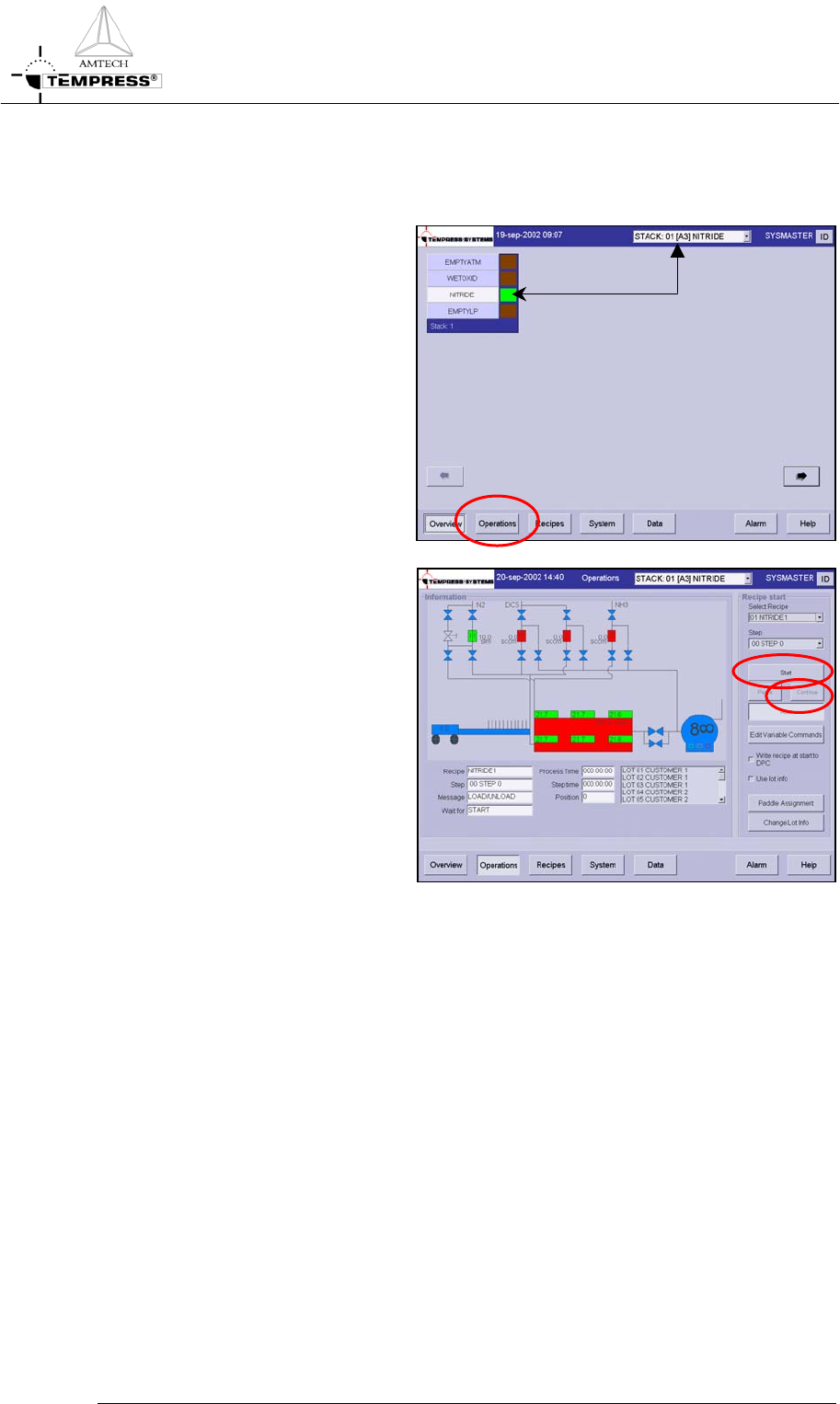
1) select the desired tube from the
pull-down menu or from the
‘Overview’ screen.
2)
select ‘Operations’ to access
the operations screen.
3) press ‘Start’ to start the selected
process recipe from ‘Step 0’
4) press ‘Continue’ to start a
process recipe that has been
stopped or is waiting for an
‘Operator‘ instruction.
5) press ‘Yes’ to confirm the
question ‘Do you want to start?’
5.4-2
OPERATION INSTRUCTIONS
P
ROCESS MANUAL
5.5 Stop a running process recipe
Stopping a running process recipe may be required to temporarily stop the process recipe.
When activated, the ‘Stop‘ command will stop the timer while all given commands are maintained.
5.5.1
Touchscreen
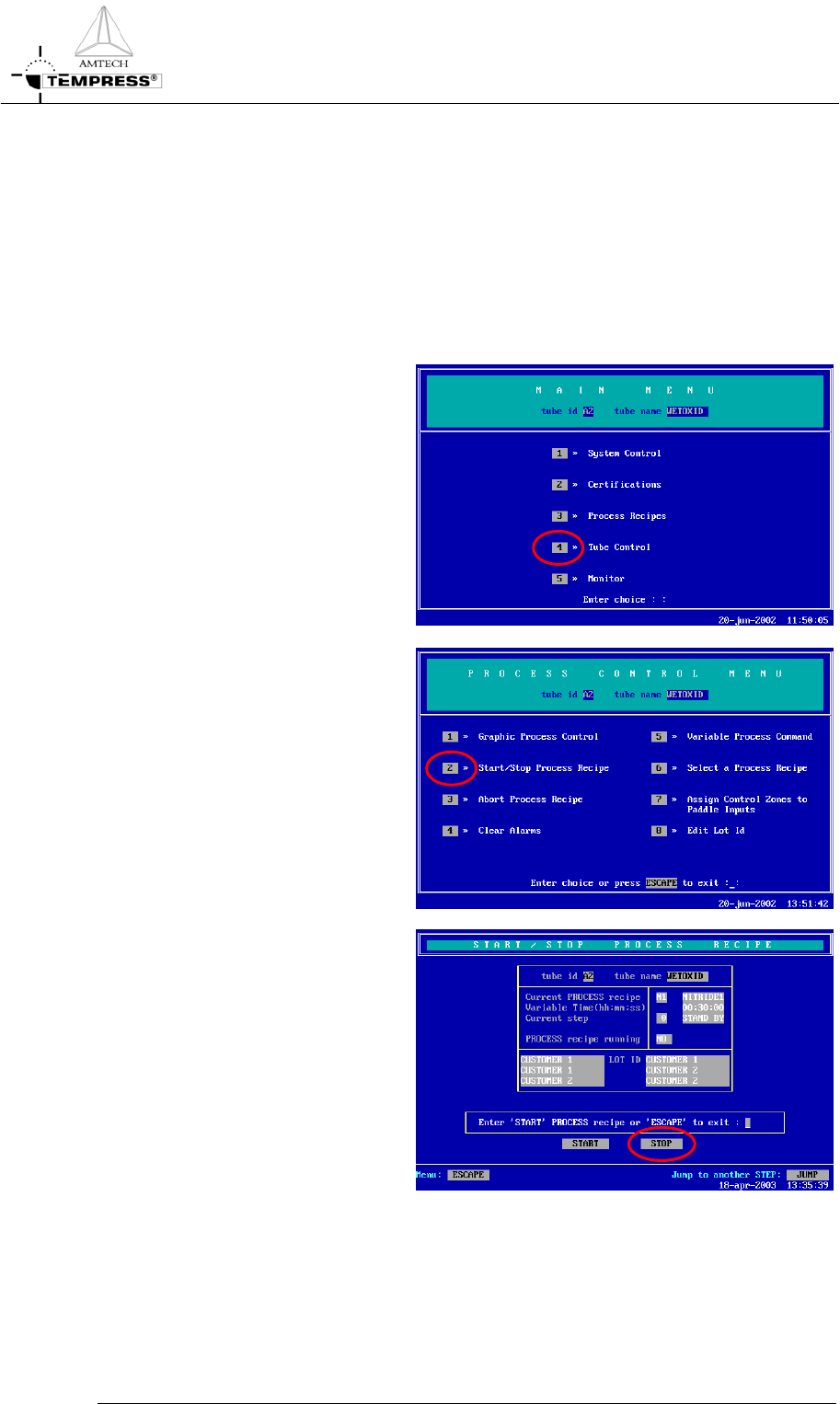
1) return to the Main Menu by
pressing ‘ESC’ until the following
screen appears:
2) press ‘4’ to access ‘Tube Control’
3) press ‘2’ to access ‘Start/Stop
Process Recipe’
5.5-1
4) press ‘Stop’ to stop the selected
process recipe