m220_383_02_process_manual工艺手册.pdf.pdf - 第74页
OPERATION INSTRUCTIONS P ROCESS M ANU AL 5.7-2 commands stored’ appears. 7) Go to the Start/Continue a new process recipe procedure to start the process re cipe if it is not running.
OPERATION INSTRUCTIONS
P
ROCESS MANUAL
5.7 Edit ‘Variable Process Command’
‘Variable Process Command‘ can be used to quickly modify specific process settings. Only
those lines in the process recipe that have been assigned as ‘Variable Commands‘ will be
presented in a list. From this list the desired process setting may be modified.
‘Variable Process Command‘ can be set at all times until the recipe step is executed in which
the specific ‘Variable Command‘ is programmed.
5.7.1
Touchscreen
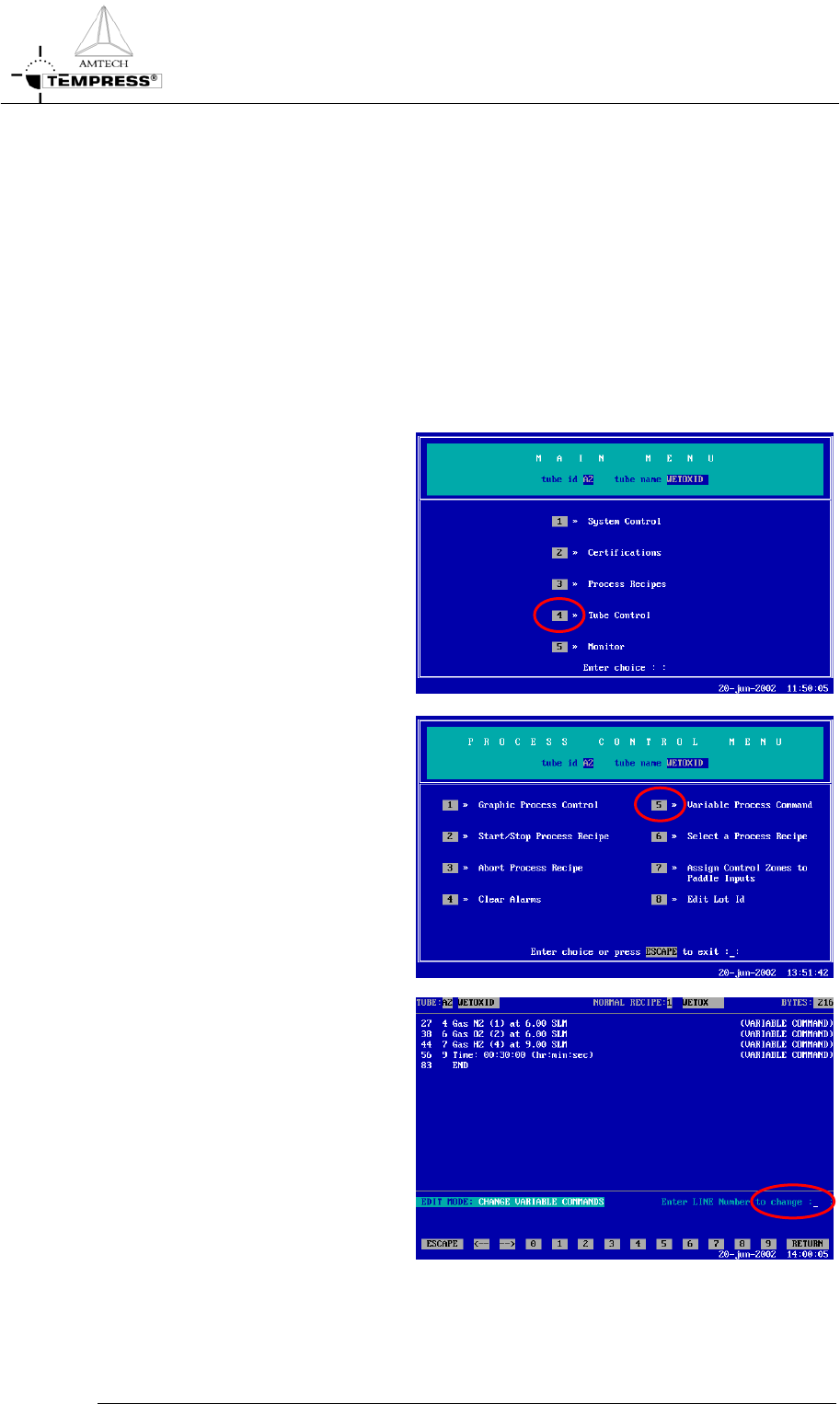
1) return to the Main Menu by
pressing ‘ESC’ until the following
screen appears:
2) press ‘4’ to access ‘Tube Control’
3) press ‘5’ to access ‘Variable
Commands’
4) edit the desired process setting
1) enter the
corresponding line
number
2) modify to the
desired setting
3) press ‘Return’ to
confirm the
modification
5)
repeat step 4) until all desired
process settings have been
set
6) Press ‘Esc’ to store the new
commands. The message
‘Process recipe variable
5.7-1

OPERATION INSTRUCTIONS
P
ROCESS MANUAL
5.7-2
commands stored’ appears.
7) Go to the Start/Continue a
new process recipe procedure
to start the process recipe if it is
not running.
OPERATION INSTRUCTIONS
P
ROCESS MANUAL
5.7.2
TSC-2
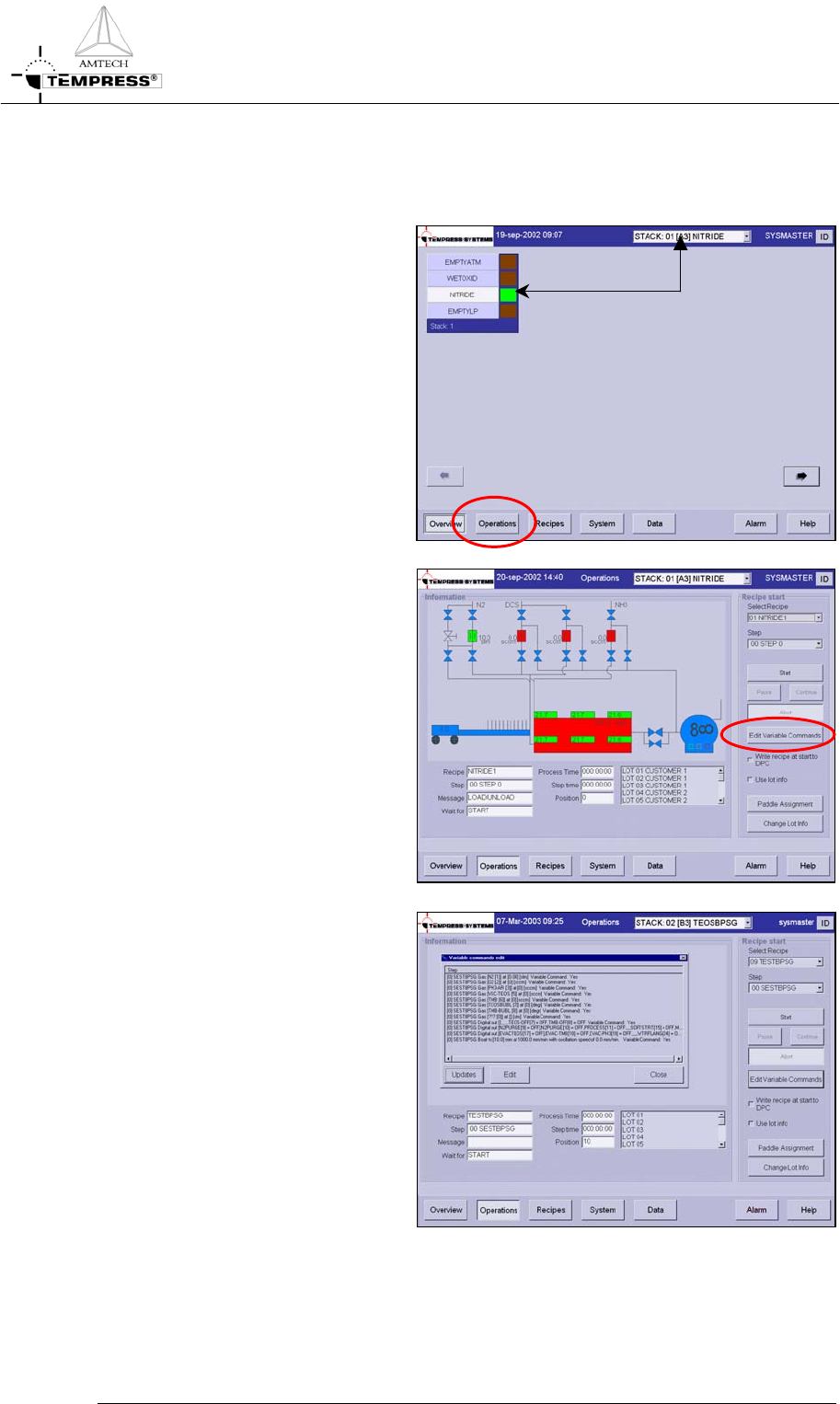
1) select the desired tube from the
pull-down menu or from the
‘Overview’ screen.
2) select ‘Operations’ to access the
operations screen.
3) Select ‘Edit Variable Commands’
to open the list with available
Variable Commands
4) edit the desired process setting
1) highlight the desired process
setting
2) press ‘Edit’ to open the Edit
mode
3) modify to the desired process
setting
5) press ‘Updates’ to store the new
commands
6) go to the Start/Continue a new
process recipe procedure to
start the process recipe if it is not
running.
5.7-3