m220_383_02_process_manual工艺手册.pdf.pdf - 第76页
OPERATION INSTRUCTIONS P ROCESS M ANU AL 5.8 Clear Alarms Visible and audible Alarms signals are generated by the DP C and DTC. The visible alarms will be presented both on the touchscreen and the TSC-2 computer(s), the …
OPERATION INSTRUCTIONS
P
ROCESS MANUAL
5.7.2
TSC-2
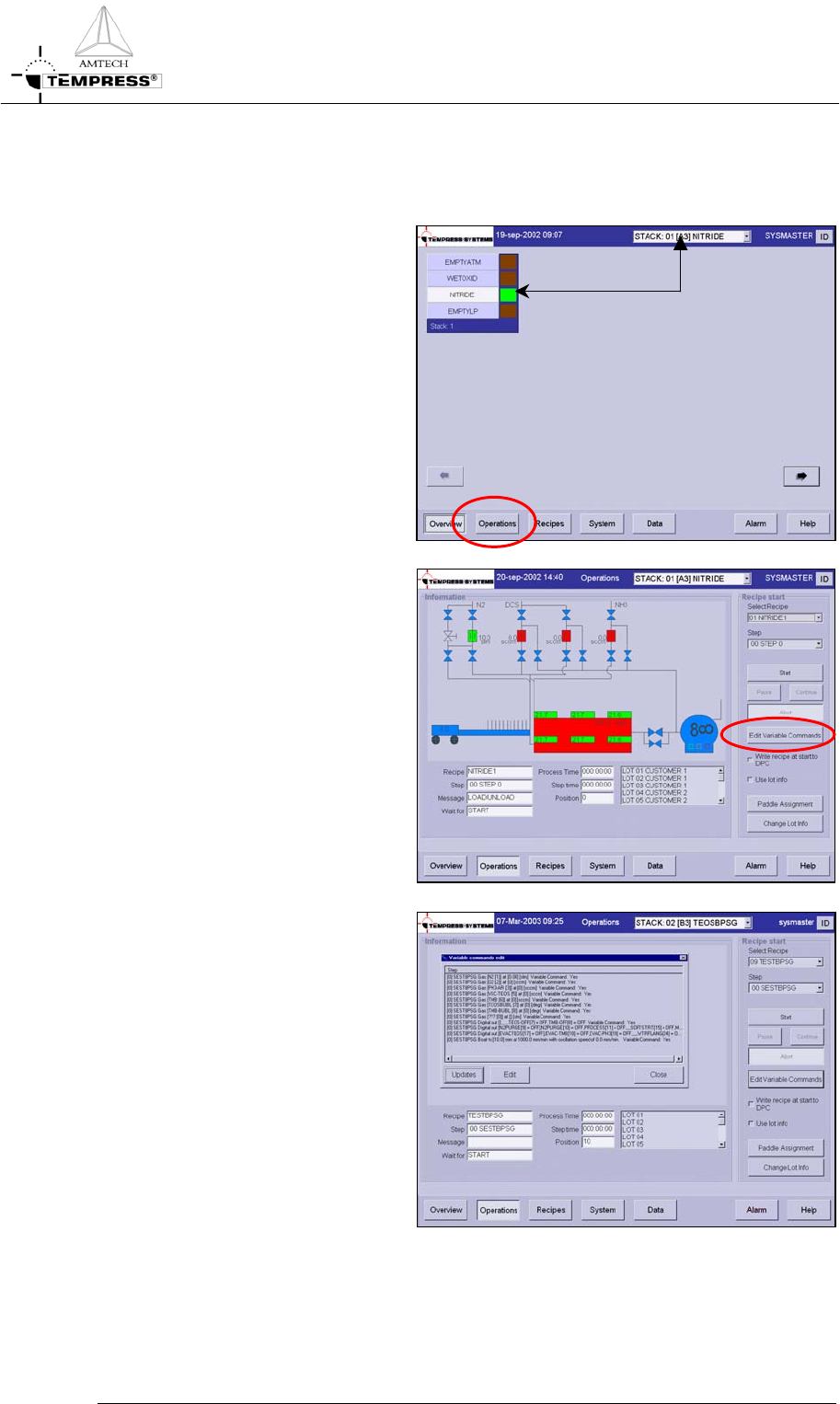
1) select the desired tube from the
pull-down menu or from the
‘Overview’ screen.
2) select ‘Operations’ to access the
operations screen.
3) Select ‘Edit Variable Commands’
to open the list with available
Variable Commands
4) edit the desired process setting
1) highlight the desired process
setting
2) press ‘Edit’ to open the Edit
mode
3) modify to the desired process
setting
5) press ‘Updates’ to store the new
commands
6) go to the Start/Continue a new
process recipe procedure to
start the process recipe if it is not
running.
5.7-3
OPERATION INSTRUCTIONS
P
ROCESS MANUAL
5.8 Clear Alarms
Visible and audible Alarms signals are generated by the DPC and DTC. The visible alarms
will be presented both on the touchscreen and the TSC-2 computer(s), the audible alarms are
available on the touchscreen only.
Two different audible alarm signals are available:
• operator alert: an intermittent beep-beep-beep to alert an operator for action (press ‘Start‘
for example)
• alarm signal: a continuous beeeeeeeeeeeeep to alert for an alarm situation
5.8.1
Required action
• Operator alert signals (beep-beep-beep) require the operator to press ‘Start‘ to have the
furnace proceed to the next step in the process.
• Alarm situation signals (beeeeeeeeeeep) require the operator to alert the responsible
person(s) immediately.
5.8.2
Touchscreen
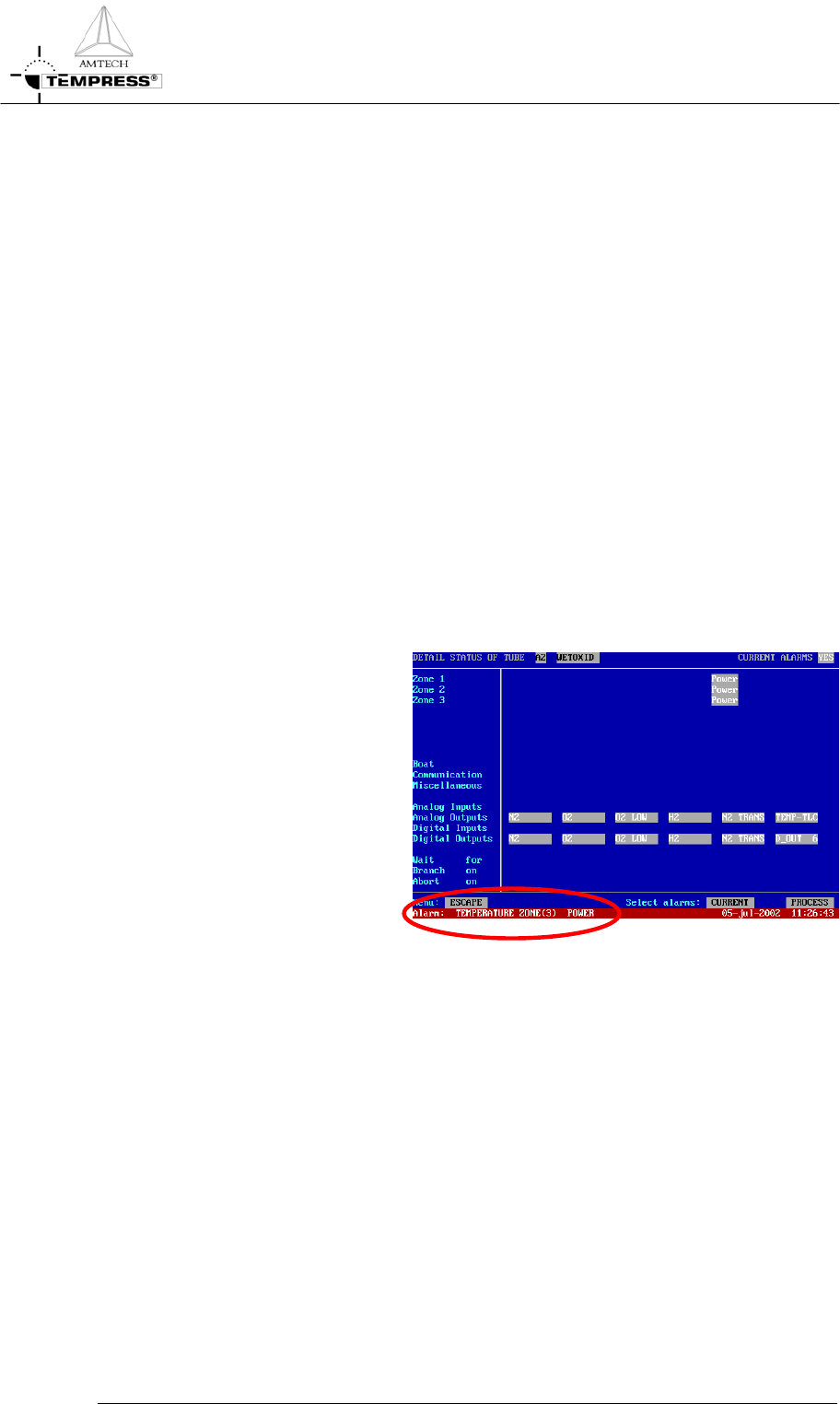
1) touch the touchscreen to silence
the buzzer
2) read the alarm message in the
bottom line of the screen
3) take the appropriate action as
described in section Error!
Reference source not found..
5.8-2
OPERATION INSTRUCTIONS
P
ROCESS MANUAL
5.8.3
TSC-2
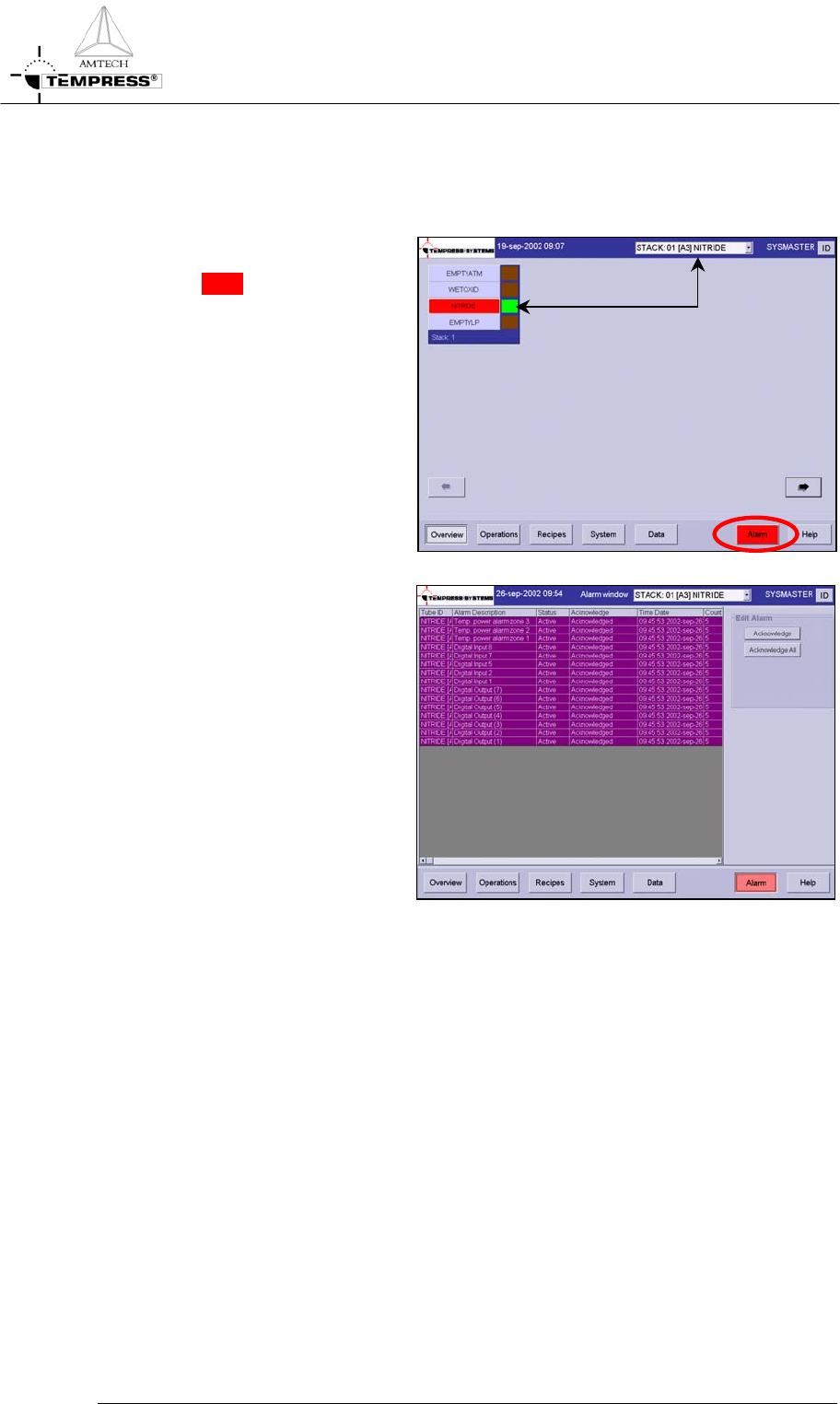
1) the overview screen gives an
instant view of which tubes are in
alarm in RED
2) select the desired tube from the
pull-down menu or from the
‘Overview’ screen
4)
select the ‘Alarm’ screen
3) read the alarm message(s)
4) take the appropriate action as
described in section Error!
Reference source not found.
5.8-3