m220_383_02_process_manual工艺手册.pdf.pdf - 第79页
OPERATION INSTRUCTIONS P ROCESS M ANU AL 5.9.2 TSC-2 1) return to the main overview screen 2) select ‘Recipes’ in the navigation bar to access the recipe screen 3) double click ‘Normal’ or ‘Abort’ in the mainfield 4) sel…
OPERATION INSTRUCTIONS
P
ROCESS MANUAL
5.9 Write/Edit process recipe
A new process recipe needs to be written or edited so the desired instructions are executed in
the required order. A new process recipe can always be generated. Editing an existing and
RUNNING recipe is possible but poses considerable danger. It is therefore NOT allowed,
except when using variable commands only.
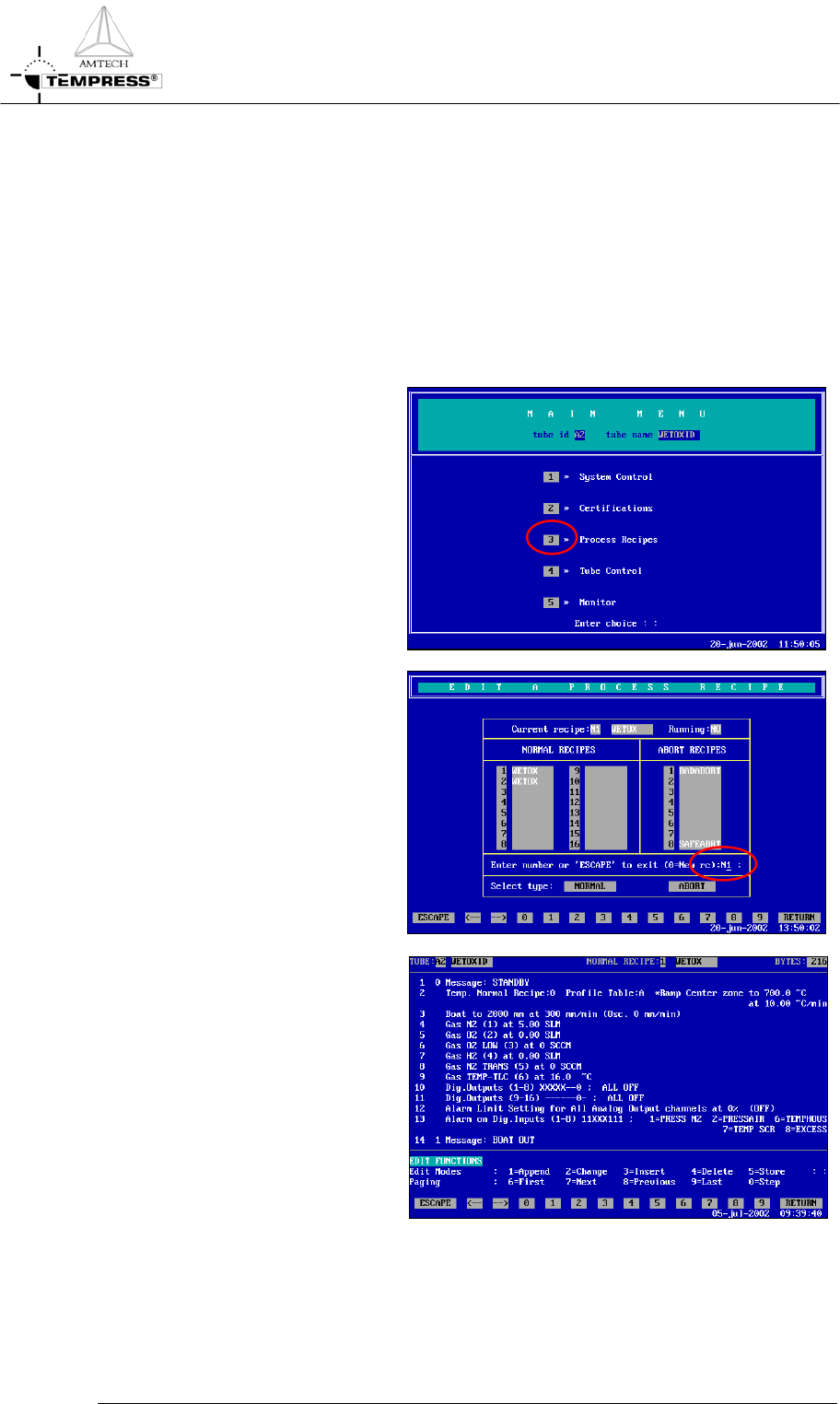
5.9.1
Touchscreen
1) return to the Main Menu by
pressing ‘ESC’ until the
following screen appears:
2) press ‘3’ to access ‘Process
Recipes’
3) enter recipe nr. to edit or ‘0’ to
create a new process recipe
followed by ‘RETURN’
4) follow instruction at the bottom
line to add or edit commands.
5.9-2
OPERATION INSTRUCTIONS
P
ROCESS MANUAL
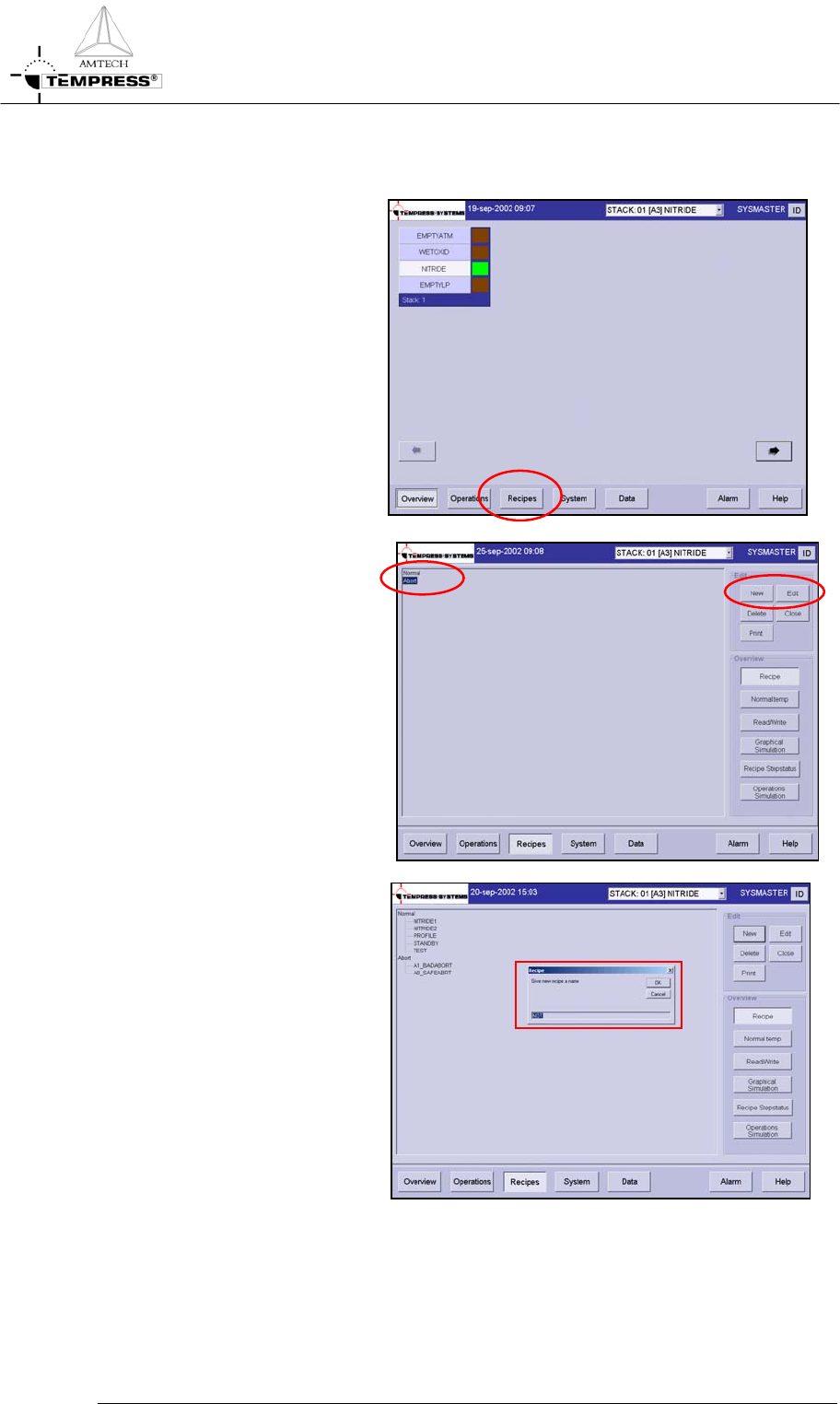
5.9.2 TSC-2
1) return to the main overview
screen
2) select ‘Recipes’ in the
navigation bar to access the
recipe screen
3) double click ‘Normal’ or
‘Abort’ in the mainfield
4) select ‘New’ to create a new
or ‘Edit’ to edit a process
recipe
5) for a new process recipe
confirm the question: ‘Do
you want to add a new recipe’
6) give recipe name
5.9-3

OPERATION INSTRUCTIONS
P
ROCESS MANUAL
7) select a recipe to copy from
or cancel
8) repeat step 3-7 for each
process step and command.
5.9-4