m220_383_02_process_manual工艺手册.pdf.pdf - 第80页
OPERATION INSTRUCTIONS P ROCESS M ANU AL 7) select a recipe to copy from or cancel 8) repeat step 3-7 for each process step and command. 5.9-4
OPERATION INSTRUCTIONS
P
ROCESS MANUAL
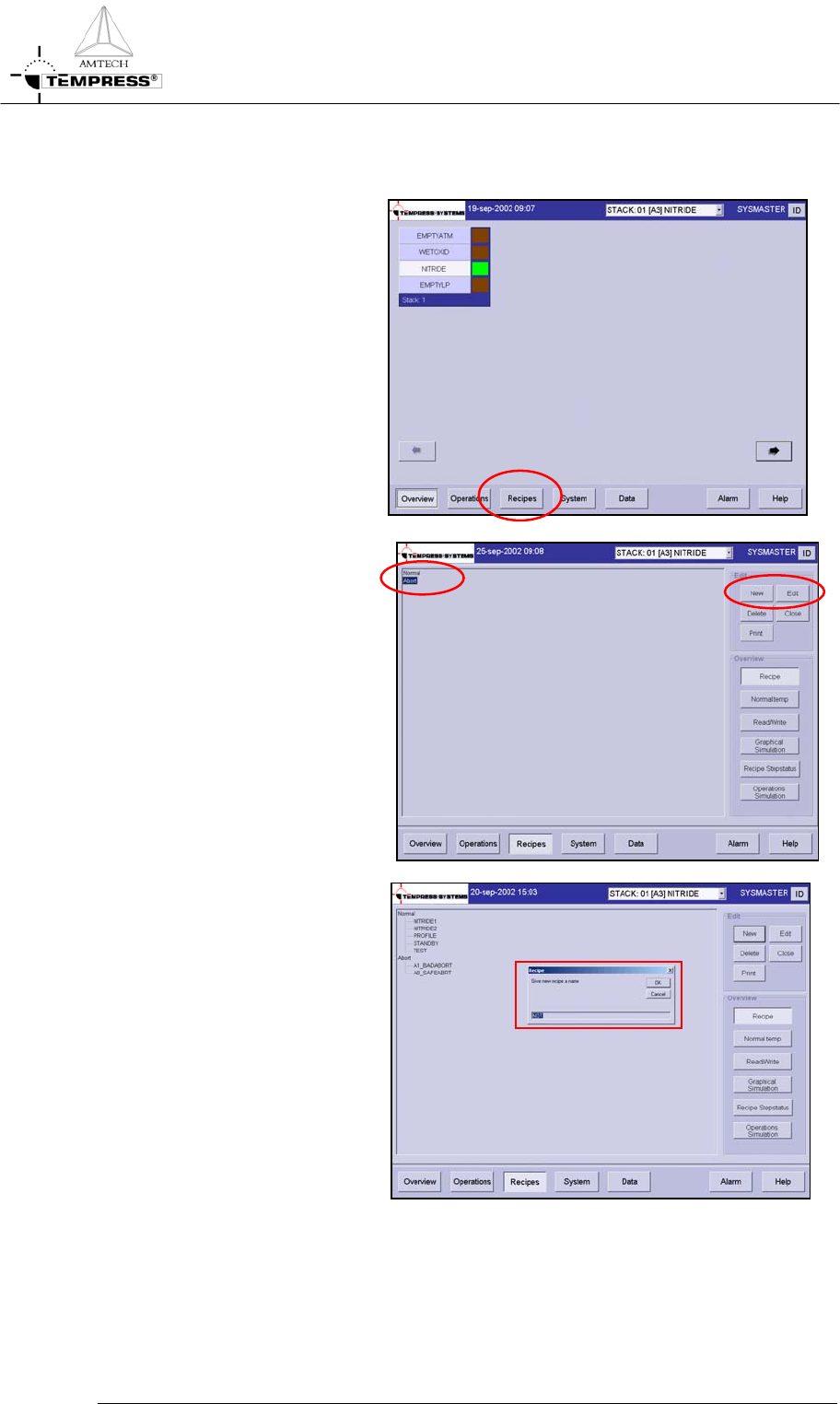
5.9.2 TSC-2
1) return to the main overview
screen
2) select ‘Recipes’ in the
navigation bar to access the
recipe screen
3) double click ‘Normal’ or
‘Abort’ in the mainfield
4) select ‘New’ to create a new
or ‘Edit’ to edit a process
recipe
5) for a new process recipe
confirm the question: ‘Do
you want to add a new recipe’
6) give recipe name
5.9-3
OPERATION INSTRUCTIONS
P
ROCESS MANUAL
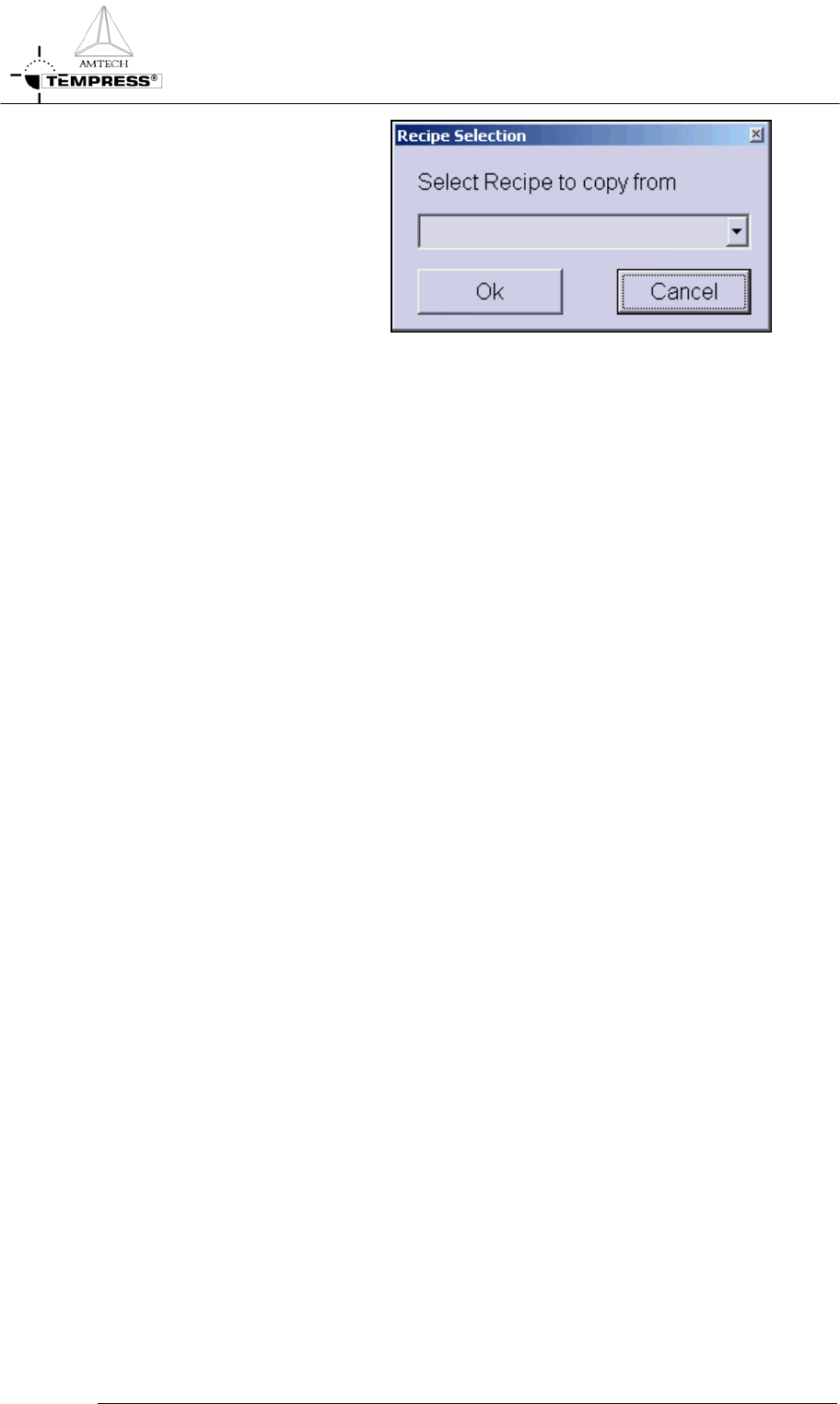
7) select a recipe to copy from
or cancel
8) repeat step 3-7 for each
process step and command.
5.9-4
OPERATION INSTRUCTIONS
P
ROCESS MANUAL
5.10 Edit graphical image
To support the process recipe and to give actual progress information during the process run
a graphical representation of the tube and its components can be added to the process
certifications.
The touchscreen allows predefined symbols and locations only, TSC-2 allows total freedom
for the graphical operations screen layout.
Note: For accurate representation keep the process gas schematic at hand.
5.10.1
Touchscreen
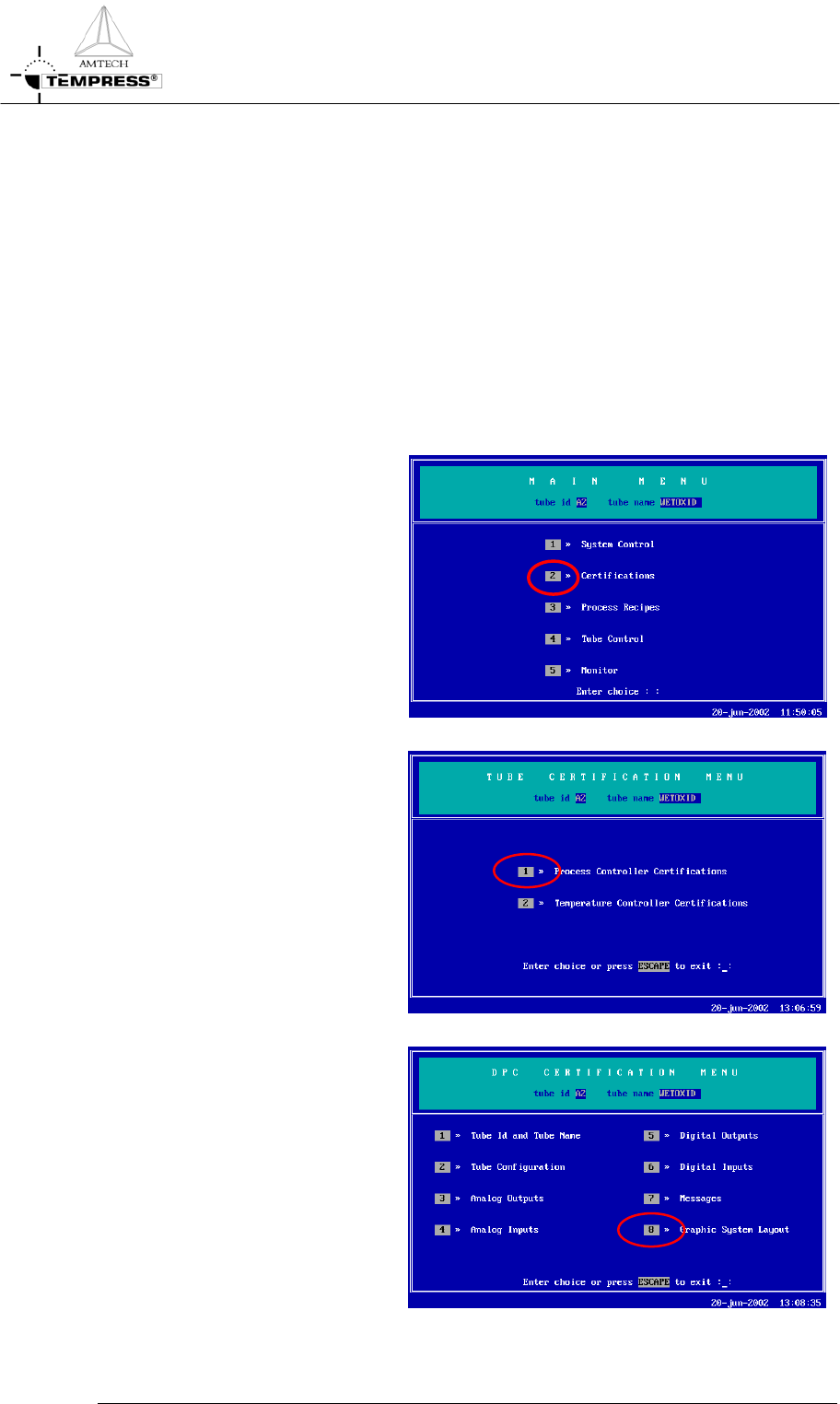
1) return to the Main Menu by
pressing ‘ESC’ until the
following screen appears:
2) press ‘2’ to access ‘Tube
Certifications’
3) press ‘1’ to access ‘Process
Controller Certifications’
5.10-2
4) press ‘8’ to access ‘Graphic
System Layout’