m220_383_02_process_manual工艺手册.pdf.pdf - 第84页
OPERATION INSTRUCTIONS P ROCESS M ANU AL 5.10.2 TSC-2 1) return to the mai n overview screen 2) select ‘System’ in the navigation bar to access the system overview screen 3) select the desired tube from the pull-down men…
OPERATION INSTRUCTIONS
P
ROCESS MANUAL
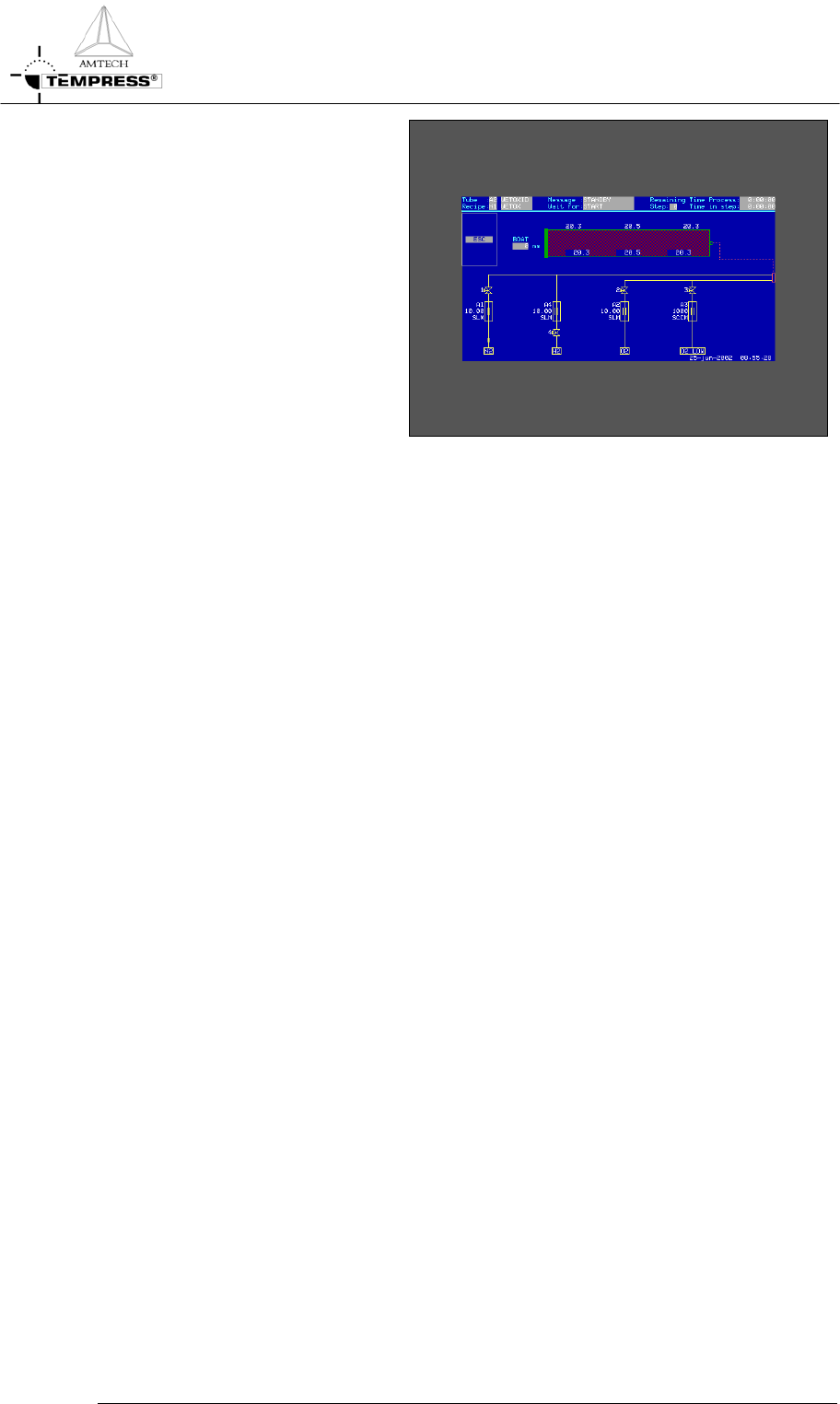
16) select DIS to test the graphical
system layout
17) select SET to activate the
selected screen
5.10-4
OPERATION INSTRUCTIONS
P
ROCESS MANUAL
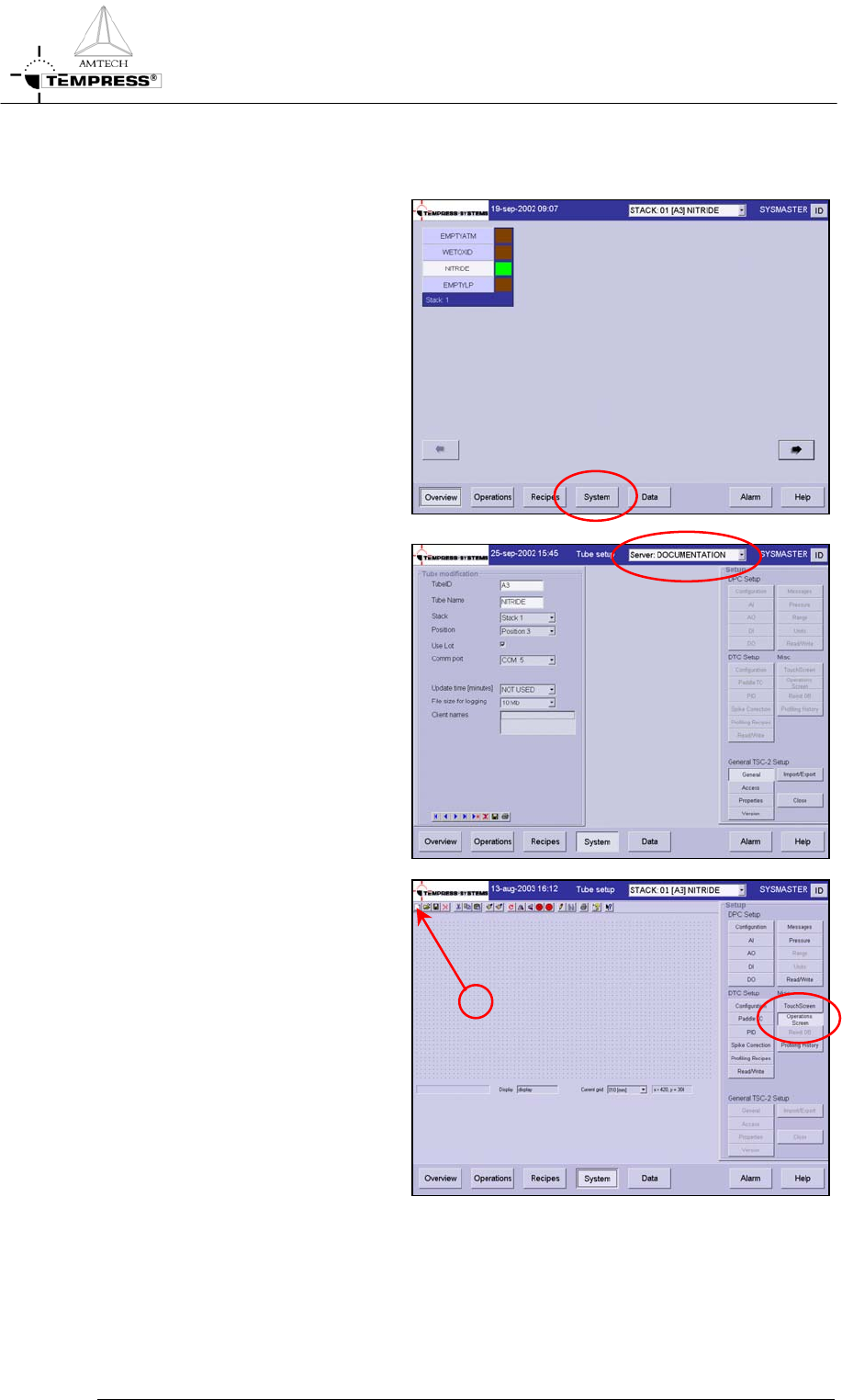
5.10.2 TSC-2
1) return to the main overview
screen
2) select ‘System’ in the navigation
bar to access the system
overview screen
3) select the desired tube from the
pull-down menu or from the
previous ‘Overview’ screen.
4) select ‘Operations Screen’ to
access the operations screen
editor.
Ne
w
5.10-2
OPERATION INSTRUCTIONS
P
ROCESS MANUAL
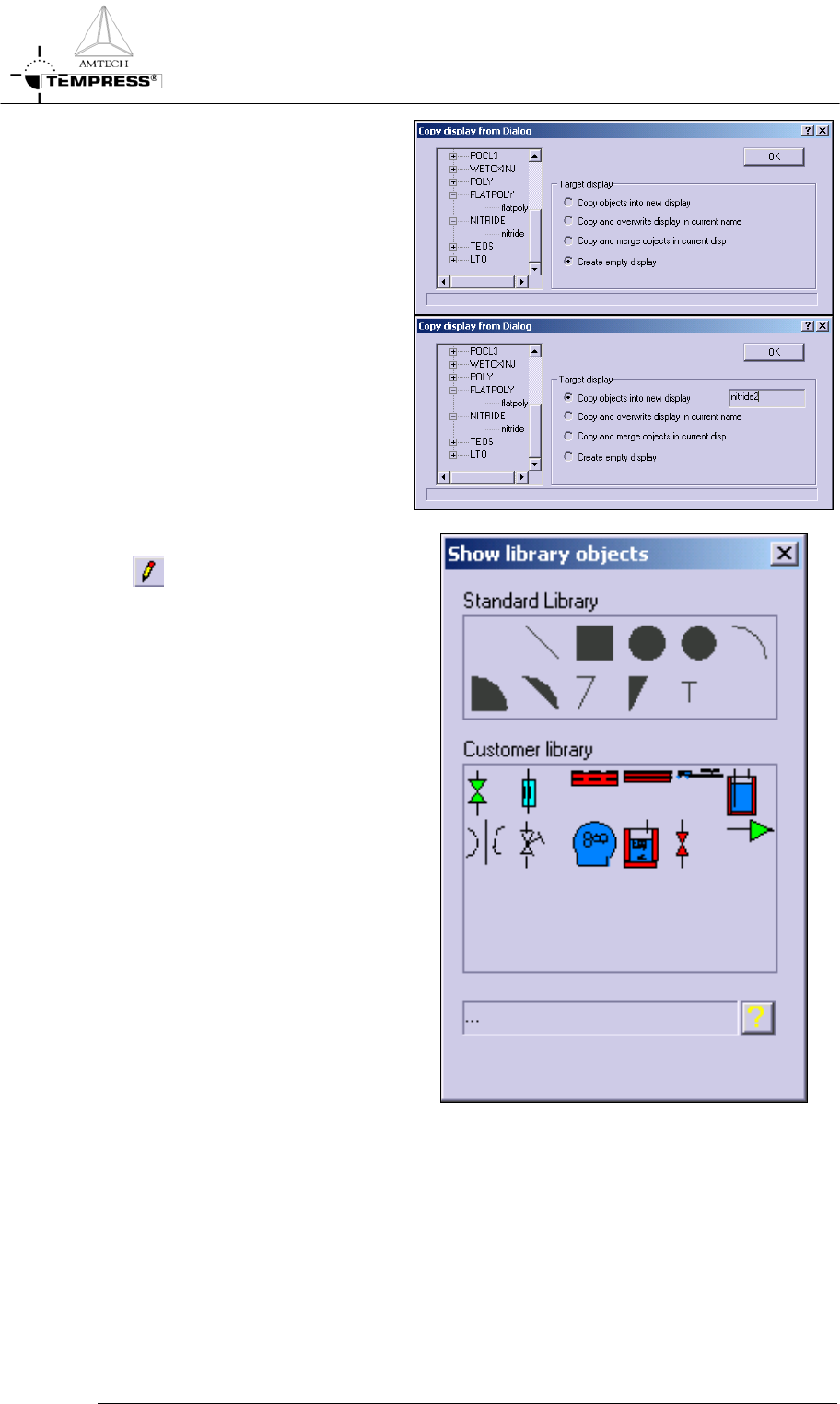
5) select New screen to create a
new display
6) previously defined Operations
Screens from the same or other
tubes can be copied alternatively
Note: It is recommended to use
unique display names among tubes
by including tube numbers
7) select the Object Library button
to gain access to predefined
objects
8) standard objects include line,
square, circle, ellipse, arc and text
objects
9) customer objects include valve,
MFC, 3- or 5-zone furnace,
loader, bubbler, orifice, needle
valve, pump and 3-way valve
objects
10) select the desired object by
clicking once and place it on the
display editor grid
Note: objects can be resized, rotated
and repositioned at any time
5.10-3