m220_383_02_process_manual工艺手册.pdf.pdf - 第86页
OPERATION INSTRUCTIONS P ROCESS M ANU AL 11) select the Open Dialog button to edit an existing screen 12) an ex ample screen is pr esented next 13) connect object properties to DPC or DTC parameters by selecting the obje…
OPERATION INSTRUCTIONS
P
ROCESS MANUAL
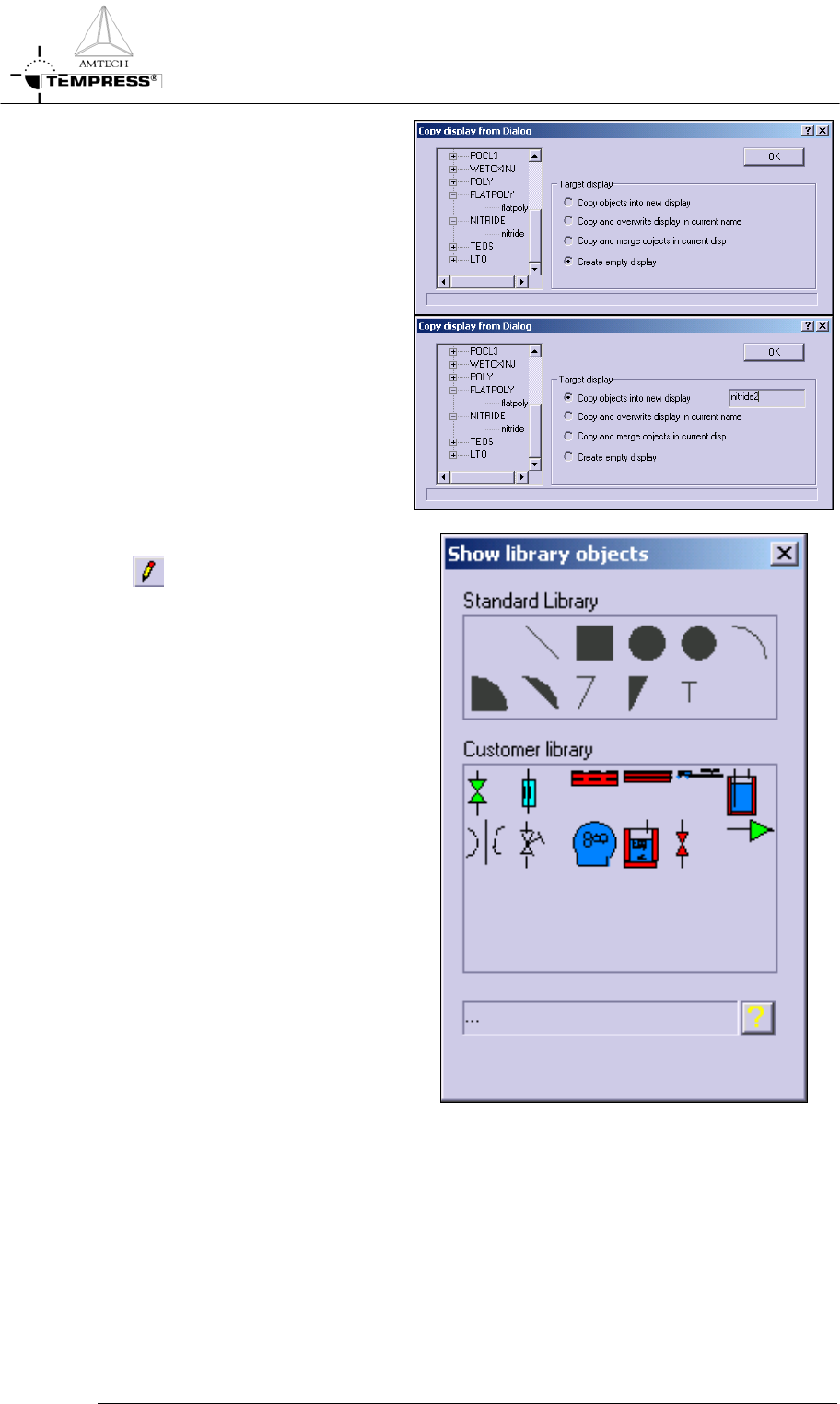
5) select New screen to create a
new display
6) previously defined Operations
Screens from the same or other
tubes can be copied alternatively
Note: It is recommended to use
unique display names among tubes
by including tube numbers
7) select the Object Library button
to gain access to predefined
objects
8) standard objects include line,
square, circle, ellipse, arc and text
objects
9) customer objects include valve,
MFC, 3- or 5-zone furnace,
loader, bubbler, orifice, needle
valve, pump and 3-way valve
objects
10) select the desired object by
clicking once and place it on the
display editor grid
Note: objects can be resized, rotated
and repositioned at any time
5.10-3
OPERATION INSTRUCTIONS
P
ROCESS MANUAL
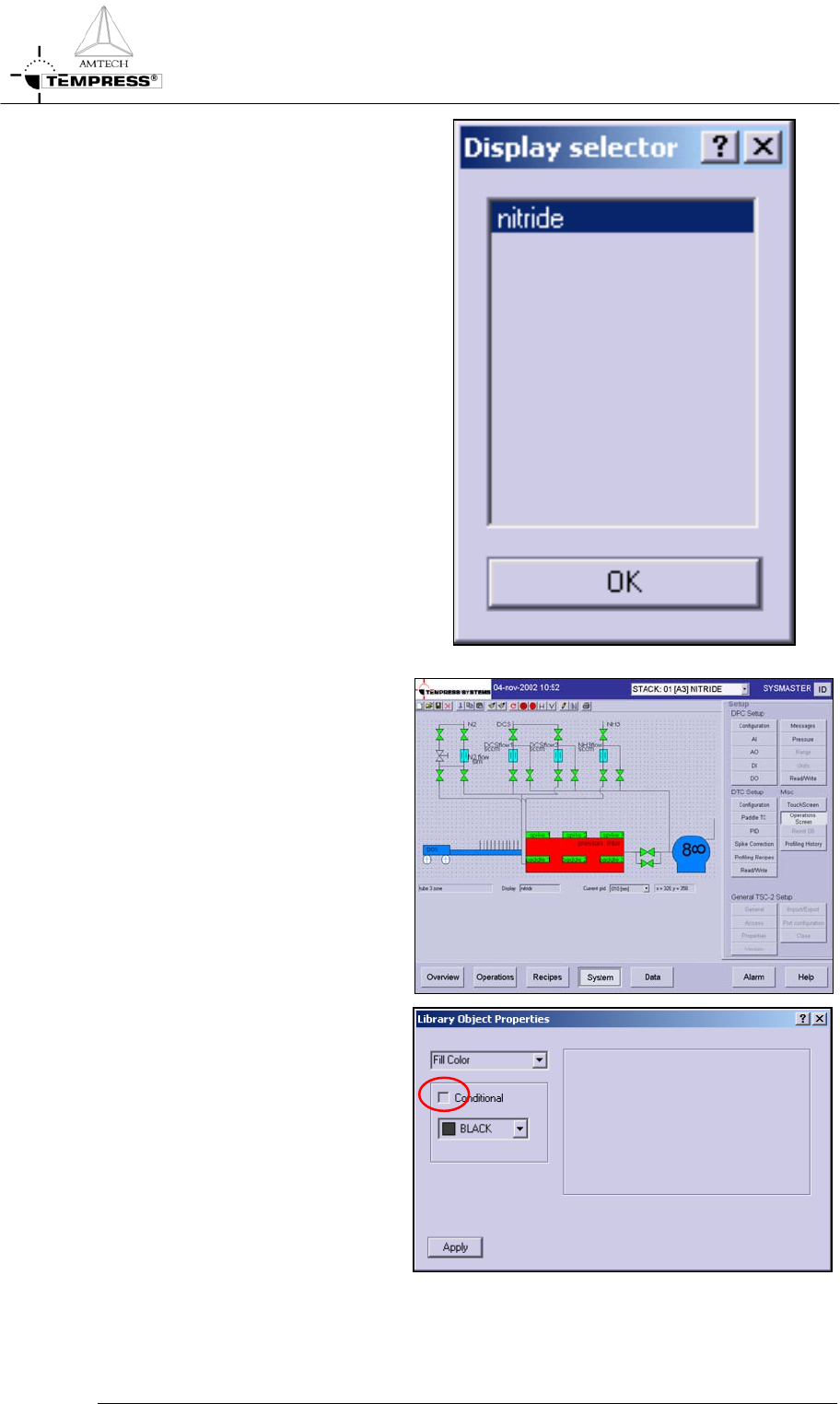
11) select the Open Dialog button to
edit an existing screen
12) an example screen is presented
next
13) connect object properties to
DPC or DTC parameters by
selecting the object and pressing
the RMB.
14) Check the conditional box and
the condition dialog appears
5.10-4
OPERATION INSTRUCTIONS
P
ROCESS MANUAL
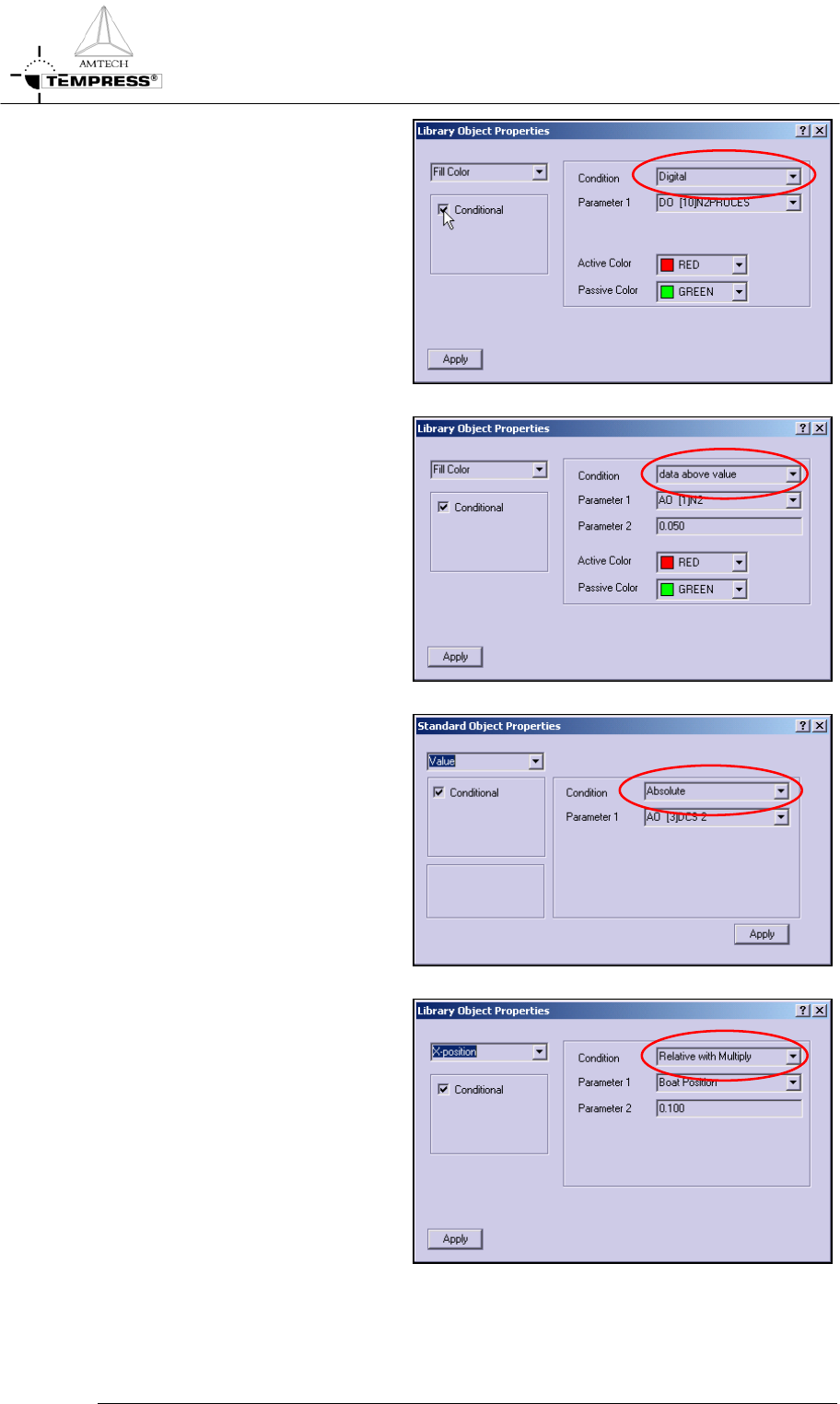
15) Select Digital condition for
ON/OFF change of a property,
such as the valve fill color
connected to a DO status
16) Select Data above value for AO
minimum value change of a
property, such as the MFC fill
color connected to an AO status.
Recommended value is 0.05
17) Select Absolute for real value
change of a text object, such as
gas flow (AO) or temperature
(spike or paddle)
18) Select Relative with Multiply for
a relative change, such as the
loader object position on the
screen connected to the real
value boatloader position.
Note: Recommend value is 0.10, it
must be verified with actual
boatloader travel distance and screen
position
Note: make sure to press SAVE to
store any modification.
5.10-5