m220_383_02_process_manual工艺手册.pdf.pdf - 第89页
OPERATION INSTRUCTIONS P ROCESS M ANU AL 6) Select Histor y Time to selec t logging data based on a S tart and End time. Note: if the desired Start Time is later than th e time already sho wn, the END Time mus t be exten…
OPERATION INSTRUCTIONS
P
ROCESS MANUAL
5.11 Logging process data
Logging data is automatically collected and can be used to optimize the process based on the
process results.
This logging function is only available in TSC-2, not on a touchscreen.
5.11.1
TSC-2 (only)
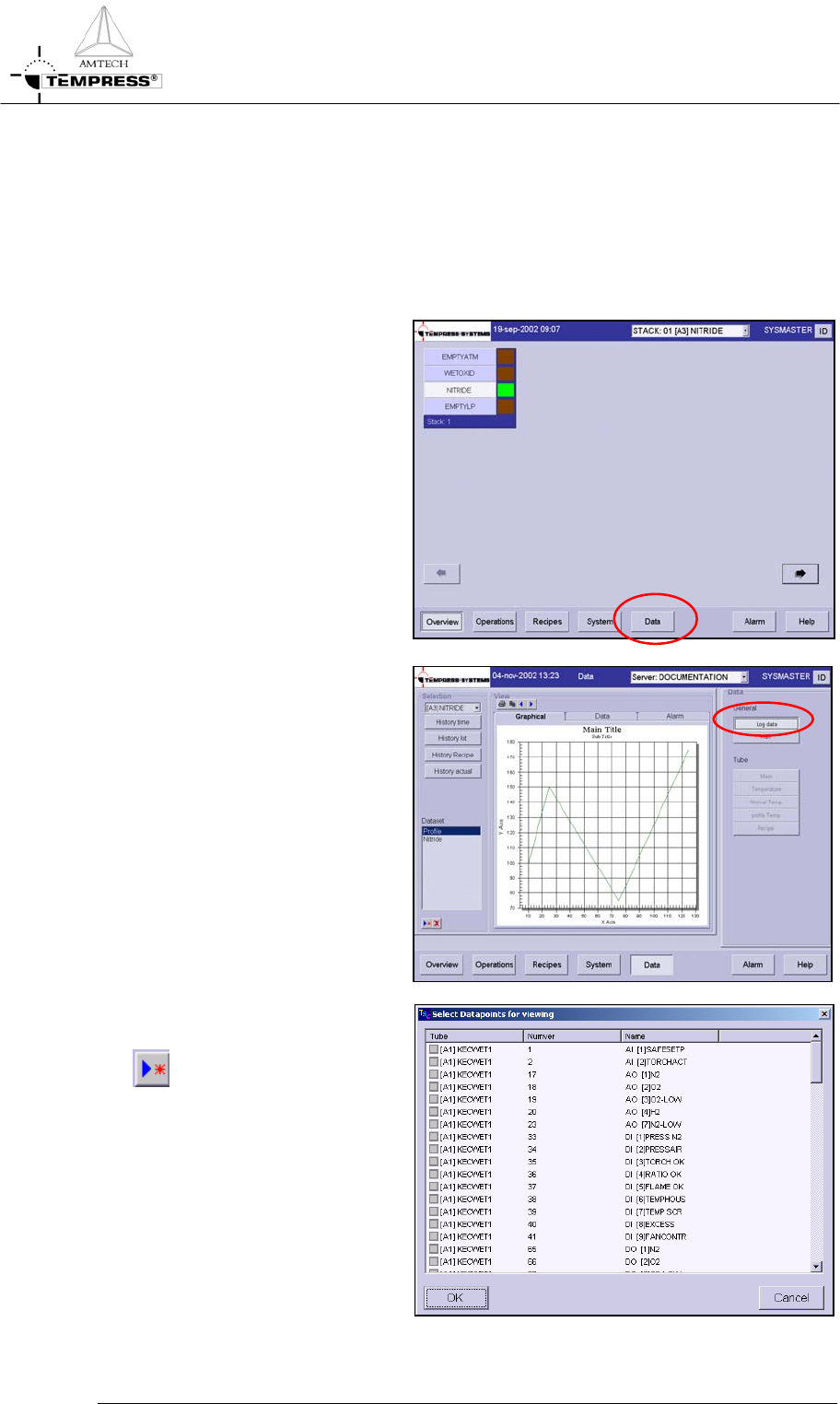
1) Return to the main overview
screen
2) Select ‘Data’ in the navigation
bar to access the data logging
screen
3) Select Log Data
4) Double click on a predefined
dataset or use the New button
to create one
5) Select the data points of interest
5.11-2
OPERATION INSTRUCTIONS
P
ROCESS MANUAL
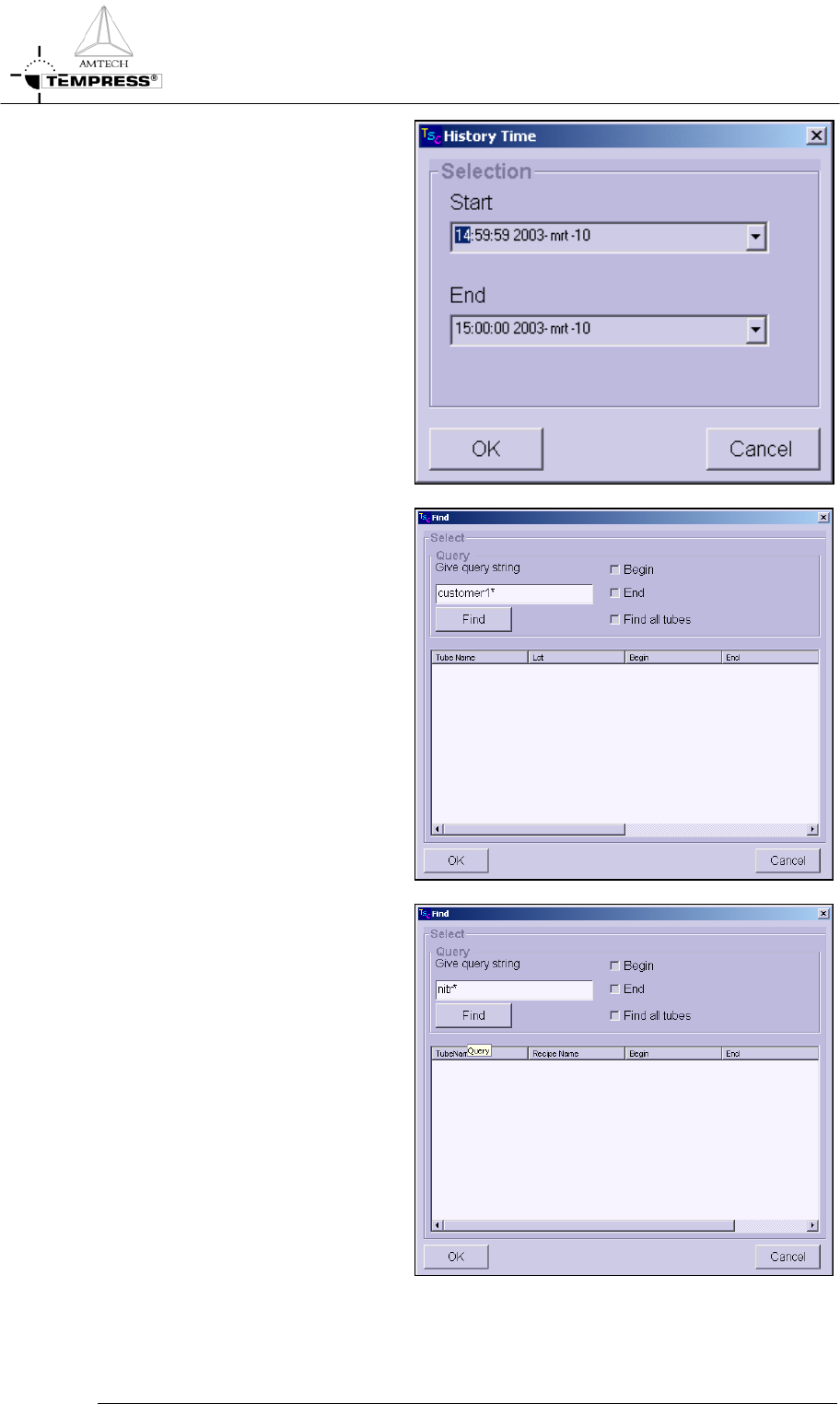
6) Select History Time to select
logging data based on a Start and
End time.
Note: if the desired Start Time is
later than the time already shown,
the END Time must be extended
first.
7) Select History Lot to search all
logging data for matching Lot
IDs.
Note: use wildcards to extend the
search
8) Select History Recipe to search
all logging data for matching
recipe names
Note: use wildcards to extend the
search
5.11-3
OPERATION INSTRUCTIONS
P
ROCESS MANUAL
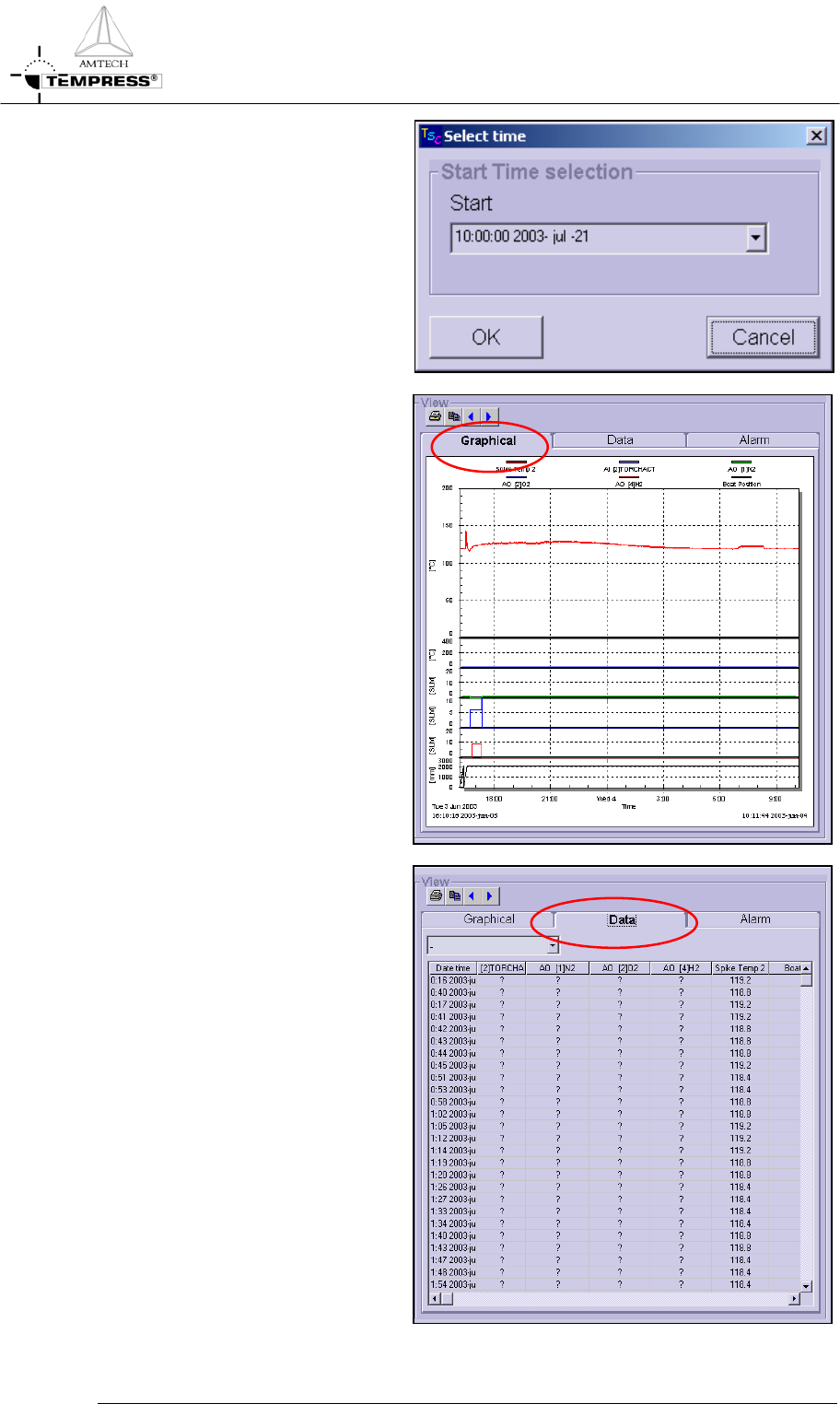
9) Select History Actual for real
time logging
10) Select the Graphical tab page for
a graphical presentation of the
logging data found by the search
criteria above
11) Select the Data tab page for the
raw data presentation of the
logging data found by the search
criteria above
5.11-4