m220_383_02_process_manual工艺手册.pdf.pdf - 第91页
OPERATION INSTRUCTIONS P ROCESS M ANU AL 5.11-5 12) Select the Alarm tab page for all alarm messages of the logging data found by the sear ch criteria above 13) Use the Ri ght Mouse Button (RMB) in the Graphic al tab pag…
OPERATION INSTRUCTIONS
P
ROCESS MANUAL
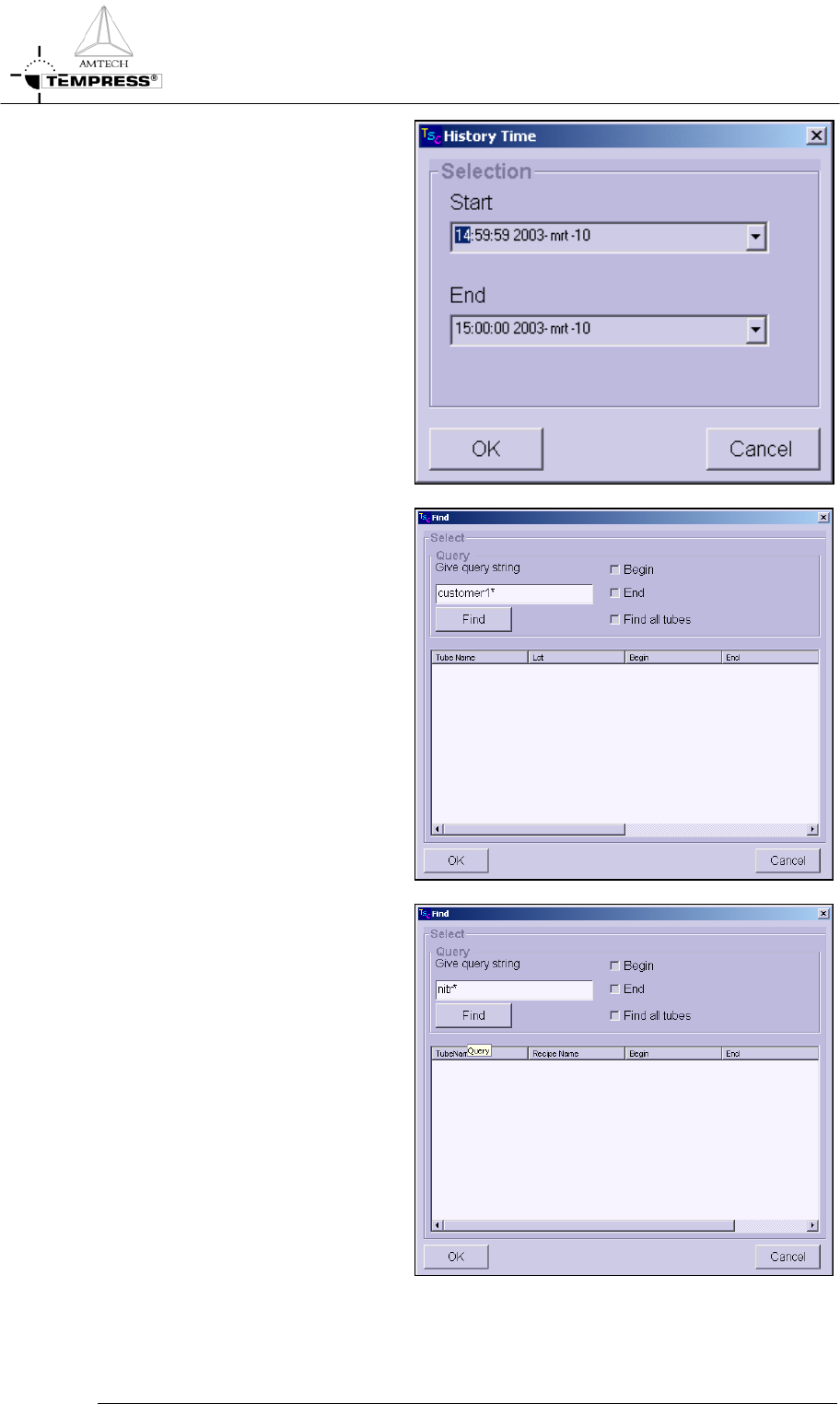
6) Select History Time to select
logging data based on a Start and
End time.
Note: if the desired Start Time is
later than the time already shown,
the END Time must be extended
first.
7) Select History Lot to search all
logging data for matching Lot
IDs.
Note: use wildcards to extend the
search
8) Select History Recipe to search
all logging data for matching
recipe names
Note: use wildcards to extend the
search
5.11-3
OPERATION INSTRUCTIONS
P
ROCESS MANUAL
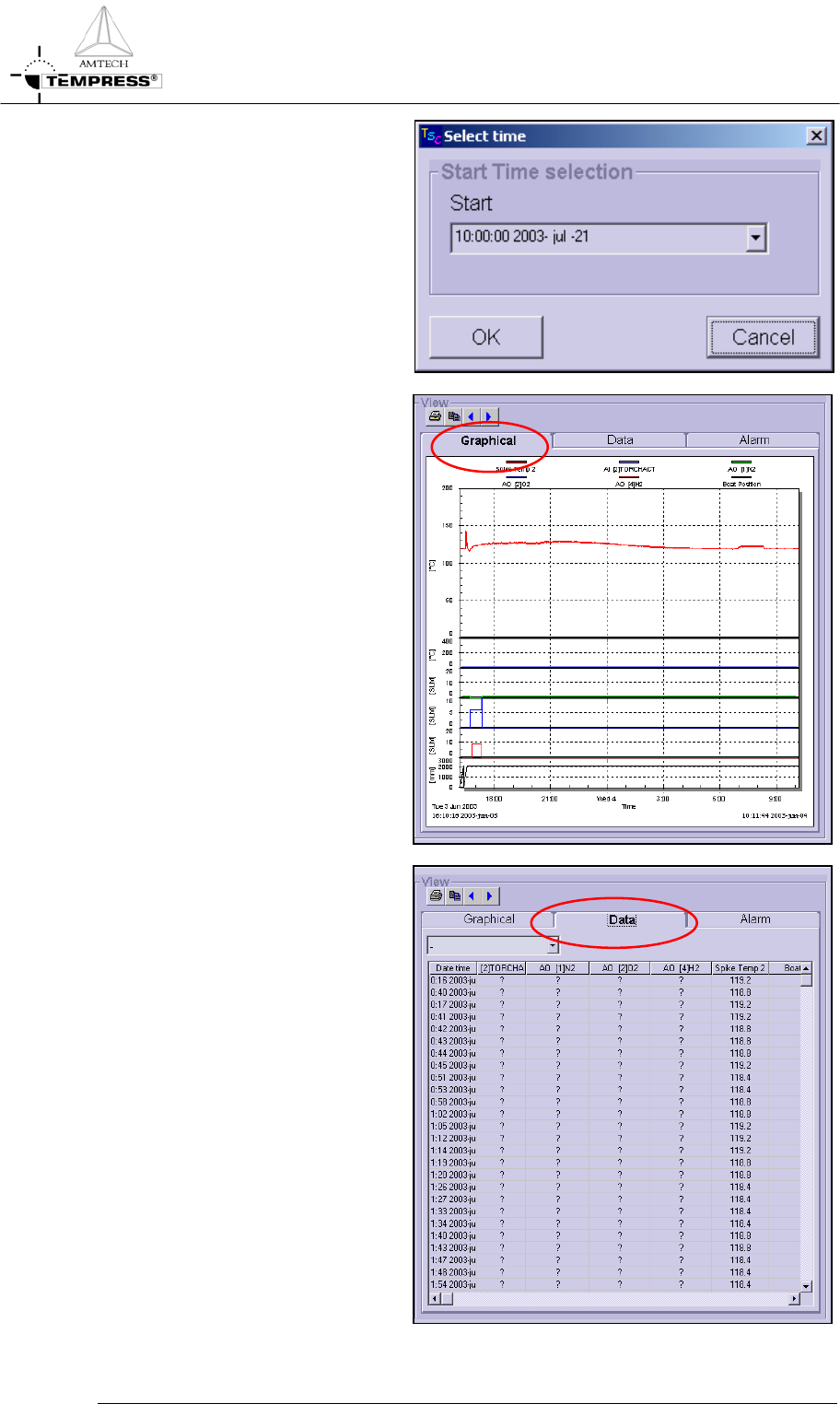
9) Select History Actual for real
time logging
10) Select the Graphical tab page for
a graphical presentation of the
logging data found by the search
criteria above
11) Select the Data tab page for the
raw data presentation of the
logging data found by the search
criteria above
5.11-4
OPERATION INSTRUCTIONS
P
ROCESS MANUAL
5.11-5
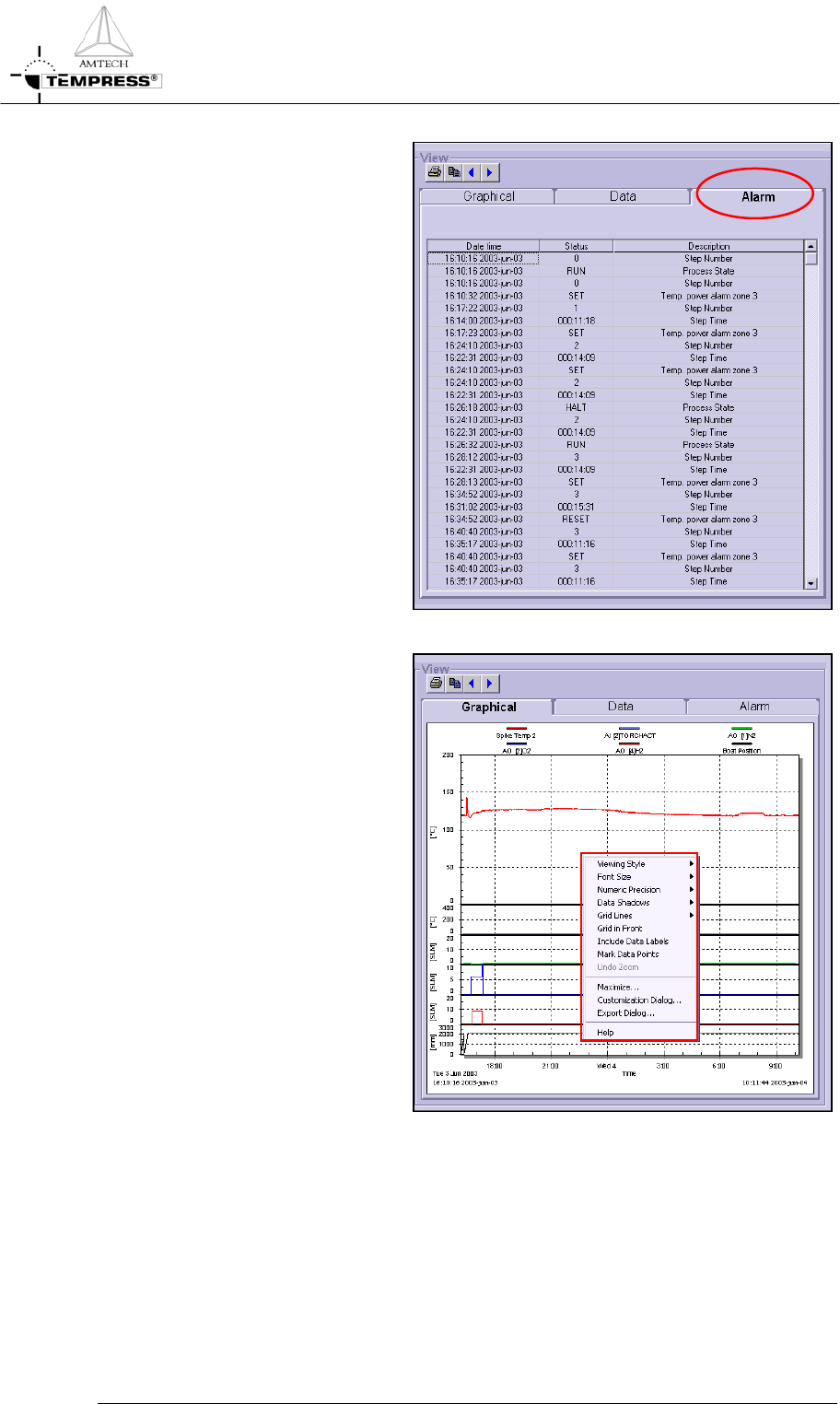
12) Select the Alarm tab page for all
alarm messages of the logging
data found by the search criteria
above
13) Use the Right Mouse Button
(RMB) in the Graphical tab page
to gain access to the
customization dialog. Titles and
fonts can be added and/or
modified here