00198365-03_UM_JTF-ML2_TX12_V1-V2_EN - 第62页
4 Setting up and commissioning 4.3 Configuration of JEDEC tray feeders in SIPLACE Pro 62 User Manual SIPLACE TX V1/V2 Series JEDEC Tray Feeder (JTF-ML2) 11/2019 4.3 Configuration of JEDEC tray feeders in SIPLACE Pro SIPL…
4 Setting up and commissioning
4.2 Retrofitting in the SIPLACE TX-Series
User Manual SIPLACE TX V1/V2 Series JEDEC Tray Feeder (JTF-ML2) 11/2019 61
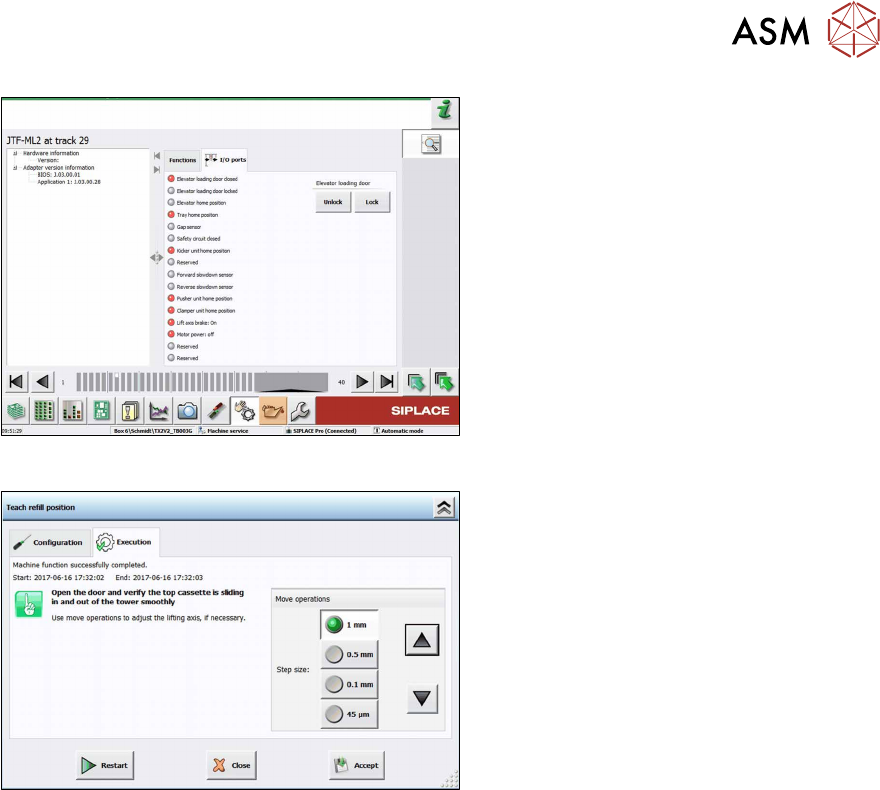
Fig.108: Teach refill position 4
► Unlock/lock the door to teach or check
the refill position.
Fig.109: Teach refill position 5
► Open the door and check if the top cas-
sette is sliding in and out of the tower
smoothly.
Use the arrow buttons to adjust the re-
fill position.
► Click the Accept button to save the
new refill position.
4 Setting up and commissioning
4.3 Configuration of JEDEC tray feeders in SIPLACE Pro
62 User Manual SIPLACE TX V1/V2 Series JEDEC Tray Feeder (JTF-ML2) 11/2019
4.3 Configuration of JEDEC tray feeders in SIPLACE Pro
SIPLACE JTF-ML2 are available from SIPLACE Pro 14.1 upwards. Former SIPLACE Pro versions
do not support the SIPLACE JTF-ML2.
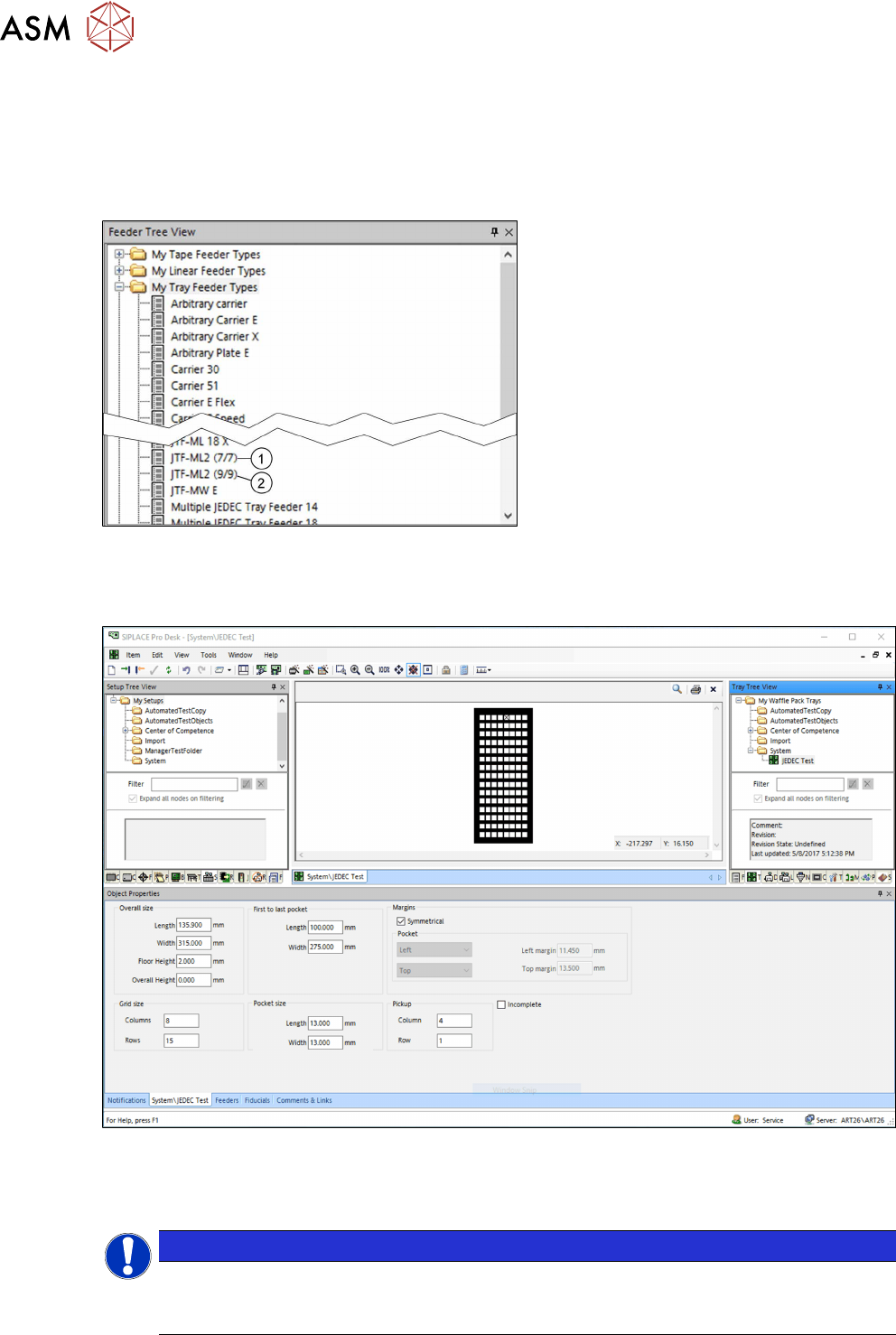
4.3.1 SIPLACE JTF‑ML2 in SIPLACE Pro – Feeder Tree View
Fig.110: Feeder Tree View
Two SIPLACE JTF-ML feeder types can be
selected in the Feeder Tree View:
1. JTF-ML2 (7/7) for high components
– for 14 JEDEC waffle pack trays
height=12.19mm in two cassettes
– max. 14 different components (one
component type per waffle pack
tray)
2. JTF-ML2 (9/9) for standard compon-
ents
– for 18 JEDEC waffle pack trays
height=7.62mm in two cassettes
– max. 18 different components (one
component type per waffle pack
tray)
4.3.2 JEDEC Tray Description – Tray Tree View
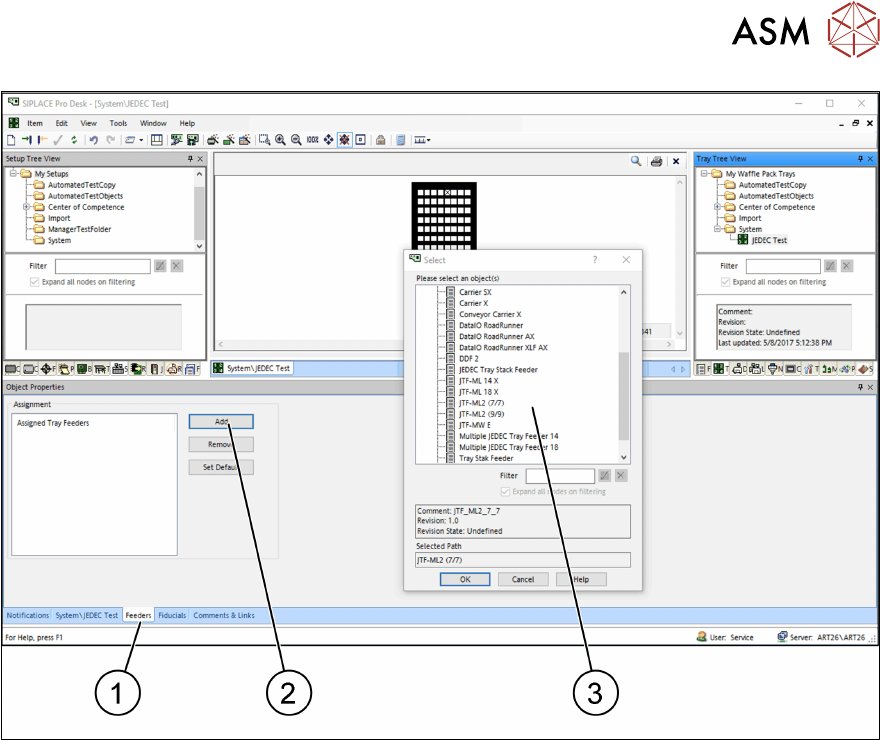
Fig.111: Tray Tree View
► Define one JEDEC tray with dimensions that comply with the JEDEC tray standard.
► For the dimensions, refer to the data sheet of the manufacturer.
NOTICE
JEDEC tray standard
In order to fit in a JEDEC tray feeder, the dimensions must comply with the JEDEC tray
standard. In the example, a JEDEC tray with the name JEDEC Test was defined.
4 Setting up and commissioning
4.3 Configuration of JEDEC tray feeders in SIPLACE Pro
User Manual SIPLACE TX V1/V2 Series JEDEC Tray Feeder (JTF-ML2) 11/2019 63
Fig.112: Tray Tree View – Assign Feeder
► After defining a JEDEC tray you must assign it to a feeder. Select the relevant SIPLACE JTF
feeder type.
► Select the Feeder tab (1).
► Select Add to add a feeder or Remove to remove a feeder (2).
► Select the relevant SIPLACE JTF feeder(s) (multiple selection is possible) and confirm with
OK. Assigned SIPLACE JTF feeders (3) are displayed in the Select window.
4.3.3 Configuration of the station – Station Tree View
Not every station can be configured for the use of a JEDEC tray feeder.
The following stations with station software 710.1 or higher support the SIPLACE JTF-ML2:
●
SIPLACE TX1
●
SIPLACE TX2
The following stations with station software 711.1 or higher support the SIPLACE JTF-ML2:
●
SIPLACE TX1 V2
●
SIPLACE TX2 V2