00198365-03_UM_JTF-ML2_TX12_V1-V2_EN - 第74页
5 Tasks on the machine 5.2 Task: Operating the feeder 74 User Manual SIPLACE TX V1/V2 Series JEDEC Tray Feeder (JTF-ML2) 11/2019 Fig.134: Unlocking the transportation lock ► Unlock the transportation lock. ► Ensure the …
5 Tasks on the machine
5.2 Task: Operating the feeder
User Manual SIPLACE TX V1/V2 Series JEDEC Tray Feeder (JTF-ML2) 11/2019 73
5.2.5 Inserting the cassette into the SIPLACE JTF-ML2
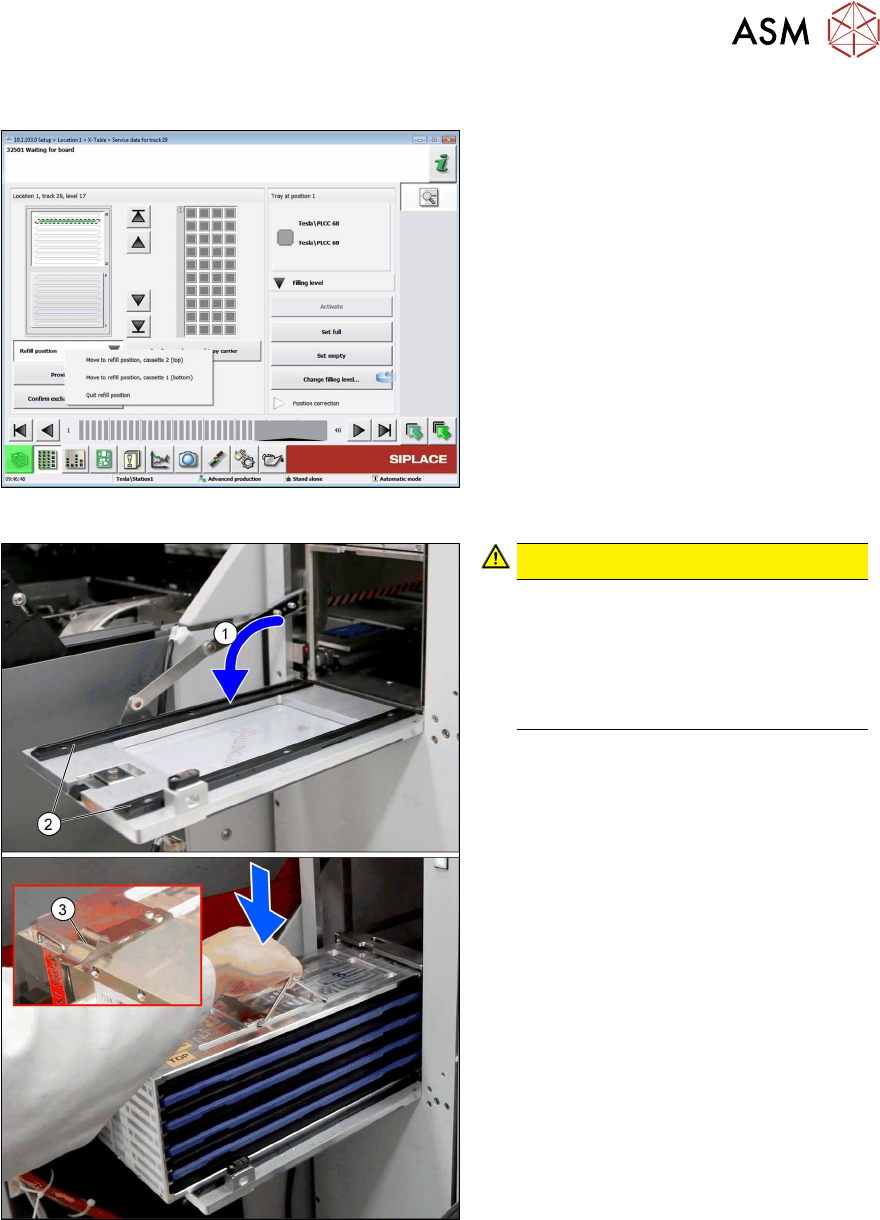
Fig.132: Moving the cassette into the refill position
► Click Refill position and Quit refill
position.
Fig.133: Inserting the cassette
CAUTION!
Avoiding component jump
Improper or sudden inserting of the
cassettes may lead to component
jump.
Always keep the cassette horizontal
when lifting and holding.
.
► Open the door(1).
► Place the cassette on the rails(2) on
the inner side of the door.
Observe the orientation. The spring(3)
must point outwards.
5 Tasks on the machine
5.2 Task: Operating the feeder
74 User Manual SIPLACE TX V1/V2 Series JEDEC Tray Feeder (JTF-ML2) 11/2019
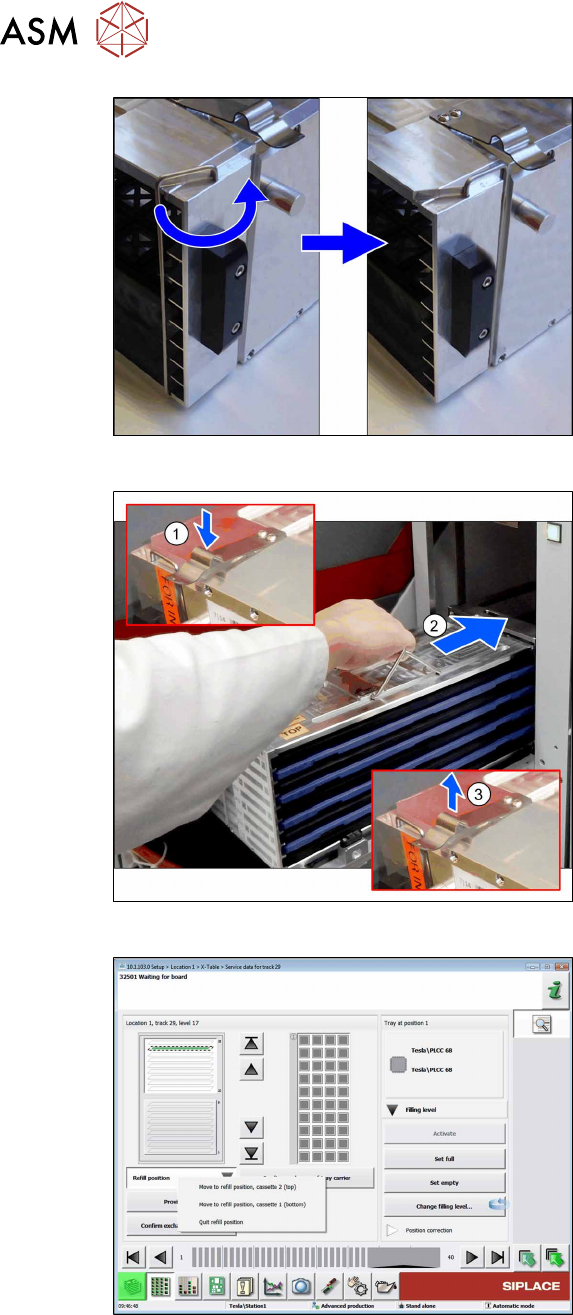
Fig.134: Unlocking the transportation lock
► Unlock the transportation lock.
► Ensure the direction lock is in position
"open".
Fig.135: Inserting the cassette
► Press down the spring(1) completely.
► Carefully push(2) the cassette into the
tower.
Avoid sudden movement to avoid
component jump.
► Release the spring(3).
► Close the door.
Fig.136: Moving the cassette into the refill position
► Click Refill position and Quit refill
position.
ð The SIPLACE JTF‑ML2 is ready for
operation again.
5 Tasks on the machine
5.3 Operating the JEDEC tray feeder in the station software
User Manual SIPLACE TX V1/V2 Series JEDEC Tray Feeder (JTF-ML2) 11/2019 75
5.3 Operating the JEDEC tray feeder in the station software
SIPLACE JTF-ML2 feeders are available from station software version 710.1 upwards.
Former software versions do not support this feeder family.
The JEDEC tray feeder is not displayed at the station until a job has been defined.
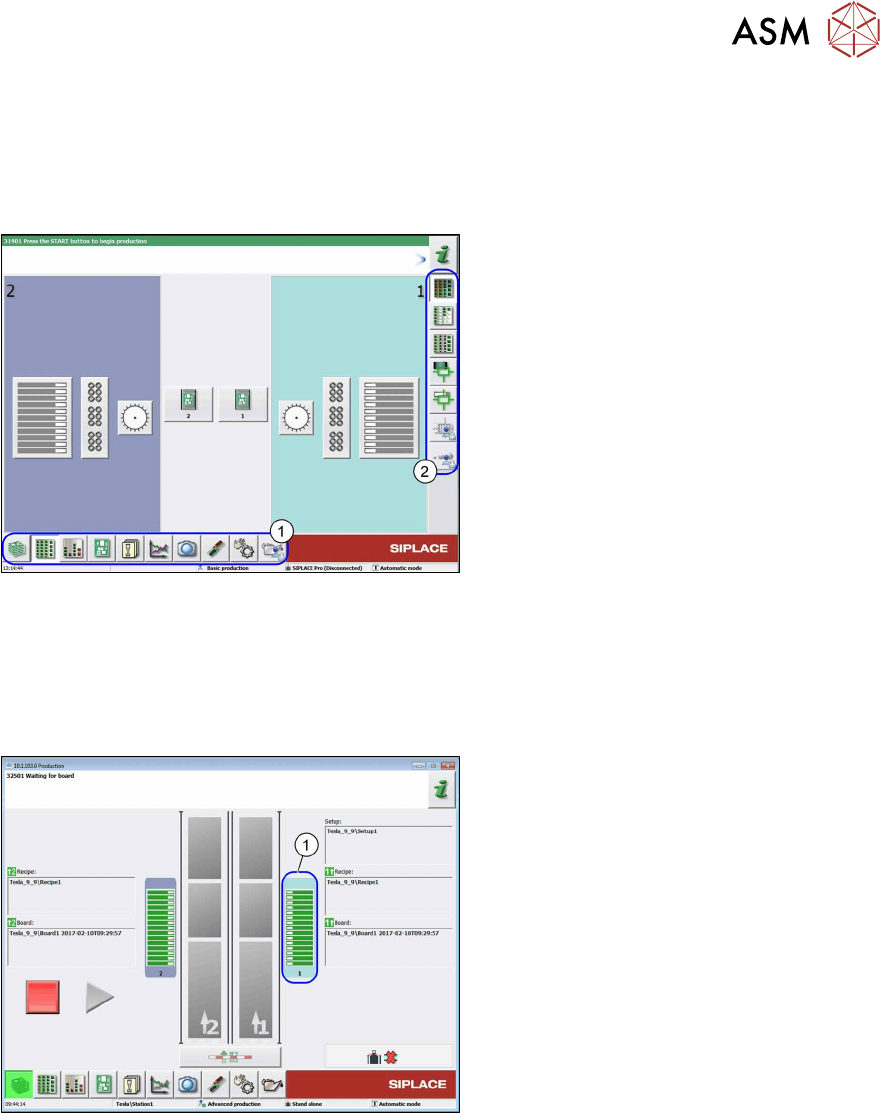
Fig.137: Main view (example of SIPLACETX2)
The following terms are used in the sections:
1. Menu
2. Submenu
5.3.1 JEDEC Tray Feeder Configured in SIPLACE Pro and Defined at the Machine
If a JEDEC tray feeder has been configured in SIPLACE Pro, the corresponding location is divided
into two areas when the job is defined for the machine. For X-Series S machines the location is not
divided.
Fig.138: Location view (example of SIPLACETX2)
1. Location 1