00196056-0102 RI Shutterless 3x8 SL.pdf - 第45页
Changing the Feeder ID on the EEPROM Disconnecting the Feeder Nachrüstanleitung / Retrofit Instructions F eeder Module 3x8 mm S 0201/0402 to Shutterless ( 3X8 mm SL) 45 X To exit Set-SL-ID , click on the exit button. 8.4…
Changing the Feeder ID on the EEPROM
Connecting the Feeder
44 Nachrüstanleitung / Retrofit Instructions Feeder Module 3x8 mm S 0201/0402 to
8.2 Connecting the Feeder
8.3 Programming the EEPROM
The software described here can be used to change the feeder ID for the 3x8 mm feeder connected to
the PC via the interface unit.The following options are available for this:
You can read the feeder ID currently set out of the feeder, without changing it, in order to check the
connected feeder.
You can assign a shutterless feeder ID to a feeder which has been converted to a shutterless feeder.
You can assign an S feeder ID to a feeder which has been converted back to an S feeder.
X Switch the power pack on.
X Switch the interface unit on.
X Start the software. To do this, click on the corresponding icon on your desktop.
The following dialog box will be shown:
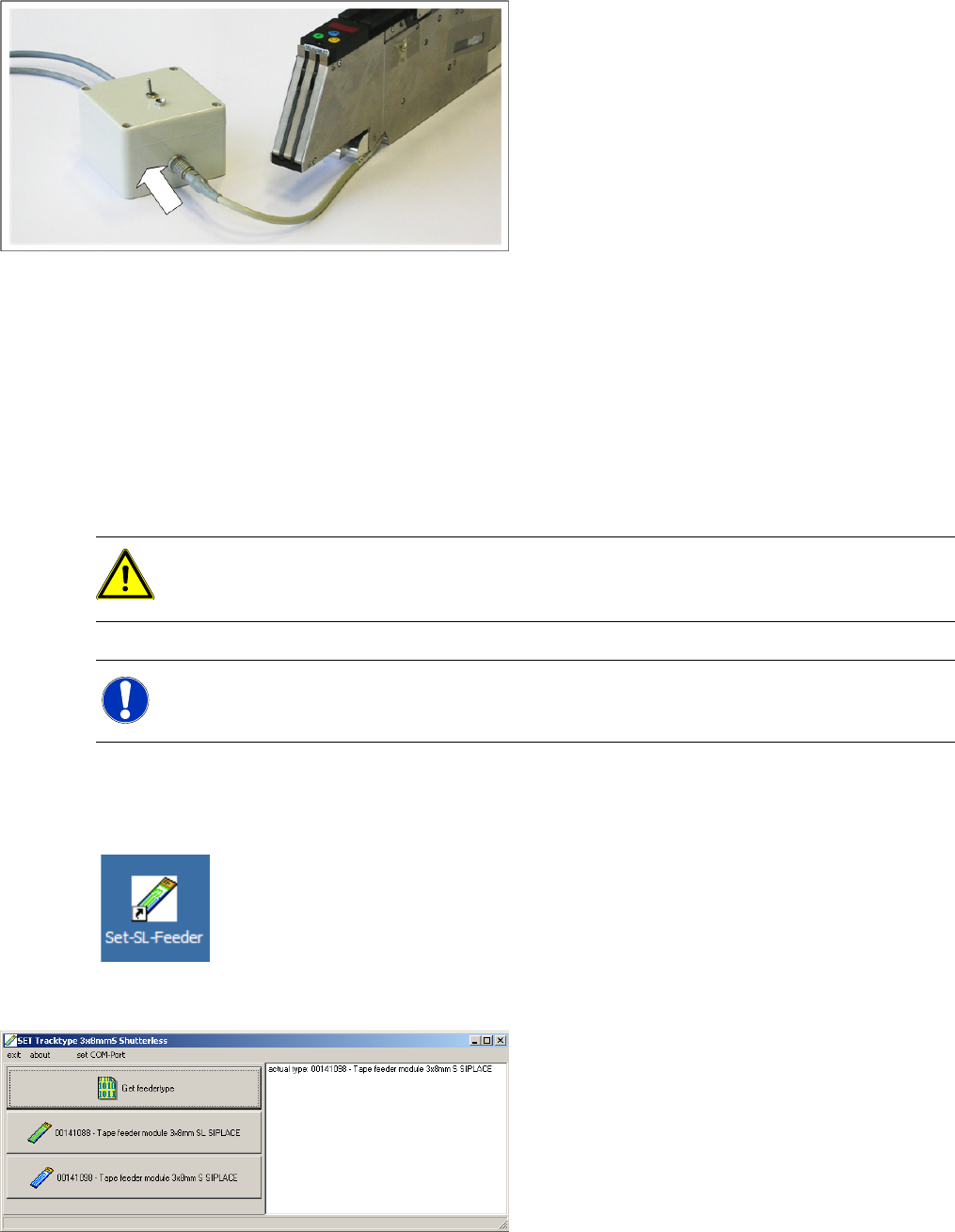
X Connect the feeder to the interface unit, as
shown in the diagram. Make sure that the red
dot is at the top of the connector.
CAUTION:
The software described here is only suitable for processing 3x8 mm feeders. Make sure that you
only use 3x8 mm feeders with this software.
NOTE:
Make sure that the feeder you want to process is connected to the PC.
Changing the Feeder ID on the EEPROM
Disconnecting the Feeder
Nachrüstanleitung / Retrofit Instructions Feeder Module 3x8 mm S 0201/0402 to Shutterless (3X8 mm SL)
45
X To exit Set-SL-ID, click on the exit button.
8.4 Disconnecting the Feeder
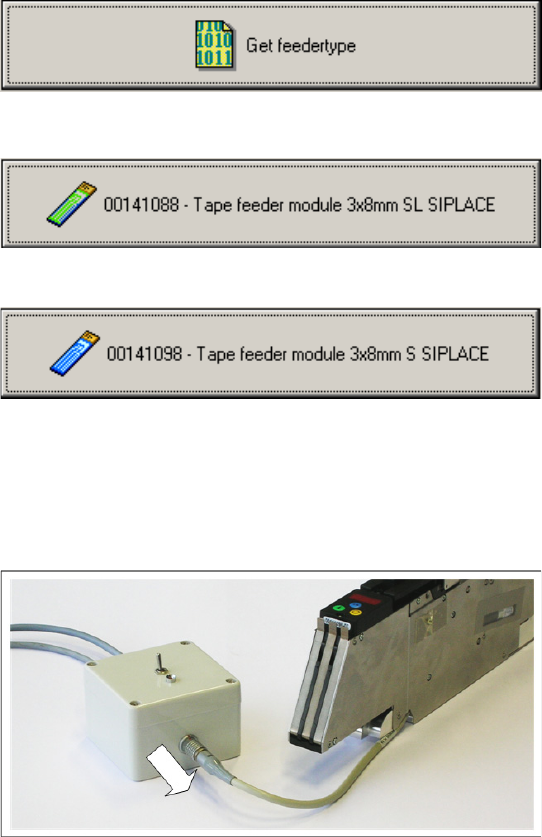
By clicking on the top button, you read the feeder
ID out of the connected feeder. This button s also
used to check whether a change to the feeder ID
was successful.
By clicking on the center button, you convert the
feeder ID to a Shutterless Feeder ID (feeder
3x8mm SL S-tape SIPLACE).
By clicking on the bottom button, you change the
feeder ID back to the ID for a standard 3x8mm S
feeder (feeder 3x8mm S-tape SIPLACE).
X Disconnect the feeder connector plug from the
interface unit.
Changing the Feeder ID on the EEPROM
Attaching /Removing Labels
46 Nachrüstanleitung / Retrofit Instructions Feeder Module 3x8 mm S 0201/0402 to
8.5 Attaching /Removing Labels
The conversion turns the 3x8 mm feeder into a shutterless feeder. This change needs to be documented
on the back of the device, so that the information can be seen when the feeder is in production, on a
changeover table.
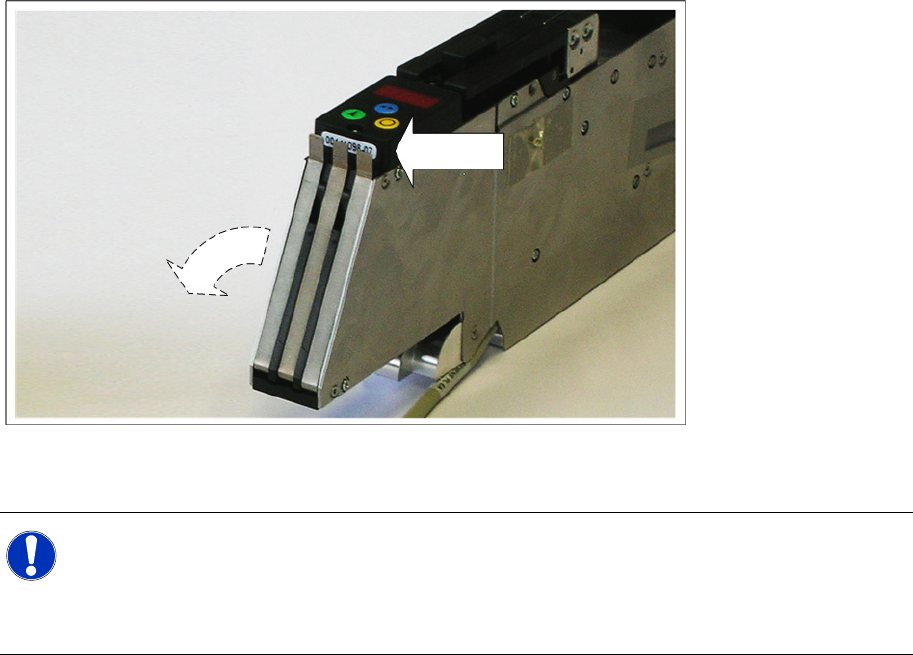
X Stick the label provided in the retrofit kit - with the shutterless feeder item number (00141088-01) -
over the old label on the operating panel of the feeder, as shown in the diagram.
NOTE:
If you have converted the feeder back from a shutterless feeder to a conventional S feeder,
carefully (!) remove the shutterless feeder ID label again.
When removing the label, take care not to damage the old label with the S feeder item number
(00141098-01).