00195963-03_MM SWS-EN.pdf - 第18页
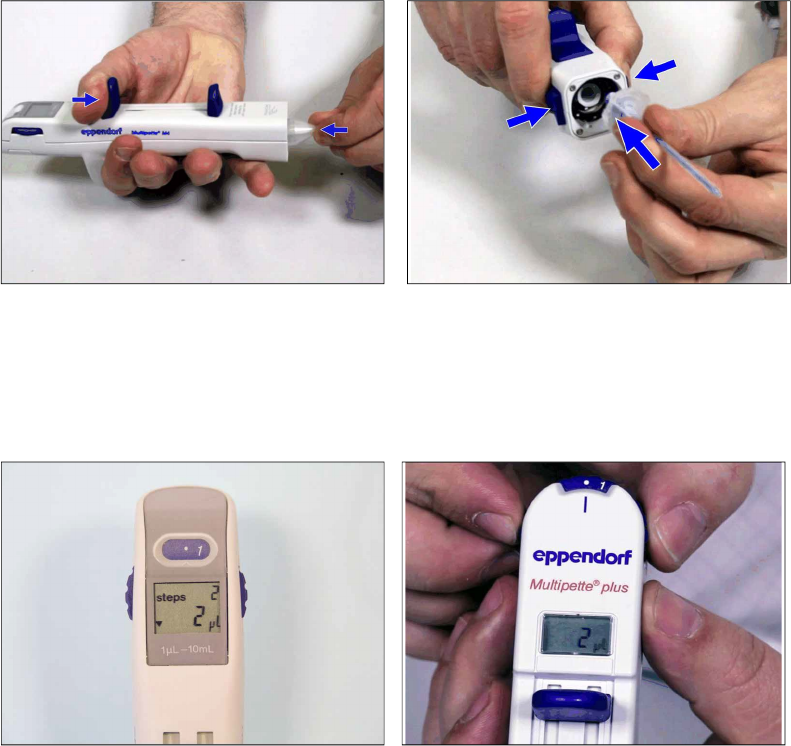
Filling a nd Setting the Multipette (Version V1 & V2) Cover y our working s urface wit h a cloth or someth ing similar , to preven t it fro m being soi led with greas e when you s et the M ultipette. Push the b i…
17
Slide the Fillings slider down and press the blue combitip onto the Multipette until it snaps in.
The combitip engages.
The digital display shows the volume that would be dosed with combitip inserted and the cur-
rent position of the volume thumb wheel.
Release the Filling slider and turn the adjustment wheel to the required volume of 4µl
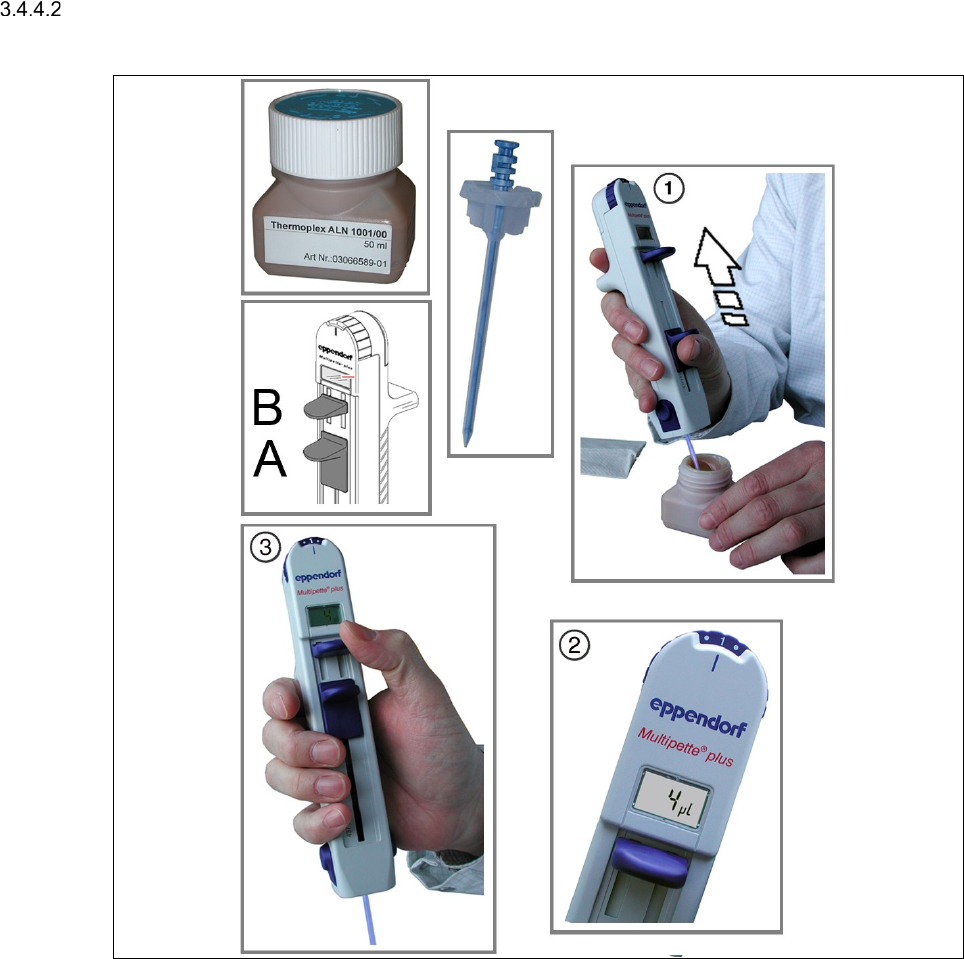
Check, if the combitip sits firmly in the Multipette [1].
Filling and Setting the Multipette (Version V1 & V2)
Cover your working surface with a cloth or something similar, to prevent it from being soiled
with grease when you set the Multipette.
Push the big blue slider (control A in the left picture) down toward the combitip until the stop.
Dip the tip of the combitip into Thermoplex ALN 1001/00.
Slowly, push the big blue slider (A) of the Multipette up toward the display, in order to drag
grease into the Multipette.
Remove the tip of the combitip from the grease bottle.
19
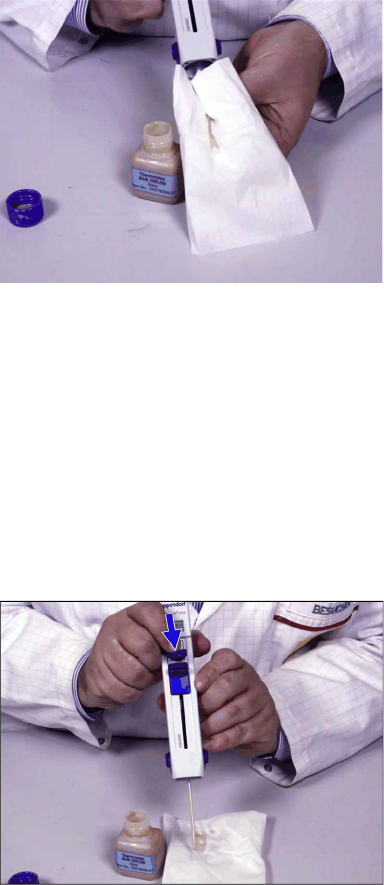
Wipe off excess grease from the combitip.
–
If you do not fill the combitip completely, the display does not flash. In this case you have
to cancel the first volume.
–
You can change the volume between the dispense steps by actuating the volume thumb
wheel.
–
If you push the filling slider too fast, the resulting vacuum can be too strong. In this case,
the grease is enriched with air bubbles that can cause dosage inaccuracies.
Set the thumb wheel of the Multipette to the point on the left of "1".
The display must show "4µl".
At the display, push the little blue slider (B)&[3] down to the stop.
In doing so, any air that might be enclosed in the combitip is removed. After that, the given
volume is correct.
The Multipette is now ready for use.
Check the dosage volume above the cloth.