00195963-03_MM SWS-EN.pdf - 第20页
Ove rvi ew of the Mo dule s of th e SWS The SWS c onsists of the follow ing main mo dules. SIPLAC E Wa fer S ystem (SW S) - side vie w [1] Gripper [2] Flip unit [3] Instal lation locat ion for options ( die attac h unit …
19
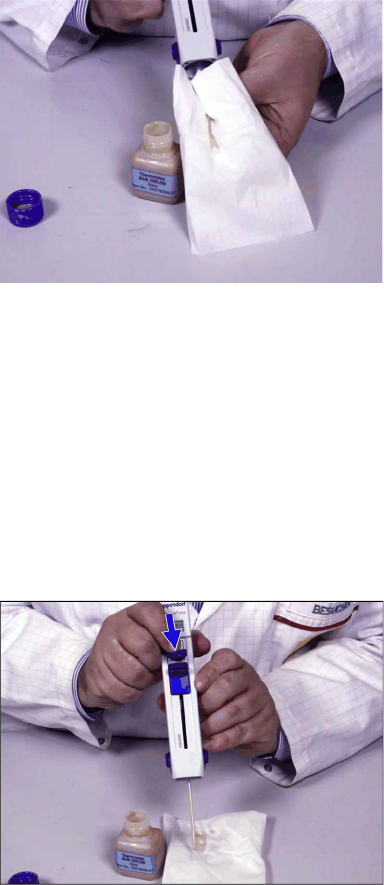
Wipe off excess grease from the combitip.
–
If you do not fill the combitip completely, the display does not flash. In this case you have
to cancel the first volume.
–
You can change the volume between the dispense steps by actuating the volume thumb
wheel.
–
If you push the filling slider too fast, the resulting vacuum can be too strong. In this case,
the grease is enriched with air bubbles that can cause dosage inaccuracies.
Set the thumb wheel of the Multipette to the point on the left of "1".
The display must show "4µl".
At the display, push the little blue slider (B)&[3] down to the stop.
In doing so, any air that might be enclosed in the combitip is removed. After that, the given
volume is correct.
The Multipette is now ready for use.
Check the dosage volume above the cloth.
Overview of the Modules of the SWS
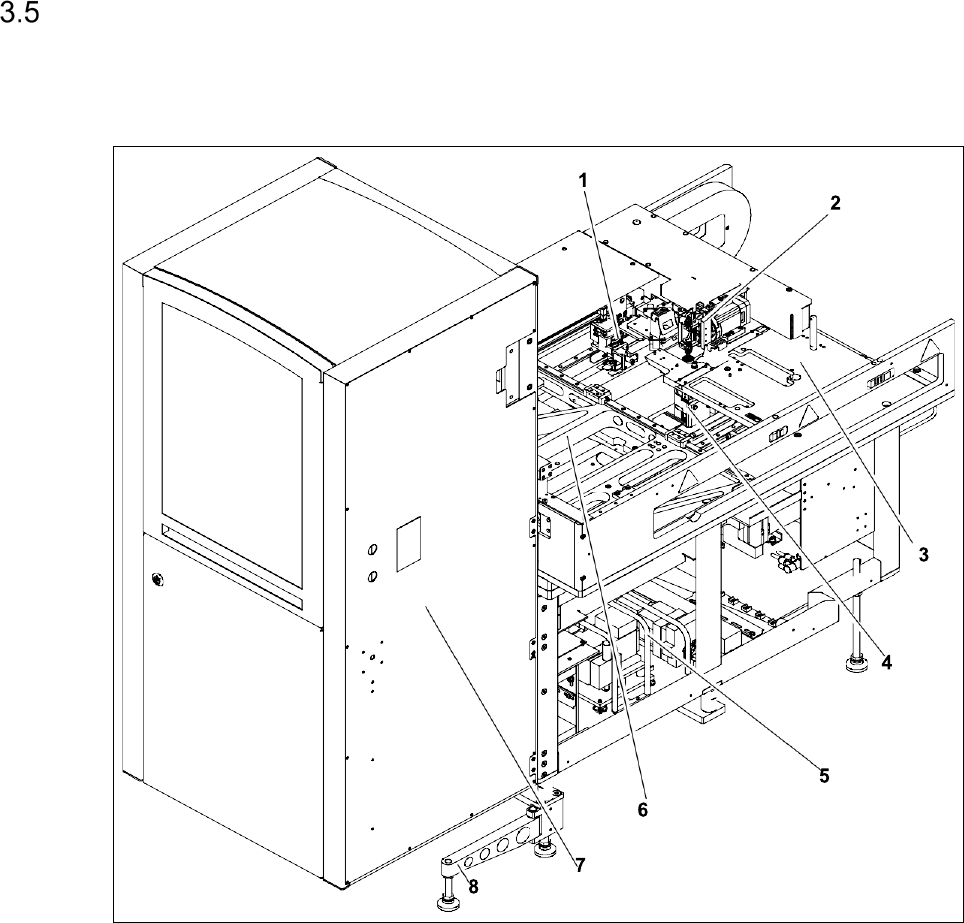
The SWS consists of the following main modules.
SIPLACE Wafer System (SWS) - side view
[1] Gripper [2] Flip unit
[3] Installation location for options (die attach unit or linear dipping unit)
[4]
Die ejector
[5] Supply unit (PC, vacuum pump) [6] X/Y unit
[7] Wafer changer system (magazine lift) [8] Support foot (swung in)
21
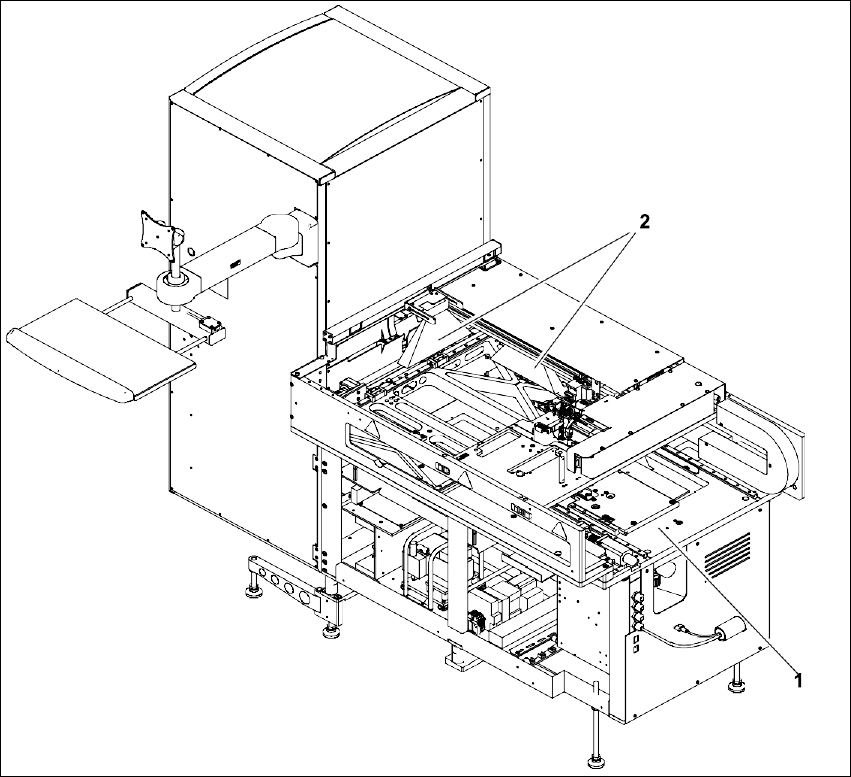
SIPLACE Wafer System (SWS) - rear view
[1] Basic frame [2] Barcode, scanner depending on the configuration either
at the wafer changer or at the gripper
The placement machine supplies the compressed air for the SWS (see User Manual). For the vac-
uum supply, the SWS is equipped with a vacuum pump of its own.