00195963-03_MM SWS-EN.pdf - 第26页
Checking the Exhau st A ir Pressu re Mano meter for Die A ttach and F lip Unit Interval Weekly Equipment Mirror Legend [1] Exhaust air press ure manometer At the rear side of th e SWS, ins ert a mir ror into the ga p b…
25
General Maintenance Work
Emptying Reject Bin and Vacuuming the Nozzle Changer
Interval Daily
Equipment Vacuum cleaner, waste bin, collecting container
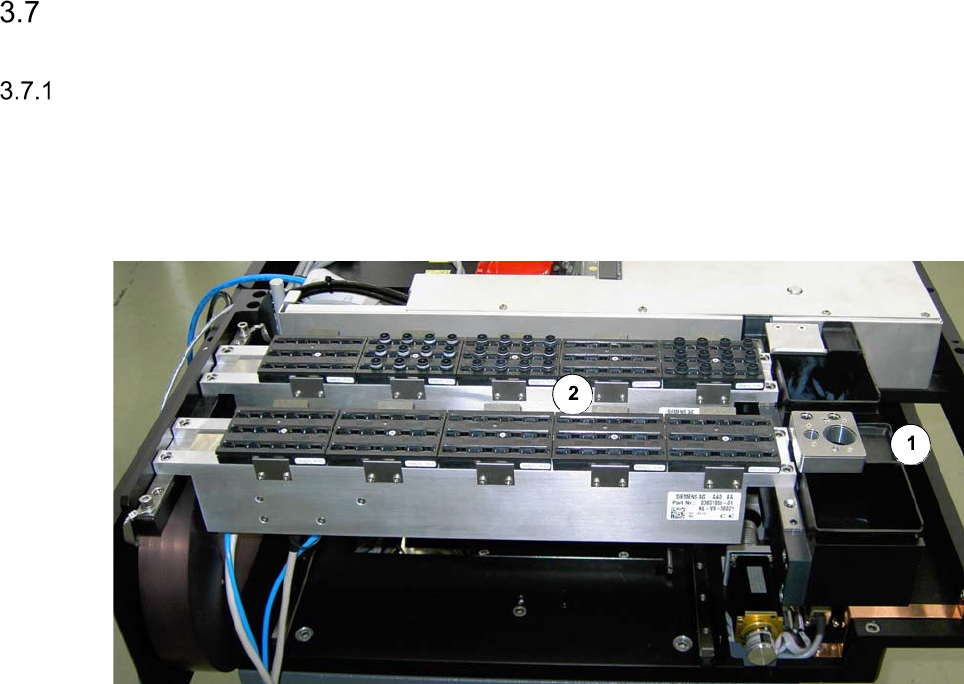
Nozzle changer and reject bins
Legend
[1] Reject bin
[2] Nozzle changer
Emptying the reject bin
Remove the reject bin and empty it into the collecting container.
We recommend that you empty the reject bin every day, since this will show whether a certain
component is being rejected frequently. Determine the cause of the error using the Track Er-
ror menu or OIS.
Clean around the reject bin with the vacuum cleaner and replace the bin.
The inside of the placement machine should be free of loose components since these can
cause faults if they get caught between moving parts.
Vacuuming the nozzle changer
Keep the vacuum cleaner nozzle at least 1 cm away from the nozzles to prevent any damage.
Vacuum the nozzle changer. The nozzle changers should be free of dirt and loose compo-
nents since these could prevent nozzles being picked up and set down correctly.
Checking the Exhaust Air Pressure Manometer for Die Attach and Flip Unit
Interval Weekly
Equipment Mirror
Legend
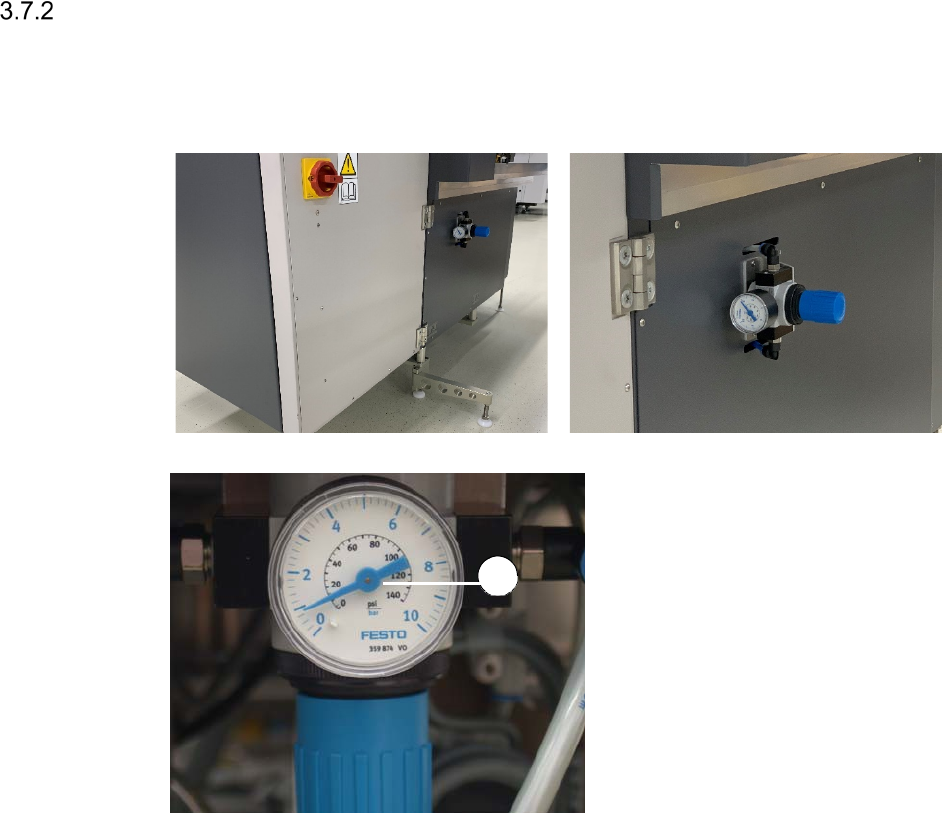
[1] Exhaust air pressure manometer
At the rear side of the SWS, insert a mirror
into the gap between the SWS and the
placement machine.
Check, if the pressure displayed is the
same as the pressure that was set
during commissioning (between 0.5 and
0.8 bar).
1
27
Visual Check and Cleaning of the Machine Interior
Interval 6 months
Equipment Brush, vacuum cleaner, cleaning buds, lint-free
Switch off the placement machine and the SWS properly.
Open the cover above the SWS to be checked.
Swivel the magazine lift open (See ”Swiveling out the Magazine Lift” on page - 14.).
Pull out the supply unit (See ”Pulling out the Supply Unit” on page - 15.).
Carefully and thoroughly, remove dust and dirt within the machine interior, using a vacuum
cleaner and a brush.
Make sure, that the inductive sensors and end switches are clean and that there are no re-
jected components within the machine interior.
Remove dust and dirt from the uncovered and freely accessible boards, using a brush and
cleaning buds.
Push the supply unit back in (See ”Pushing in the Supply Unit” on page - 16.) and close the
magazine lift (See ”Closing the Magazine Lift” on page - 15.).
Checking the Energy Chain for Ease-of-Movement and the Correct Position of the
Latches
Interval 6 months
Equipment None
Legend
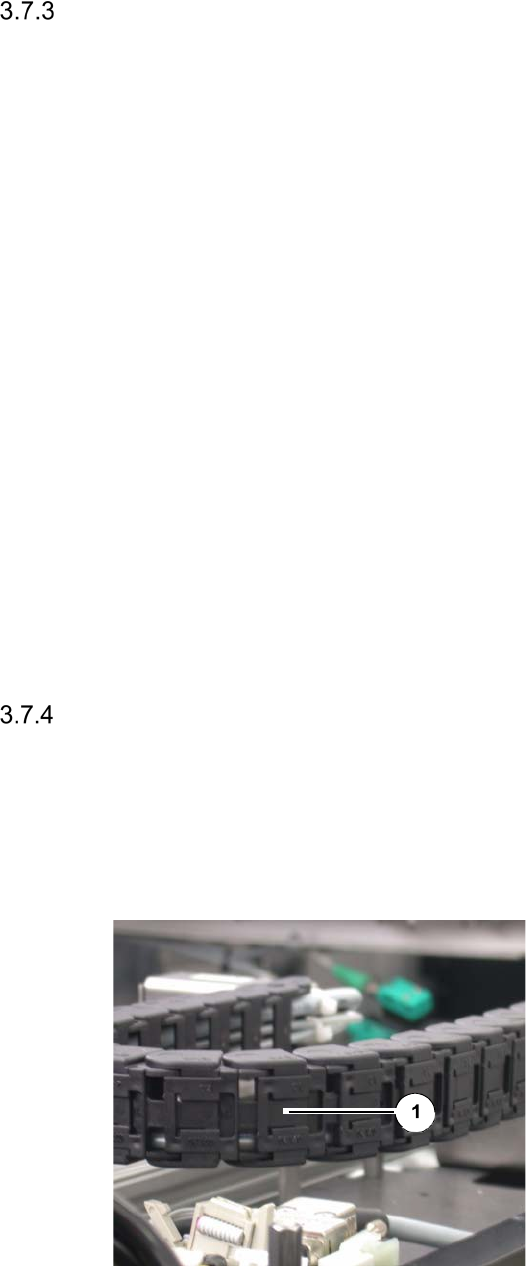
[1] Latch
Check the energy chain at the wafer table
(X and Y direction) and the wafer changer
for Ease-of-Movement, wear and cable
breakage.
Make sure that the latches [1] at the rear
side of the chains are seated in their cor-
rect positions.
Re-latch unhooked latches into their cor-
rect positions.