00195963-03_MM SWS-EN.pdf - 第27页
27 Visual Check and Cleani ng of the Machine Interior Interval 6 months Equipment Brush, vac uum clean er, cleani ng buds, lint - free Switch off the plac ement mach ine and th e SWS pro perly. Open the c over abov e…
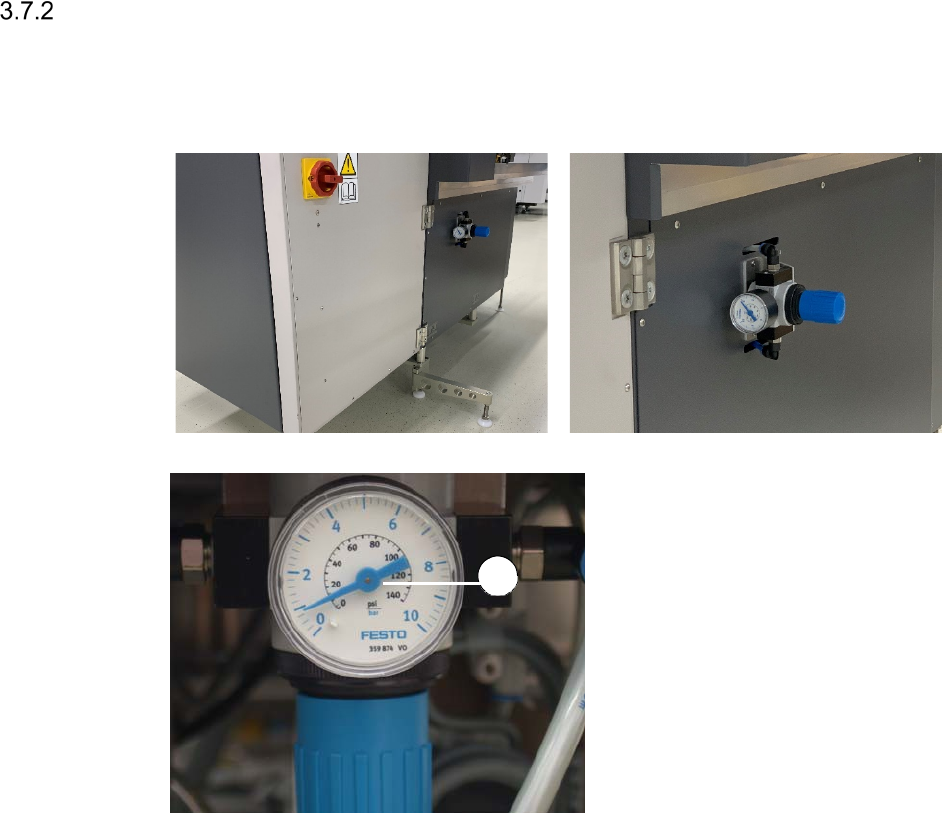
Checking the Exhaust Air Pressure Manometer for Die Attach and Flip Unit
Interval Weekly
Equipment Mirror
Legend
[1] Exhaust air pressure manometer
At the rear side of the SWS, insert a mirror
into the gap between the SWS and the
placement machine.
Check, if the pressure displayed is the
same as the pressure that was set
during commissioning (between 0.5 and
0.8 bar).
1
27
Visual Check and Cleaning of the Machine Interior
Interval 6 months
Equipment Brush, vacuum cleaner, cleaning buds, lint-free
Switch off the placement machine and the SWS properly.
Open the cover above the SWS to be checked.
Swivel the magazine lift open (See ”Swiveling out the Magazine Lift” on page - 14.).
Pull out the supply unit (See ”Pulling out the Supply Unit” on page - 15.).
Carefully and thoroughly, remove dust and dirt within the machine interior, using a vacuum
cleaner and a brush.
Make sure, that the inductive sensors and end switches are clean and that there are no re-
jected components within the machine interior.
Remove dust and dirt from the uncovered and freely accessible boards, using a brush and
cleaning buds.
Push the supply unit back in (See ”Pushing in the Supply Unit” on page - 16.) and close the
magazine lift (See ”Closing the Magazine Lift” on page - 15.).
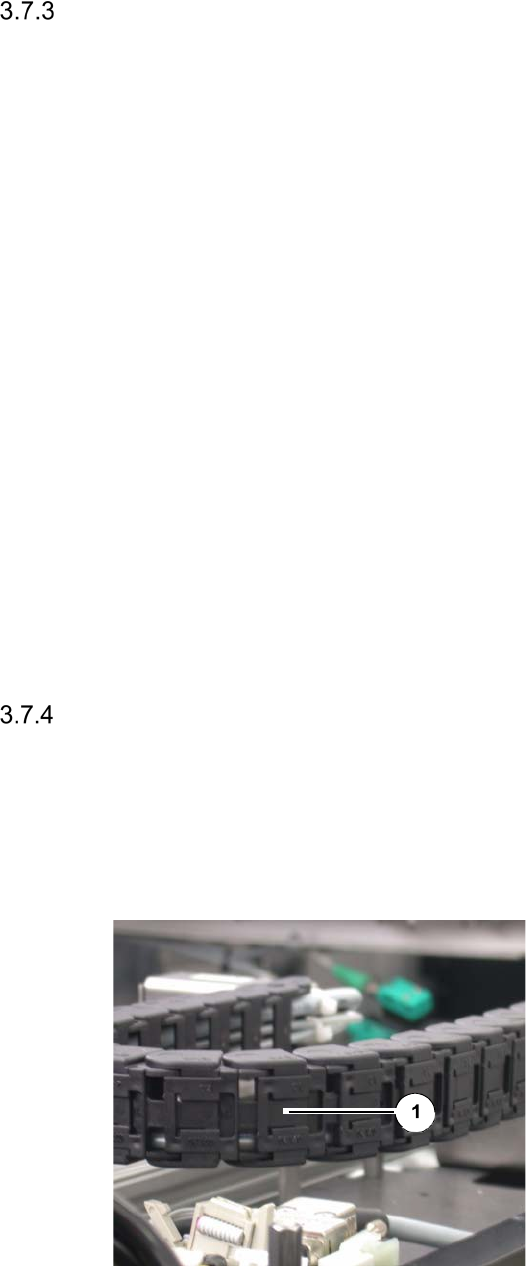
Checking the Energy Chain for Ease-of-Movement and the Correct Position of the
Latches
Interval 6 months
Equipment None
Legend
[1] Latch
Check the energy chain at the wafer table
(X and Y direction) and the wafer changer
for Ease-of-Movement, wear and cable
breakage.
Make sure that the latches [1] at the rear
side of the chains are seated in their cor-
rect positions.
Re-latch unhooked latches into their cor-
rect positions.
Maintenance Work at the Die Ejector
For maintenance work at the die ejector it is necessary to manually move the wafer table into the
wafer change position.
Moving the Wafer Table into Wafer Change Position
The SWS must be switched on and referenced.
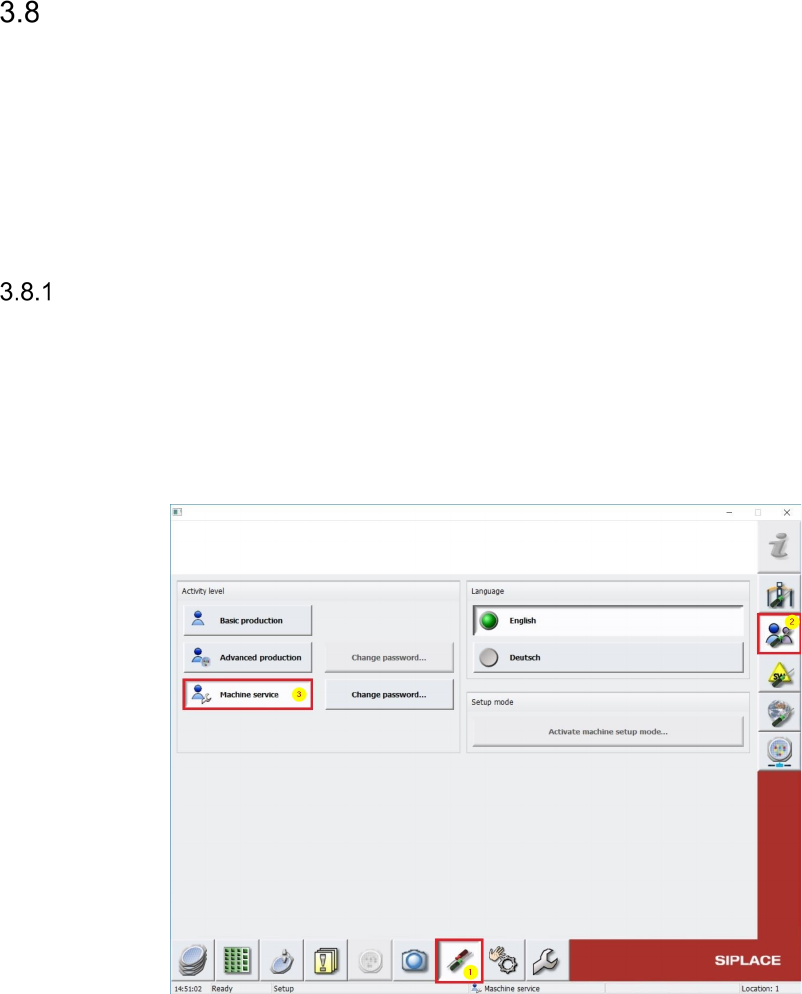
To move the Wafertable, it is required to be logged in SWS GUI as Machine service (see
below).
Switch in SWS GUI to Manual operations [1] -> Manual operations subsystems [2] ->
Wafer handling [3] -> Wafer table positions [4] and pres the Button Go to change
position [5] (see pictures below).