00195963-03_MM SWS-EN.pdf - 第29页
29 The Wafer t able is mov ed to Cha nge posi tion. Move Die - Ejector up Switch in S WS GUI to Manua l operations [1] - > Manu al operation s subsy stems [2] - > Die handl ing [3] - > Eje ction Unit [4] und p…
Maintenance Work at the Die Ejector
For maintenance work at the die ejector it is necessary to manually move the wafer table into the
wafer change position.
Moving the Wafer Table into Wafer Change Position
The SWS must be switched on and referenced.
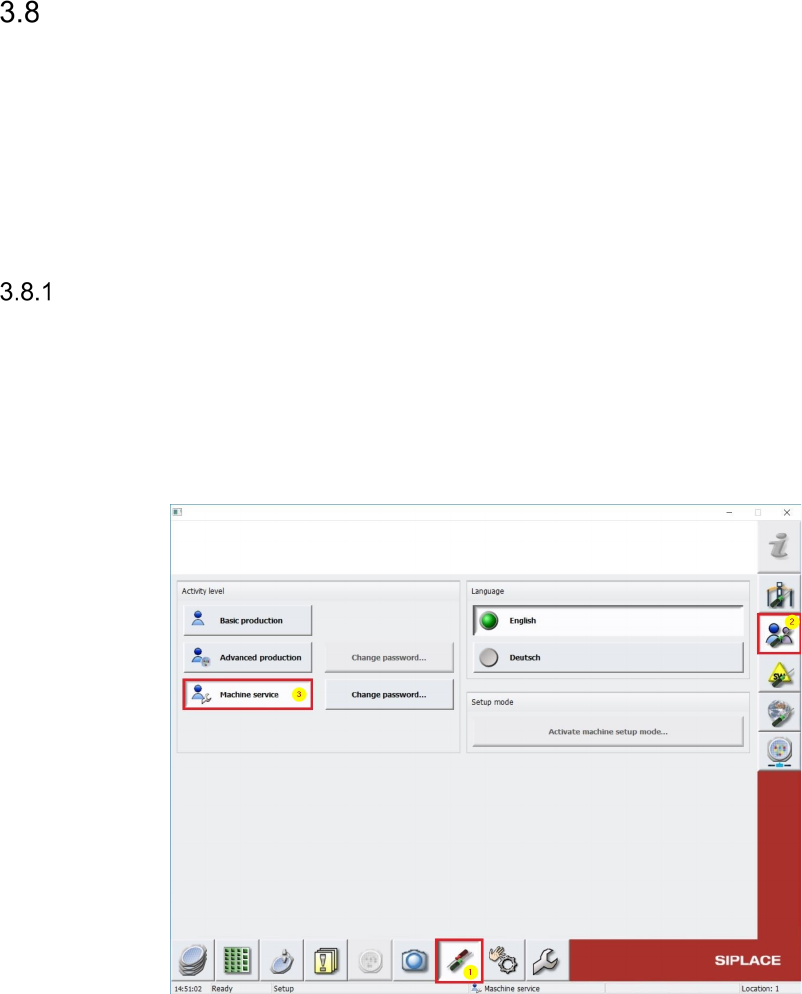
To move the Wafertable, it is required to be logged in SWS GUI as Machine service (see
below).
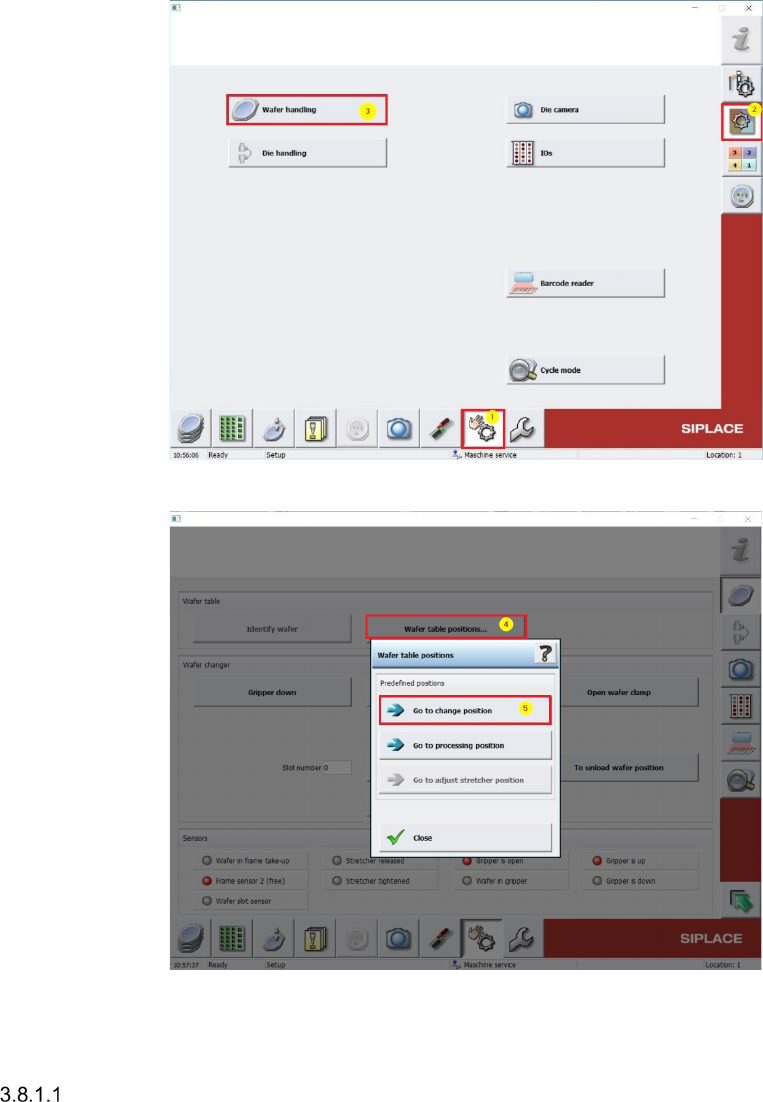
Switch in SWS GUI to Manual operations [1] -> Manual operations subsystems [2] ->
Wafer handling [3] -> Wafer table positions [4] and pres the Button Go to change
position [5] (see pictures below).
29
The Wafer table is moved to Change position.
Move Die-Ejector up
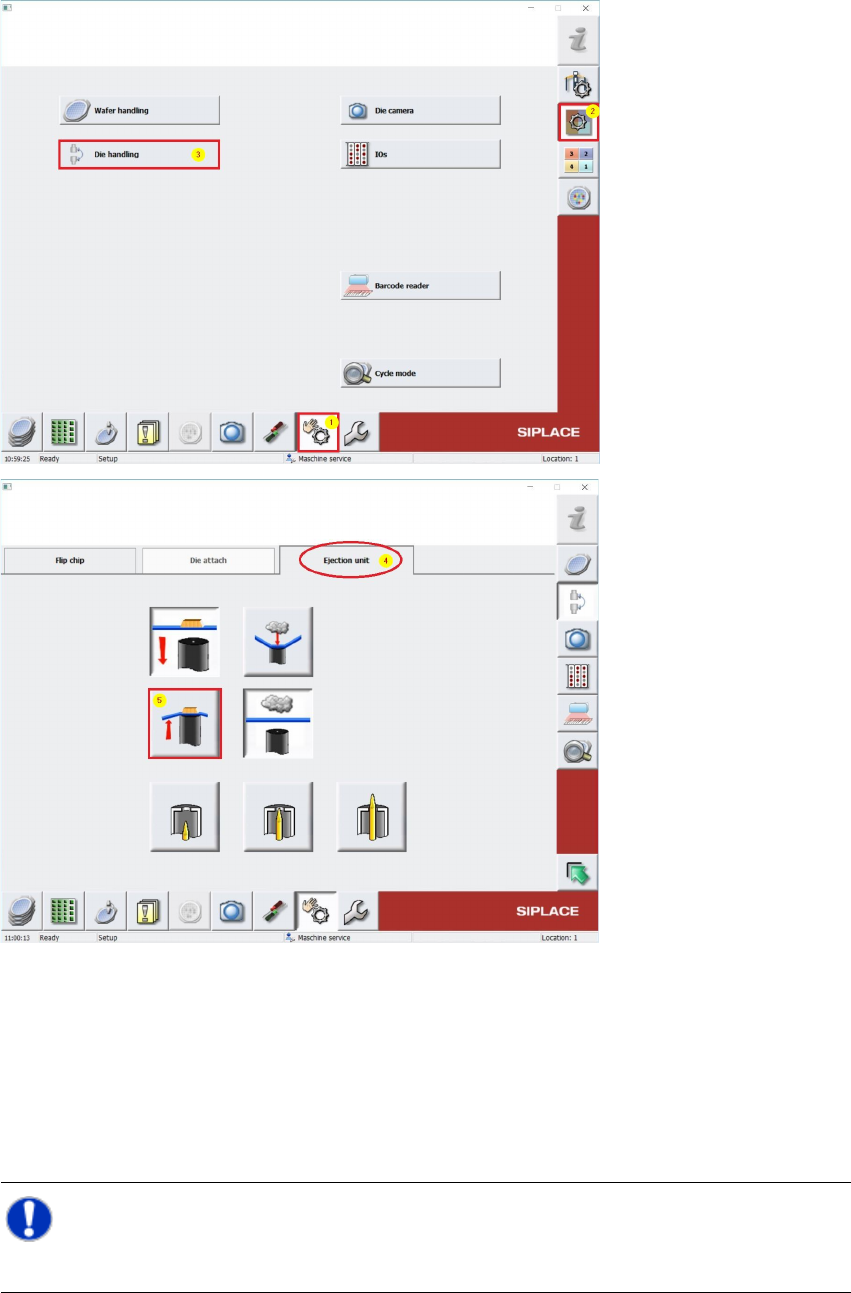
Switch in SWS GUI to Manual operations [1] -> Manual operations subsystems [2] ->
Die handling [3] -> Ejection Unit [4] und press the Button Ejector:raise [5] (see pictures
below).
The wafer table is removed, the die ejector is moved up and can be accessed.
Switch off the placement machine and the SWS properly and secure them against unauthor-
ized reactivation.
Open the cover above the SWS to be checked.
Carry out the required tasks.
NOTE
After manually moving modules, the SWS should be initialized after being switched on again.