00195963-03_MM SWS-EN.pdf - 第43页
43 Change fro m above Menu to Manual operations - > Manual op erations subsystem s - > IOs -> Manual operations USBIO -> USB programs [1] and r ead out the Main - V acuum - Value under Main Vacuu m [mbar] (…
Checking the Die Ejector for Vacuum leaks
Interval: 6 months
Equipment: SWS GUI
In order to exclude a vacuum loss at the die ejector, its vacuum value must be checked regularly.
CAUTION
For this check the Service user level is required in SWS GUI. Only appropriately trained personal
is allowed to carry out this check.
- SWS must be referenced.
- Move the wafertable in the Changeposition (s. Kap.2.8.1).
- Move the die ejector in Up-position (s. Kap.2.8.2).
- Open any cover from the CA-Placement machine, to get access to the SWS
The power supply to the gantry axes and the SWS axes is interrupted immediately. The gantry
axes and all SWS axes will come to a standstill. A corresponding message is issued on the
screen. Skip the message.
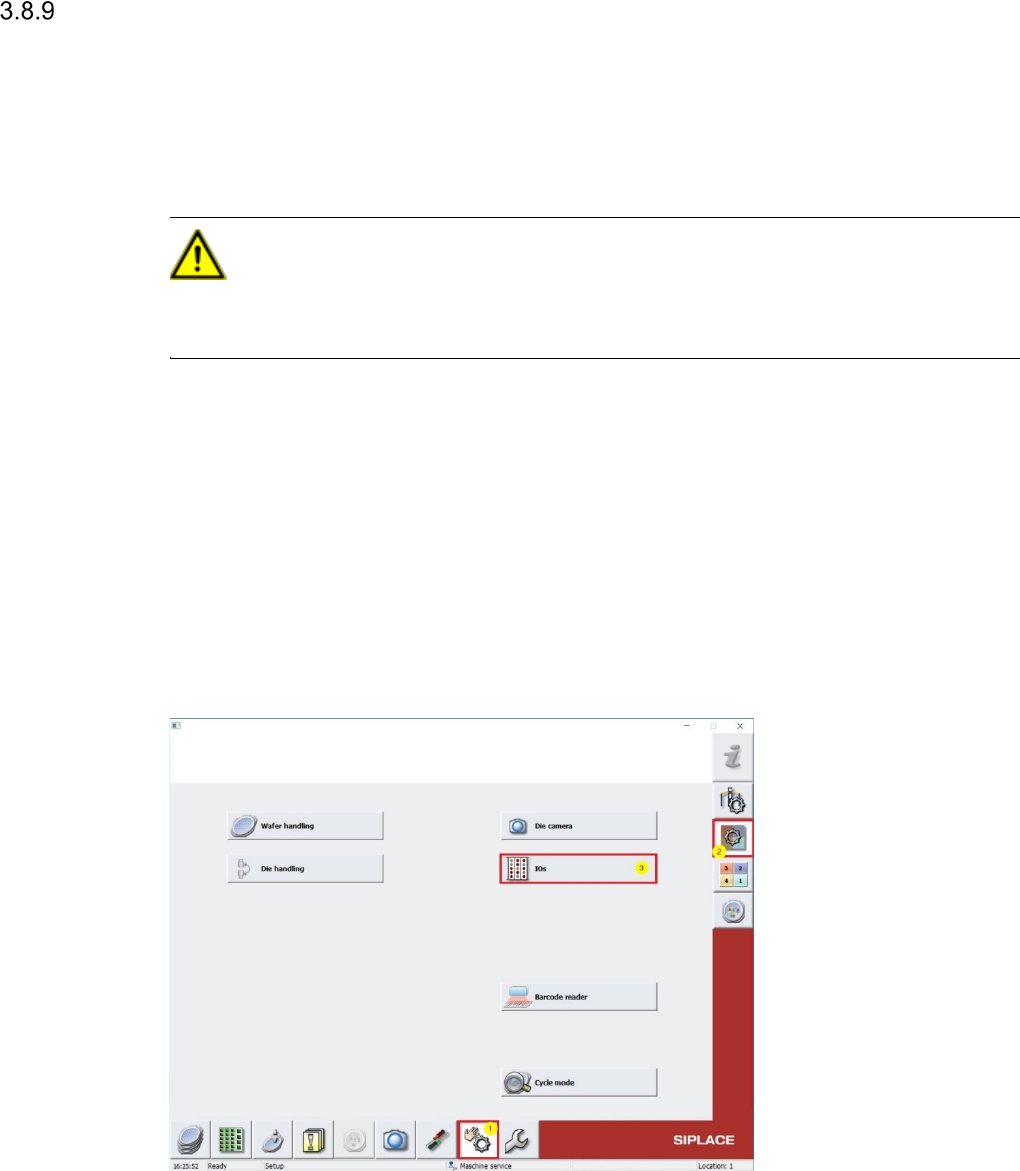
Change to Menu Manual operations [1] -> Manual operations subsystems [2] -> IOs [3]
(see screenshot below)
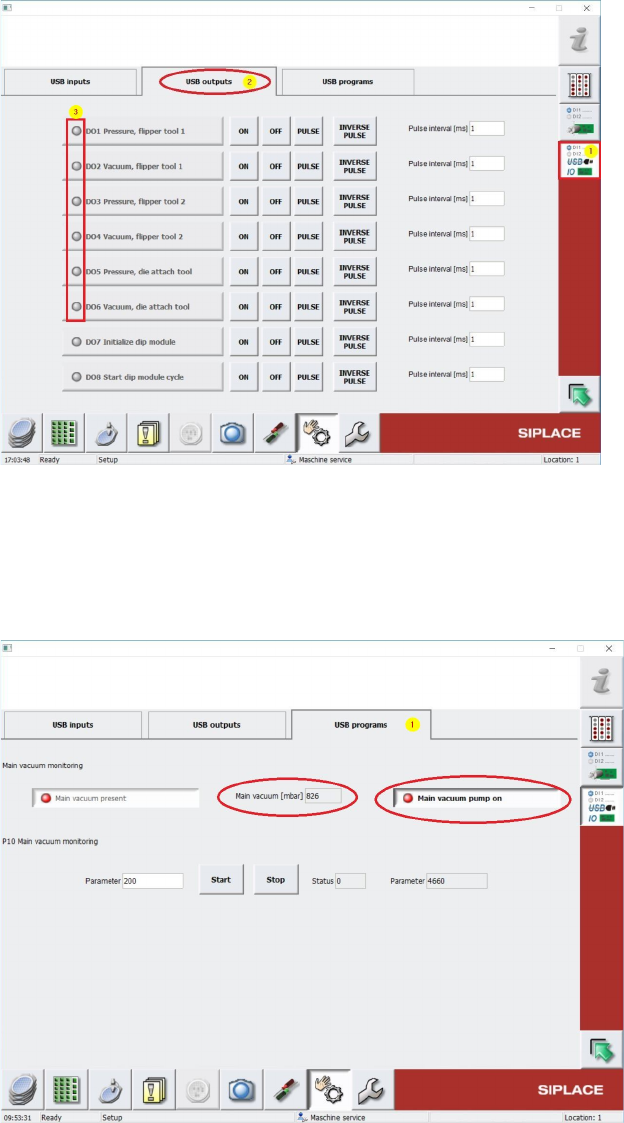
Change to Menu Manual operations USBIO [1] and select folder USB outputs [2] (see
screenshot below) and switch off all parts consuming vaccum (Dxx Vacuum …) by using OFF
buttons (see. 3), in case one of these Outputs is active. This has to be done also for all air
supply consumer outputs. (Dxx Pressure ...) (s. 3).
43
Change from above Menu to Manual operations -> Manual operations subsystems ->
IOs -> Manual operations USBIO -> USB programs [1] and read out the Main-Vacuum-
Value under Main Vacuum [mbar] (see Screenshot below).
Keep in mind, that the vaccumpump must be switched off like in the screenshot below.
The Main Vacuum should have min. 700 mbar, like in above screenshot.
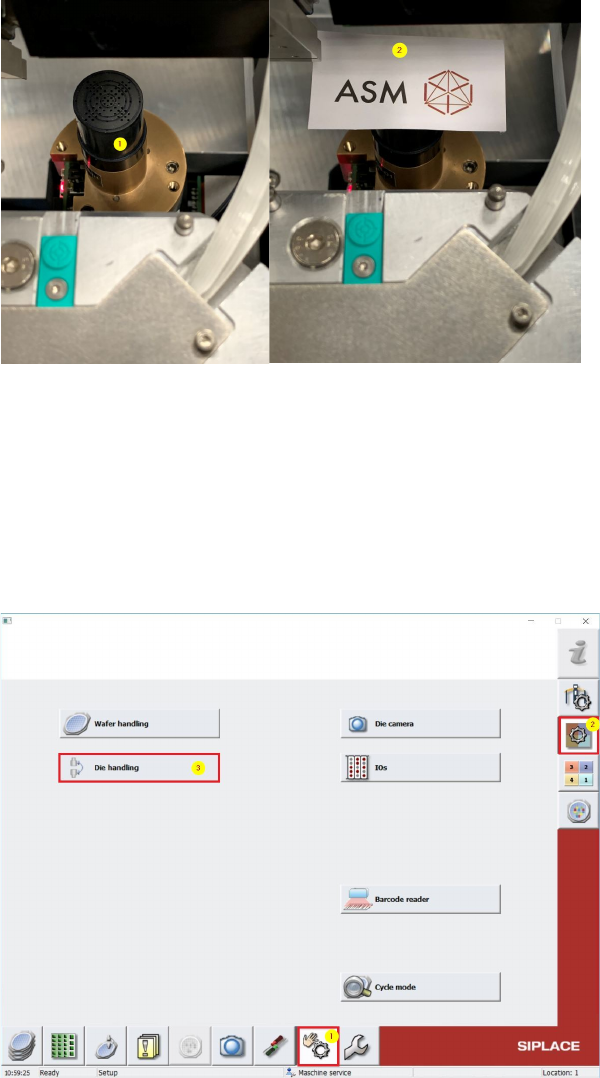
Put a plastic film or a piece of paper [2] over the tip from the die-ejector [1], that all bores and
holes are fully closed. (see picture below #2)
Change in SWS GUI to Manual operations [1] -> Manual operations subsystems [2] ->
Die handling [3] (see below).