00195963-03_MM SWS-EN.pdf - 第45页
45 Select fo lder Ejection unit [4] and sw itch on th e Vacuum for D ie Eject or by pr essing the b utton Ejector: v acuum on [5] (s ee belo w ). The plasti c foil or p aper on the T op from the Die Ejecto r will be s …
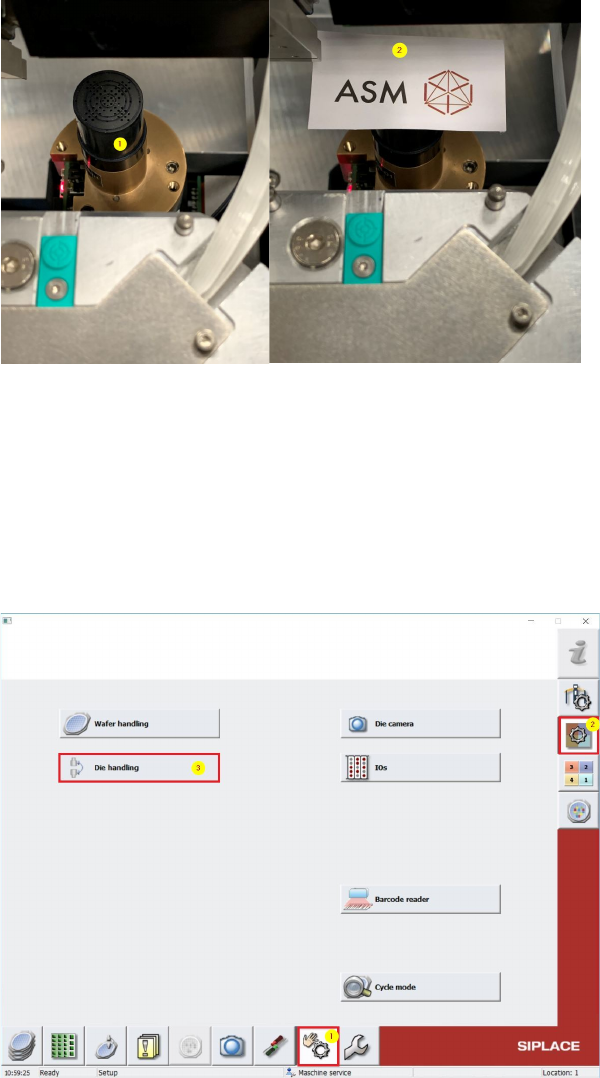
Change in SWS GUI to Manual operations [1] -> Manual operations subsystems [2] ->
Die handling [3] (see below).
45
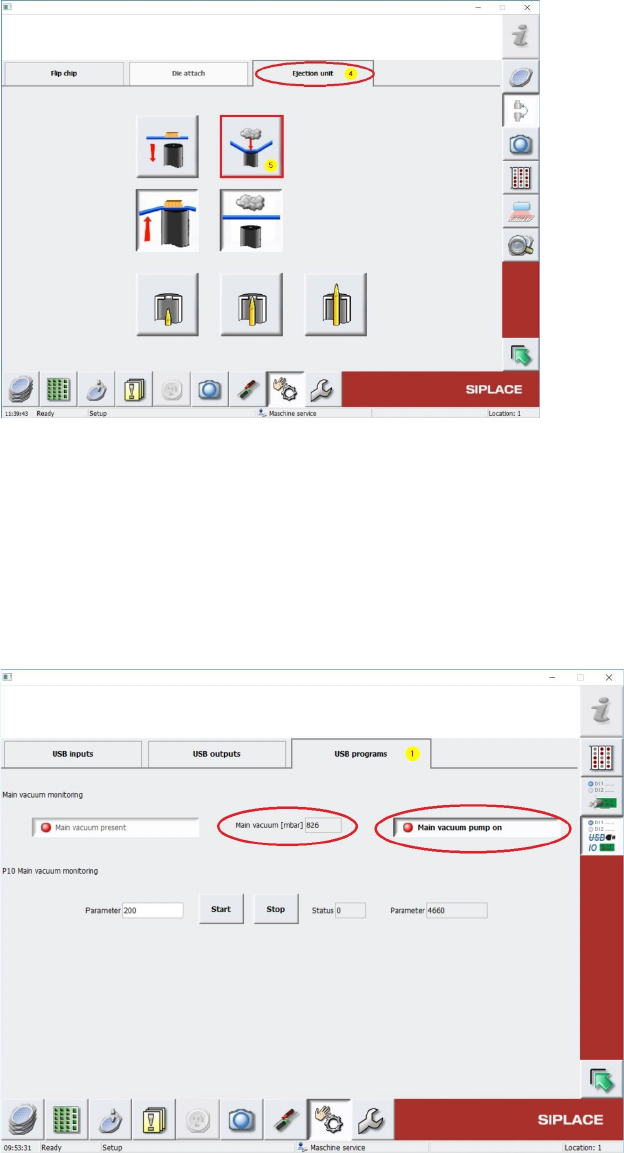
Select folder Ejection unit [4] and switch on the Vacuum for Die Ejector by pressing the button
Ejector: vacuum on [5] (see below).
The plastic foil or paper on the Top from the Die Ejector will be sucked!.
Change back again to Menu Manual operations -> Manual operations subsystems ->
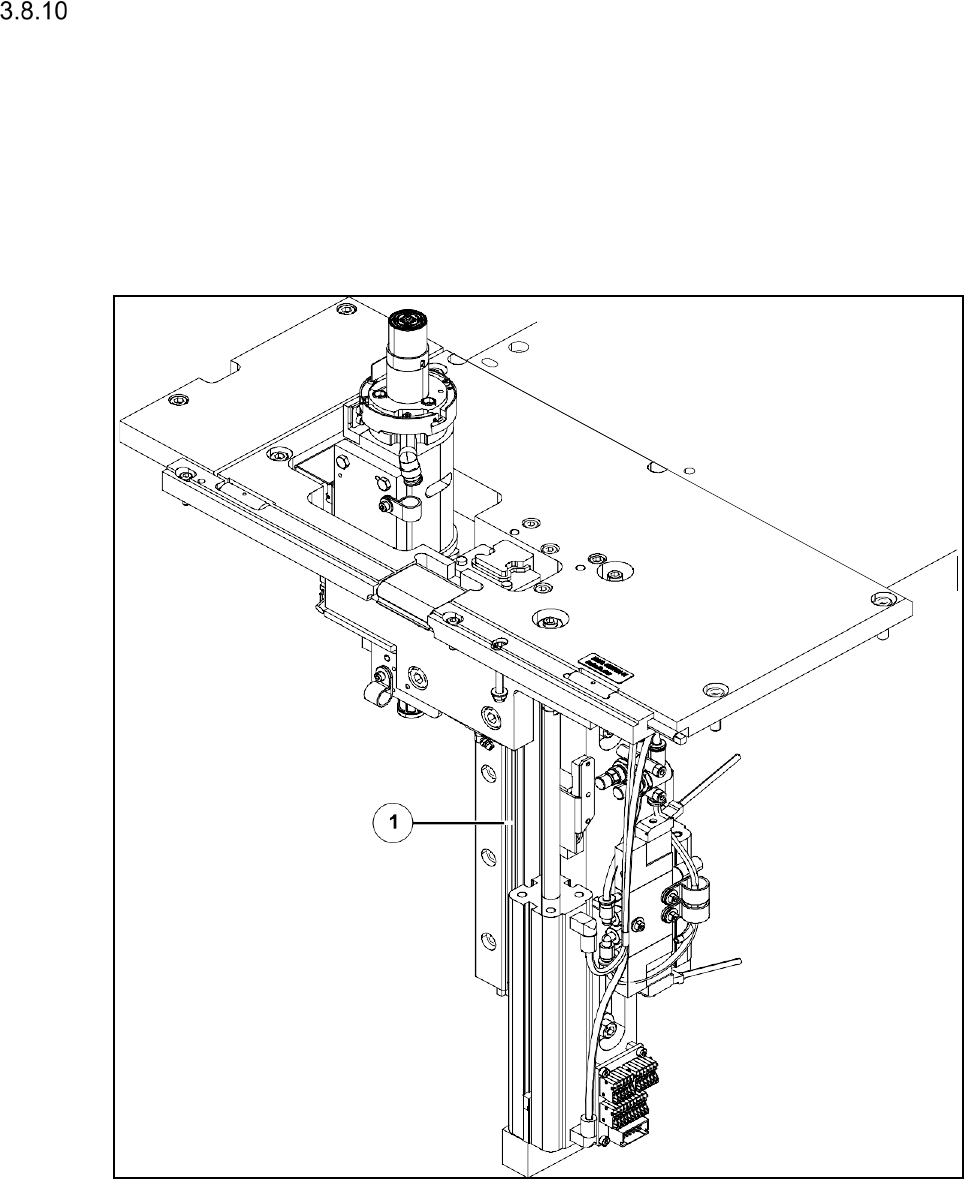
IOs -> Manual operations USBIO -> USB programs [1] and read out the Main-Vacuum
value unter Main Vacuum [mbar] (see Screenshot below).
Keep in mind, that the vaccumpump must be switched off like in the screenshot below.
This Value should have almost the previous shown Vaccum value, which means, that there is no leakage.If
this Value is much below the first Value, the Sealing Unit must be exchanged. (according Servicemanual)
Cleaning the Linear Guide of the Die Ejector
Interval: When disassembled, approx. 1 year
Equipment: SIPLACE cleaning tissue
The linear guide of the die eject system is basically maintenance free. If the die eject system is
disassembled from the SWS for service purposes (see the Service Manual for details) the linear
guide should be checked for debris and be wiped with a SIPLACE cleaning tissue, if necessary.
Linear guide of the die ejector (left location)
Wipe the linear guide with a SIPLACE cleaning tissue.