00195963-03_MM SWS-EN.pdf - 第50页
Turn the Die - Attach S egemtn to T op posit ion and c lose the noz zle or the v accum plate with, for example yo ur finger!
49
Change back to previous Menu Manual operations -> Manual operations subsystems ->
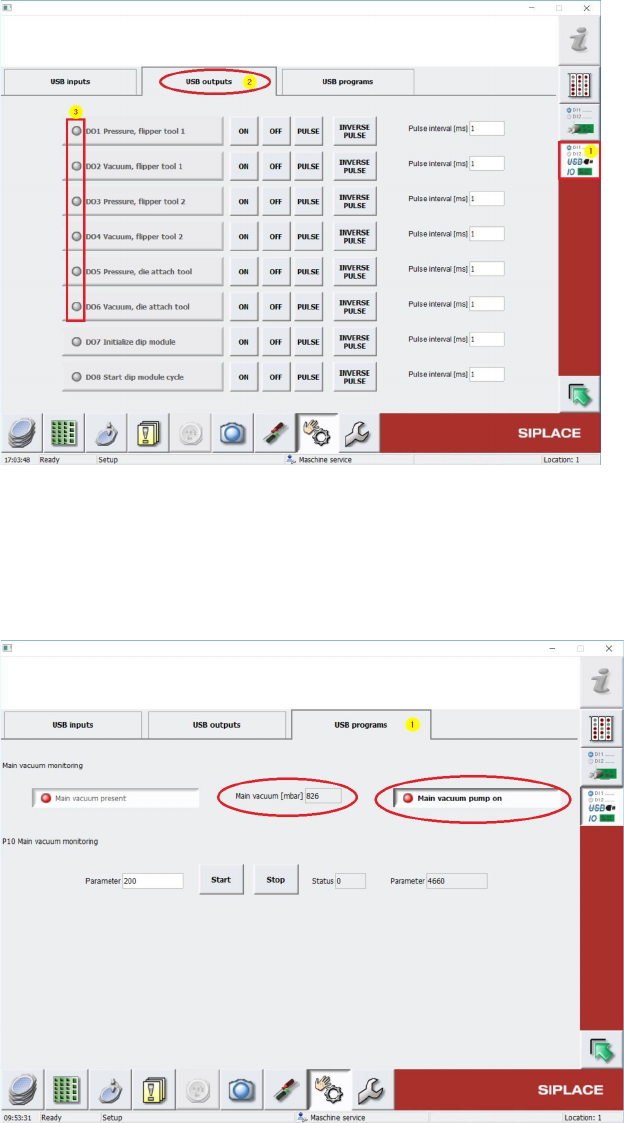
IOs -> Manual operations USBIO -> USB programs [1] and read out the Main Vacuum
Value under Main Vacuum [mbar] (see Screenshot below).
Keep in mind, that the vaccumpump must be switched off like in the screenshot below..
The Main Vacuum Value should have at least min. 700 mbar. See Screenshot above. Write
down this value!
Change to Menu Manual operations [1] -> Manual operations subsystems [2] -> IOs [3]
(see Screenshot below)
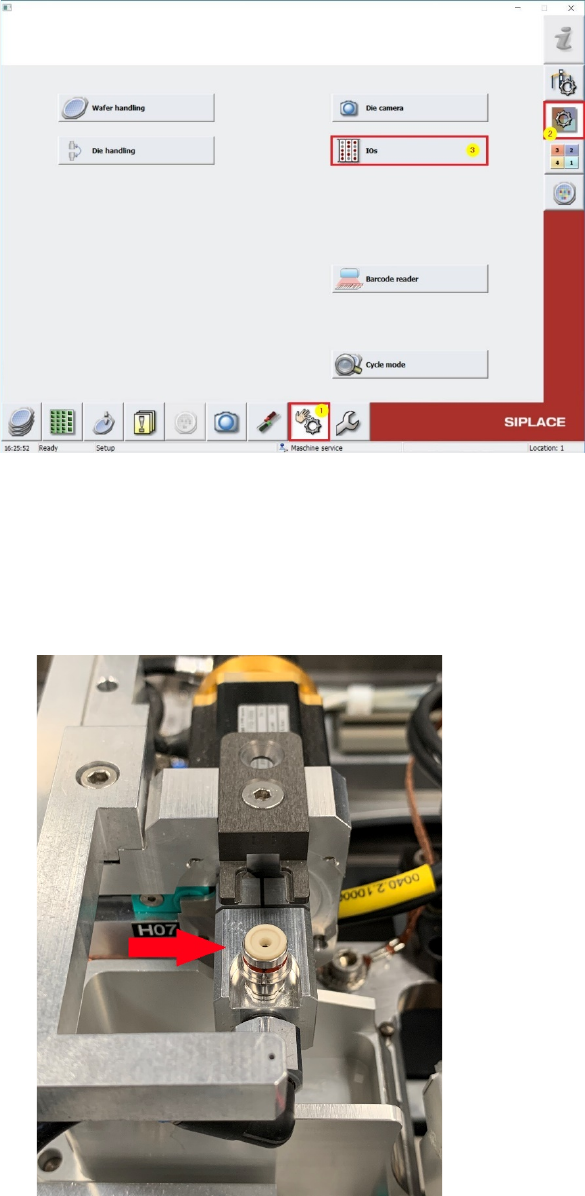
Turn the Die-Attach Segemtn to Top position and close the nozzle or the vaccum plate with, for
example your finger!
51
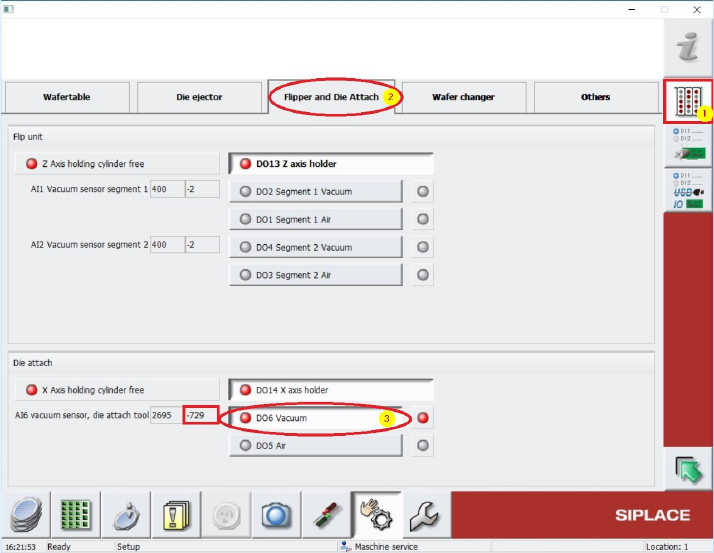
Change to Manu Manual operations IOs [1] and select folder Flipper and Die Attach [2]
(see Screenshot below).
In Menu „Die attach“ must the Vaccum be switched on by using the Button D06 Vacuum [3]
(see below.). A vacuum force must be noticed at the nozzle tip or the vaccumplate.
Beside this Button, under “AI6 Vaccum sensor die attach tool” the vacuum value can be read out.
This Value should be nearly the same like the previously noticed Main vacuum value. If this value is
lower, there is some vacuum leakage and all the tubings and seals (e.g. Vacuum plate) must be
controlled and exchanged in case.