00195963-03_MM SWS-EN.pdf - 第51页
51 Change t o Manu Manu al op erations IO s [1] an d sel ect folder Flipper a nd Die Attach [2] ( see Screen shot below ). In Menu „D ie attach“ must the V accum be s witched on by using the Butto n D06 Va cuum [3] (…
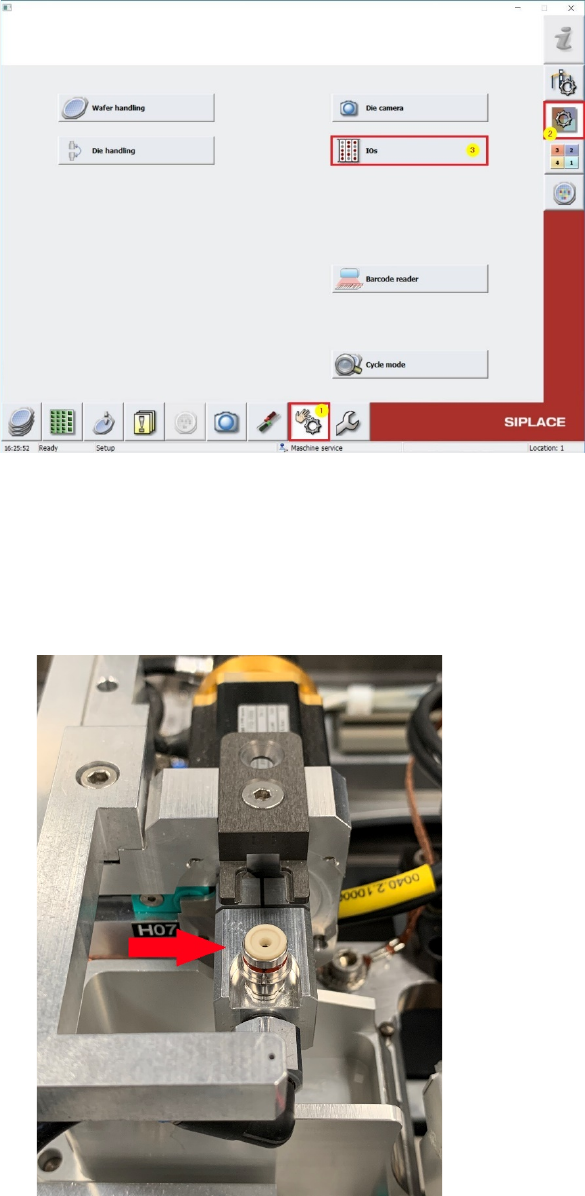
Turn the Die-Attach Segemtn to Top position and close the nozzle or the vaccum plate with, for
example your finger!
51
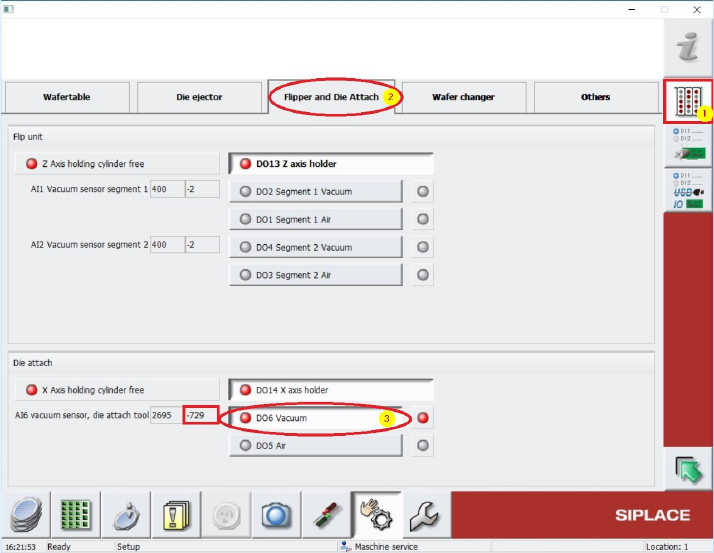
Change to Manu Manual operations IOs [1] and select folder Flipper and Die Attach [2]
(see Screenshot below).
In Menu „Die attach“ must the Vaccum be switched on by using the Button D06 Vacuum [3]
(see below.). A vacuum force must be noticed at the nozzle tip or the vaccumplate.
Beside this Button, under “AI6 Vaccum sensor die attach tool” the vacuum value can be read out.
This Value should be nearly the same like the previously noticed Main vacuum value. If this value is
lower, there is some vacuum leakage and all the tubings and seals (e.g. Vacuum plate) must be
controlled and exchanged in case.
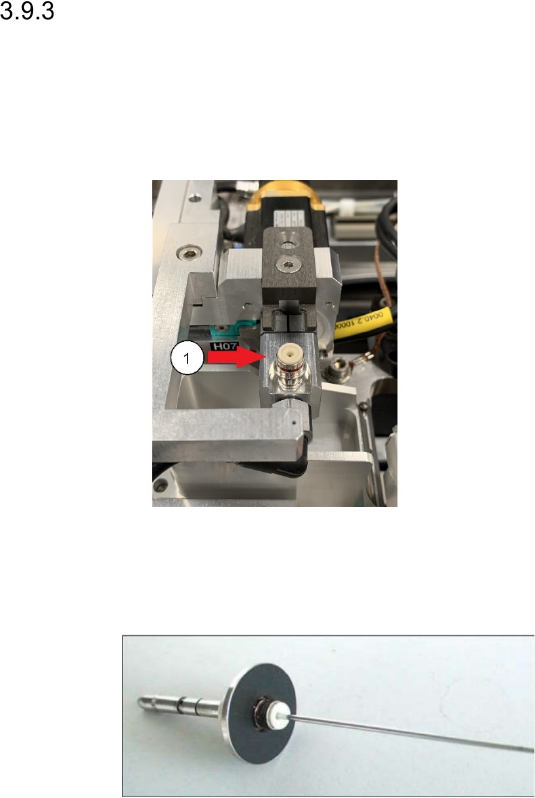
Checking the Suction Plates (Membran) at the Nozzle Take-Up for Leaks
Interval: 3 months
Equipment: New suction plates (0307984-03), if necessary
Legend
[ [1] Suction plate
Remove the nozzle.
Check the blue suction plate for signs of
damage or wear.
If it shows signs of damage, it has to be
changed for a new one.
Loosen the screw thread of the suction plate and lift off the suction plate.
Make sure, that the spacer remains in its position. Otherwise the tightness is not ensured.
Picture is an example for mounting of the Suction plate
Position the suction plate straight, otherwise there is danger of damaging the screw thread.
Fasten the suction plate with a torque of 13 Ncm.