00195963-03_MM SWS-EN.pdf - 第58页
Checking the Ro tary Part for Ease - of - Movement Interval: 3 months Equipment: None Move the rot ary part within th e raceway back an d forth in the direc tion of t he ar - rows. It must be e asily tur nable and m us…
57
Maintenance Work at the Flip Unit
To get access to the flip unit, first remove the EMC cover and then the cover above the flip head.
Remove the six hexagon socket screws fixing the EMC cover and lift the cover off.
Remove the two hexagon socket screws fixing the cover above the flip head and lift the cover
off.
Carry out the required tasks.
After completing your work, replace the covers and fix them.
Magnetic field warning
The flip unit contains a strong magnet. Make sure, that no metallic objects get into the vicinity of
the flip unit, since they are attracted by the magnet.
– Do not carry out any tasks at the flip unit exceeding the maintenance work. In case of a defect
the flip unit is replaced as a whole.
Cleaning the Raceway and the Retract Unit
Interval: Weekly
Equipment:
Ethyl alcohol, cleaning buds, lint-free
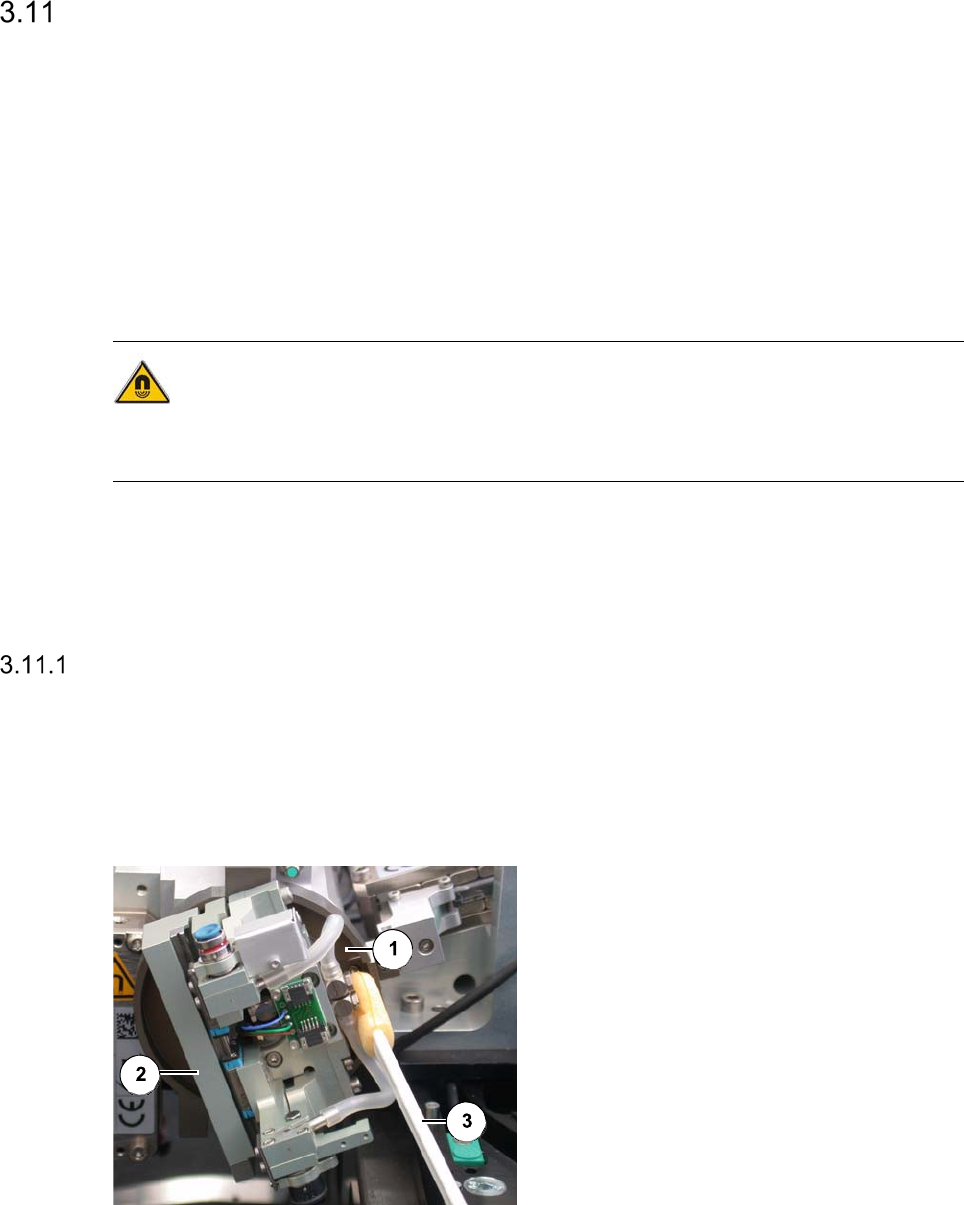
Legend
[1] [1] Crank
[2] Rotary part
[3] Cleaning buds
Clean the crank [1] around the rotary part
[2] with a cleaning bud or with cleaning bud
moistened with ethyl alcohol.
Checking the Rotary Part for Ease-of-Movement
Interval: 3 months
Equipment:
None
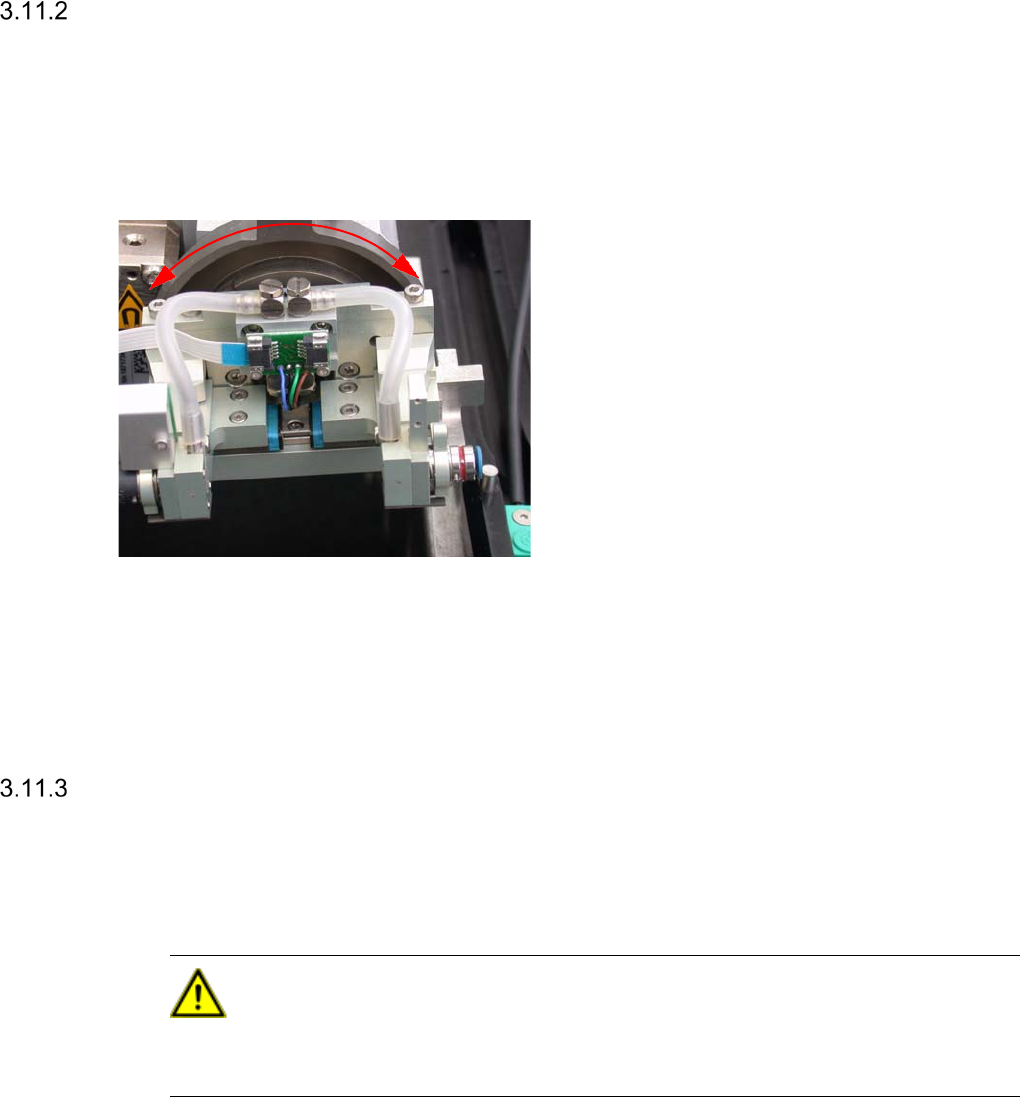
Move the rotary part within the raceway
back and forth in the direction of the ar-
rows.
It must be easily turnable and must not get
caught anywhere.
In case of a defect of the linear bearings
the whole flip unit has to be replaced (see
the Service Manual for further details).
If there is a rough movement of the ball
baering at the edges of the raceway from Z-
Axis to Die-Attach, the position from the
“Retract”-Cylinder must be adjusted according
Servicemanual
Checking the Nozzle Attachment for Leaks
Interval: 3 months
Equipment:
Vacuum
CAUTION
For this check the Service user level is required in SWS GUI. Only appropriately trained personal
is allowed to carry out this check.
- SWS must be referenced.
- Open any cover from the CA-Placement machine, to get access to the SWS
The power supply to the gantry axes and the SWS axes is interrupted immediately. The gantry
axes and all SWS axes will come to a standstill. A corresponding message is issued on the
screen. Skip the message.
59
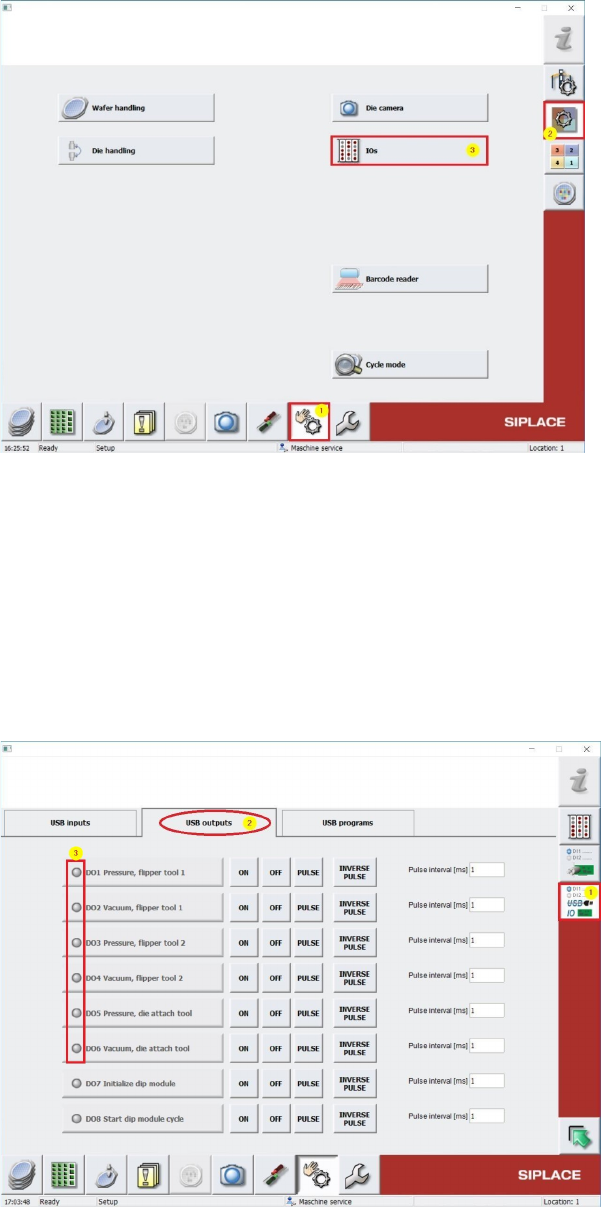
Change to Menu Manual operations [1] -> Manual operations subsystems [2] -> IOs [3]
(see screenshot below)
Change to Menu Manual operations USBIO [1] and choose into folder USB outputs [2] (see
screenshot below) and switch off all Vacuum consumers (Dxx Vacuum …) by pressing OFF
buttons (see. 3), in case one of these outputs is active. This has to be done also for all air
supply consumer outputs (Dxx Pressure ...)