00195963-03_MM SWS-EN.pdf - 第60页
Change fro m previous scr eenshot into Manual operations - > Manual o peratio ns subsystem s - > IOs -> Manual ope rations USBIO -> USB pro grams [ 1] and read o ut the main vacuu m value Main Vacuum [mba r…
59
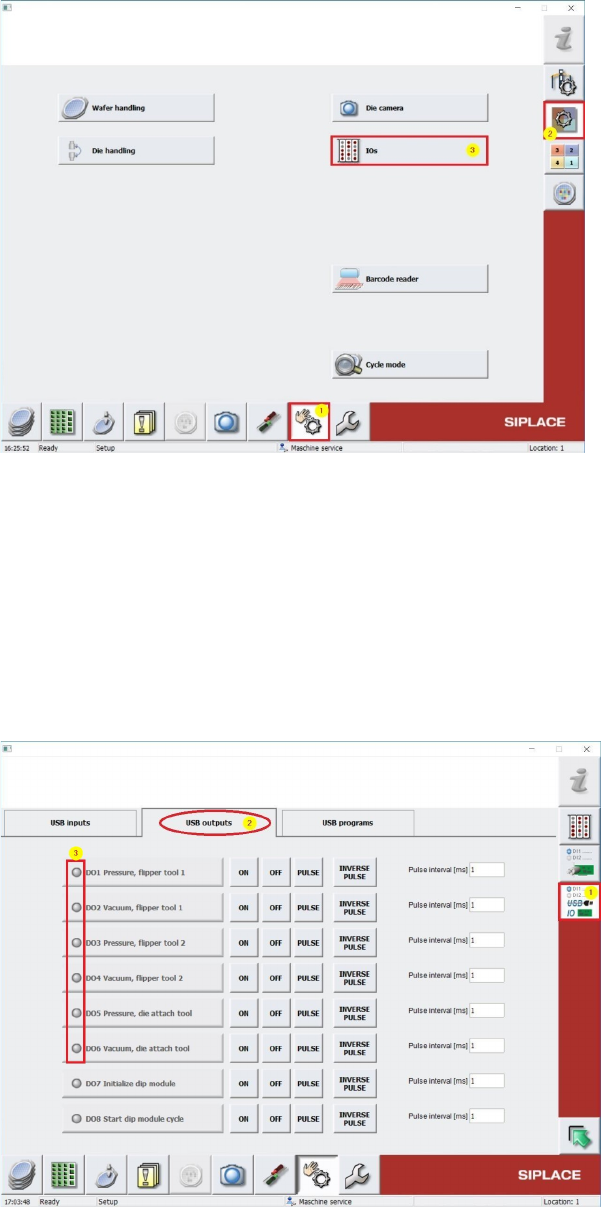
Change to Menu Manual operations [1] -> Manual operations subsystems [2] -> IOs [3]
(see screenshot below)
Change to Menu Manual operations USBIO [1] and choose into folder USB outputs [2] (see
screenshot below) and switch off all Vacuum consumers (Dxx Vacuum …) by pressing OFF
buttons (see. 3), in case one of these outputs is active. This has to be done also for all air
supply consumer outputs (Dxx Pressure ...)
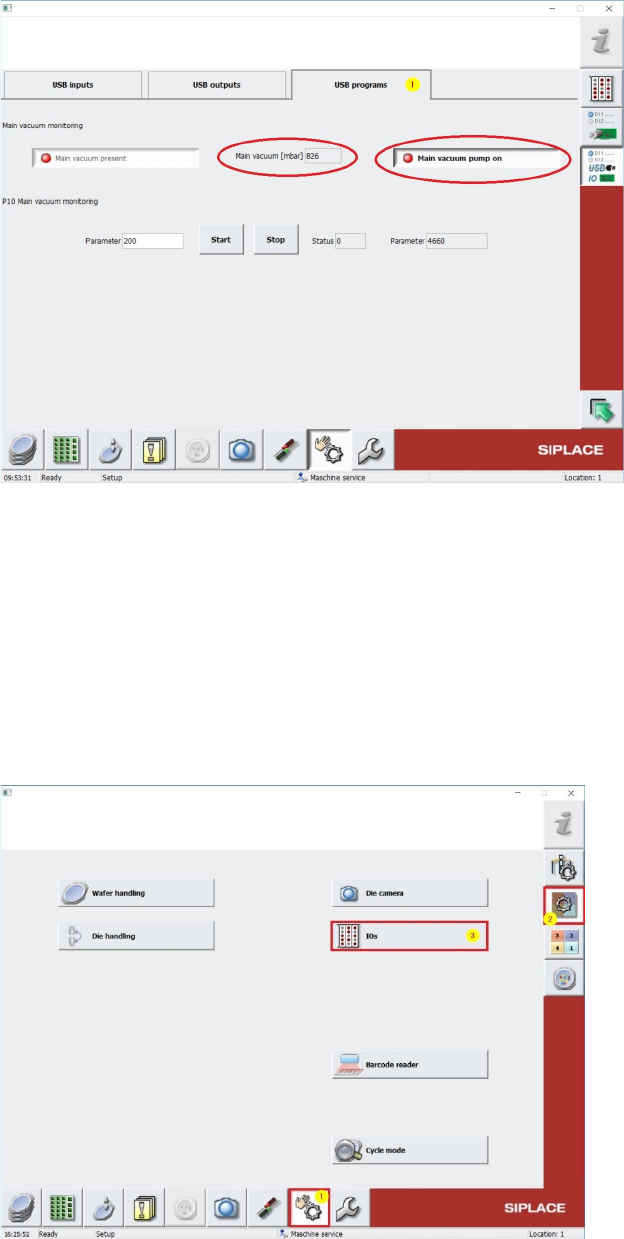
Change from previous screenshot into Manual operations -> Manual operations
subsystems -> IOs -> Manual operations USBIO -> USB programs [1] and read out the
main vacuum value Main Vacuum [mbar] (see screenshot below).
Take care, that the Vacuumpump is Switched Off, like in the Screenshot below..
The Main Vacuum Value should have at least 700 mbar. See Screenshot above.
Write down this value.
Change to Menu Manual operations [1] -> Manual operations subsystems [2] -> IOs [3]
(see screenshot below)
61
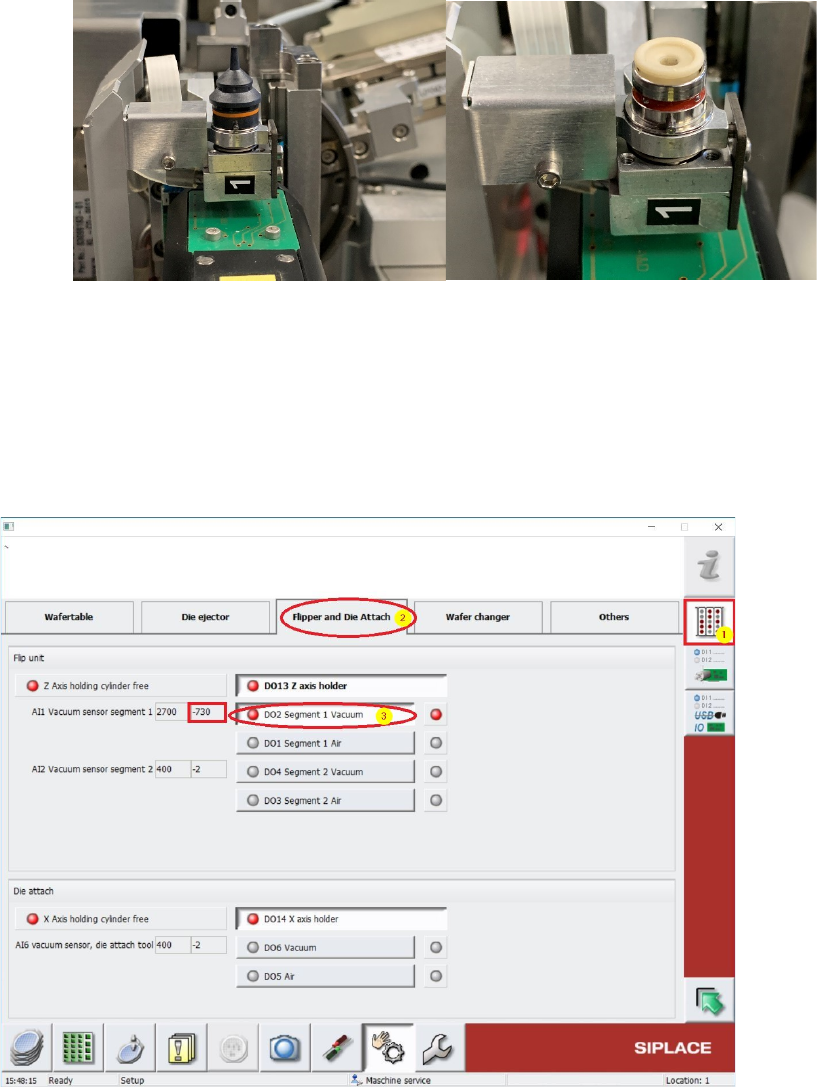
Turn Segment 1 from Flip Unit to Top position and cover the Nozzletip or the Suction Plate.
Change to Menu Manual operations IOs [1] and choose folder Flipper and Die Attach [2]
(see screenshot below).
Use button [3] to switch on the Vacuum D02 Segment 1 Vacuum (see below). The Vacuum
must be recognized at the Nozzletip or the Suction Plate.
Beside this Button, under “AI1 Vacuum sensor segment 1” the vacuum value can be read out.
This Value should be nearly the same like the previously noticed Main vacuum value. If this value is
lower, there is some vacuum leakage and all the tubings and seals (e.g. Vacuum plate) must be
controlled and exchanged in case.