00195963-03_MM SWS-EN.pdf - 第71页
71 Cleaning the G uide o f the Sliding Door Interval: 6 months Equipment: Ethyl alcoh ol, lint - free clot h Legend [1] Guide of the slid ing door Open the s liding door . Clean th e guide ra ils on both s ides with …
Cleaning Z Guides and Z Spindle
NOTE
The spindle for the Z stroke as well as the Z linear guides of the magazine lift have got a lifetime
lubrication, so that it is only necessary to clean them.
Interval: Monthly
Equipment:
SIPLACE cleaning tissue
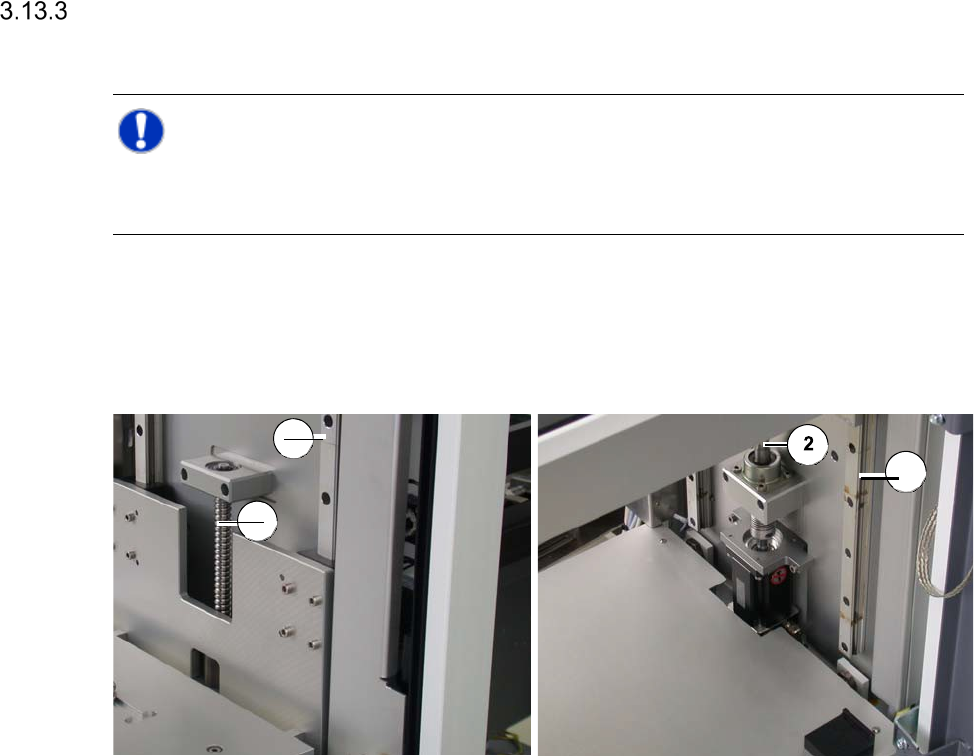
Magazine lift - linear guides and spindle at the top Magazine lift - linear guides and spindle at the bottom
Legend
[1] Linear guide
[2] Spindle for Z stroke
Open the sliding door of the magazine lift.
Wipe the whole length of the spindle and the linear guides with a SIPLACE cleaning tissue.
Close the sliding door of the magazine lift.
1
2
1
71
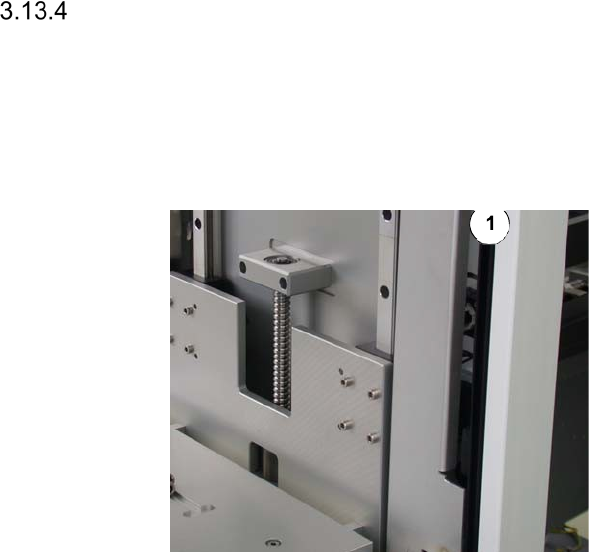
Cleaning the Guide of the Sliding Door
Interval: 6 months
Equipment:
Ethyl alcohol, lint-free cloth
Legend
[1] Guide of the sliding door
Open the sliding door.
Clean the guide rails on both sides with a
cloth moistened with ethyl alcohol.
Close the sliding door.
Maintenance Work at the PC
The PC for the SWS is located behind the magazine lift. You have to swivel open the magazine
lift (See ”Swiveling out the Magazine Lift” on page - 14.) and pull out the supply unit (See ”Pulling
out the Supply Unit” on page - 15.), to make it accessible.
Cleaning the PC Filter
Interval: Yearly
Equipment:
Vacuum cleaner
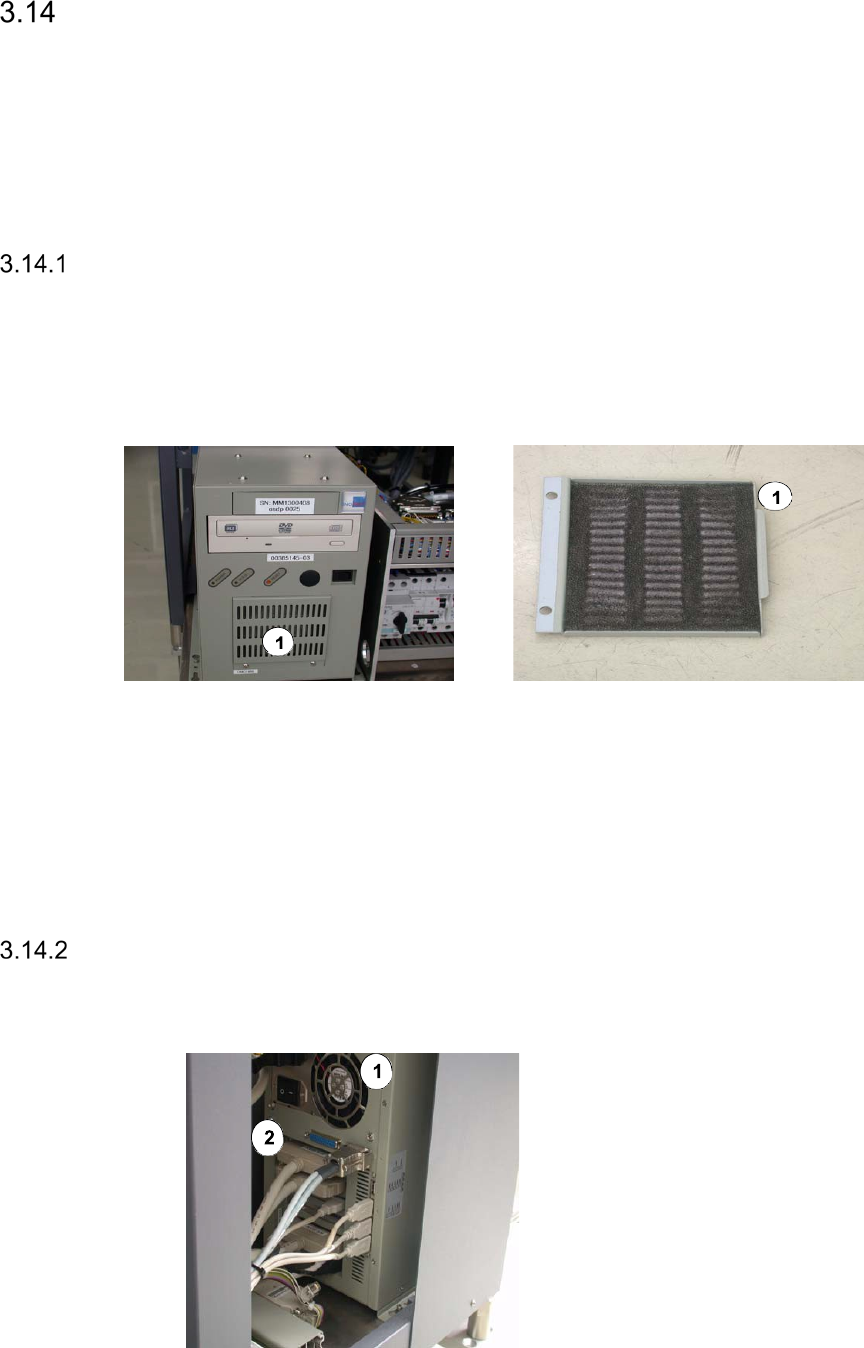
Legend
[1] PC filter
Remove the two screws that fix the grid plate of the PC filter.
Vacuum the PC filter with a vacuum cleaner.
Refit the grid plate and fix it, using the two previously removed screws.
Checking the PC Fan for Correct Function
Interval: Yearly
Equipment:
A sheet of paper
Legend
[1] PC fan at the rear side
[2] PC ports at the rear side
Switch on the PC.
Place a sheet of paper in front of the fan.
The fan must blow away the paper.