00195963-03_MM SWS-EN.pdf - 第78页
Cleaning the X / Y Linear Guides and the Spindles NOTE The X an d Y linear gu ides as w ell as the X and Y spi ndles of th e wafer ta ble have got a lifetim e lubricati on, so that it is only necessar y to clean t hem. I…
77
Remove the fastening nut [1] of the wafer locking bar and lift off the wafer locking bar.
Take out the two O rings and check them for signs of damage or wear.
If necessary, the O rings must be exchanged and lubricated afterwards with UNISILIKON
L250 (see the Service Manual for further details).
Re-insert the O rings.
Refit the wafer locking bar and fasten it, using the fastening nut.
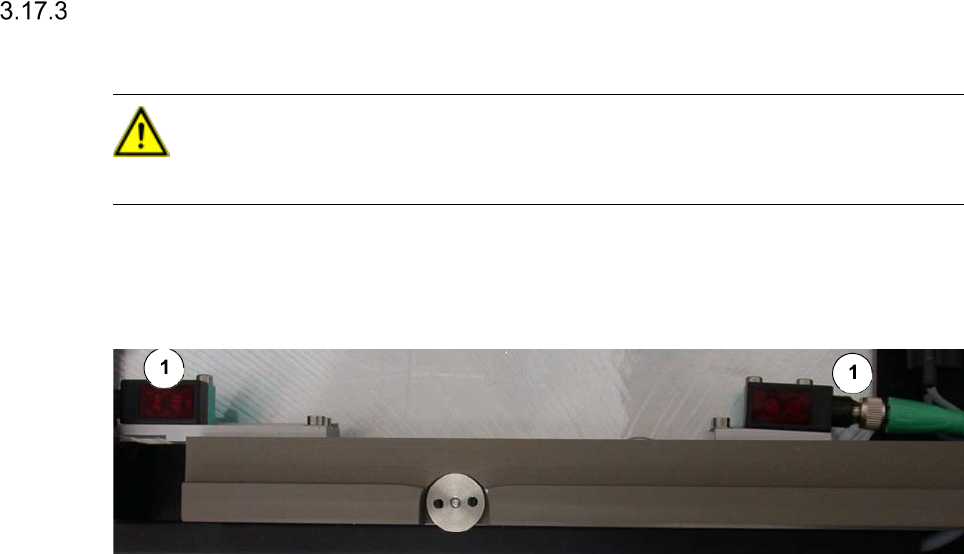
Cleaning the Optical Sensors
CAUTION
Never use a solvent for cleaning the sensors, to prevent the plastic surface from being damaged.
Interval: Monthly
Equipment:
optical cloth
Legend
[1] Optical sensor
Clean the sensors with an optical cloth.
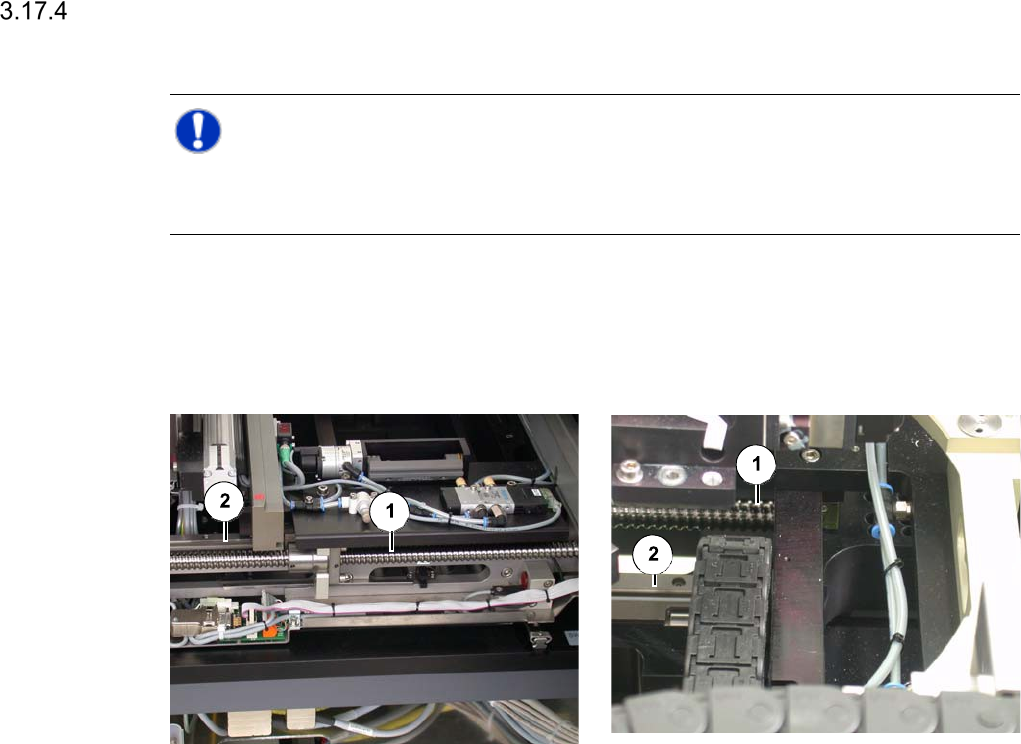
Cleaning the X / Y Linear Guides and the Spindles
NOTE
The X and Y linear guides as well as the X and Y spindles of the wafer table have got a lifetime
lubrication, so that it is only necessary to clean them.
Interval: 1 month
Equipment:
SIPLACE cleaning tissue
X linear guide and X spindle Y linear guide and Y spindle
Legend
[1] Spindle at the wafer table
[2] Linear guide at the wafer table
Wipe the whole length of the spindles and the linear guides of the wafer table with a SIPLACE
cleaning tissue.