Printer 710_810 v8 Preventive Maintenance.pdf - 第62页
PREVENTI VE MAINTE NANCE CLEA NING, LUBRICAT ION AND MA INTENA NCE DI AGRAMS 33.62 Technical Reference Manual Chapter Issue 6 Oct 06 VF35i V acuum Filt rati on Un it T o replac e any of the f ilters in the V acuum Filt r…
PREVENTIVE MAINTENANCE
CLEANING, LUBRICATION AND MAINTENANCE DIAGRAMS
Chapter Issue 6 Oct 06 Technical Reference Manual 33.61
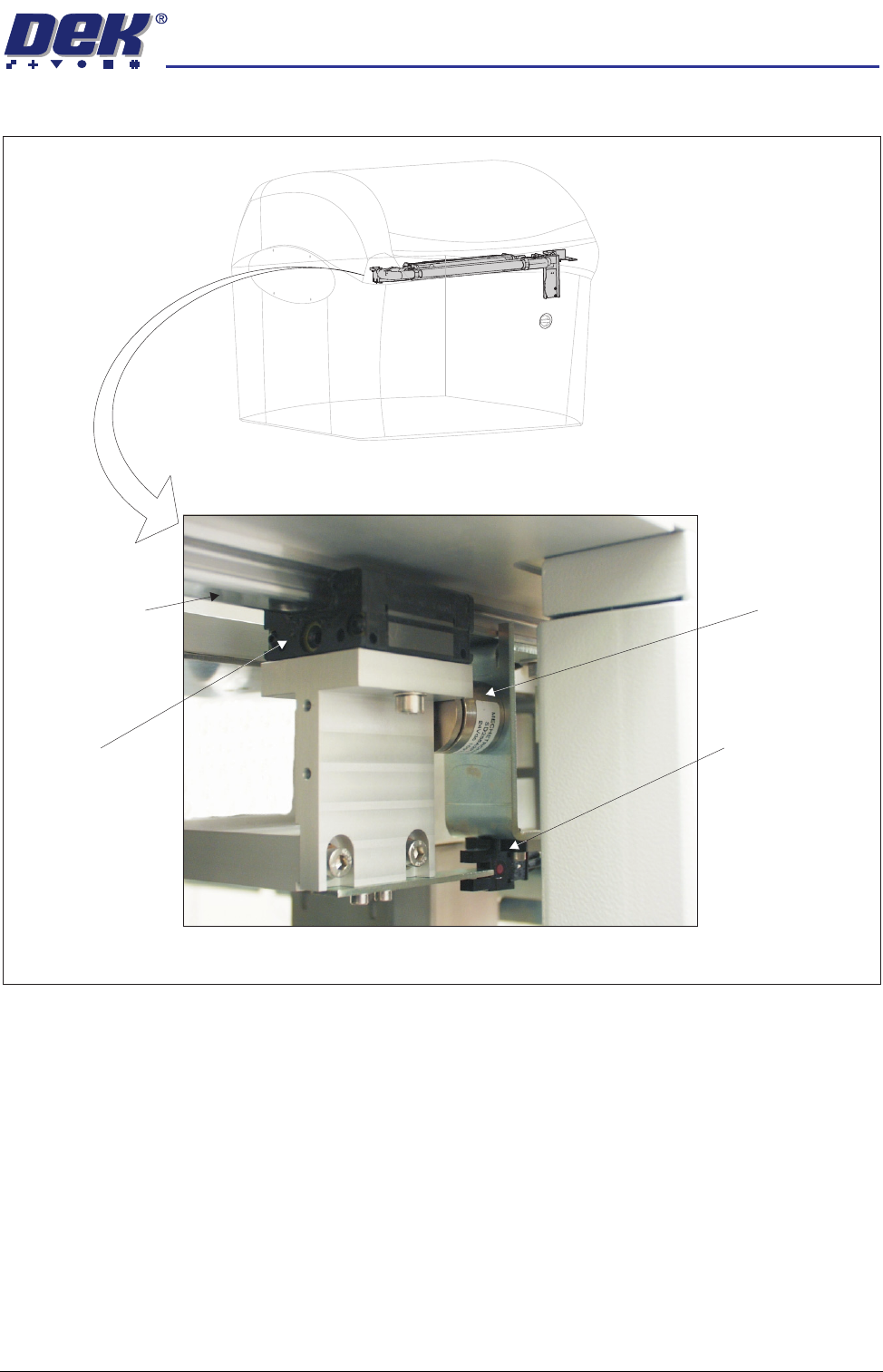
Figure 33-15 Underscreen Cleaner
View from Left Side of Machine
Camera Y Linear
Bearing Guide Rail
(in 2 positions)
USC Linear
Bearing Block
(in 2 positions)
USC Magnet
(in 2 positions)
USC Home Sensor
PREVENTIVE MAINTENANCE
CLEANING, LUBRICATION AND MAINTENANCE DIAGRAMS
33.62 Technical Reference Manual Chapter Issue 6 Oct 06
VF35i Vacuum
Filtration Unit
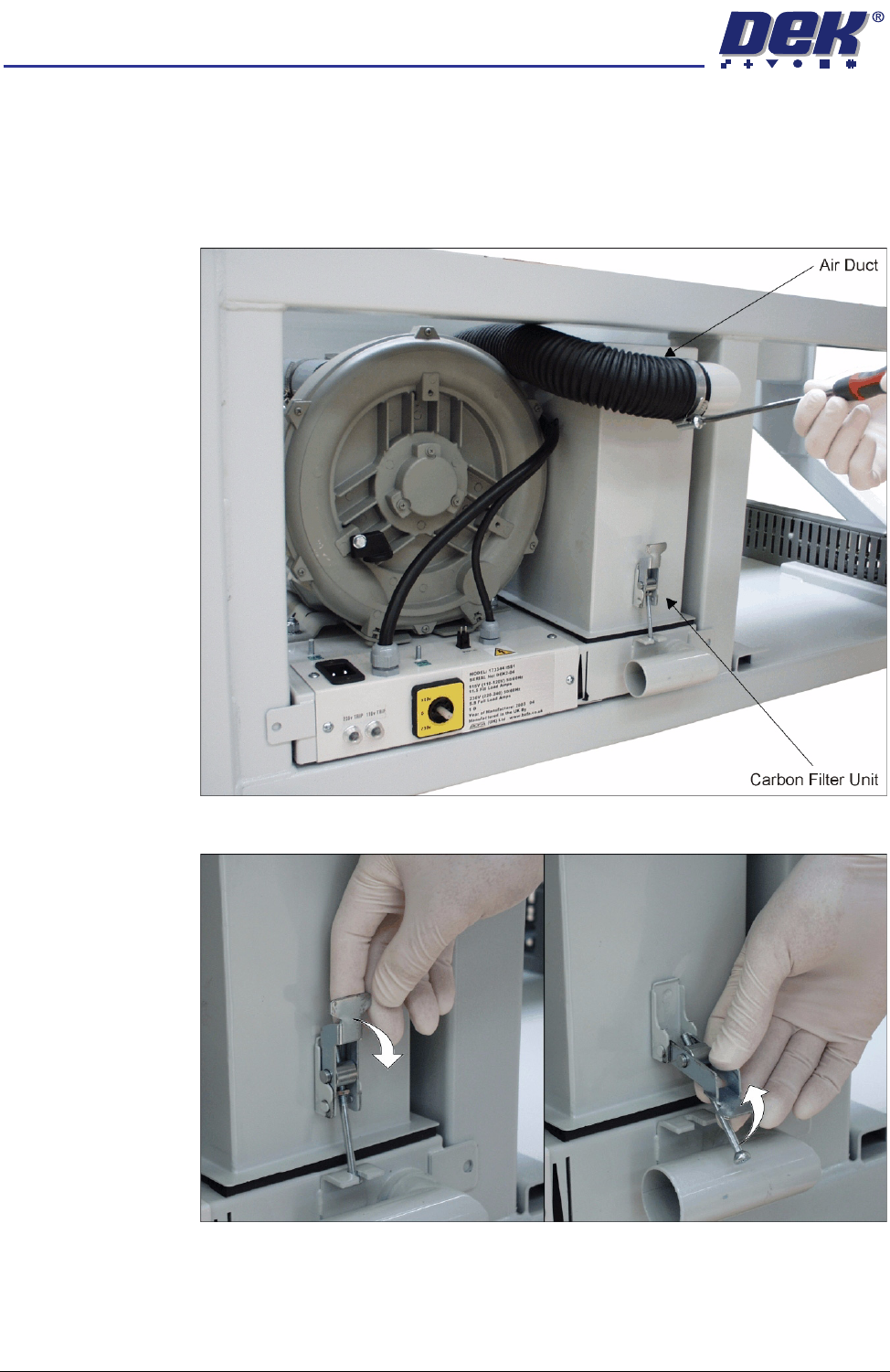
To replace any of the filters in the Vacuum Filtration Unit, carry out the following:
1. Ensure the machine is switched OFF.
2. Remove the machine front panel.
3. Remove the air duct from the carbon filter unit using a screwdriver or box
spanner to release the securing clip.
4. Release the filter retaining clip to detach the filters from the base unit.
PREVENTIVE MAINTENANCE
CLEANING, LUBRICATION AND MAINTENANCE DIAGRAMS
Chapter Issue 6 Oct 06 Technical Reference Manual 33.63
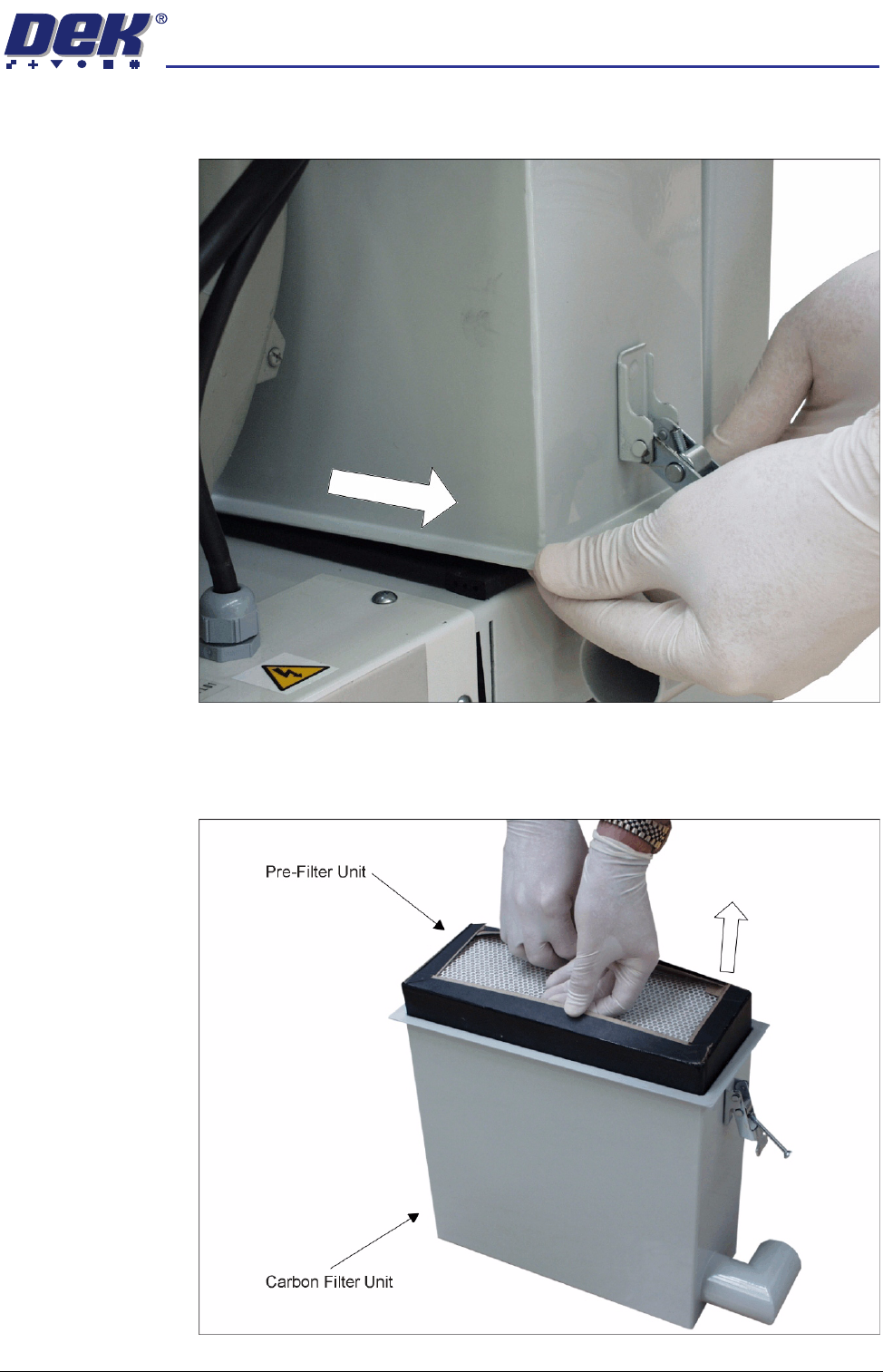
5. The back of the carbon filter unit is secured beneath a filter securing bracket.
To remove the filter, lift the front and pull the filter out of the machine.
6. Turn the filter unit upside down.
7. To separate the pre-filter unit from the carbon filter unit, pull the pre-filter
upwards using the pre-filter frame.