Printer 710_810 v8 Preventive Maintenance.pdf - 第68页
PREVENTI VE MAINTE NANCE CLEA NING, LUBRICAT ION AND MA INTENA NCE DI AGRAMS 33.68 Technical Reference Manual Chapter Issue 6 Oct 06 VF10 V acuum Filt rati on Un it T o replace t he fil ter in the V acuum Filtration Unit…
PREVENTIVE MAINTENANCE
CLEANING, LUBRICATION AND MAINTENANCE DIAGRAMS
Chapter Issue 6 Oct 06 Technical Reference Manual 33.67
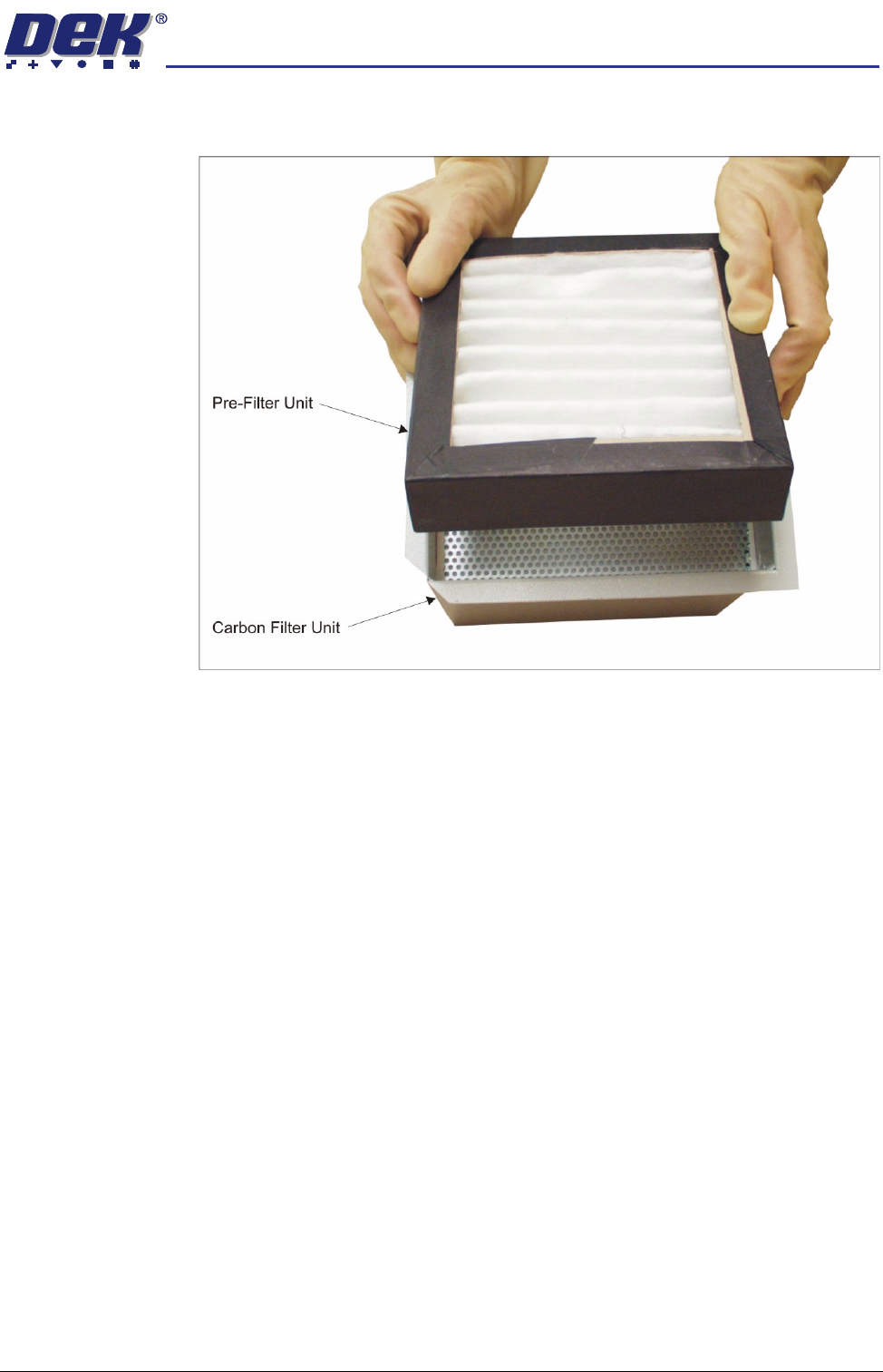
12. To separate the pre-filter unit from the carbon filter unit, pull the pre-filter
upwards using the pre-filter frame.
13. Replace the carbon\pre-filter as required and refit the pre-filter into the
carbon filter unit.
14. Refit the air duct to the carbon filter unit.
15. Refit the carbon filter unit to the vacuum filtration unit.
16. Secure the carbon filter unit using the filter retaining clip.
17. Slide the vacuum filtration unit back into the machine approximately halfway
and refit the vacuum tube.
18. Locate the vacuum filtration unit over its four securing holes and secure to
the base of the machine using the four securing screws.
19. Reconnect the two earth leads and the mains connector.
20. Refit the panel removed in Step 2.
PREVENTIVE MAINTENANCE
CLEANING, LUBRICATION AND MAINTENANCE DIAGRAMS
33.68 Technical Reference Manual Chapter Issue 6 Oct 06
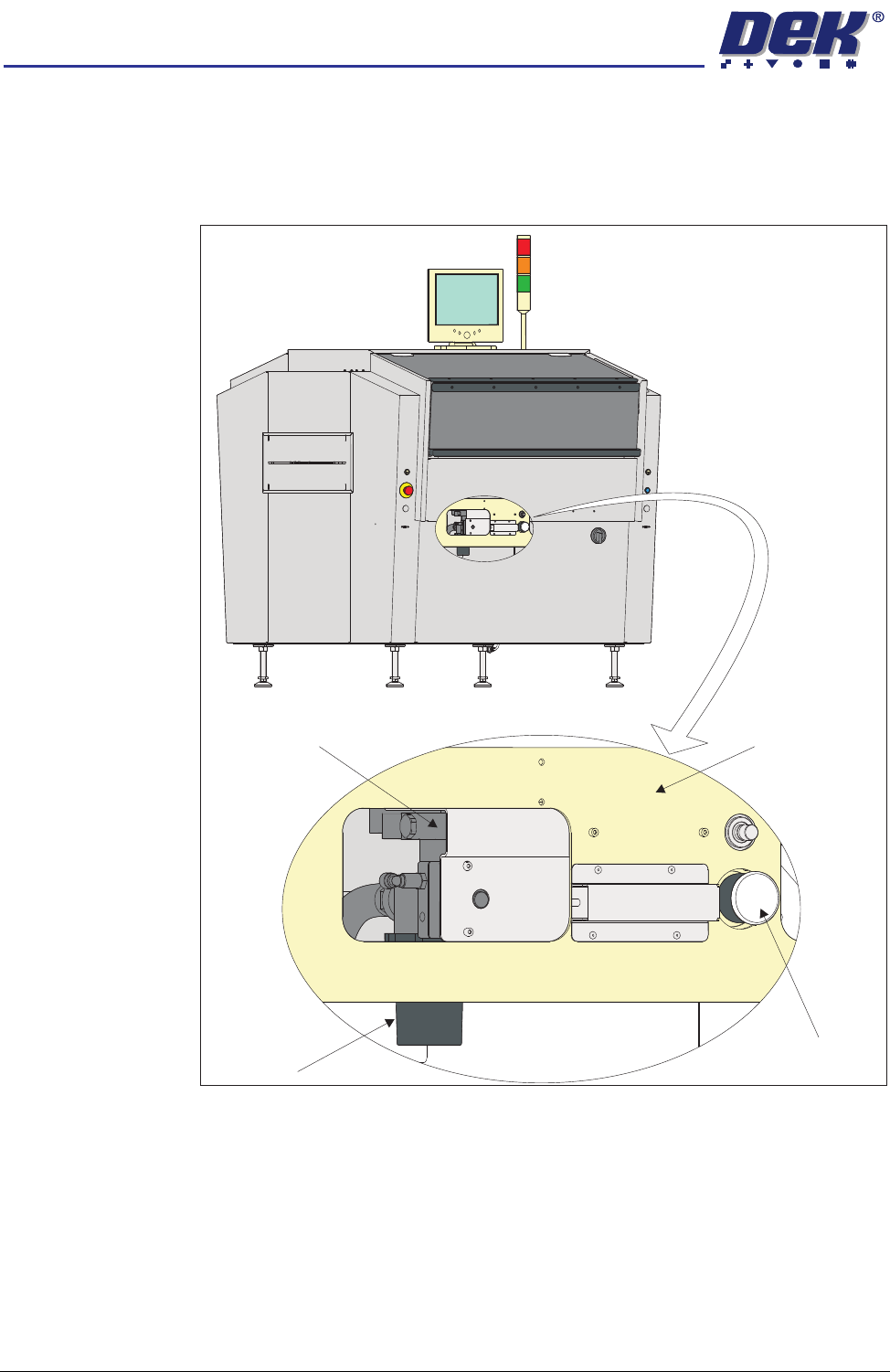
VF10 Vacuum
Filtration Unit
To replace the filter in the Vacuum Filtration Unit, carry out the following:
1. Ensure the machine is switched OFF.
2. Remove the machine front panel.
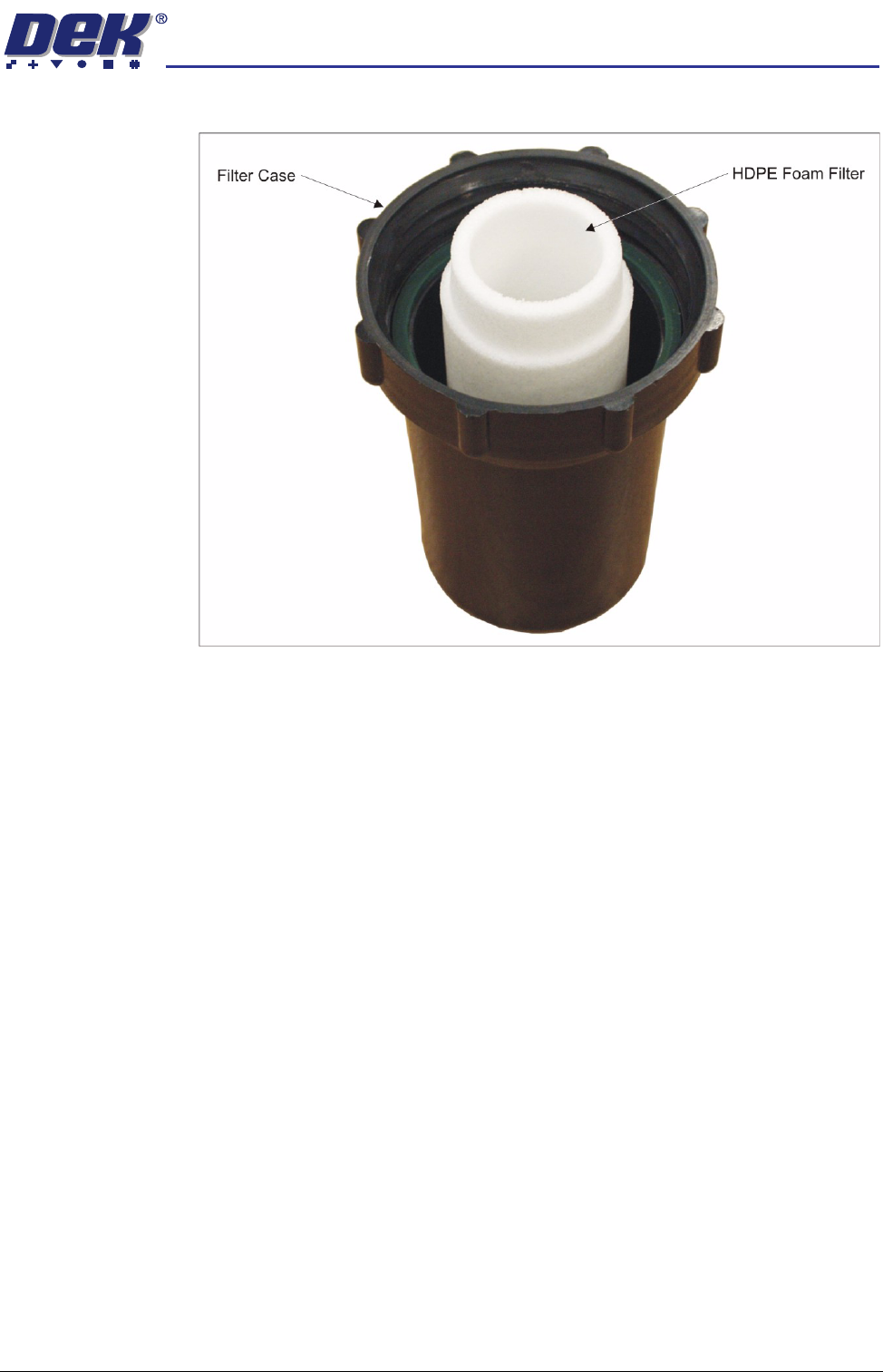
3. Unscrew the filter case from the vacuum filtration unit.
4. Replace the white HDPE foam filter and refit the filter case to the vacuum
VF10 Vacuum
Filtration Unit
Machine Frame
Filter Case
Vacuum Tooling
(if fitted)
PREVENTIVE MAINTENANCE
CLEANING, LUBRICATION AND MAINTENANCE DIAGRAMS
Chapter Issue 6 Oct 06 Technical Reference Manual 33.69
filtration unit.
5. Refit the panel removed in Step 2.