KE2040Instruction Manual Ver2.01,REV04.2003.6.25.pdf - 第173页
4 – 63 4.6.3 Range check The rang e check t o see if a com ponent placement posit ion is within a board (f or a single PW B) or within a circuit (f or a multiple- circuit PW B) is perf ormed with the following timing . T…
4 – 62
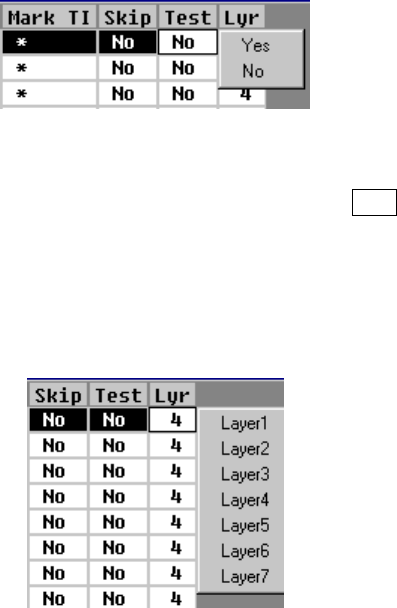
⑪ Test
This item specifies whether or not to carry out a test run. If you specify a
placement point within the range for trial run to set the conditions for a trial run,
only the Placement data whose “Test” field is set to “Yes” is used to perform a
trial run.
“No” (for “Not to carry out a test run”) is displayed as a default in the “Test list
box” field. To change the setting of the “Test” field, press the Edit key or click the
input focus with the right button of a mouse to call a list box and select “Yes” or
“No”.
If you want to change the “Mark” items of Placement data at a time, select the
desired Placement data records in advance, and then change them.
⑫ Lyr (Layer)
To change the setting of the “Lyr” field, press the Edit key ( F2 key) or press the
right button of a mouse to open the list box, then select the desired layer. The
selectable layers are from the layer 1 to layer 7.
If you want to change the “Mark” items of Placement data at a time, select the
desired Placement data records in advance, and then change them.
4 – 63
4.6.3 Range check
The range check to see if a component placement position is within a board (for a
single PWB) or within a circuit (for a multiple-circuit PWB) is performed with the
following timing. The range check error is processed as a warning or error.
① When data is entered
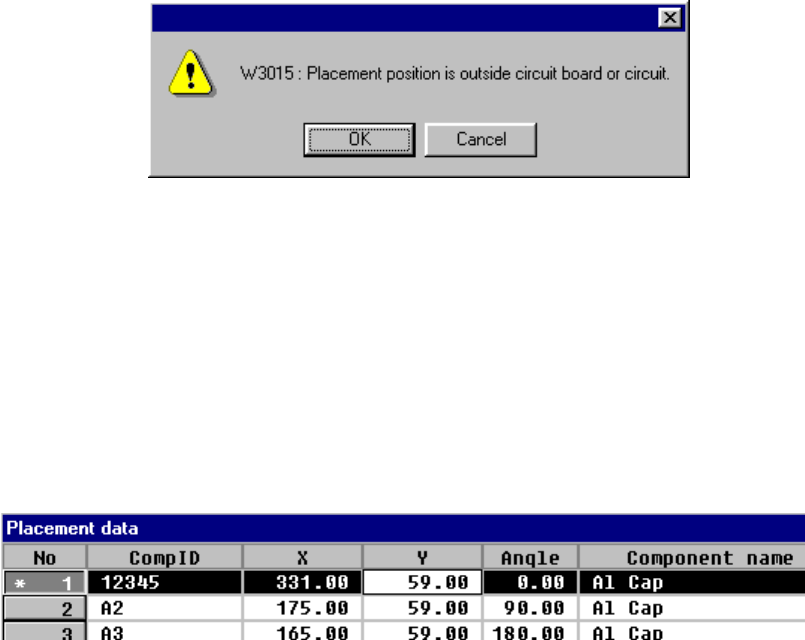
When you enter the placement position X or Y, or when you change either of
them, the machine performs the range check. If an error is detected, the
following warning dialog box appears on the screen.
• OK
When you click the <OK> button, the entered data is validated, then an
asterisk mark “*”, which indicates an over range error, is displayed on the left
of the placement data number. When you enter a value within the range, this
mark disappears.
• Cancel
When you click the <Cancel> button, the entered data becomes invalid, then
the machine enters Data input mode.
② When you are switching data type
• When PWB data becomes inactive
• When Placement data becomes inactive
4 – 64
●
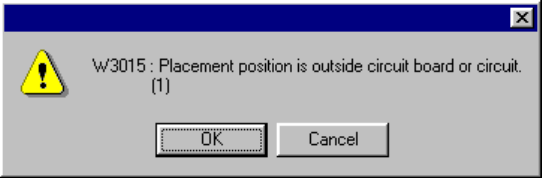
Since Placement data over range error may occur, the machine performs the
range check. If an error is detected, the following warning dialog box appears
on the screen.
• OK Continues the data type switching operation.
• Cancel Terminates the data type switching operation.
●
When the machine switches the data type to Placement data
The over range mark is displayed at the over range placement data.